Managing a brand in 2026 feels like spinning plates while riding a unicycle, but the meta business suite is basically the kickstand that keeps everything from toppling over. It’s a free tool that pulls your Facebook and Instagram accounts into one dashboard, so you can stop jumping between apps and start actually talking to your customers. Whether you’re scheduling posts or checking your ad spend, it’s the central nervous system for anyone trying to build a business on social media.
What is Meta Business Suite?
It is an all-in-one management platform designed specifically for small businesses to manage their presence across Facebook and Instagram from a single location. It combines scheduling, messaging, and detailed analytics into one interface, allowing you to see what’s working without needing a degree in data science. Think of it as the control room where you can oversee everything from your organic stories to your paid campaigns without the usual headache of logging in and out of multiple profiles.
Is it worth the time to set up?
Definitely, mostly because it’s free and saves you dozens of hours of manual work every month. If you’re tired of posting on the fly or forgetting to reply to comments on Instagram while you’re busy on Facebook, this tool fixes that friction immediately. It provides a level of professional oversight that usually requires expensive third-party software, but it’s built directly by Meta for their own ecosystem.
How does it actually work?
Once you link your business pages, the suite aggregates all your notifications, messages, and content calendars into one place. You can create a post, choose which platforms it goes to, and schedule it for the exact time your audience is most active. It even includes a light version of ad management so you can “boost” posts or check your basic performance metrics without diving into the deep end of technical tools.
Navigating the world of facebook business manager
If you’ve been around the block, you might remember the clunky old Facebook Business Manager that felt like it was built for engineers rather than regular people. While the Meta Business Suite has replaced a lot of its daily functions for small creators, Business Manager still exists in the background for high-level “asset” management.
It’s where you handle the “legal” side of things—who has permission to see your pixel data, which agencies are allowed to run your ads, and managing multiple pages at once. Much like how professional managed IT services ensure a company’s backend stays functional, Business Manager focuses less on the creative side and more on the security and infrastructure of your brand. If you’re scaling a team, you’ll find yourself back here to make sure your sensitive business data stays in the right hands.
Understanding the shift to meta business manager

The transition to meta business manager was more than just a name change; it was Meta’s way of acknowledging that Instagram and Facebook are now inseparable for business owners. This backend tool is where the “real work” happens for people managing large portfolios or complex permissions. It’s the vault where you keep your “ad accounts” and “product catalogs” safe. If you ever run into a problem with your facebook login web page showing an error, it’s often because your Business Manager settings need a quick refresh. It’s not the place you go to post a fun reel, but it’s the place you go to ensure your business doesn’t get locked out of its own accounts.
Getting results with meta ads manager
When you’re ready to put some actual money behind your content, meta ads manager is where the magic happens—and where a lot of people get overwhelmed. It’s the professional-grade tool for creating highly targeted campaigns that go beyond a simple “boosted post.” You can target people based on what they’ve bought, where they live, or even people who “look like” your current customers. It’s incredibly powerful but requires a bit of a learning curve to master the different objectives, like “traffic” versus “conversions.” If you can get comfortable here, you can turn a small daily budget into a reliable lead-generation machine that works while you’re busy running the rest of your shop.
The grit behind the faceboook ads manager
A lot of people still call it faceboook ads manager, and honestly, the core logic hasn’t changed that much over the years even with the rebranding. It’s still about testing different images and headlines to see what catches people’s eyes in a crowded feed. The suite makes it easier to see these ads alongside your organic posts, which is great for keeping your brand voice consistent. You don’t want your paid ads to sound like a corporate robot if your regular posts are fun and casual. Use the suite to monitor the comments on your ads, because people will ask questions there just like they do on your regular posts, and ignoring them is basically throwing away money.
Simplifying life with the messenger facebook integration
One of the best things about the suite is how it handles messenger facebook and Instagram DMs in one unified inbox. There is nothing worse than realizing you missed a sales inquiry because it was buried in a “requests” folder on an app you forgot to check. The suite pulls every comment, DM, and mention into a single view. You can even set up “automated responses” for common questions like “What are your hours?” or “Do you ship to Canada?” This keeps your response time low, which Google and Meta both love, and it makes your business look incredibly professional and responsive without you having to be glued to your phone 24/7.
Finding your way through the sign in page of facebook
Sometimes the hardest part is just getting in the door, especially with all the security layers Meta has added. If you’re looking for the sign in page of facebook for your business, always make sure you’re heading to the official business.facebook.com URL. Using a personal login for business tasks is a recipe for disaster and can lead to account bans if you aren’t careful. Once you’re in, the suite is usually the first thing you see. It’s designed to be your “home base,” giving you a quick snapshot of your most recent notifications and how your latest posts are performing. If you’re ever stuck on a loading screen, clearing your browser cache or trying a different login portal usually clears the cobwebs.
Balancing your facebook of business with google my business login
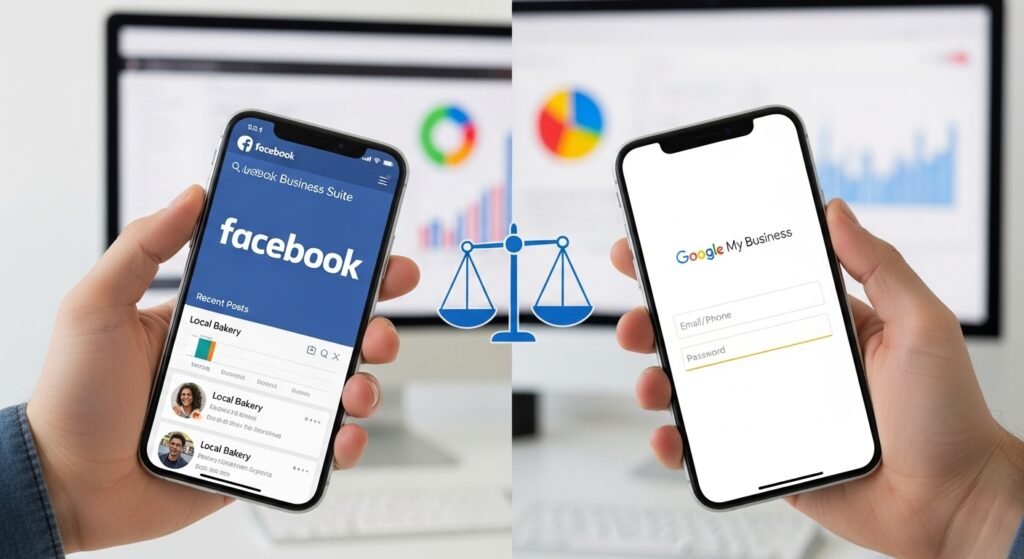
While Meta is great for social discovery, you can’t ignore your facebook of business presence alongside your google my business login for local SEO. If you’re a brick-and-mortar shop, people are going to check your Facebook for your “vibe” and Google for your “reliability.” You need to make sure your hours, address, and phone number match exactly on both platforms. It’s a bit of a chore to keep them both updated, but it’s what builds that deep trust with a new customer. Use the suite to cross-post your updates, but always remember to log into your Google dashboard separately to respond to those specific reviews, as they carry a huge amount of weight for your local search rankings.
Platform Feature Comparison
| Feature | Meta Business Suite | Meta Ads Manager | Business Manager |
| Primary Goal | Daily management & scheduling | Paid campaign creation | Asset & permission security |
| Best For | Small business owners / Creators | Performance marketers | Agencies / Growing teams |
| Inbox | Unified (FB, IG, Messenger) | None | None |
| Ad Capability | Basic (Boosting / Light Ads) | Full (A/B testing / Pixels) | Management of Ad Accounts |
| Ease of Use | High (Intuitive dashboard) | Medium (Technical setup) | Low (Infrastructure focused) |
Common Mistakes to Avoid in Meta Business Suite
The biggest trap I see people fall into is “ghosting” their own comments. If you’re using the suite to schedule your posts, it’s easy to forget to log back in and actually talk to the people who are engaging with you. Social media is a two-way street. If you just broadcast without listening, the algorithm is eventually going to stop showing your stuff to people.
Another classic error is not checking the “Insights” tab. People just post what they think is cool rather than what the data says is actually working. If your audience loves your “behind the scenes” videos but ignores your “product shots,” the suite is literally screaming at you to make more videos. Listen to the numbers.
Lastly, be careful with your “automated replies.” They’re great for basic info, but if they sound too robotic, you’ll turn people off. Use them to bridge the gap until you can get there to give a real, human answer. Nobody wants to feel like they’re shouting at a wall of code.
[Image showing a unified inbox view with messages from Facebook and Instagram combined]
Anyway, that’s the deal. Meta keeps changing the names of these tools, but the goal is always the same: make it easier for you to find customers and for them to find you. Just pick one tool, get comfortable with it, and stop stressing about the technical jargon.
Frequently Asked Questions (Google People Also Asked)
Is Meta Business Suite the same as Facebook Business Manager?
Not exactly. Meta Business Suite is the newer, more user-friendly interface for daily tasks like posting and messaging. Business Manager is the older “backend” tool used for managing permissions, ad accounts, and multiple pages. Most small businesses will spend 90% of their time in the Suite.
Can I use Meta Business Suite for free?
Yes, it is a completely free tool provided by Meta. You just need a Facebook Business Page and a linked Instagram Business account to get started.
How do I link my Instagram to Meta Business Suite?
You can do this directly in the Suite’s settings. Go to “All Tools,” then “Page Settings,” and find the “Instagram” tab. Follow the prompts to log in and confirm the connection.
Why can’t I see my Instagram messages in the Suite?
Make sure your Instagram account is set to “Professional” or “Business” mode. Personal accounts don’t always sync correctly with the unified inbox features of the Suite.
Can I schedule Reels in Meta Business Suite?
Yes, as of 2026, the Suite fully supports scheduling for both Facebook and Instagram Reels. Including the ability to pick your cover photo and add captions in advance.
What is the “Essential Eight” of social media security?
While the term usually refers to general IT security, in the Meta world. It means having 2FA enabled, regular permission audits, using a Business Manager for asset protection, and never sharing your personal login credentials.
How do I get my ads to show on Instagram too?
In Ads Manager, you can select “Automatic Placements”. Which lets Meta’s AI decide where your ad will perform best, or you can manually select Instagram Stories, Feed, and Reels.
Why is my ad account disabled?
This usually happens due to a policy violation or a payment issue. Check your “Account Quality” tab in the Suite or Ads Manager to see the specific reason and start the appeal process.
So, yeah. It’s a lot, but it gets easier once you start clicking around. Don’t feel like you have to be an expert in everything on day one. Just start by scheduling your posts for next week and go from there.