


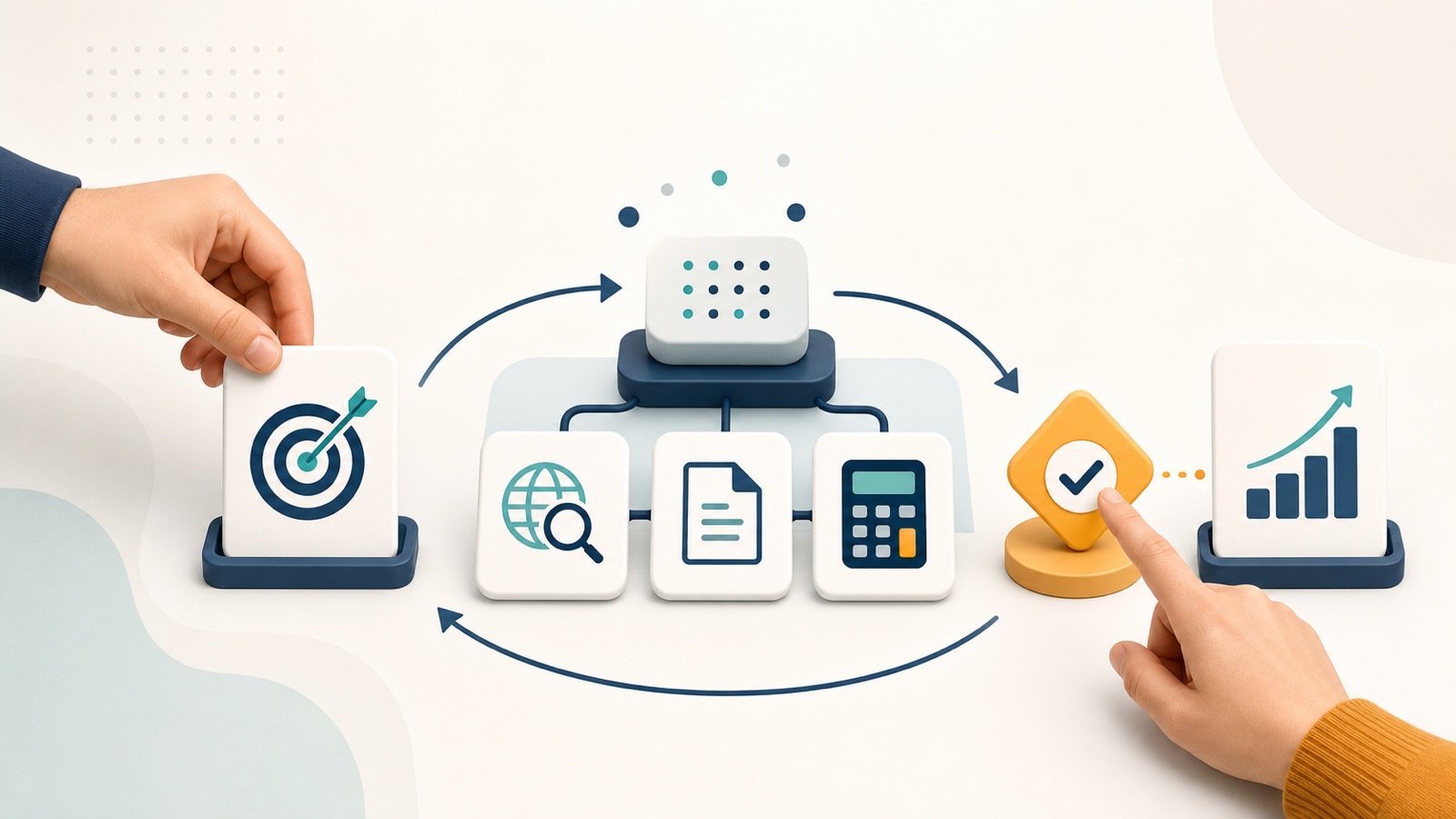

AI agents are software systems that can pursue a goal, choose from allowed tools, observe what happened and adjust their next step. A chatbot usually waits for another message; an agent can continue through a bounded, multi-step task. That extra ability is useful, but it also makes permissions, limits and human approval essential.
This beginner’s guide explains the mechanism without the hype. You will see the seven-step loop, seven practical examples, three small tests from this article’s production workflow, and a safety checklist you can use before giving any agent access to real data or accounts.
The short version: an AI agent combines a model, instructions and tools inside a loop. It is best for tasks with a clear goal, observable progress and a safe stopping point. Start read-only, limit what it can access, and require approval before it sends, deletes, buys, publishes or changes anything important.
What is an AI agent in simple terms?
An AI agent is a program that uses an AI model to decide how to complete a task on your behalf. It receives a goal, selects an action, uses an approved tool, reads the result and decides what to do next. The process ends when it reaches the goal, hits a limit or hands control back to a person.
OpenAI’s current building guide describes agents as systems that independently complete tasks and distinguishes them from simple chatbots that do not control a workflow. Google Cloud’s updated overview similarly describes agents as goal-oriented systems that can reason, plan, act and observe. These are vendor definitions, but they agree on the important boundary: an agent does more than generate a single answer.
If you first want the foundations behind models and predictions, read how artificial intelligence works. If you are comparing everyday assistants rather than building an agent, start with our guide to AI tools.
AI agent vs chatbot vs fixed automation
| System | How it works | Good fit | Main limitation |
|---|---|---|---|
| Chatbot | Responds to each prompt | Questions, drafts and explanations | Usually waits for the user to direct every step |
| Fixed automation | Follows predefined rules and paths | Stable, repetitive processes | Handles unusual cases poorly unless a rule covers them |
| AI agent | Selects steps and tools inside defined limits | Multi-step work with some ambiguity | Can choose the wrong action or misread an observation |
The boundaries are not perfect. Anthropic uses “agentic systems” as an umbrella term, then separates workflows with predefined code paths from agents that dynamically direct their own process and tool use. That distinction is useful: if a simple rule or one good prompt solves the problem, you probably do not need an agent.
How do AI agents work?
A practical agent runs a feedback loop rather than producing one response and stopping. The loop below is an editorial model, not a claim that every product exposes its internal reasoning in exactly these words.
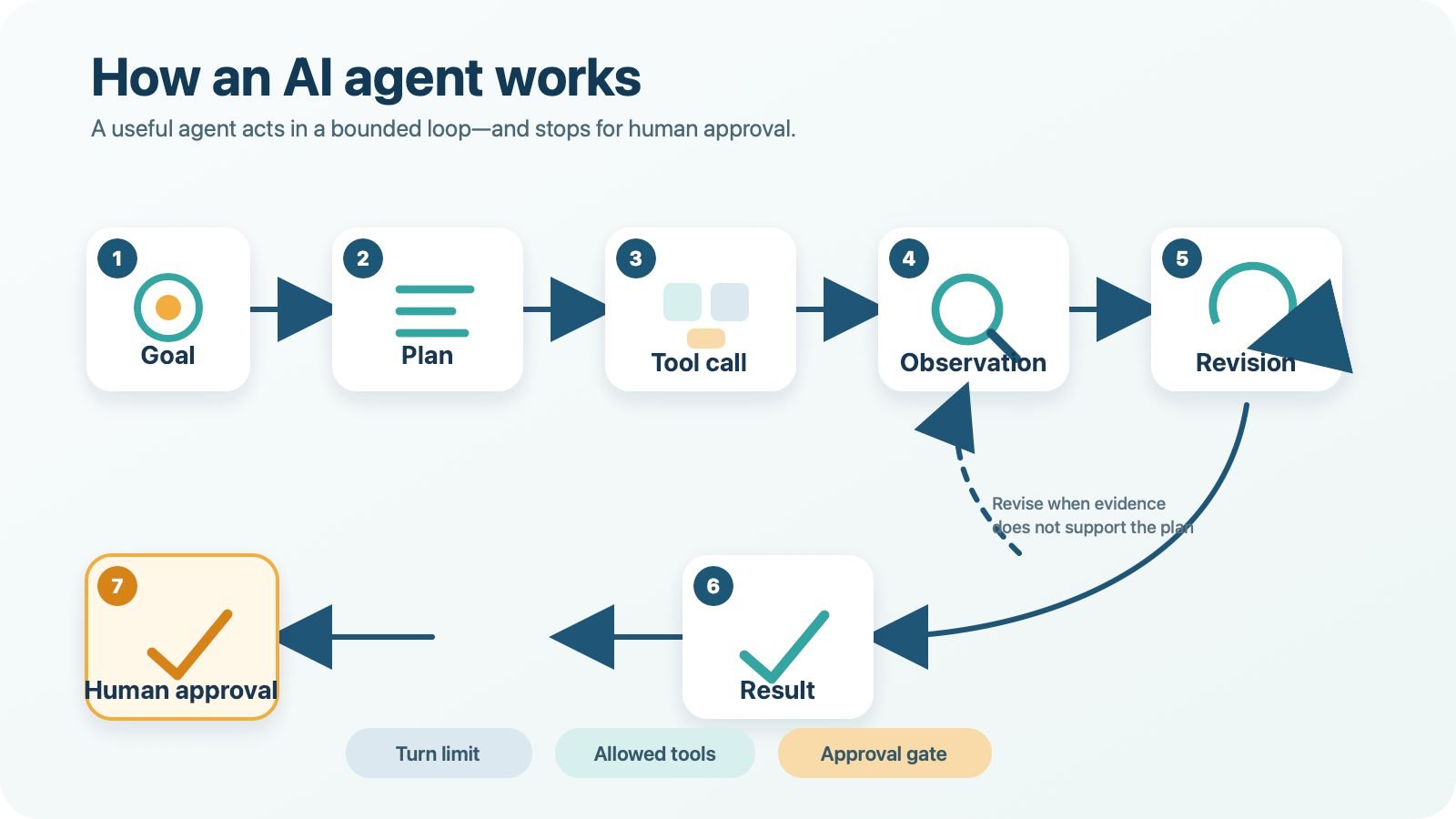
- Goal: the user defines the outcome, constraints and what “done” means.
- Plan: the agent decides on a small next step, not necessarily a perfect plan for the whole task.
- Tool call: it uses an allowed function, such as search, calculator, database read or document editor.
- Observation: the tool returns information, an error or confirmation.
- Revision: the agent compares the observation with the goal and changes course if needed.
- Result: it prepares the answer, file or proposed action.
- Human approval: a person reviews any sensitive or consequential action before execution.
A safe loop also has stop conditions. These can include a maximum number of turns, a time or cost budget, a confidence threshold, repeated errors, or a rule that certain actions always need approval. Without those limits, an agent can keep retrying a bad plan.
The five parts of a useful AI agent
1. Model. The large language model interprets the goal and selects the next action. A more capable model may handle ambiguity better, but model quality does not replace permissions or verification.
2. Instructions. These describe the job, success criteria, boundaries and escalation rules. “Summarise new support tickets and draft replies; never send them” is safer than “handle customer support.”
3. Tools. Tools let the agent retrieve or change something outside the conversation. A search tool reads pages; an email tool might draft or send; a database tool might query or edit records. Tool descriptions and parameters need to be clear because the model relies on them to choose correctly.
4. State or memory. The system keeps enough context to know what it has tried and what it observed. Persistent memory can improve continuity, but stale, sensitive or manipulated memory can also carry mistakes into later tasks.
5. Guardrails and approvals. These are enforced controls around the model: allowed domains, read-only access, data filters, rate limits, logs and human checkpoints. A prompt asking the agent to “be careful” is not a substitute for access control.
Seven practical AI agent examples
1. Inbox triage agent
The agent reads a limited inbox label, groups messages by urgency and prepares a daily summary. Its first version should not send, archive or delete anything. A person checks the categories and moves messages after review.
2. Customer-support drafting agent
The agent reads a support ticket and approved help-centre articles, then drafts a response with links to the relevant policy. Refunds, account changes and outbound messages stay behind approval. This works because the output is easy for a support person to inspect.
3. Source-grounded research agent
The agent searches an approved set of official websites, extracts claims and creates a brief with source links. It should distinguish direct evidence from inference and flag conflicting dates. The human reviewer opens the sources before using important claims.
4. Meeting follow-up agent
The agent turns an approved transcript into decisions, owners and due dates, then drafts follow-up messages. It does not invent an owner when the discussion was unclear, and it does not send anything until the meeting lead approves the summary.
5. Small-business inventory monitor
The agent reads stock levels and recent sales, identifies products that may need attention and drafts a reorder recommendation. It can explain which data triggered the alert. Placing an order remains a human decision, especially when supplier prices or demand are uncertain.
6. Messaging-security investigation agent
A narrowly scoped messaging security agent can collect suspicious-message indicators, compare them with approved threat data and prepare an investigation report. Quarantining accounts, blocking domains or contacting users should require explicit authorization because false positives can interrupt real work.
7. Coding and test agent
The agent receives a small bug report, inspects the relevant files, proposes a patch and runs automated tests. Test output gives it an observable signal for revision. A developer reviews the diff before the code is merged or deployed.
These examples are patterns, not product endorsements. For current assistant and tool choices, compare the best AI tools for 2026. Readers who want a slower foundation can follow our path for AI training for beginners.
Three bounded micro-tests used for this guide
We used three small production tasks to make the agent workflow observable. They tested this publishing process, not the general reliability of every agent or model.
| Task and limit | Observable result | Outcome |
|---|---|---|
| Find current primary sources; official domains only; five-source target | Five relevant sources logged: OpenAI, Anthropic, Google Cloud, NIST and OWASP | Passed, with vendor guidance labelled separately from independent frameworks |
| Check five required internal destinations; no page edits | All five destinations resolved; the legacy /ai-tools/ path redirected to /best-ai-tools-2026/ |
Passed with redirect noted for the publisher |
| Validate the local publishing package; target length, anchors and JSON-LD types | The final QA report records the measured word count, required anchors and schema parse result | Passed after local validation; see the evidence log for the exact checks |
The main lesson was not that “the agent did everything.” The useful pattern was a narrow goal, limited tools, visible evidence, a stop condition and a human handoff for publication.
The biggest AI agent risks—and the control for each
NIST’s Generative AI Profile treats risk management as work across the AI lifecycle. OWASP’s Agentic Top 10 adds agent-specific threats such as goal hijacking, tool misuse and identity or privilege abuse. For beginners, these ideas translate into practical controls:
| Risk | What it can look like | Beginner control |
|---|---|---|
| Wrong or invented output | A confident summary includes a false fact | Require source links and review important claims |
| Goal hijacking or prompt injection | A webpage or document contains instructions that redirect the agent | Treat retrieved content as untrusted data; restrict tools and destinations |
| Excessive permissions | A summariser can also send mail or delete files | Start read-only and grant the minimum scope for the task |
| Sensitive-data exposure | Private records enter a prompt, log or external service | Use approved data, redact identifiers and follow the provider’s data controls |
| Runaway loops | The agent repeats searches or tool calls, increasing cost | Set turn, time and budget limits; stop after repeated errors |
| Unclear accountability | No one can reconstruct why a change happened | Log actions and name the person responsible for approval |
| Bad memory or context | Old or manipulated information affects later tasks | Limit retention, show the memory used and provide a reset path |
The simplest rule is: permissions should match the smallest action the agent needs now, not every action it might need later. Separate reading from changing. Separate drafting from sending. Separate testing from deployment.
When should you not use an AI agent?
Do not add an agent when a checklist, filter, formula or fixed automation solves the task reliably. An agent adds cost, delay and another source of variation. Anthropic’s engineering guidance recommends starting with the simplest workable solution and increasing complexity only when the task needs flexibility.
Avoid unsupervised use for high-stakes medical, legal, financial or safety decisions. Do not let a new agent make payments, sign agreements, delete records, change production systems or publish externally. If failure would be hard to reverse, the action needs stronger controls and qualified human review.
A safe AI-agent checklist for beginners
- Choose one narrow, low-risk task with a result you can inspect.
- Write success criteria, allowed sources and a clear stopping point.
- Start with read-only tools and dummy or non-sensitive data.
- Grant access only to the specific folder, label, project or account required.
- Block send, delete, payment, publish and deployment actions by default.
- Set turn, time and cost limits.
- Keep an action log and record errors, retries and approvals.
- Test normal, ambiguous and malicious-looking inputs.
- Review the result yourself before expanding the agent’s scope.
- Add a reliable handoff when the agent is uncertain or reaches a limit.
Run the task several times with known answers before connecting real accounts. A useful agent is not the one with the most tools; it is the one that completes a defined job while remaining easy to inspect and stop.
Limitations and editorial disclosure
This guide explains common architecture patterns; individual products may use “agent” differently, hide parts of their orchestration or change features without notice. The three micro-tests cover this article’s research and publishing package only. They do not measure model accuracy, security under attack, long-running reliability or business return.
Editorial disclosure: AI tools supported research organization, drafting and local quality checks. A human editor is responsible for verifying sources, reviewing the final copy, creating or approving images, configuring WordPress and deciding whether to publish. No provider paid for inclusion.
AI agents for beginners: frequently asked questions
What is an AI agent in one sentence?
An AI agent is software that uses an AI model to pursue a goal, choose from permitted tools, observe results and adjust its next action within defined limits.
Is ChatGPT an AI agent?
A standard question-and-answer chat is an AI assistant interaction, not necessarily an agent. It becomes agent-like when the system can manage a multi-step workflow, select tools and continue toward a goal with less step-by-step direction.
Do AI agents think for themselves?
No. They generate plans and actions from models, instructions, context and tool results. Their behaviour can look independent, but it remains limited by system design, permissions and the quality of the information available.
Are AI agents safe?
They can be used more safely when their access is narrow, their actions are logged, important outputs are checked and high-impact steps require approval. They are not error-free, and broad permissions increase the possible harm from a bad decision or manipulated input.
What is the best first AI agent task?
Start with a reversible, read-only task such as grouping non-sensitive notes or drafting a summary from approved documents. The result should be easy for you to verify before anything is sent or changed.
Can an AI agent work without human approval?
Low-risk, reversible steps can sometimes run automatically after testing. Sending messages, spending money, deleting data, publishing content and changing important systems should keep a human approval gate.
Sources
- OpenAI, A practical guide to building agents
- Anthropic, Building effective agents
- Google Cloud, What is an AI agent?
- NIST, Artificial Intelligence Risk Management Framework: Generative Artificial Intelligence Profile
- OWASP GenAI Security Project, Top 10 for Agentic Applications
Update log
- July 2026: First publication. Added current agent definitions, the seven-step workflow, seven practical examples, bounded production tests, permissions guidance and 2026 OWASP agentic-risk references.