



Getting eyes on your work in 2026 feels like a completely different game. It’s no longer enough to have a good idea — you need the right tech stack to get that idea out of your head and onto a screen before the trend dies. If you’re not using a few smart shortcuts, you’re running a marathon in flip-flops while everyone else is on e-bikes.
The good news: the tools that close that gap have never been cheaper or easier to use. Below is the real, no-hype list — organised by the job each tool actually does, with free and paid options — plus a look at how to wire them into one workflow. For the wider picture beyond creator work, see our roundup of the best AI tools in 2026.
| Use Case | Tool | Free Plan | Starting Price | Best For |
|---|---|---|---|---|
| Writing & scripts | ChatGPT / Claude | Yes | ~$20/month | Drafts, scripts, repurposing |
| Research with sources | Perplexity | Yes | ~$20/month | Fact-checked ideation |
| Video editing | Descript | Yes | ~$19/month | Text-based editing, cutting filler |
| Video & B-roll generation | Runway | Limited credits | ~$15/month | AI video and B-roll |
| Short-form clipping | Opus Clip | Yes | ~$19/month | Turning long video into shorts |
| Voice & audio | ElevenLabs | Yes | ~$5/month | Natural AI voiceovers |
| Audio cleanup | Adobe Podcast | Yes | Free | Studio sound from a phone mic |
| Design & graphics | Canva Magic Studio | Yes | ~$15/month | Thumbnails, posts, no design skills |
| Image generation | Midjourney | No | ~$10/month | High-fidelity visuals |
| Photo editing | Adobe Firefly | Limited | ~$10/month | Lighting fixes, object removal |
| Scheduling | Buffer / FeedHive | Yes | ~$6/month | Auto-posting across platforms |
| Inbox & DM management | Kuikwit | — | — | Centralising creator messages |
The Best AI Tools for Content Creators, by Use Case
Writing and Ideation
ChatGPT and Claude are the two workhorses. ChatGPT is the flexible all-rounder for hooks, captions, and turning one piece of content into ten. Claude shines on long-form — full video scripts, newsletters, anything where tone and nuance matter — because it holds a lot of context without losing the thread. Both have genuinely useful free tiers, with ~$20/month plans for heavy use. Not sure which fits your workflow? Our Claude vs ChatGPT vs Gemini and DeepSeek vs ChatGPT breakdowns compare them head to head.
For ideation backed by real sources, Perplexity works like an AI search engine — ask for trending angles or stats and it answers with citations you can verify, which beats inventing facts. And when you’re staring at a blank page, a bank of creative writing prompts is still one of the fastest ways to break the freeze.
Video Editing and Generation
Descript edits video like a document — delete a word from the transcript and it cuts that moment from the footage, filler “ums” included. It’s the biggest single time-saver for talking-head creators. Runway generates B-roll and short clips from text prompts, so you can fill visual gaps without a camera. And Opus Clip does the job that used to eat an editor’s afternoon: feed it a long podcast or stream and it finds the most engaging 60 seconds, adds captions, and formats it vertical for TikTok, Reels, and Shorts.
Voice and Audio
ElevenLabs is the standout for voice — natural AI voiceovers and cloning that no longer sound robotic, ideal for faceless channels or fixing a single flubbed line without re-recording the whole thing. Adobe Podcast and its Enhance tool clean up audio recorded on a phone mic until it sounds studio-grade, for free.
Design and Visuals
Canva Magic Studio is the gateway for non-designers — thumbnails, carousels, and social posts in minutes, with AI that writes copy and resizes layouts for every platform. Midjourney produces the high-fidelity, scroll-stopping images when a template won’t cut it. For photo work, Adobe Firefly and Photoshop’s generative tools fix lighting, remove distracting objects, and clean up backgrounds in a couple of clicks — the modern darkroom.
Scheduling and Inbox Management
Once the content exists, Buffer and FeedHive schedule and auto-repurpose it across platforms, so one post becomes a week of content. And if brand deals are part of the plan, the messages that actually pay you arrive as DMs and comments scattered across Instagram, TikTok, and email — easy to miss. A tool like Kuikwit pulls those conversations into a single inbox, so a collab request doesn’t get buried under fan replies.
What an AI-Powered Content Workflow Actually Looks Like
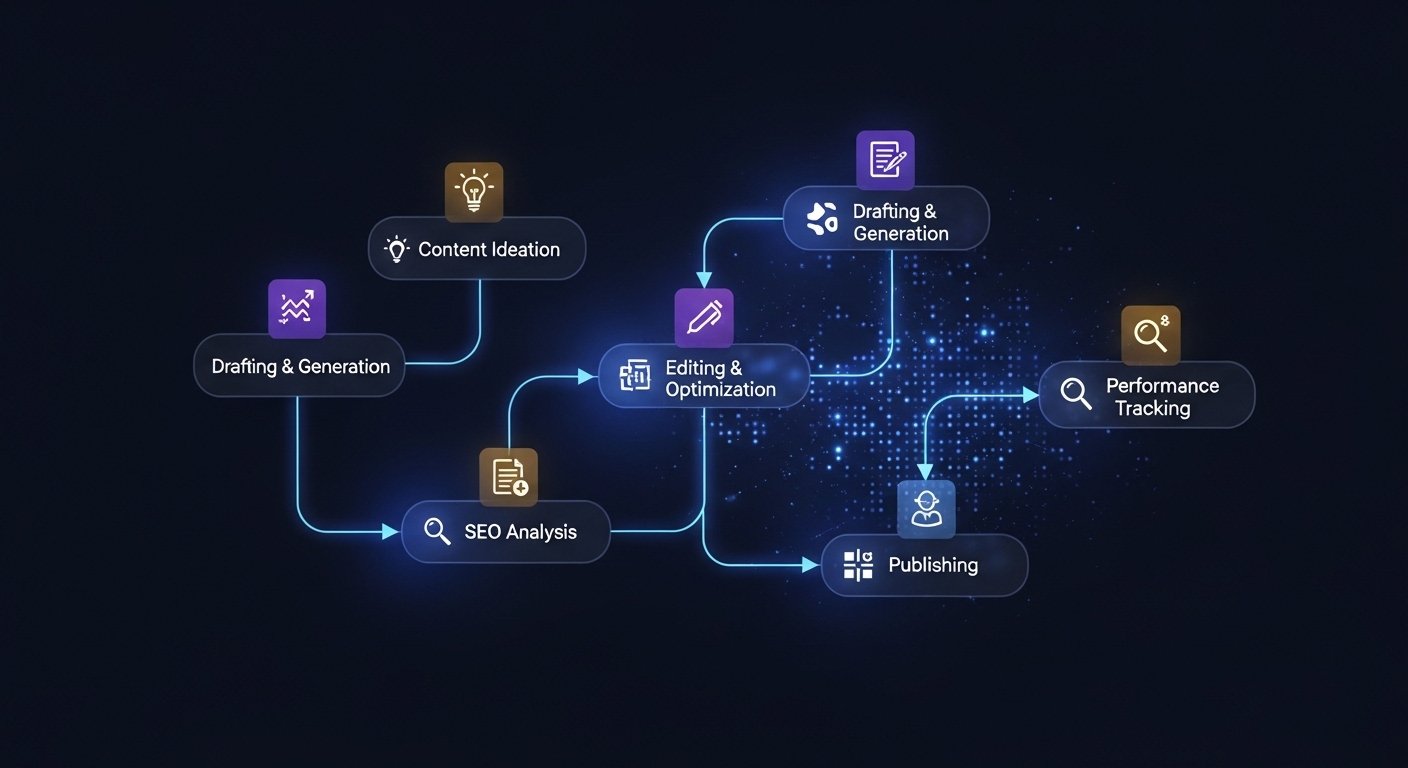
The magic isn’t any single tool — it’s the pipeline. A rough idea becomes a Perplexity-researched outline, which becomes a Claude-written script, which becomes an ElevenLabs voiceover, which Descript and Runway turn into a finished video, which Opus Clip slices into shorts, which Buffer schedules everywhere. You set the parameters and review the output at each step. The goal is fewer tabs and less friction — not more apps. Pick the two or three tools that solve your biggest bottleneck and ignore the rest of the noise.
Free AI Tools (and How to Avoid Looking Like Everyone Else)
You can build a genuinely professional setup on free tiers alone — Canva, the free plans of ChatGPT or Claude, Adobe Podcast, and ElevenLabs’ free credits will carry a new creator a long way. The catch with free tools (and AI in general) is sameness: when everyone leans on the same templates and prompts, everything starts to look identical.
The fix is to feed the AI unique “seeds” — your specific stories, opinions, and mistakes. Don’t ask for “a post about coffee”; tell it about the morning you spilled a flat white on a stranger in Melbourne and what it taught you about embarrassment. That’s where good prompt engineering earns its keep: the engine is generic, but your weird, specific life is the fuel.
Beating Creator Burnout in 2026
None of this matters if you burn out by Friday. The pressure to stay “relevant” — posting daily across four platforms — is the real hurdle, not the technology. The whole point of automating the grunt work is to protect your creative energy for the parts only you can do: the storytelling, the perspective, the judgement. Use the tools to buy back hours, then actually rest. A burnt-out creator eventually stops creating altogether, and no tool fixes that.
How to Keep Your Content Sounding Human
AI can replace creators who only regurgitate facts. It can’t replace a unique perspective, a sense of humour, or a real story. Audiences can feel when something is 100% machine-made — it reads cold and empty. Over-polished writing is the giveaway; real people use fragments, slang, and the occasional tangent. Use AI to do the work, but keep your voice in the driver’s seat: read it out loud, and if you wouldn’t say it to a friend, rewrite it.
Frequently Asked Questions
Is being a content creator a real job in 2026?
Yes. It’s a multi-billion-dollar industry spanning ad revenue, brand deals, and paid communities. It’s as real as any profession — just with better lighting.
Can AI replace content creators?
It can replace the ones who only repackage facts. It can’t replace original perspective, humour, or lived experience. AI is the tool, not the talent.
Which AI tool is best for beginners?
Canva is the easiest entry point for visuals, and ChatGPT or Claude for writing. All three have free plans you can start using today.
How do I make AI content sound more human?
Stop over-polishing. Add your own examples, opinions, and voice, use natural phrasing, and read everything aloud before you publish.
What AI tools do YouTubers use in 2026?
Commonly Descript and Opus Clip for editing and clipping, ElevenLabs for voice, Canva for thumbnails, and ChatGPT or Claude for scripts and titles.
Final Thoughts
The best AI tools for content creators in 2026 aren’t about replacing you — they’re about clearing the busywork so you can focus on the ideas that actually connect. Start with the one tool that fixes your biggest bottleneck, build a simple pipeline from there, and keep your own voice front and centre. The creators winning the clicks in 2027 will be the ones who let the bots handle the grunt work and kept the human part for themselves.