




Malware protection used to sound like something only large companies worried about. Now it is personal. Phones, laptops, tablets, and browsers all store private information and connect to important accounts. One careless click can expose passwords, files, payment details, or work data.
The difficulty is that malware does not always announce itself clearly. Some threats stay hidden for a while. Australian Cyber Security Centre guidance on information stealers notes that many are designed to be hard to detect, and victims may not realize their device is infected or their data has been stolen.
That is why malware protection matters. It is not only about cleaning up damage. It is about lowering the chance that damage happens in the first place.
What Is Malware Protection?
Malware protection refers to the tools and practices used to prevent, detect, and remove malicious software from devices. That includes:
- viruses
- spyware
- ransomware
- trojans
- adware
- credential stealers
- malicious apps
- harmful browser-based threats
Good protection usually combines software, settings, updates, and safer habits. It is rarely just one product doing everything.
How Malware Gets Onto Everyday Devices
Malware usually enters through something that looks normal at first. It may come from:
- fake downloads
- email attachments
- malicious links
- unsafe apps
- compromised websites
- deceptive ads
- rogue browser extensions
This is one reason prevention matters so much. Malware often hides behind legitimate-looking behavior, which makes it easy for people to miss until something feels off.
Why Awareness Still Matters
Before security software even comes into the picture, user behavior matters. Fast clicks, ignored updates, unknown download sources, and weak account habits all increase exposure.
The strongest protection is usually quiet. It works in the background while you browse, install, update, and log in. That preventive mindset is similar to how good security teams think more broadly about messaging security agent and what is a DNS server risks too.
What Good Malware Protection Includes
There is no single perfect product for everyone, but strong malware protection usually includes a few core layers.
Real-time threat detection
Protection should monitor activity as it happens, not only during manual scans.
Behavior-based analysis
Modern tools should look for suspicious behavior, not only known file signatures.
Frequent updates
Threat databases and detection systems need regular updates to stay effective.
Safe browsing or download warnings
Good protection often helps block dangerous sites, links, or downloads early.
Recovery support
If something gets through, the tool should help isolate, remove, and recover safely.
Do Antivirus Tools Still Matter?
Yes. Antivirus software is still relevant, but it has evolved. It is no longer just about scanning files against an old threat list.
Microsoft says Windows 11 includes built-in, always-on Microsoft Defender Antivirus, with additional features such as Smart App Control and SmartScreen to make devices harder to hack.
That means antivirus is still part of the security picture, but it now works as part of a broader layered system.
Norton 360 and All-in-One Protection
Norton products remain popular because they combine several layers into one platform. Norton’s current product pages describe real-time threat protection, malware protection, phishing protection, and VPN or identity-related features depending on the plan.
That kind of bundled setup can be useful for people who prefer:
- one dashboard
- fewer separate apps
- simpler protection choices
- extra privacy or identity tools
It is not the only option, but it reflects where consumer security software has moved.
How to Remove Malware Safely
When malware is already on a device, panic often makes the situation worse. Random “cleaner” tools and urgent-looking downloads can add more problems instead of solving them.
A safer process usually includes:
- disconnecting from risky networks if needed
- using a trusted security tool
- running a full scan
- removing or quarantining identified threats
- reviewing extensions, apps, and startup items
- updating passwords after cleanup
- checking for unusual account activity
Removal is only part of the job. Recovery also matters.
What Malware Scanners Actually Do
A malware scanner checks files, memory, apps, browser behavior, and system activity for known threats or suspicious patterns.
Some scanners rely on signature matching. Others also use heuristic or behavioral analysis to detect things that do not match an exact known threat but still behave like malware.
That is why scans may take time. They are checking more than just obvious files.
What to Do After Malware Is Removed
Even after removal, the device may not return to normal immediately. Settings may have changed. Browser behavior may still be odd. Accounts may have been exposed.
After cleanup, it is smart to:
- change important passwords
- update software
- remove unused or suspicious apps
- review browser extensions
- recheck account security settings
- watch for unusual login activity
This is where broader security thinking overlaps with cyber security jobs and malware protection as a bigger topic area.
Android and Google Play Protect
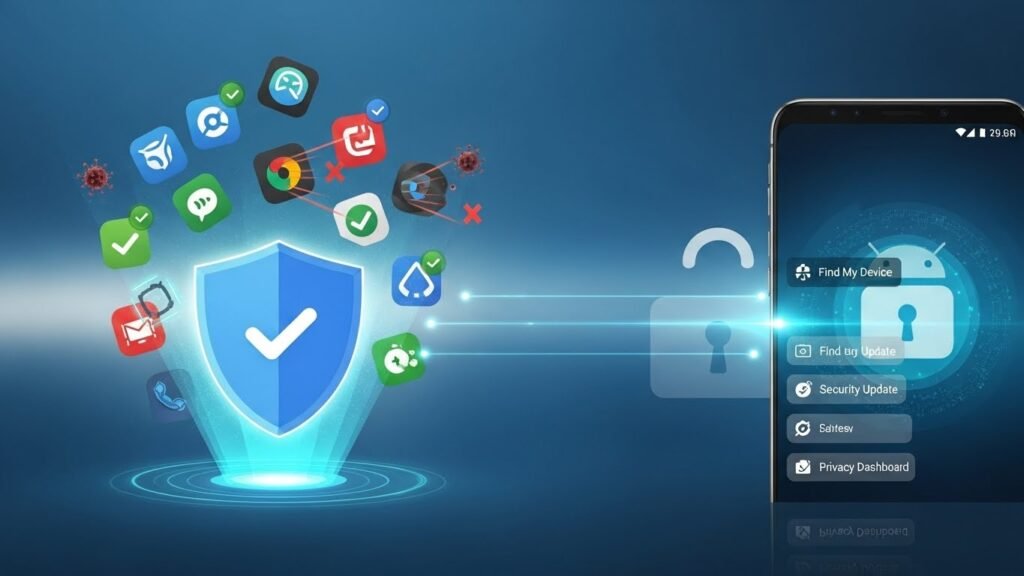
Android users often rely on Google Play Protect without thinking much about it. Google says Play Protect checks apps and devices for harmful behavior, warns about potentially harmful apps, and may remove or deactivate them. Google also says it scans over 200 billion Android apps a day.
That makes Play Protect a useful built-in layer, especially for lower-risk users. But it is still better to think of it as a baseline guardrail rather than a complete answer for everyone.
Best Antivirus for Android: What Matters
Android protection should focus on:
- app behavior
- permissions
- risky sideloading activity
- harmful links
- network and browser warnings
This matters more for users who do banking, work email, cloud file access, or frequent app installs on their phones.
Windows 11 and Built-In Protection
Windows 11 now includes stronger built-in protection than older Windows versions. Microsoft describes Microsoft Defender Antivirus as active by default and part of a broader security setup that includes SmartScreen and other protections.
For many everyday users, the built-in protection is a solid starting point. But riskier behavior, such as frequent downloads from unknown sources, can still justify extra layers.
PC Protection Without Slowing Everything Down
One of the biggest complaints about security tools is performance drag. That matters because users often disable tools that feel too heavy.
The best PC protection should:
- run quietly
- avoid constant pop-ups
- provide real-time monitoring
- limit major slowdowns
- stay usable enough that people keep it enabled
Protection only works if people actually leave it on.
Chromebooks Are Safer, Not Untouchable
Chromebooks are often safer by design because of sandboxing, verified boot, and their cloud-first model. But that does not make them immune to threats.
Browser-based attacks, malicious extensions, phishing, and account compromise can still cause serious harm. So Chromebook safety still depends heavily on user behavior and account hygiene.
Macs and Malware Risks
The old idea that Macs do not need security attention is outdated. macOS has strong built-in protections, but phishing, malicious downloads, and social engineering still work across platforms.
In practice, the risk is often less about Hollywood-style “hacking” and more about:
- fake updates
- deceptive downloads
- credential theft
- unsafe browser behavior
- malicious attachments
That makes awareness and layered protection relevant for Mac users too.
Are Free Protection Tools Enough?
Free tools are not useless, but they are usually more limited. They may have:
- narrower features
- fewer extras
- smaller support options
- less identity or privacy coverage
- weaker business-use suitability
For casual users, that may be enough. For people handling financial, business, or sensitive data, more complete protection often makes sense.
Staying Protected Without Obsessing Over It
Security should not mean constant fear. Good malware protection is mostly about consistency.
That includes:
- keeping devices updated
- using trusted app sources
- checking links before clicking
- using strong passwords and MFA
- letting real-time protection stay active
- reviewing suspicious behavior early
The goal is not to think about malware all day. The goal is to set up enough good habits and protections that you do not need to.
Final Thoughts
Malware protection is not only for big companies anymore. It matters for anyone using a phone, laptop, browser, or cloud account.
Threats keep changing, and the tools keep adapting. The best approach is usually layered: safer habits, built-in protections, trusted scanners, timely updates, and a bit more caution around downloads and links.
That is what keeps devices quieter, safer, and more reliable over time.
FAQs
What is malware protection?
Malware protection is the combination of tools and habits used to prevent, detect, and remove malicious software from devices.
Is built-in antivirus enough?
Sometimes. Windows 11 includes Microsoft Defender Antivirus and other built-in protections, which are a strong starting point for many users.
How often should I scan for malware?
Real-time protection handles much of the risk, but manual scans from time to time can still be useful.
Can malware steal passwords?
Yes. Information-stealer malware is specifically designed to steal credentials and system information.
Do Macs need antivirus or security software?
Macs are safer in some ways, but they are still exposed to phishing, malicious downloads, and browser-based threats, so security still matters.