



To choose an AI tool, define one measurable job, test every candidate with the same real-world tasks, and score task fit, output quality, accuracy, privacy, security, integrations, usability, reliability, speed, total cost, vendor support and exit risk. Use evidence—not feature lists—and reject any tool that fails a critical privacy, security or accuracy requirement.
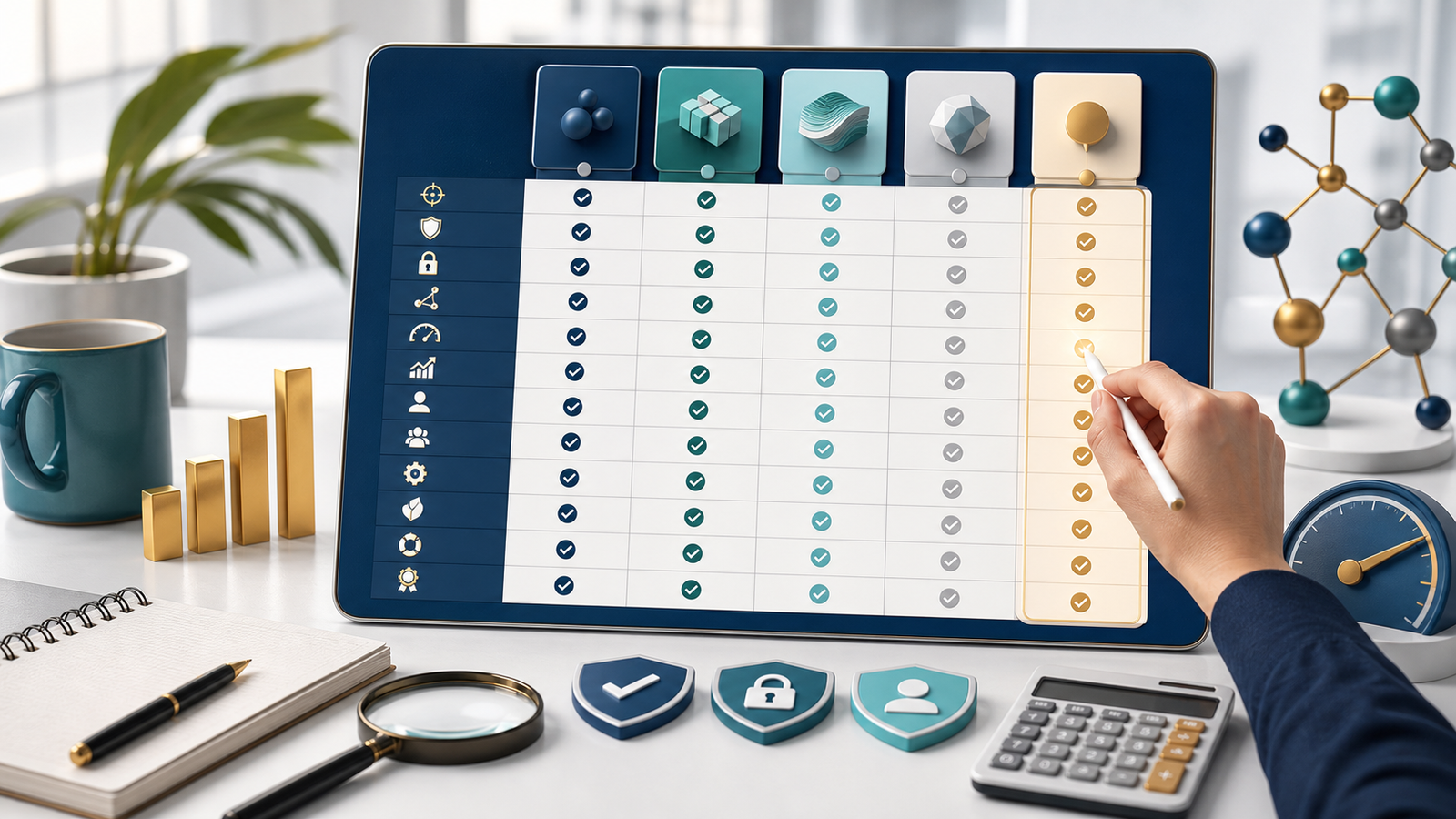
There is no universal “best” AI product. A tool that is excellent for drafting may be unsafe for customer records, awkward for a team workflow or expensive once review time is counted. The right choice is the product that performs your specific task well enough, with risks your organisation can control.
This guide provides a transparent 100-point method for how to choose an AI tool. It is deliberately different from a roundup: use our AI tools hub to discover candidates, then use this framework to decide which—if any—deserves a pilot.
The five-minute AI tool shortlist
- Name one job. Write the input, expected output, user and success measure in one sentence.
- Set three non-negotiables. Examples: Australian data requirements, direct source links, an existing CRM integration or a firm monthly budget.
- Remove obvious mismatches. Discard products that cannot do the task, will not explain data handling or do not provide the required controls.
- Shortlist two or three tools. Avoid comparing ten products on features you will never use.
- Run the same five-task trial. Score the evidence in the worksheet before paying or connecting live business data.
If the use case involves customer, employee, health, financial or other sensitive information, the shortlist is only a preliminary step. The Office of the Australian Information Commissioner (OAIC) recommends due diligence, privacy by design and a Privacy Impact Assessment where appropriate. It also recommends that organisations do not put personal—especially sensitive—information into publicly available generative AI tools as a matter of best practice.
Define the task before comparing products
“We need AI” is not a requirement. “Our support coordinator needs to turn an approved incident note into a customer update in under five minutes, without adding facts” is testable. The clearer statement tells you what sample inputs to use, what a good result looks like and which risks matter.
Write down the current process, typical volume, acceptable error rate, person accountable for review and prohibited uses. Decide whether AI is even necessary. NIST’s AI Risk Management Framework says context should be mapped, risks measured and managed, and governance applied throughout the lifecycle—not only at purchase time.
The 12-point AI tool evaluation checklist
Rate each criterion from 0 to 5: 0 is unacceptable, 1 weak, 2 limited, 3 adequate, 4 strong and 5 excellent. Multiply the rating by the listed weight, then divide by five. The weights total 100. Change them only before testing, and document why.
1. Task fit — 14 points
Check: Can it complete the exact job with your normal inputs, constraints and output format? Evidence: five representative tasks, edge cases and a measurable pass condition. Red flag: a polished demo that avoids your difficult examples. Score: 5 only when it repeatedly meets the defined outcome with manageable human review.
2. Output quality — 12 points
Check: usefulness, completeness, tone, structure and editing effort. Evidence: saved before-and-after outputs reviewed by the people who will use them. Red flag: fluent text that needs extensive correction. Score: compare the human time saved, not the amount of content generated.
3. Accuracy and citations — 12 points
Check: calculations, dates, names, quotes, sources and uncertainty. Open every citation. Evidence: an error log and links to primary sources. Red flag: invented facts, irrelevant links or confidence when information is missing. Score: use an agreed error tolerance; a single serious error can override the total score.
4. Privacy and data use — 12 points
Check: what the vendor collects, how long it is retained, whether humans review it, whether inputs improve models, and how deletion works. Evidence: current privacy notice, contract and account settings. Red flag: unclear training use or encouragement to paste confidential data. Score: consumer and enterprise plans separately; their protections may differ.
5. Security and access controls — 10 points
Check: authentication, roles, least-privilege access, audit logs, encryption, incident response and relevant certifications. Evidence: security documentation and an access-control matrix. Red flag: shared accounts or no way to revoke access. Score: require stronger controls as the data or action becomes more sensitive.
6. Integrations — 8 points
Check: required apps, files, APIs, permission scopes, rate limits and failure behaviour. Evidence: a sandbox test with non-sensitive data. Red flag: broad permissions unrelated to the job. Score: reward reliable data flow and controlled permissions, not a long catalogue of connectors. See our guide to AI platforms for business for discovery, then verify each connection yourself.
7. Usability — 8 points
Check: whether target users can complete the task, correct an error and understand the result without coaching. Include accessibility. Evidence: observed user tests and time to first useful output. Red flag: only a specialist can operate it safely. Score: include training and review effort, not just interface appearance.
8. Reliability — 6 points
Check: consistency across repeat runs, limits, refusals, outages and retries. Evidence: repeated tests at different times plus the vendor’s status history. Red flag: silent failures or materially different answers with no explanation. Score: a single fast demo is not reliability evidence.
9. Speed — 5 points
Check: time to a usable, verified result. Evidence: median response time and total handling time across the trial. Red flag: fast generation creates slower checking or rework. Score: measure the complete workflow; seconds saved by the model do not matter if an employee spends 20 minutes repairing the answer.
10. Pricing and total cost — 5 points
Check: seats, usage, storage, premium models, integrations, setup, training, human review and switching. Evidence: current quote, billing rules and a 12-month cost model. Red flag: a low entry price with unclear limits. Score: divide total annual cost by the number of successfully completed, reviewed tasks—not tokens or generated words.
11. Support and vendor viability — 4 points
Check: support channels, service history, contract owner, escalation path and roadmap clarity. Evidence: support SLA, status page and a real pre-sales question. Red flag: no accountable support route for a business-critical workflow. Score: match the requirement to impact; community support may be enough for experiments but not critical operations.
12. Governance and exit risk — 4 points
Check: ownership, approvals, logging, export, deletion, portability, model changes and a shutdown plan. Evidence: acceptable-use policy, audit trail and tested export. Red flag: no practical way to retrieve data, disable actions or move to another supplier. Score: 5 requires a named owner, review dates and a usable exit procedure.
Download the 100-point AI tool scorecard
The workbook includes instructions, a formula-driven blank scorecard, decision thresholds, the completed example below and the reusable five-task trial. Download the AI Tool Evaluation Scorecard (.xlsx).
| Criterion | Weight |
|---|---|
| Task fit | 14 |
| Output quality | 12 |
| Accuracy and citations | 12 |
| Privacy and data use | 12 |
| Security and access controls | 10 |
| Integrations | 8 |
| Usability | 8 |
| Reliability | 6 |
| Speed | 5 |
| Pricing and total cost | 5 |
| Support and vendor viability | 4 |
| Governance and exit risk | 4 |
| Total | 100 |
Worked example: Gemini consumer web app
On 26 July 2026, we tested Gemini in Chrome with a personal Google Account and the interface’s Flash mode. We submitted one prompt containing five small-business tasks: a constrained customer reply, action extraction, GST arithmetic, an official-source privacy question and an ambiguous scheduling request. No personal or confidential data was used.
The tool completed all five tasks quickly. Extraction and arithmetic were correct. It asked sensible clarifying questions instead of scheduling the underspecified meeting. Two issues reduced the score: the customer reply introduced a small assumption about in-store collection, and the privacy answer referenced the correct OAIC topic but linked through Google Search instead of directly to the government page.
Public documentation also affected the result. Google’s consumer Gemini privacy notice says activity settings influence how chats are retained and used; some reviewed data may be kept separately. Eligible Workspace editions have different enterprise-grade protections. Connected Apps depend on account type and settings, while paid Google AI plans bundle varying limits, storage and features. These are reasons to score the exact plan you intend to buy.
Result: 71.6/100 — Pilot. Our observed result supports a limited, low-risk pilot for drafting and organisation with human review. It does not justify putting confidential data into a consumer account or automating consequential decisions. This is a dated example, not a declaration that one vendor is the winner. If you need product-level comparisons, you can compare ChatGPT, Claude and Gemini separately, then apply the same scorecard.
Five tasks to run during a free trial
- Constrained drafting: provide approved facts and prohibit invented details.
- Structured extraction: convert a messy note into a defined table and mark missing values.
- Calculation: give figures with a known answer and require visible working.
- Source verification: request a short answer linked only to an official primary source, then open the citation.
- Ambiguity handling: give an incomplete request and check that the tool asks questions rather than taking an unsafe action.
Use the same instructions and scoring rules for every candidate. Save outputs and note the model, plan, date, settings, response time, corrections and any failed task. Do not upload real customer records just to make the trial feel realistic.
Privacy, retention and permission questions to ask
- Will our prompts, files or outputs be used to train or improve models?
- Can an administrator disable training, set retention and delete data?
- Can vendor staff or subprocessors review content, and under what conditions?
- Where is data processed, and which contractual protections apply?
- What information do Connected Apps expose, and can permissions be narrowed?
- Are access logs, role controls, exports and incident notifications available on this plan?
Keep these answers with your assessment. For a broader control process, use our guide to AI tool privacy and risk management. Policies and settings change, so review them before launch and after material product updates.
Compare total cost, not the advertised price
A fair comparison includes subscription and usage charges, seats, storage, premium features, integration work, staff training, output review, failures and switching. Estimate monthly task volume, multiply it by the human minutes required per accepted output, then add software and implementation costs. A more expensive plan can be cheaper if it reduces correction and provides required controls; a free tool can be costly if every result needs rebuilding.
Red flags that should stop a purchase
- The vendor will not clearly explain data use, retention or deletion.
- The tool fails a must-have task but scores well on unrelated features.
- Citations are invented, indirect or cannot be opened.
- The workflow needs sensitive data but the selected plan lacks appropriate controls.
- Permissions are broader than the task requires.
- Pricing, limits or renewal terms are unclear.
- No person is accountable for review, incidents or switching off the system.
Decision thresholds: adopt, pilot, reconsider or reject
80–100: Adopt only after critical gates pass. 65–79: Pilot with limited users, non-sensitive data, monitoring and a review date. 50–64: Reconsider after fixing gaps or comparing another product. Below 50: Reject for the current use case.
A threshold is not permission to ignore a serious failure. Privacy, security, legal, safety or accuracy requirements can be mandatory. Document the decision, owner, controls and next review at 14, 28 and 56 days. If the task changes, score it again.
Frequently asked questions
What is the most important factor when choosing an AI tool?
Task fit is the starting point because every other comparison depends on the intended job. Privacy, security and accuracy can still act as non-negotiable gates even when task performance is strong.
Should a small business choose a free or paid AI tool?
Use a free plan for low-risk testing with non-sensitive data. Choose a paid or enterprise plan when you need stronger data protections, administration, integrations, support or predictable limits—after confirming the exact contract and settings.
How many AI tools should I compare?
Two or three qualified candidates are usually enough. A long list adds work and encourages shallow feature comparison. Start with our best AI tools for 2026 guide if you need a discovery shortlist, then apply this checklist.
Can I use confidential business data during a trial?
Do not use confidential, personal or sensitive information until your organisation has verified data handling, permissions, retention, training use, contract terms and applicable obligations. Use synthetic or de-identified samples for early testing.
How often should an AI tool be reviewed?
Review after 14, 28 and 56 days during a pilot, then on a risk-based schedule. Reassess sooner after a major model, pricing, privacy, integration or workflow change, or when errors and incidents increase.
Methodology, disclosure and update log
This framework combines hands-on testing, the OAIC’s guidance for commercially available AI products and NIST’s Govern–Map–Measure–Manage approach. Vendor claims were checked against primary documentation. The worked example used a personal Gemini account and Flash mode on 26 July 2026; no payment was made and no confidential data was used. TheArticleSpot has no stated commercial relationship with Google for this test.
Search evidence: TheArticleSpot’s Google Search Console data for 24 April–23 July 2026 showed 1,550 impressions and no clicks for queries containing “AI tool,” with an average position of 44.5. That evidence shaped this selection-framework page and its links to existing roundup content; it was not used as a keyword-density target.
Published: 26 July 2026. Next reviews: 9 August 2026, 23 August 2026 and 20 September 2026. We will update the worked example if the tested plan, privacy terms or scoring result materially changes.
Keep the completed worksheet with your decision record so later reviewers can see which evidence, assumptions and controls supported the result.
Ready to build a shortlist? Select two or three qualified candidates and score them with the same evidence before paying or connecting live business data.