



Here’s the problem with most SEO advice: it tells you what to do, but never shows you whether it’s actually working.
That’s where SEO reporting tools come in. The good ones turn a mess of rankings, traffic, and technical errors into something you can actually read — and act on. The bad ones just show you numbers without context.
I’ve gone through the main options so you don’t have to. Below are the 10 best SEO reporting tools in 2026, with honest takes on pricing, what each one is genuinely good at, and who should (and shouldn’t) use them.
Editorial note: This article was reviewed by TheArticleSpot’s editorial team for clarity, source accuracy, and relevance. AI tools may have supported outlining, editing, formatting, or research organization, but final review and publication decisions are handled by a human editor. Tool features, pricing, and availability can change, so readers should verify important details on the official provider website before making a final decision.
Quick answer: The best SEO reporting tool depends on what you need to report.
For most agencies, Semrush is the strongest all-in-one option because it combines rankings, audits, competitor research, backlinks, and branded reports.
For smaller agencies and freelancers, SE Ranking offers the best balance of price, rank tracking, audits, and white-label reporting.
For free reporting, Google Search Console plus Looker Studio is the best starting stack because it uses Google’s own performance data and turns it into live dashboards.
For technical SEO audits, Screaming Frog is still the best value because it finds crawl issues, redirects, duplicate metadata, broken links, and technical problems that cloud dashboards often miss.
Quick Comparison Table For Best SEO Reporting Tools
| Tool | Best For | Free Plan | Starting Price |
| Semrush | All-in-one SEO + reporting | Limited free | ~$140/month |
| Ahrefs | Backlink analysis + site audit | No (trial only) | ~$99/month |
| Moz Pro | Beginners + keyword tracking | 30-day trial | ~$99/month |
| Google Search Console | Free rank and click data | Yes — free | Free |
| Screaming Frog | Technical site audits | Yes (500 URLs) | ~£149/year |
| SE Ranking | Affordable all-in-one | 14-day trial | ~$65/month |
| SEOptimer | Audit reports for agencies | Yes (limited) | ~$19/month |
| Mangools | Simple rank tracking | 10-day trial | ~$29/month |
| Looker Studio | Free custom dashboards | Yes — free | Free |
| Nightwatch | Visual rank tracking | 14-day trial | ~$39/month |
Pricing is approximate and subject to change. Always check the provider’s website before signing up.
How These SEO Reporting Tools Were Compared
Method updated 26 July 2026. This editorial comparison checks each product against seven practical reporting needs: ranking reports, Google Search Console integration, technical-audit depth, client reporting, multi-project usefulness, current pricing value and ease of setup. Provider pages are the source of record for plans and features; prices and trials can change, so confirm them before buying.
- Ranking reports: whether keyword movement is shown clearly over time.
- Search Console integration: whether the workflow can use Google query and page data.
- Technical audit depth: whether it surfaces crawl errors, broken links, redirects and metadata issues.
- Client reporting: whether it supports exports, scheduled reports, branding or shareable dashboards.
- Agency usefulness: whether multiple clients, projects or campaigns are manageable.
- Pricing value: whether the documented feature set fits the intended use and budget.
- Ease of use: how much setup and ongoing maintenance the workflow appears to require.
Limitation: this is an editorial fit comparison, not a standardized hands-on benchmark of every paid plan. “Best for” labels are recommendations by use case, not universal performance results.
For the evidence, prompting, human-review and measurement method behind this update, see our guide to AI tools for an SEO workflow.
1. Semrush
Best for: Agencies and marketers who want everything in one place
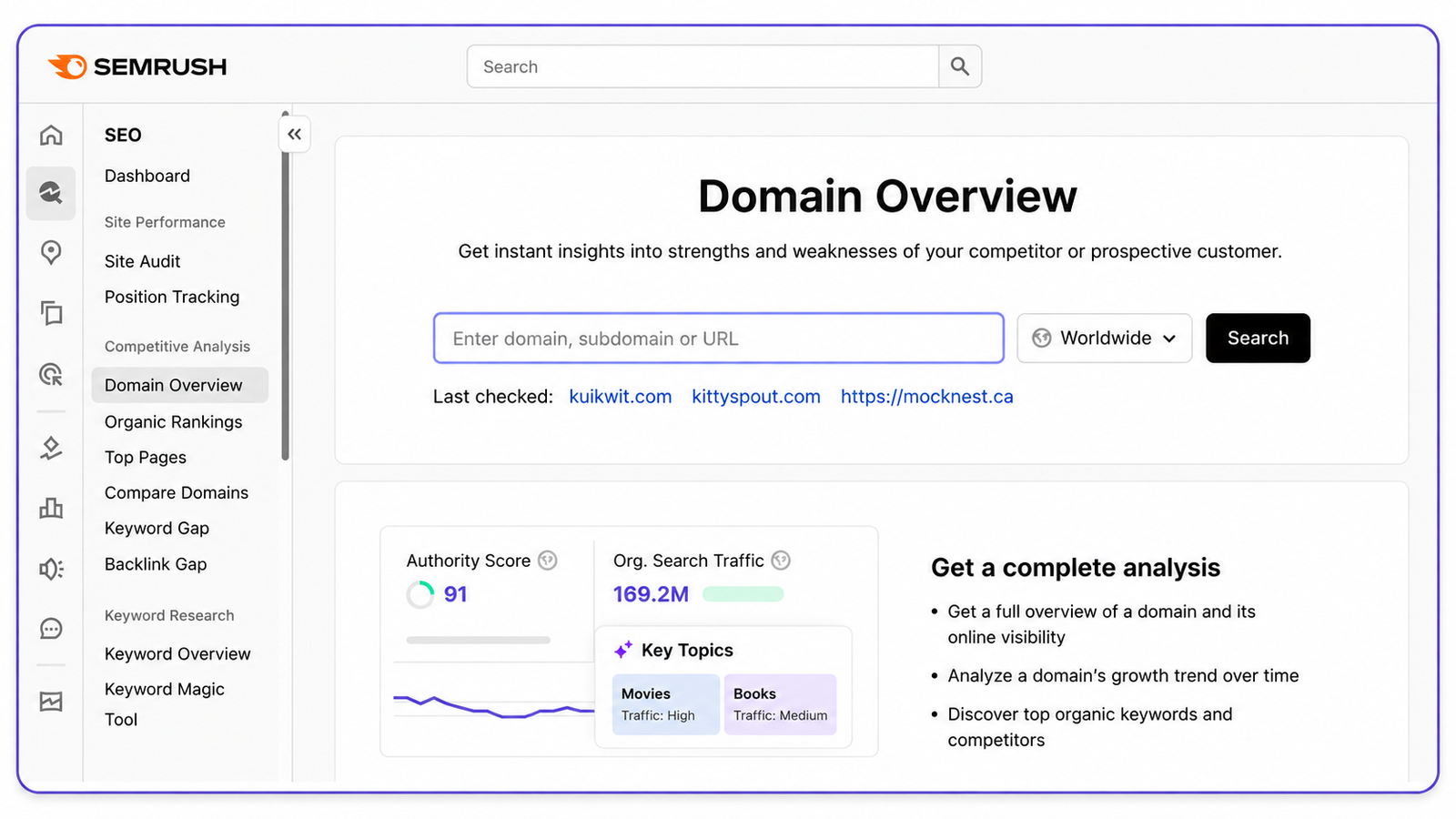
If you’ve spent any time in SEO, you’ve heard of Semrush. It’s one of the most comprehensive platforms out there — rank tracking, keyword research, site auditing, backlink analysis, competitor research, and reporting all under one roof.
For reporting specifically, Semrush gives you customisable PDF reports, scheduled delivery to clients, and white-label options on higher plans. The My Reports tool is genuinely handy — you pull data from across the platform into a single branded document without having to copy-paste anything manually.
Key features: – Position tracking for thousands of keywords across desktop and mobile – Site audit with 140+ technical checks – Backlink audit and link-building tools – Competitor gap analysis (great for finding keywords you’re losing to rivals) – Scheduled branded PDF reports – Google Analytics and Search Console integration
Pricing: Pro starts at around $139.95/month. Guru (which adds historical data and white-label reporting) is around $249.95/month.
Pros: – Genuinely comprehensive — rank tracking, audits, backlinks, content tools, all in one – Built-in reporting templates save a lot of time – Good for managing multiple clients or projects at once
Cons: – Expensive if you’re a solo blogger or small site owner – Keyword data sometimes differs from what you see in Search Console (use GSC as the source of truth) – The interface takes time to learn — there’s a lot going on
Bottom line: Semrush is the go-to choice for digital agencies and SEO professionals who need a full reporting suite. If you’re managing multiple clients or need to send polished reports regularly, it earns its price tag. If you’re a solo blogger, it’s probably overkill.
2. Ahrefs
Best for: Backlink analysis and competitive research
Ahrefs built its name on having one of the biggest and most frequently updated backlink indexes in the industry. And that reputation is still deserved. If you want to understand where your competitors are getting links from — or why a particular page ranks where it does — Ahrefs is the tool most professionals reach for first.
Beyond backlinks, it now handles rank tracking, site audits, keyword research, and content gap analysis pretty well too. It’s not quite as polished as Semrush for client-facing reporting, but the data quality is excellent.
Key features: – Industry-leading backlink index, updated constantly – Site Audit with crawl health scoring – Rank Tracker with keyword movement history – Content Explorer for finding proven topic ideas – Keyword Explorer with click data estimates (not just search volume) – API access for custom reporting on higher plans
Pricing: Lite is around $99/month. Standard is around $199/month.
Pros: – Genuinely the best backlink data in the industry – Clean, intuitive interface — easy to navigate once you’re familiar – Site Audit is well-organised and easy to prioritise – Great for competitor research
Cons: – No free plan — trial access only – Rank tracking limits on the lower plans can feel restrictive – Reporting is less customisable than Semrush if you’re delivering to clients
Bottom line: If backlinks and competitive research are your priority, Ahrefs is hard to beat. It’s also a solid all-rounder for SEO professionals who want high-quality data without the clutter of Semrush.
3. Moz Pro
Best for: Beginners and teams that want straightforward rank tracking
Moz has been around since the early days of SEO, and it shows — in the best way. The interface is cleaner and more approachable than most alternatives, and its Domain Authority metric has become so widely referenced that it’s practically an industry standard.
It’s not trying to be Semrush. Moz Pro focuses on doing the fundamentals well: keyword tracking, site crawling, and basic reporting. If you don’t need the full power of a platform like Semrush and just want something reliable that doesn’t overwhelm you, Moz Pro is worth a look.
Key features: – Keyword Explorer with SERP analysis – Rank Tracker with weekly updates – Site Crawl with clear issue prioritisation – Link Explorer for backlink research – Custom campaign reporting and PDF exports – On-page optimisation recommendations
Pricing: Standard is around $99/month. Medium is around $179/month.
Pros: – Much friendlier interface than Semrush or Ahrefs for beginners – DA and PA metrics are universally understood — useful for client conversations – Decent local SEO reporting features – Good on-page analysis
Cons: – Smaller backlink index than Ahrefs or Semrush – Rank tracking only updates weekly on lower plans (Semrush and Ahrefs offer daily) – Fewer advanced features overall
Bottom line: Moz Pro is the right choice for small businesses, beginners, and local businesses that want clean, reliable reporting without a steep learning curve. It’s not the most powerful tool in this list, but it’s consistently solid.
4. Google Search Console
Best for: Free, official data straight from Google
No other tool on this list can tell you what Google actually thinks of your site. That’s what makes Search Console irreplaceable.
The data in GSC isn’t estimated or scraped — it comes directly from Google. Which queries triggered your pages, which pages got clicks, your average ranking position, Core Web Vitals, mobile usability issues, indexing errors. All of it, completely free, with no usage limits.
Every website should be using Search Console. Full stop. It doesn’t matter what other tools you have — GSC is the foundation everything else builds on.
Key features: – Clicks, impressions, CTR, and average position by query, page, device, and country – Index coverage report showing which pages are indexed (or not, and why) – Mobile usability report – Core Web Vitals tracking – Alerts for manual actions and security issues – URL Inspection tool for checking how Google sees a specific page – Sitemaps submission
Pricing: Completely free.
Pros: – 100% free with no caps – The most accurate click and impression data available — it’s Google’s own data – Covers technical issues, manual actions, indexing, and site health – Connects directly with Google Analytics 4 and Looker Studio
Cons: – The reporting interface is fairly basic — not built for sending to clients – No competitor data whatsoever – Only shows your own site – Historical data capped at 16 months
Bottom line: Table stakes. If your site isn’t in Search Console already, set it up before you do anything else. Use it alongside a paid tool for competitor data and deeper analysis — but never instead of it.
5. Screaming Frog SEO Spider
Best for: Deep technical site audits
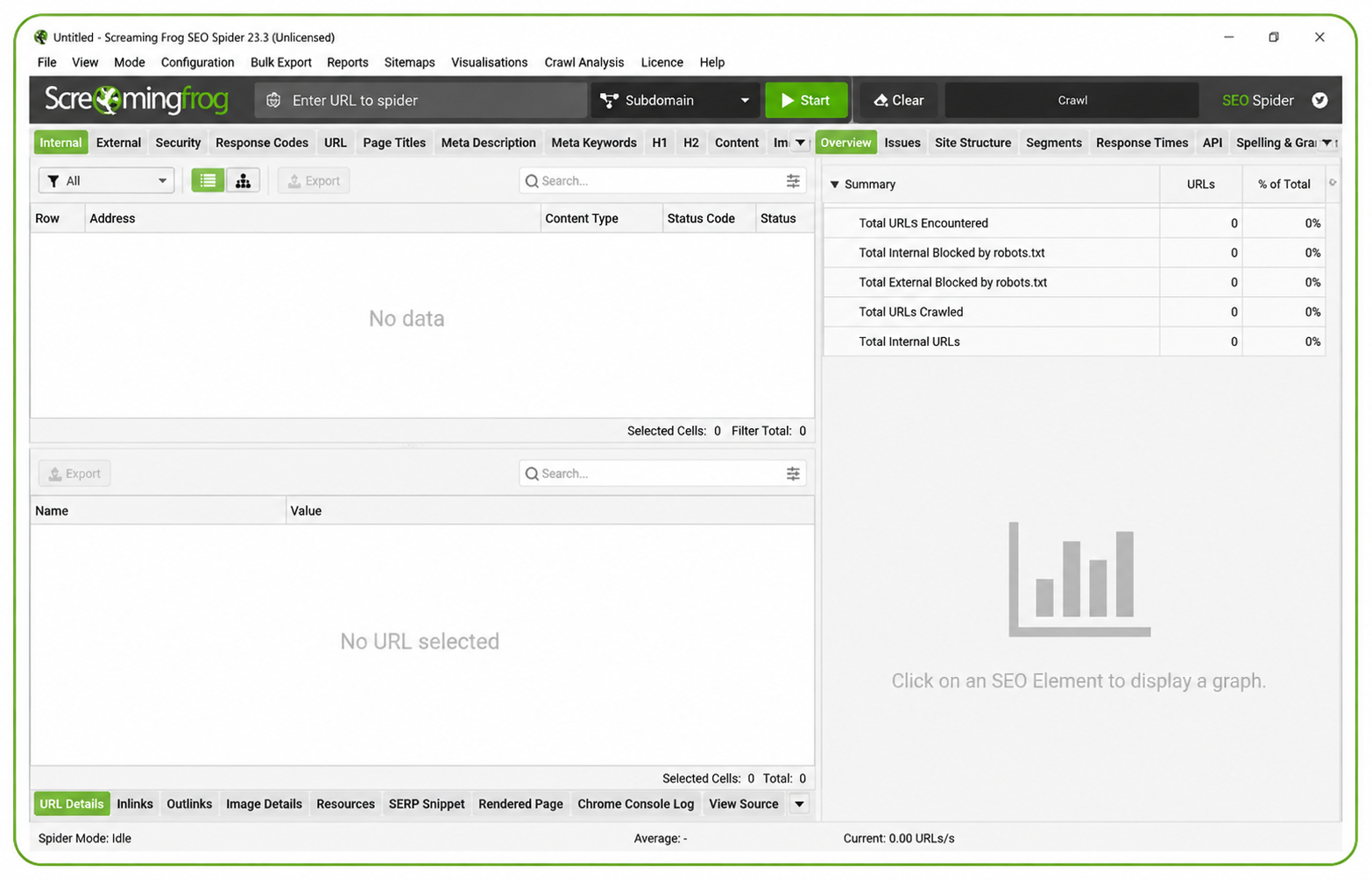
Screaming Frog is a bit different from everything else on this list. It’s a desktop app — not a cloud dashboard — and it crawls your website the same way a search engine would. Broken links, redirect chains, duplicate meta descriptions, missing titles, thin pages — it finds all of it, fast.
For large sites especially, it’s one of the most valuable tools you can have. The free version crawls up to 500 URLs, which is fine for small sites. The paid version removes that limit and adds scheduling, Google integrations, and more.
Key features: – Full site crawl with status code analysis (finding 404s, 301 chains, etc.) – Duplicate content detection – Redirect chain auditing – Broken internal and external link finder – Meta data analysis — missing, duplicate, and oversized titles and descriptions – Integration with Google Analytics, Search Console, and PageSpeed Insights – Custom extraction using XPath and CSS selectors – Scheduled crawls and automated reports on the paid version
Pricing: Free up to 500 URLs. Paid licence is around £149/year (roughly $190 USD). One of the best-value tools in SEO.
Pros: – Extremely fast and thorough for technical audits – Works offline — no subscription required to run a crawl – Hugely respected in the SEO industry for good reason – The annual cost is a fraction of monthly cloud tools
Cons: – Desktop only — nothing cloud-based – You need to know what you’re looking at to interpret the results – No rank tracking, keyword research, or ongoing monitoring – Not designed for client-facing reporting dashboards
Bottom line: A must-have for anyone doing serious technical SEO. It’s not a replacement for a platform like Semrush — it’s the tool you reach for when you need to understand exactly what’s wrong with a site’s structure.
6. SE Ranking
Best for: Affordable all-in-one SEO reporting for small agencies and freelancers
SE Ranking sits in an interesting spot: it does almost everything Semrush does, but at a price point that’s actually manageable for freelancers and small agencies. Rank tracking, site audits, backlink monitoring, competitor analysis, and white-label client reporting — all included.
The white-label and client portal features are surprisingly good for the price. You can send branded reports that look like they came from your own platform, which matters when you’re building client relationships.
Key features: – Accurate daily rank tracking across Google and Bing – Website audit with health scoring – Backlink checker and monitor – On-page SEO checker – White-label reports with custom branding – Client portal for sharing reports directly – Keyword grouper and content editor
Pricing: Starts around $65/month (Essential plan). Pricing scales based on how many keywords you’re tracking.
Pros: – Genuinely strong value compared to Semrush or Ahrefs – White-label and client reporting features punch above their price point – Clean, modern interface that’s easy to navigate – Rank tracking is accurate and reliable
Cons: – Backlink database is smaller than Ahrefs – Keyword data volume is lower than the top-tier tools – Some features like content analysis are still catching up to the competition
Bottom line: Probably the best value-for-money choice for freelance SEOs and small agencies. You get 80% of what Semrush offers at roughly half the price. If you’re managing 5–20 clients, this is worth a serious look.
7. SEOptimer
Best for: Quick audits and entry-level agency reporting
SEOptimer isn’t trying to compete with Semrush on depth. It’s designed for agencies that need fast, clean site audits and simple reports — especially for lead generation.
The standout feature is the embeddable audit widget. You put it on your own website, prospects run a free site audit, and you get their contact details. It’s a clever lead gen tool, and for small agencies looking to grow their client base, it pays for itself quickly.
Key features: – One-click website audit with an overall health score – White-label PDF reports with custom branding – Embeddable audit widget for lead generation – Keyword rank tracking – Basic backlink analysis – Bulk report generation for multiple sites
Pricing: DIY SEO plan starts around $19/month. Agency plans from around $29/month.
Pros: – Very affordable — the lowest entry point on this list – Reports are clear and easy for non-technical clients to understand – The embeddable widget is excellent for generating new business – Fast setup — no technical knowledge needed to get started
Cons: – Lighter feature set than the big platforms – Rank tracking is limited on lower plans – Not the right tool for deep technical SEO work – Backlink data is fairly basic
Bottom line: If you’re a small agency or freelancer who wants affordable client reporting — especially with the lead gen widget — SEOptimer delivers a lot for $19/month. Just don’t expect Semrush-level depth.
8. Mangools (SERPWatcher)
Best for: Simple, visual rank tracking on a budget
Mangools is a bundle of five SEO tools — KWFinder, SERPChecker, SERPWatcher, LinkMiner, and SiteProfiler. For reporting purposes, SERPWatcher is the main event: clean daily rank tracking with visual charts and a metric called the Dominance Index that weights rankings by traffic potential.
It’s popular among bloggers and solo content marketers for good reason. It does rank tracking and keyword research well at a price that doesn’t feel painful.
Key features: – Daily rank tracking with visual position history charts – Dominance Index — an engagement-weighted ranking metric – Shareable interactive report links (clients can view without logging in) – KWFinder for keyword research – SERPChecker for SERP analysis – LinkMiner for basic backlink research
Pricing: Entry plan starts around $29/month billed annually.
Pros: – One of the cleanest, most beginner-friendly interfaces in SEO – Excellent value purely for rank tracking – Shareable report links make client updates dead simple – Solid keyword research tools included
Cons: – Site audit functionality is limited – Smaller backlink index – Not built for agencies managing many clients – Doesn’t have the competitive depth of Semrush or Ahrefs
Bottom line: If you mainly need rank tracking and keyword research — and don’t need the full agency toolkit — Mangools is genuinely great. Bloggers and solo marketers who want something that just works will love it.
9. Looker Studio (formerly Google Data Studio)
Best for: Free custom dashboards connected to live data
Looker Studio doesn’t collect SEO data itself. What it does is pull data from sources you’ve already connected — Google Search Console, Google Analytics 4, Google Ads, and hundreds of other platforms via connectors — and lets you build live dashboards that update automatically.
For client reporting, this is a game changer. Build the dashboard once, share a link, and your client can check their stats any time without you having to manually export and email a PDF.
Key features: – Free custom dashboard builder with drag-and-drop interface – Native connections to Google Search Console and Google Analytics 4 – Hundreds of community connectors (Semrush, Ahrefs, Facebook Ads, and more) – Dashboards update automatically — no manual refreshing – Shareable links or scheduled email delivery – Blend multiple data sources in a single chart
Pricing: Completely free.
Pros: – Totally free — no limits on reports, users, or data sources – Live data directly from GSC and GA4, no exports needed – Extremely flexible — build it however you want – Great for creating branded client dashboards that look professional
Cons: – Setup takes time — this isn’t plug-and-play – Data quality depends entirely on what you connect – Some third-party connectors cost extra – It’s a reporting layer, not an SEO tool
Bottom line: If you’re already using Search Console and GA4, there’s no reason not to use Looker Studio too. It turns your existing data into live client dashboards for free. The learning curve is real, but worth it.
10. Nightwatch
Best for: Visual rank tracking with precise local and international data
Nightwatch focuses on doing one thing really well: visual rank tracking with accurate localised data. If you’re tracking rankings across multiple countries, cities, or languages, Nightwatch is noticeably more precise than most tools in this price range.
It’s not trying to be a full SEO suite. But for agencies with local SEO clients or businesses competing in multiple markets, that precision matters.
Key features: – Daily rank tracking with clean visual graphs – Tracks Google, YouTube, Bing, and DuckDuckGo – Local and mobile rank tracking down to city level – Automated white-label report delivery via email – Backlink monitor – Basic site audit – Google Search Console and Analytics integration
Pricing: Starter plan from around $39/month (500 keywords).
Pros: – Clean visual reports that clients actually enjoy reading – Genuinely strong for local and international rank tracking – Good white-label report delivery built in – Competitive pricing for the keyword volume included
Cons: – Lighter features on backlinks and technical auditing – Smaller platform than Semrush or Ahrefs – Keyword database for research is limited
Bottom line: The right pick for local SEO agencies and businesses that need accurate granular rank tracking and automated client reports — without paying Semrush prices.
What Are SEO Reporting Tools?
SEO reporting tools collect search-performance, ranking, crawl, backlink or analytics data and turn it into reports that help people monitor visibility and diagnose changes. Depending on the product, a report may combine Google Search Console data, analytics, keyword databases and site crawlers.
They do not replace strategy or prove why a ranking changed. Their value is organising evidence so an editor, marketer or agency can investigate and decide what to do next.
Free vs Paid — What Do You Actually Need?
Google Search Console and Looker Studio are genuinely powerful and completely free. If you’re running a small site, that combination gets you further than most people realise.
But as your site grows, the gaps become obvious. You can’t see competitor data in GSC. You can’t track backlinks. You can’t do keyword research. That’s when a paid tool starts earning its cost.
The decision isn’t really “free vs paid” — it’s whether you’ve hit the point where the missing data is costing you opportunities.
What to Actually Look for When Choosing
Don’t get distracted by feature lists. Focus on what matters for your situation:
- Rank tracking accuracy — daily or weekly updates, mobile vs desktop, local vs national
- Site audit depth — how many technical checks, crawl limits per plan
- Backlink data — freshness and index size vary a lot between tools
- Client reporting — white-label, scheduling, PDF exports, shareable links
- Integrations — especially Google Analytics, Search Console, and Ads
- Automation — scheduled reports and alerts so you’re not doing everything manually
The Right Tool Depends on Who You Are
There’s no single best SEO reporting tool. It depends on your situation:
- Solo bloggers and content sites: Google Search Console + Mangools or Nightwatch
- Small businesses: SE Ranking or Moz Pro
- Freelance SEOs: SE Ranking or SEOptimer
- Agencies: Semrush or Ahrefs + Looker Studio for client dashboards
- Technical SEO specialists: Screaming Frog paired with a cloud platform
- Enterprise: Semrush or Ahrefs at higher plan tiers
The setup that works for most small-to-medium agencies? Google Search Console (free, authoritative data) + SE Ranking or Semrush (rank tracking and audits) + Looker Studio (free, live client dashboards). That combination covers everything without paying for overlap.
Best SEO Reporting Tools for Small Agencies
For small agencies, the best SEO reporting tool is usually the one that balances price, client reporting, rank tracking, and site audits. SE Ranking is a strong choice because it includes daily rank tracking, audits, white-label reports, and client-friendly dashboards at a lower cost than Semrush or Ahrefs.
Semrush is better for agencies that need deeper competitor research, content tools, and more advanced reporting. SEOptimer is useful for agencies that mainly need quick audit reports and lead generation.
For most small agencies, the best setup is Google Search Console for official data, SE Ranking for tracking and reports, and Looker Studio for live dashboards.
Best SEO Reporting Tools for Freelancers
Freelancers usually need simple, affordable tools that are easy to explain to clients. SE Ranking, Mangools, SEOptimer, Google Search Console, and Looker Studio are the most practical options.
A freelancer does not always need a $100+ per month platform at the beginning. A good starting stack is Google Search Console, Looker Studio, and one paid rank tracking or audit tool. As client work grows, upgrading to SE Ranking, Semrush, or Ahrefs makes more sense.
Best Free SEO Reporting Stack
The best free SEO reporting stack is Google Search Console plus Looker Studio.
Google Search Console gives you real Google data, including clicks, impressions, CTR, average position, indexed pages, and search queries. Looker Studio turns that data into visual dashboards that can be shared with clients or internal teams.
This free setup does not replace paid tools because it does not include competitor research, backlink analysis, or advanced keyword tracking. But for a small website, it is the best place to start.
Best White Label SEO Reporting Tools
White-label SEO reporting is useful when agencies need branded reports for clients. Semrush, SE Ranking, SEOptimer, AgencyAnalytics, Whatagraph, and Nightwatch are common options for this use case.
For small agencies, SE Ranking and SEOptimer are usually more affordable. For larger agencies, Semrush offers deeper SEO data and stronger reporting templates. The right choice depends on whether you need simple reports, full SEO campaign tracking, or client dashboards.
Related SEO Guides
If you are improving SEO reporting, these guides may also help:
- Google Search Console Login: A Practical Guide
- Screaming Frog Tutorial: Step-by-Step SEO Audit Guide
- How to Upload Articles for SEO and Rank Faster
- Google Business Profile Optimization Guide
- Search Optimization Services: Complete Guide
Final Thoughts
Most businesses that struggle with SEO aren’t short on ideas. They’re short on visibility — they don’t know what’s working, what’s broken, or where they’re leaving traffic on the table.
Good reporting tools fix that. They don’t do the SEO for you, but they make it much harder to waste months optimising the wrong things.
Start with Google Search Console if you haven’t already. It’s free, accurate, and gives you the clearest picture of how your site is performing. Then layer in the tools that match your scale and budget.