

Home Blog Page 4

What Is Artificial Intelligence and Why Care in 2026

I keep hearing people use the phrase artificial intelligence like everyone knows what it means. They don’t. Half my mates think Siri counts and the other half think we’re five years from robots taking over. Both wrong. So I figured I’d write something that actually explains what is artificial intelligence without making your eyes glaze over.

Editorial note: This article was reviewed by TheArticleSpot’s editorial team for clarity, source accuracy, and relevance. AI tools may have supported outlining, editing, formatting, or research organization, but final review and publication decisions are handled by a human editor. Tool features, pricing, and availability can change, so readers should verify important details on the official provider website before making a final decision.

Alright but what IS artificial intelligence really?

Picture this: you’ve got software that can do things we always assumed needed a human brain — recognising someone’s face in a photo, translating a menu when you’re overseas, or catching a weird transaction on your bank card at 2am. The machine isn’t actually “thinking,” though. Not the way you and I do. What it does is process huge amounts of data and detect patterns far faster than humans ever could. Some systems improve over time by learning from new information, while others simply follow rules programmed long ago. Technically, both fall under AI, which is exactly why the term can be so difficult to define. And when discussing newer branches like generative AI, the confusion becomes even greater because people often mix creative machine output with human-like intelligence.

Should I even bother learning about this?

Short answer — yes. AI is already making decisions that affect your life. Which emails get buried in spam. Whether a bank says yes to your home loan. Which job applicants make it past the first screen. That’s happening today with or without your input. The people around you at work are figuring this out quickly. You don’t need a computer science degree. But understanding the basics means you can smell BS when a company slaps “AI-powered” on a mediocre product. That alone makes it worthwhile.

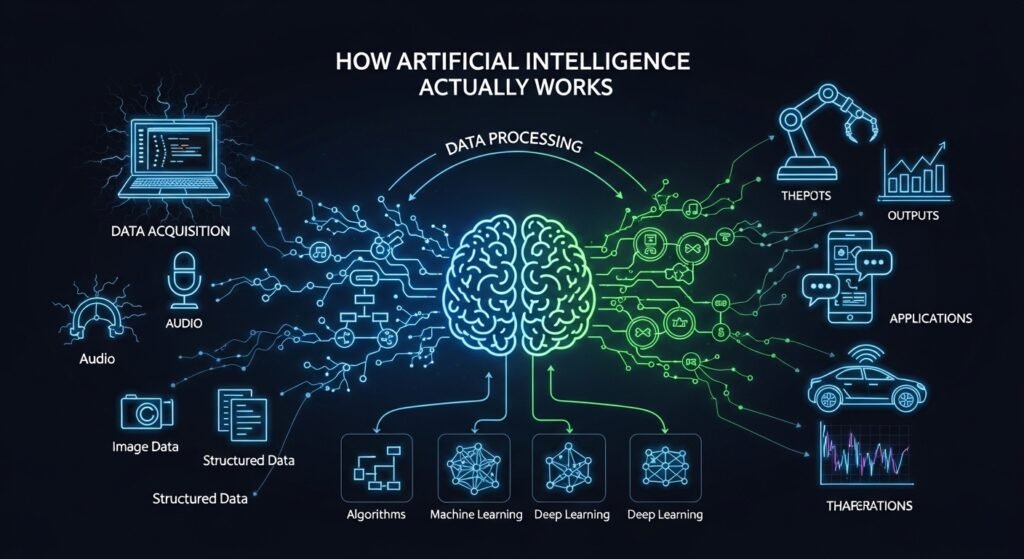
How Artificial Intelligence Actually Works — the Short Version
How Artificial Intelligence Actually Works

Right so at the base of most AI you’ve got this thing called machine learning. Instead of a programmer writing rules for every scenario, you feed the software a heap of data and let it figure out patterns itself. Take spam filters. Nobody wrote a rule for every scam email that exists. They showed the system millions of flagged emails and let it work out what they had in common. That’s machine learning in a nutshell. There’s supervised learning where you label everything. Unsupervised where the system groups things on its own. And reinforcement learning where it tries stuff, gets a score, and keeps adjusting. Each works better for different problems. Choosing wrong wastes months.

Then there’s deep learning. Machine learning but with way more layers stacked inside the network. Dozens or hundreds of processing layers deep. That extra depth lets these models deal with messy stuff like photos, voice recordings, raw text. Before 2012, computers were honestly bad at recognising what was in a picture. Deep learning came along and within a few years they were outperforming humans on certain tests. Wasn’t some genius breakthrough. Mostly just more data plus faster chips plus deeper networks. Simple recipe, wild outcome.

Different Types of AI : What Exists and What Doesn’t Yet

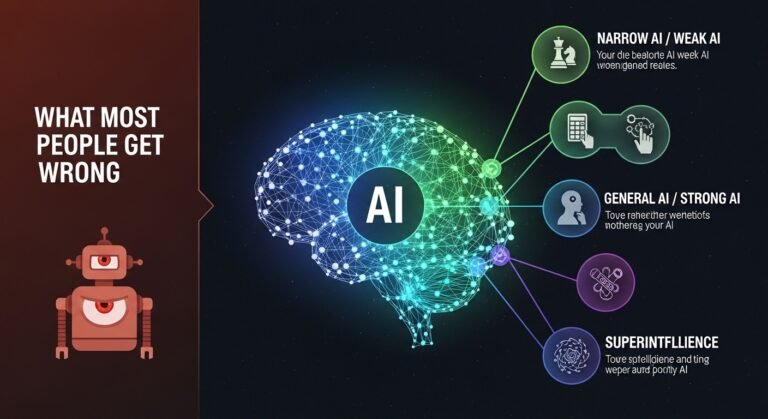
Here’s what trips people up. Researchers talk about three levels. Narrow AI is number one and the only kind that’s real right now. Your phone’s face unlock. Google Maps predicting traffic. Spotify knowing your taste before you do. All narrow. Brilliant at one task, useless at anything else. Then general AI — a machine that reasons across any topic like a person does. Doesn’t exist. Despite what some overconfident founders on Twitter claim. Super AI? Something smarter than every human combined. Science fiction for now, probably for a long time. But narrow doesn’t mean weak. A narrow AI beat the world’s best Go player. It just can’t make you a cup of tea after.

Types of AI Models : Under the Hood

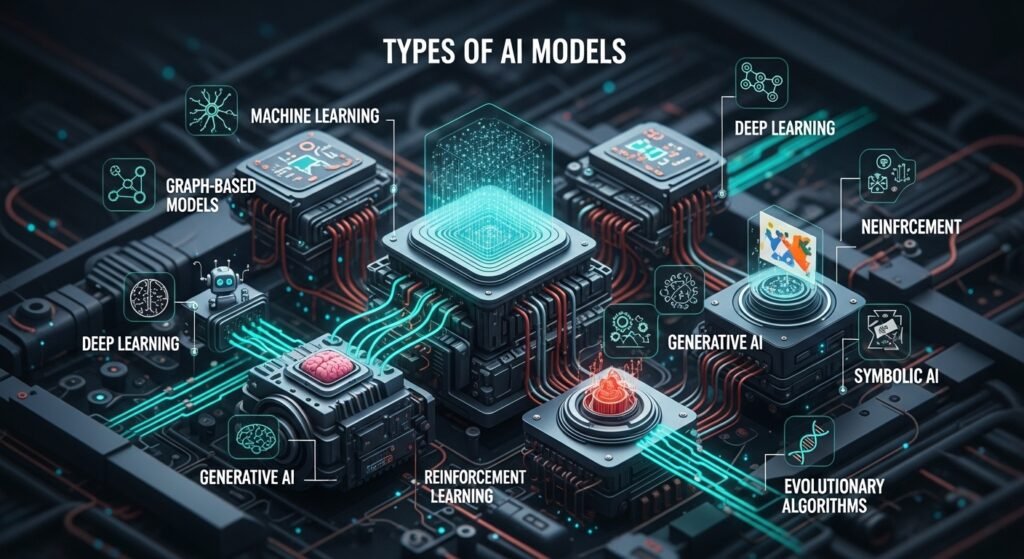
So if you’re wondering what actually powers these tools, it comes down to different model architectures. Neural networks run data through layers of connected nodes — loosely inspired by how the brain works, though that analogy gets stretched pretty thin honestly. Transformers are the big deal right now. They’re what’s behind ChatGPT, Claude, Gemini, all of them. They process language in parallel using something called attention mechanisms instead of reading word by word. Way faster, way better at context. Then you’ve got decision trees which are simpler — just branching if-then logic. Good for stuff like loan approvals where you need to explain the reasoning. GANs are interesting, two networks basically fighting each other to create realistic images. And reinforcement learning is the trial-and-error approach that powered AlphaGo. Different tools for different jobs.

Model How It Learns Best For Example
Neural Networks Layered node processing Images, speech Google Photos
Transformers Attention mechanisms Text, translation GPT, Claude
Decision Trees If-then branching Risk scoring Loan systems
GANs Two competing networks Image synthesis StyleGAN
Reinforcement Trial and reward Robotics, games AlphaGo

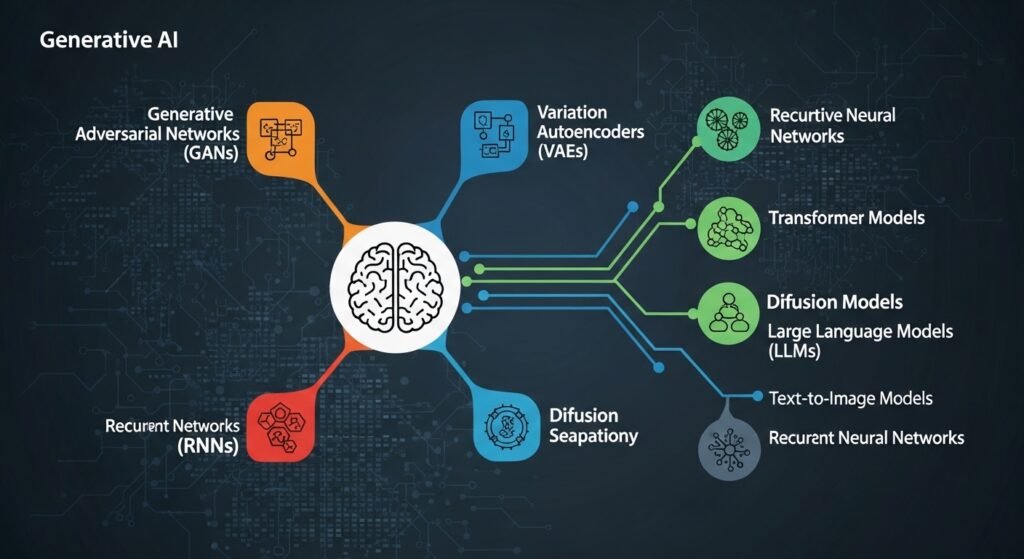
Types of Generative AI : Why Everyone Won’t Shut Up About It
Types of Generative AI

I get why this one dominates the news. Generative AI doesn’t just sort things or predict outcomes. It creates stuff. Text, images, music, code. The big names are large language models like GPT and Claude for writing, diffusion models like Midjourney for images. Audio and video tools popping up every week now. What folks don’t realise is generative AI isn’t a separate branch. It’s built on top of deep learning. Same foundation, different trick. I’ve watched marketing teams go from days on a campaign to under an hour. Developers banging out boilerplate before lunch. But it hallucinates. Makes stuff up confidently. Outputs feel generic if you’re lazy with prompts. And copyright? Still a mess.

Natural Language Processing : How Machines Finally Started Understanding Us

NLP is probably the AI branch that touches your routine most and you barely clock it. Your phone finishing your sentence. A chatbot answering instead of a human. Google translating a webpage from Korean in two seconds flat. All NLP. And I remember when this stuff was genuinely awful. Before 2017 chatbots felt like talking to a brick wall. Then transformer architecture showed up and rewired the whole field. Now models track meaning across paragraphs, pick up sarcasm in reviews, summarise hundred-page contracts. Brands do sentiment analysis on social media with it. Law firms automate contract review. Companies run customer support at a scale that would’ve needed hundreds of staff a decade ago.

AI Agents : This Is Where Things Get Properly Interesting

So here’s the bit I’m most excited about. AI agents are a different animal from chatbots. A chatbot waits for your question. An agent goes and does things. Plans steps. Uses tools. Browses the web. You tell a chatbot you want Italian tonight — it gives you a list. You tell an agent and it checks your calendar, finds places with open tables, books one, and pings your phone with the details. The industry’s calling this shift agentic AI — moving from creating content to taking action. When a bunch of agents team up on complex tasks that’s agentic AI in full swing. Still rough around the edges. Agents misread instructions, get stuck in loops, do random things. But they’re improving fast. Google, Anthropic, Microsoft — all throwing serious money at this because whoever nails reliable agents first basically rewrites how work gets done.

Data : The Boring Part That Actually Decides Everything

Nobody writes exciting headlines about data quality. But here’s what most AI articles skip. Your model is only as good as what you feed it. Full stop. Shove biased data in, get biased results out. Leave gaps and the model develops blind spots it cannot fix. Feed it noisy info and outputs become unreliable. Every time. If someone’s pitching you an AI product, forget buzzwords and ask what data it trained on. That one question tells you more than any demo ever could.

AI Ethics and Governance : The Uncomfortable Conversation

AI Ethics and Governance

Not the fun part, I know. But you can’t write about AI in 2026 and skip it. AI systems soak up biases from their training data. And that causes real problems. Loan rejections based on postcode patterns that were basically proxies for race. Hiring tools filtering out women because old data was full of male hires. Facial recognition performing worse on darker skin. All documented, not theoretical. Responsible AI means explainability — tracing why the algorithm decided what it decided. Fairness audits before deployment. Security against attacks. Someone being accountable when things go wrong. The EU AI Act and GDPR are pushing companies forward but most are still scrambling honestly.

Quick History — Turing to ChatGPT

AI’s been around longer than people think. Turing asked if machines could think in 1950. Neural networks showed up in the late fifties then went dormant when funding dried up — the AI winters. IBM’s Deep Blue beat the chess champ in 1997. Watson won Jeopardy in 2011. Deep learning crushed image benchmarks from 2012. Then late 2022 — ChatGPT launched and suddenly your nan was asking about large language models over Christmas dinner. Now in 2026 it’s multimodal models handling text, images, audio all at once, plus smaller models running on phones instead of massive data centres.

Mistakes People Keep Making With AI

The one I see constantly? Lumping all AI together. A clunky chatbot from 2018 and a modern large language model might as well be different species. Another big one — thinking current AI is smarter than it is. Pattern matching? Incredible. Reasoning? Still terrible. People also forget data quality. And skipping the bias conversation because launch day is Tuesday isn’t a strategy. It’s how you end up in the news for the wrong reasons.

Frequently Asked Questions

What are the main types of AI?

Three levels. Narrow AI does specific tasks and is the only real one right now. General AI would match human-level thinking across every domain. Super AI would be beyond all of us combined. Last two are still theoretical and probably will be for a while.

Is machine learning the same as AI?

Nope. Machine learning is one piece of AI. All ML counts as AI but plenty of AI systems don’t use machine learning at all — some just follow pre-programmed rules with zero learning involved.

How is generative AI different from regular AI?

Regular AI sorts things into categories or predicts what might happen next. Generative AI makes new stuff from scratch — writes text, creates images, generates code. Same family tree, totally different output.

What do AI agents actually do?

They don’t just answer you — they go do things. Plan steps, use outside tools, handle complex tasks across multiple stages without needing you to micromanage every bit. Think of them as AI that takes action, not just AI that talks.

Can AI be biased?

100%. It picks up whatever biases are buried in the data it learned from. There are real documented cases in hiring, lending, and facial recognition. Some companies audit for this now. Many still don’t. That’s a problem.

Anyway that’s my take on all of this. Tried to keep it real and not repeat the same three definitions in ten different ways like most AI articles do. If anything here helped something click for you that didn’t before, that’s a win. This stuff moves fast — some of the details might look different by this time next year. But the big picture? That’s going to hold up for a good while I reckon.

FAQ title

FAQ description

What are the main types of AI?

Three levels. Narrow AI does specific tasks and is the only real one right now. General AI would match human-level thinking across every domain. Super AI would be beyond all of us combined. Last two are still theoretical and probably will be for a while.

Is machine learning the same as AI?

Nope. Machine learning is one piece of AI. All ML counts as AI but plenty of AI systems don’t use machine learning at all some just follow pre-programmed rules with zero learning involved.

How is generative AI different from regular AI?

Regular AI sorts things into categories or predicts what might happen next. Generative AI makes new stuff from scratch writes text, creates images, generates code. Same family tree, totally different output.

What do AI agents actually do?

They don’t just answer you they go do things. Plan steps, use outside tools, handle complex tasks across multiple stages without needing you to micromanage every bit. Think of them as AI that takes action, not just AI that talks.

Can AI be biased?

100%. It picks up whatever biases are buried in the data it learned from. There are real documented cases in hiring, lending, and facial recognition. Some companies audit for this now. Many still don’t. That’s a problem.

What Is Machine Learning? 3 Types, 6 Real Examples, Zero Jargon

Machine learning sounds like something pulled straight from a science fiction movie. Complex algorithms, neural networks, training data — it can feel overwhelming before you even start. But here is the truth: machine learning is built on the same principle your brain uses every single day.

How a Child Learning the Alphabet Explains Machine Learning

Think about how a child learns the letter A.

You show them a printed A in a book. Then you show them a handwritten A on a whiteboard. Then a bold A on a cereal box. After seeing enough variations, the child can recognise any A — even one they have never encountered before. Nobody sat them down and listed every possible version. Their brain simply identified the pattern on its own.

Machine learning works the same way, except the “child” is a computer and the “brain” is an algorithm. You feed the computer thousands of examples, and it figures out the underlying pattern without being told exactly what to look for.

That is it. That is the core idea behind every machine learning system in the world.

Why Traditional Programming Falls Short

Before machine learning, giving a computer intelligence meant writing explicit rules for every possible scenario. Traditional software engineering relied on developers anticipating every edge case and coding for it manually.

Want your program to tell the difference between a cat and a dog in a photograph? You would need to code individual rules: check for whiskers, measure the snout length, assess the ear shape. Then someone uploads a photo of a hairless cat, and your carefully written rules break. Add another rule. Then a fluffy Pomeranian gets misclassified. Add yet another rule.

The fundamental limitation is clear: real-world problems have too many variables for any human to manually account for. Colour variations, angles, lighting conditions, breeds — the list of exceptions grows faster than anyone can write rules to handle them.

Machine learning eliminates that bottleneck entirely.

Instead of programming the rules yourself, you provide the computer with thousands of labelled examples — “this is a cat, this is a dog, this is a cat.” The algorithm analyses those examples, identifies the distinguishing patterns on its own, and then applies what it learned to images it has never seen before.

You are not writing the program that produces the answer. You are allowing the machine to discover the logic itself.

How Machine Learning Works: Three Stages Explained Simply

How Machine Learning Works

Despite the complicated reputation, machine learning follows a straightforward three-stage process.

Stage 1: Feed It Data

Everything starts with data — and plenty of it. If you want a machine learning model to identify cats in photographs, you need to provide it with thousands of cat images and thousands of non-cat images. The computer needs both positive and negative examples to learn what makes a cat a cat.

Data quality matters enormously here. Feeding the algorithm messy, mislabelled, or unrepresentative data produces unreliable results. The industry saying “garbage in, garbage out” exists for a reason.

Stage 2: The Algorithm Finds Patterns

This is where the actual “learning” happens. The algorithm processes the data repeatedly, adjusting its internal parameters each time based on whether its predictions were correct or incorrect.

Picture someone learning to throw darts. The first few throws land nowhere near the target. But with each attempt, they adjust their stance, grip, and release point. Eventually, they start hitting close to the bullseye consistently. A machine learning algorithm does essentially the same thing, except it makes these adjustments across millions of data points simultaneously.

Stage 3: Make Predictions on New Data

Once the algorithm has identified reliable patterns, you can give it completely new data it has never encountered before. It applies the patterns it discovered during training and produces an informed prediction.

The prediction will not be perfect every time, but it will be accurate enough to be genuinely useful. And here is the powerful part: the more quality data you provide, the better the predictions become.

Three Types of Machine Learning You Should Know

Machine learning is not a single technique. It branches into three distinct approaches, each suited to different kinds of problems.

Supervised Learning

The algorithm trains on labelled data where both the input and the correct output are provided. Think of it as learning with an answer key. Email spam filters, image recognition systems, and medical diagnosis tools all rely on supervised learning.

Unsupervised Learning

The algorithm receives data without any labels and must discover hidden structures or groupings on its own. Customer segmentation is a common use case — platforms like CRM software feed purchasing behaviour data into ML algorithms that identify natural customer clusters marketers would never spot manually.

Reinforcement Learning

The algorithm learns through trial and error, receiving rewards for correct actions and penalties for incorrect ones. This is how game-playing AI systems train themselves to beat world champions, and how self-driving cars learn to navigate complex traffic scenarios.

Real-World Machine Learning Examples You Use Every Day

Machine learning is not a futuristic concept waiting to arrive. It is embedded in tools and services you already interact with daily.

Email Spam Filtering

Your email provider was never manually programmed with every possible spam message. Instead, it trained on millions of emails to learn the patterns that distinguish spam from legitimate correspondence. When a new phishing attempt arrives, the filter recognises its similarity to known spam and blocks it automatically. Modern messaging security systems rely on these same ML-driven pattern recognition techniques. Endpoint malware protection tools also use machine learning to detect threats that signature-based scanning would miss. When the filter makes mistakes — flagging a legitimate email or missing a spam message — it learns from the correction and improves.

Streaming Recommendations

Netflix, Spotify, and YouTube do not employ teams of people to manually curate your recommendations. Their machine learning models analyse the viewing, listening, and browsing patterns of millions of users to identify correlations: people who enjoy crime documentaries and nature shows tend to gravitate toward mystery films. The system spots these patterns and tailors your feed accordingly.

Facial Recognition on Your Phone

When you set up face unlock, you are not providing your phone with a written description of your facial features. You are giving it visual samples. The machine learning model learns what makes your face distinct from everyone else’s, which is why it still works when you tilt your head, change your lighting, or grow a beard.

Predictive Text and Autocomplete

Your phone’s keyboard has analysed billions of text messages and written passages to learn which words typically follow other words. When you type “How are” and it suggests “you,” that is not a hardcoded rule. The model learned that pattern from observing language at scale.

Fraud Detection in Banking

Banks no longer rely solely on rigid rules like “flag any transaction from two countries within an hour.” Machine learning models learn what normal spending behaviour looks like for each individual customer. When a transaction deviates from your established pattern — even subtly — the system flags it for review. It adapts to your habits over time and catches anomalies that rule-based systems would miss entirely. This is one reason cyber security roles increasingly require ML proficiency.

Medical Image Analysis

Machine learning models trained on millions of medical scans can identify tumours, fractures, and abnormalities with remarkable accuracy. They do not replace doctors — they act as a second pair of eyes, helping physicians catch things faster and focus their expertise on the most complex cases.

Where Machine Learning Goes Wrong

Where Machine Learning Goes Wrong

Machine learning is powerful, but it is not infallible. Understanding its limitations is just as important as understanding its capabilities.

Biased Data Produces Biased Results

An algorithm is only as fair as the data it trains on. A widely reported case involved a hiring algorithm that systematically penalised female applicants. The cause was not intentional discrimination — the training data consisted predominantly of male candidates in those roles, so the algorithm learned a pattern that reflected historical bias rather than actual job qualification.

It Demands Enormous Amounts of Data

You cannot train a reliable machine learning model with a handful of examples. Depending on the complexity of the task, you may need hundreds of thousands or even millions of data points. Acquiring, cleaning, and labelling that data is expensive and time-consuming.

The Black Box Problem

Sometimes a machine learning model makes accurate predictions, but nobody — including the engineers who built it — can fully explain why. The model discovered a pattern that works, but the pattern is too complex to describe in human terms. That opacity is acceptable for movie recommendations. It becomes a serious concern when the model is deciding loan approvals or criminal sentencing.

Model Drift Is Real

Machine learning models are trained on historical data, but the real world changes constantly. A fraud detection model trained on 2023 spending patterns may become less effective as consumer behaviour shifts in 2026. Models need regular retraining with fresh data to stay accurate, and without active monitoring, performance can degrade silently.

Machine Learning vs Deep Learning vs Artificial Intelligence

These three terms get used interchangeably, but they describe different things.

Artificial intelligence is the broadest category — any system designed to simulate human intelligence. A chess program using hardcoded rules counts as AI. The field now extends into hardware too, with AIoT (Artificial Intelligence of Things) embedding ML models directly into physical devices and sensors.

Machine learning is a subset of AI where systems learn from data rather than following predetermined rules. Every machine learning system is an AI system, but not every AI system uses machine learning.

Deep learning is a subset of machine learning that uses multi-layered neural networks to process data. It excels at tasks involving unstructured data like images, audio, and natural language. The generative AI image generators, large language models, and voice assistants that have surged in popularity since 2022 are all powered by deep learning.

What the Future Looks Like

Machine learning is evolving rapidly. Models are becoming more efficient, requiring less data and computing power to achieve better results. Multimodal systems that process text, images, audio, and video simultaneously are moving from research labs into commercial products. The best AI tools in 2026 already leverage these advances across writing, design, coding, and data analysis.

At the same time, the technology is becoming increasingly difficult to govern. Questions around data privacy, algorithmic accountability, and environmental impact from training large models are driving new regulations worldwide.

The organisations and individuals who understand how machine learning works — its strengths and its blind spots — will be far better positioned than those who treat it as a black box or dismiss it as hype. If you are just getting started, an AI course for beginners is a practical next step.

Frequently Asked Questions

What is machine learning in simple terms?

Machine learning is a branch of artificial intelligence where computers learn patterns from data instead of following manually written rules. You give the system enough examples, it identifies what those examples have in common, and then it uses that understanding to make predictions about new data it has never seen before.

How does machine learning actually work?

The process follows three stages: first, you feed the algorithm a large dataset of examples. Second, the algorithm processes that data repeatedly, adjusting its internal settings to improve its accuracy. Third, you present it with new, unseen data and it generates predictions based on the patterns it discovered during training.

What are the three main types of machine learning?

Supervised learning trains on labelled data with known correct answers. Unsupervised learning finds hidden patterns in unlabelled data without any guidance. Reinforcement learning improves through trial and error, receiving rewards for correct decisions and penalties for incorrect ones.

How is machine learning used in business?

Businesses use machine learning for fraud detection, customer segmentation, demand forecasting, product recommendations, predictive maintenance, automated customer service, and dozens of other applications where pattern recognition at scale provides a competitive advantage.

Will machine learning replace human workers?

Machine learning automates specific tasks — particularly repetitive ones involving pattern recognition and data analysis — but it does not replace the need for human creativity, emotional intelligence, ethical judgement, and complex problem-solving. Most real-world implementations augment human capability rather than replacing it entirely. Building strong employability skills alongside technical literacy is the best way to stay relevant.

What are the biggest risks of machine learning?

The primary risks include biased training data that leads to discriminatory outcomes, lack of transparency in how models reach decisions, privacy concerns around the data used for training, and model drift where performance degrades over time as real-world conditions change.

Is machine learning the same as artificial intelligence?

No. Artificial intelligence is the broader field encompassing any system that simulates human intelligence. Machine learning is one approach within AI — specifically, the approach where systems learn from data rather than relying on explicitly programmed rules. All machine learning is AI, but not all AI is machine learning.

What Generative AI Is and Why It Matters in 2026

Generative AI is one of those terms that gets thrown around constantly, but the explanations are often either too vague or too technical. For most Australian business owners, the real question is simpler: what does generative AI actually mean, and what can it do in everyday business?

At its core, generative AI is a type of AI that creates new content. It can generate text, images, audio, video, code, and other digital outputs based on patterns learned during training. That is the key difference between generative AI and many older AI systems, which mostly classify, predict, or recommend instead of creating something new.

For businesses, that means generative AI is not just another background system. It is a practical tool that can help draft emails, create marketing copy, summarize documents, support customer service, and speed up routine creative work.

What Is Generative AI?

A clear way to define generative AI is this: it is an AI system designed to generate synthetic content such as text, images, video, and audio. Australian government guidance uses a very similar description, and NIST also defines it as a class of AI models that generate derived synthetic content from learned patterns in data.

That is why tools like ChatGPT, image generators, and code assistants are all examples of generative AI. They are not simply sorting information. They are producing something new in response to a prompt.

Why Generative AI Feels So Different

Traditional AI has been around for years. It powers spam filters, recommendation systems, fraud detection, and many analytics tools. Those systems are useful, but they mostly focus on prediction, classification, and pattern detection.

Generative AI changed the conversation because it crossed into creation. Instead of only telling you what something might be, it can write a paragraph, create an image, generate code, or produce a summary. That shift is why it gained so much attention so quickly. eSafety describes the difference clearly: generative AI creates new outputs, while other machine learning systems often make predictions or classifications.

This also fits naturally with your existing content around what is artificial intelligence, how does AI work, and types of AI.

AI vs Generative AI

People often use these terms as if they mean the same thing, but they do not.

Traditional AI

Traditional AI usually focuses on tasks like:

  • classification
  • prediction
  • recommendation
  • anomaly detection
  • decision support

Examples include spam detection, recommendation engines, and fraud alerts.

Generative AI

Generative AI focuses on creating new outputs such as:

  • articles
  • product descriptions
  • images
  • summaries
  • code
  • drafts
  • chatbot responses

So the relationship is simple: generative AI is a type of AI, but not all AI is generative AI.

How Generative AI Works

Without getting buried in technical jargon, generative AI works by learning patterns from very large training datasets. Those datasets may include text, images, audio, code, or other content types. CSIRO explains that generative AI systems learn from large amounts of data and then generate new outputs based on those learned patterns.

When you type a prompt, the model does not search the web like a search engine. Instead, it generates a response based on probabilities, structure, and patterns learned during training.

That is why the results can feel impressive, creative, and useful. It is also why they can sometimes be wrong.

Agentic AI vs Generative AI

Agentic AI vs Generative AI

This is another distinction worth understanding.

Generative AI usually responds to one prompt at a time. You ask for something, and it generates an answer or output.

Agentic AI is more goal-oriented. It can take a broader objective and work through multiple steps, often using tools, retrieving information, triggering actions, and making decisions along the way.

A simple comparison:

  • generative AI writes the follow-up email
  • agentic AI identifies overdue accounts, drafts the emails, sends them, and logs the actions

That makes agentic AI more action-driven, while generative AI is usually more output-driven.

This also pairs well with your related page on AI and automation.

Real Business Uses of Generative AI

Generative AI is already useful in practical business settings.

Australian businesses and teams can use it for:

  • drafting emails
  • writing product descriptions
  • summarizing documents
  • generating customer support replies
  • creating ad copy
  • drafting blog outlines
  • producing first-pass social media content
  • accelerating design workflows

CSIRO and Australian government guidance both frame generative AI as a technology with broad practical uses across industries, while also emphasizing responsible adoption.

For your site structure, this topic also connects naturally to prompt engineering, prompt generator, AI tools, and Claude vs ChatGPT.

Common Mistakes Businesses Make

Trusting output without review

Generative AI can produce errors, invented facts, and overconfident answers. That is why human review still matters.

Treating AI as a full replacement

Generative AI is often strongest as a support tool, not as a complete substitute for human judgment, empathy, or strategy.

Ignoring privacy risks

Australian privacy guidance makes it clear that organizations need to think carefully about how personal information is used with AI systems. The OAIC specifically warns that once personal information is entered into publicly available GenAI tools, it may become difficult or impossible to control how that information is used or removed.

Overcomplicating adoption

Many businesses spend too much time overplanning and not enough time testing. A better approach is usually to start with one clear use case and evaluate results.

Privacy and Responsible Use in Australia

Privacy matters more than many businesses realize.

The OAIC has published guidance for both developers and organizations using generative AI products, and it makes clear that the Privacy Act can apply when AI tools involve personal information.

For Australian businesses, that means a safer approach includes:

  • avoiding unnecessary personal data in prompts
  • checking vendor privacy settings
  • using approved business tools rather than random public tools
  • reviewing outputs before publishing or sending them
  • keeping a human involved in sensitive decisions

Responsible AI adoption is not about avoiding the technology. It is about using it with more control.

Why Generative AI Matters for Small Businesses

Small businesses can often benefit quickly because generative AI helps reduce repetitive work. It can speed up drafting, improve response times, and help small teams do more without immediately increasing headcount.

That does not mean every process should be automated. But it does mean many low-risk, repetitive tasks can be handled faster with AI support.

For many businesses, the most realistic first step is not a massive transformation. It is using one tool for one workflow and building from there.

Final Thoughts

Generative AI is not magic, and it is not a complete replacement for human skill. But it is a practical tool that can save time, support creativity, and reduce repetitive work when used carefully.

The smartest businesses are not blindly trusting it, and they are not ignoring it either. They are testing it in controlled ways, reviewing the output, and learning where it genuinely adds value.

That is the best mindset for Australian businesses right now: stay curious, stay careful, and start small.

FAQs

What is generative AI in simple terms?

Generative AI is AI that creates new content such as text, images, code, audio, or video based on patterns learned from data.

How is generative AI different from normal AI?

Traditional AI often predicts, classifies, or recommends. Generative AI creates new outputs instead.

Does generative AI make mistakes?

Yes. It can produce inaccurate or invented information, so human review is still important.

Can small Australian businesses use generative AI?

Yes. It can help with drafting, content creation, customer support, and workflow efficiency when used carefully.

Is privacy a concern with generative AI?

Yes. Australian privacy guidance says organizations should be careful when using personal information with AI tools and should understand how that data may be handled.


Types of AI Explained | What Most People Get Wrong in 2026

Look, I get it. Every other headline screams about artificial intelligence these days and half the time, nobody explains what kind they mean. So here we go. I wrote this to walk you through the main types of AI without drowning you in jargon. Quick read, no filler.

So What Even Is Artificial Intelligence?

Okay, stripped down to basics — artificial intelligence is when a computer does something that would normally need a human brain. Could be spotting a face in a crowd, writing a paragraph, or figuring out what movie you want to watch on a Friday night. Some of these systems are incredibly narrow. They do one task and that is all they know. Others, well, researchers are trying to build ones that think more broadly but we are not there yet. Not even close, honestly. Right now every AI tool you and I use daily is what the experts call narrow AI. Your spam filter? Narrow AI. Siri? Same deal. Impressive on the surface but very limited underneath.

Different Types of AI Based on What They Can Do

People in the research world usually split things into three buckets. Narrow AI, general AI, and super AI. Narrow is the only real one as of today. It handles one job, maybe two, and it does that job pretty well. General AI is the dream — a machine that reasons across any topic the way you or I can. Nobody has cracked that yet despite what some LinkedIn posts might suggest. And super AI? That is science fiction territory for now. A system smarter than every human combined. Makes for great movie plots but we are decades away. Maybe more. The thing people misunderstand is that narrow does not equal dumb. A narrow AI model can beat the world chess champion. It just cannot also cook you dinner after.

Types of AI Models — The Stuff Under the Hood

Types of AI Models

When someone says types of AI models they mean the actual technical setup. Think of it like car engines — there are different designs depending on what you need the car to do. Neural networks mimic how brain cells fire. Decision trees follow yes-no logic branches. Transformers, which are behind ChatGPT and similar tools, use something called attention mechanisms to process language. Then you have reinforcement learning where the system basically teaches itself through trial and error, kind of like how a toddler learns not to touch a hot stove. Each model type fits different problems. No single one does everything well. That is something a lot of people miss.

Model Quick Explanation Good For Example
Neural Networks Layered nodes processing data Images, speech Google Photos
Transformers Attention-based sequence processing Text, translation GPT, Claude
Decision Trees Branching yes/no logic Risk scoring Loan approvals
Reinforcement Learning Learn by reward and penalty Robotics, games AlphaGo


Machine Learning — The Workhorse Behind Almost Everything

If AI is the big umbrella then machine learning is the rain keeping it relevant. Seriously though. Most of the AI products you touch use machine learning at their core. The idea is straightforward — you feed the system a pile of data and it figures out patterns on its own. No one hand-codes every rule. There are three main flavors. Supervised learning is when you label the data first. Like, here are a thousand photos tagged as dogs. Go learn what a dog looks like. Unsupervised learning is messier — no labels, the system clusters things on its own. And reinforcement learning lets an agent try stuff, get scored, and slowly improve. Each one works best in different situations and picking wrong wastes time and money.

Deep Learning — Machine Learning on Steroids

Deep learning is basically machine learning but with way more layers inside the neural network. The word deep refers to the number of processing layers, nothing philosophical about it. More layers means the system catches subtler patterns. This is what finally made things like real-time translation and self-driving car prototypes possible. The tradeoff is brutal though. Deep learning eats computing power for breakfast. Training a single large model can cost millions of dollars in server time. Small teams usually cannot afford to train their own deep learning models from scratch, which is why pretrained models and fine-tuning became so popular. You grab a foundation model someone else built, tweak it for your use case, and save yourself a fortune.

Types of Generative AI — Machines That Create Things

This is the category getting all the media attention right now and honestly, it deserves some of it. Generative AI does not just classify or predict. It makes new stuff. Text, images, music, code, video. The main players include large language models for writing, diffusion models for images, and specialized tools for audio and video generation. What sets generative AI apart from older systems is output. Traditional AI says this email is spam. Generative AI writes you a brand new email from scratch. Big difference. Companies everywhere are using it to draft marketing copy, prototype designs, generate test data, and a bunch of other tasks that used to eat up hours of human labor. It is not perfect. It hallucinates facts, misses nuance, and can produce bland generic content if you do not guide it properly. But the speed advantage alone makes it worth paying attention to.

Natural Language Processing — How Machines Get What We Say

Natural Language Processing

NLP is probably the branch of AI that touches your daily life the most. Any time your phone autocompletes a sentence, a chatbot answers your question, or Google translates a webpage — that is natural language processing at work. Before around 2017 this stuff was pretty clunky. Old-school models struggled with context and long sentences. Then transformer architecture showed up and changed the whole game. Now NLP can handle sentiment analysis, document summaries, content moderation, legal review, and dozens of other text-heavy jobs. It is also what powers every chatbot you have talked to recently. The improvements in the last few years alone have been wild. What used to require a team of linguists now gets handled by a well-trained model in seconds.

AI Agents — When Software Starts Acting on Its Own

This one is still early but moving fast. An AI agent is not just a chatbot that waits for your input. It plans, uses tools, browses the web, runs code, and works through multi-step problems mostly on its own. Think of the difference like this. A chatbot gives you restaurant suggestions. An agent actually goes ahead and books you a table, checks your calendar first, and sends a confirmation to your phone. Right now agents mess up a fair bit. They misinterpret instructions, loop on tasks, or go off-track. But every month they get more capable. Companies like Anthropic, Google, and OpenAI are pouring resources into agent development because whoever cracks reliable autonomous agents basically owns the next wave of productivity software. That is the bet at least.

Data — The One Thing Every Type of AI Depends On

None of the stuff I mentioned above works without good data. Period. You can build the fanciest model in the world and it will still produce garbage if your training data is messy or biased. This part does not get enough attention honestly. Data collection, labeling, cleaning — that boring unsexy work is often where AI projects succeed or fail. Biased data creates biased results. Incomplete data creates blind spots. Noisy data creates unreliable outputs. If you are evaluating any AI tool, one of the first questions you should ask is what data it was trained on. That tells you more about quality than any marketing pitch ever will.

Common Mistakes and Honest Comparisons

Biggest mistake I see is people treating all AI like one thing. It is not. A rule-based chatbot and a large language model are worlds apart. Another one — overestimating what current AI handles. It is great at pattern matching and terrible at genuine reasoning. Also, people skip the data quality conversation way too often. On comparisons: traditional machine learning often outperforms deep learning on small structured datasets. Generative AI creates new content while predictive AI forecasts what happens next. Both useful, fundamentally different jobs. Knowing which tool fits which problem saves you from expensive mistakes.

FAQs About Types of AI

What are the 3 main types of AI?

Narrow AI which handles specific tasks and is the only kind that exists today. General AI which would match human thinking across all areas. And super AI which would surpass human intelligence entirely. The last two remain theoretical.

What is the difference between machine learning and deep learning?

Machine learning is the broader field. Deep learning sits inside it. It uses neural networks with many layers to pick up complex patterns in things like images and text. Think of machine learning as the toolbox and deep learning as one powerful tool inside it.

Is generative AI the same as regular AI?

Not quite. Regular AI typically classifies things or makes predictions based on existing data. Generative AI creates brand new content — text, images, code, music. Same family, different job description.

What do AI agents actually do?

They go beyond answering questions. Agents plan tasks, use external tools, and execute multi-step workflows with minimal human supervision. Still early technology but improving rapidly every quarter.

Why does everyone keep talking about data quality in AI?

Because the model only learns what you feed it. Feed it biased or incomplete data and the outputs reflect those flaws directly. Data quality is genuinely the make-or-break factor for any AI project, no matter how good the algorithm is.

Anyway, that is roughly where things sit with all these different types of AI. The field moves ridiculously fast so some of this might shift by next year. But at least now you have got the vocabulary and the mental map to keep up when it comes up in conversation or at work. Which, let us be real, is going to be pretty often from here on out.

How Does AI Work? The Clear Explanation Everyone Needs

AI‍‌‍‍‌‍‌‍‍‌ pretty much feels like magic until you really analyze it. It’s mostly made up of math, data, and a lot of trial and error. Basically, if you’ve been asking yourself how does ai work, you are actually asking: “How does the computer find patterns and then make decisions based on them?” This article breaks it down in simple words and examples that you might have seen ‍‌‍‍‌‍‌‍‍‌today.

What is AI?

AI is a collection of methods that enable computers to discover patterns from data and eventually predict, decide, or visually depict something useful.

Is AI “smart” like a human?

Not quite. Most AI operates narrowly. It excels remarkably at one specific task but is totally lost when you take it away from that task.

How does it learn?

Essentially, it involves being fed with many training samples, making mistakes, correcting oneself, and repeating the whole process over and over again.

How it works

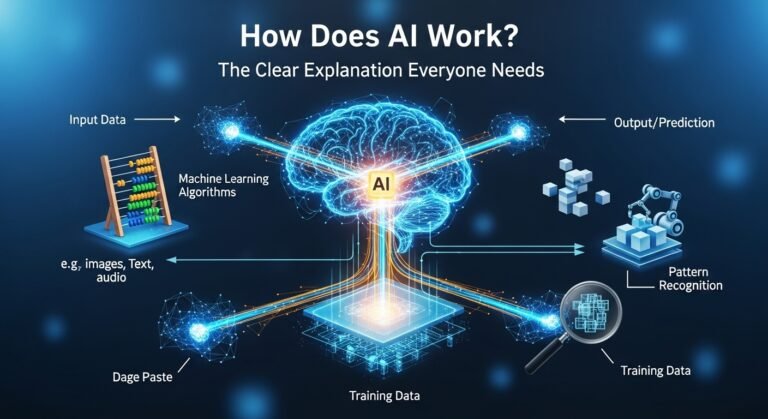
When people refer to “AI,” what they generally mean is a pre-trained model derived from data. Training is the phase where learning happens. The model is shown instances, makes the focus of judgment, and is corrected by the one training it. This back-and-forth process is at the heart of how AI and automation systems learn to perform tasks that once required human input at every step.

Later there is the “using it” phase—known as “inference”—when the model utilizes the knowledge it has acquired to process new input data. So, you give it a photo, sentence, or voice note it has never seen before, and it generates an output. This is where AI powered tools prove their real value—quietly working in the background, handling volume, and delivering results without demanding constant attention. It’s also the stage where AI automated processes start to feel seamless, since the system is no longer learning from scratch but applying what it already knows.

The model at its core is a math function with tens (sometimes hundreds) of millions of parameters that can be turned. It can be understood as knobs that can be turned to effect a change. Training is rotating these knobs in such a way that the model is making fewer mistakes.Hence the huge emphasis on data quality. If the examples are poorly annotated, and biased, then the model will learn the same biases and even produce nonsense confidently at times. It’s not a bug; rather, it’s biological processing and prediction that way is a side effect of it. AI is not the truth machine but a very potent one who pattern machine.

How does AI work in simple terms

Think of the process of teaching a child to identify kangaroos. It isn’t like formulating the rule – “if tail length is X and ears are Y.” Instead, you show many pictures—kangaroos, wallabies, dogs, people in hoodies, and even random backgrounds.The child gradually visualizes the features which most frequently co-occur with a kangaroo – the strong legs, long tail, shape, and posture. The result won’t be perfect but the child will become more and more proficient with additional samples and correction.

Traditionally, AI training is done in a similar fashion. A model is presented with the examples, it makes an attempt at labeling them and then gets feedback. The internal parameters undergo slight adjustments when it is wrong. After training, the model is able to identify new photos of kangaroos that it has never seen before. Not because it “understands” kangaroos, but because it has learned a statistical pattern that generally corresponds to what makes a kangaroo a kangaroo — thanks to the principles of intelligent AI that power modern machine learning systems.

Hence, when somebody asks how does ai work in simple terms, it basically is: show many examples → learn patterns → use patterns on new things. The concept is simple. But the scale is huge.

How does AI work for dummies

No offense meant. This is the simplest version that you could describe to a friend over coffee.AI could be likened to a super-fast intern who, having read a million documents and seen a million examples, nevertheless cannot always tell what matters the most. The intern’s guess is based on what he has seen most frequently.Training is like practice tests. The AI gives the answer, the teacher scores it, the AI improves. Repeat that millions of times. It becomes quite proficient.

However, that still does result in strange errors although the AI does not “think” as a human would. It does not have a life story, common sense, or experiential understanding of the world by default.It is also highly sensitive to the phrasing of questions. If you ask the same question but in two different ways, you might get two different answers. Since the AI interacts with patterns in the text, the rule is not a single and fixed one.So, here’s your genuine “dummies” takeaway: AI learns from samples, predicts what it thinks is the next best output, and improves via feedback. That’s all.

The rest is for the engineers to decipher.

Data: the part everyone skips, but it’s the whole game

AI is to data what a car is to gasoline. Unlike gasoline, however, data can be dirty, incomplete or misleading. For instance, a model trained on clean and balanced data will behave vastly differently from one that was trained on chaotic and biased data.Data can either be structured (e.g. tables, labels, and numbers) or unstructured (e.g. text, images, audio, and video). Most of what is out there is unstructured, which is why contemporary AI is highly dependent on methods capable of dealing with messy inputs.You will occasionally require labels as well—”this is spam” or “this is not spam.” That’s considered supervised learning. But you can also work out patterns without labels, which is unsupervised learning.

Besides, you have reinforcement learning, wherein the model learns through trial and error and received rewards or penalties. This is far more like training a dog than labeling a spreadsheet.In Australia, you see data issues manifesting in various domains: banking, insurance, hiring tools, and even customer service automation. Poor quality data can silently contribute to unfair outcomes.So, yes, data is boring. But it is precisely there where AI either becomes useful or risky.

Models and algorithms: what “learning” actually means

Models and algorithms

This explains why deep learning is so effective for image and language data. It is capable of constructing elaborate representations automatically without the need for hand-engineered features. This same principle powers modern AI search engines that can understand context and intent behind queries. But there is a downside. Training can be really costly both in terms of finances and energy consumption. Therefore, the creation of large models is generally the domain of big organizations with the heavy computing resources.Most companies do not begin training at zero level but rather perform fine-tuning, customization, or even simply make use of the existing models with the necessary safeguards.Actually, that is often the best decision. You will have fewer egos and more results.

How does generative AI work

Generative AI refers to a subset that produces content—text, pictures, sounds, computer codes—rather than just classifying them. It is driven by models that are trained on very large datasets, sometimes involving deep learning.Usually, the method of generating language is via so-called large language models, whose job is to predict the next token (usually a short piece of text) depending on the previous tokens.

In simplest words, the process is like: you look at a sentence, and then you predict the next word. However, you do not “get a fact from a document” because the model is not a document retrieval system unless you link it to one.Since the model has learned enough patterns for imitation, it will be able to create a letter, a policy draft, or explain an idea in no time.On the other hand, it may also hallucinate because if the pattern is very weak or the prompt is too ambiguous, it can fill the gaps with well-sounding guesses. Good systems attempt to mitigate this by attaching the model to: trusted sources, providing citations, adhering to strict formatting and safety filters.Generative AI is fantastic for writing and summarizing tasks. But when it comes to serious factual matters, one must exert control on it.If you are asking for an oracle, you are deluding yourself in a big way.

Benefits: What AI actually improves (when used properly)

AI demonstrates its value when it saves time, reduces mistakes, and helps in quick decision-making with allowance for risk. In customer care and service, it can manage the incoming messages, suggest probable responses, delegate tickets, and locate the need of immediate intervention. It is hardly a small win. In operations, the possibilities of AI are to predict the product or service demand, discover fraudulent transaction patterns, and improve worker schedules. In the case of healthcare, AI can locate abnormal signals in images or summarize a doctor’s notes (with the collaboration of a medical professional). With respect to marketing, it can divide the clientele and invent new versions of the ad copies. And for programmers, it is at their service by assisting in code debugging and generation.

Nevertheless, the primary advantage, in truth, is the consistent output that can be relied upon. Humans get tired and less efficient when working on a long shift while AI remains the same. It can give you a result using the same process at 2 am as it does at 2 pm.Of course, the benefits depend on the boundaries. AI gives the best results with well-defined tasks and positive feedback loops.If one expects it to make the right decision without human intervention in a challenging situation, then disappointment is guaranteed.Use it where patterns are helpful. Retain humans where values and responsibility become the matter.

Examples: AI you’ve probably used in Australia without thinking

Your smartphone unlock by recognizing your face is using computer vision. It identifies your facial features and compares them to the stored representation. This is not the photographic face matching, but more pattern matching.Movie/TV series recommendations on Netflix, automized spam filter, clustering of shopping applications behavior accusing for you, are all different examples of machine learning in everyday life.

When you get your money from the ATM, fraud detection may kick in with the help of artificial intelligence to verify the transaction.The more machines get involved in the daily transactions, the more management of them becomes important. Therefore, an AI checker for customer service chat replies can flag and warn about the use of risky content.It is probably not surprising to learn that the world of big data and machine learning has entered the world of employment, that is job-span of trust and empathy being executed by humans, and even the contact center for customer service. At every step, more automation triggers fewer and fewer humans being engaged.Using a pair of earphones to listen to your favorite music is an indirect way of using ‍‌‍‍‌‍‌‍‍‌AI.

Mistakes: Where people go wrong with AI

The first mistake is thinking AI is a plug-and-play brain. It’s not. It’s closer to a machine that needs the right fuel, tuning, and monitoring. Another mistake is using AI without clear success metrics. If you can’t measure response time, error rate, customer satisfaction, or cost reduction, you’ll end up arguing based on vibes.People also forget edge cases. A model may perform well on common situations but fail badly on rare ones. And rare ones are often the expensive ones.Over-automation is a classic. You replace too much human contact too early, customers feel ignored, and trust drops.
Privacy mistakes are another big one. Feeding sensitive customer info into tools without policies can create compliance risks.And then there’s prompt overconfidence—assuming one good output means the system is reliable. AI can be inconsistent. It needs testing, not vibes.AI is a system, not a feature. Treat it that way and you’ll do better.

AI vs rules vs humans (quick reality check)

Some tasks don’t need AI. They need a good rule. Others need a human. Here’s the clean comparison:

Task Type Rules-Based Automation AI / ML Human
Simple, consistent decisions Great Overkill Fine
Pattern-heavy tasks (spam, recommendations) Weak Great Slow
Emotional, sensitive conversations Weak Risky alone Best
New edge cases and messy context Breaks Unstable Best
High volume, repetitive work Good Great Costly

This isn’t “AI replaces everything.” It’s “AI replaces the right slice.”
Rules are underrated. Humans are essential. AI is the bridge for patterns at scale.
The smart teams use all three, depending on the moment.
And they monitor outcomes. Not once. Continuously.
That’s how you keep it useful.
Otherwise it becomes another tool that sounded good on a slide deck.

AI work checker

An ai work checker is usually a tool that tries to evaluate or verify something about work output. Sometimes it checks writing quality, originality, tone, or compliance. Sometimes it flags risky content in customer service replies.The important thing is understanding what it can and cannot do. Many “AI checkers” are really pattern detectors. They look for signals and estimate likelihood, not certainty. That means false positives happen. False negatives too.In business settings, AI checking is often better used as a quality assistant rather than a judge. For example, checking if a reply includes sensitive info, missing policy language, or a tone mismatch.
In education or HR contexts, it gets more complicated because the stakes are higher and the signals are messy. A checker can become unfair if treated like a truth meter.So the best practice is simple: use checkers for guidance, not final verdicts. Pair them with human review.That’s the balanced approach. Less drama. Better outcomes.

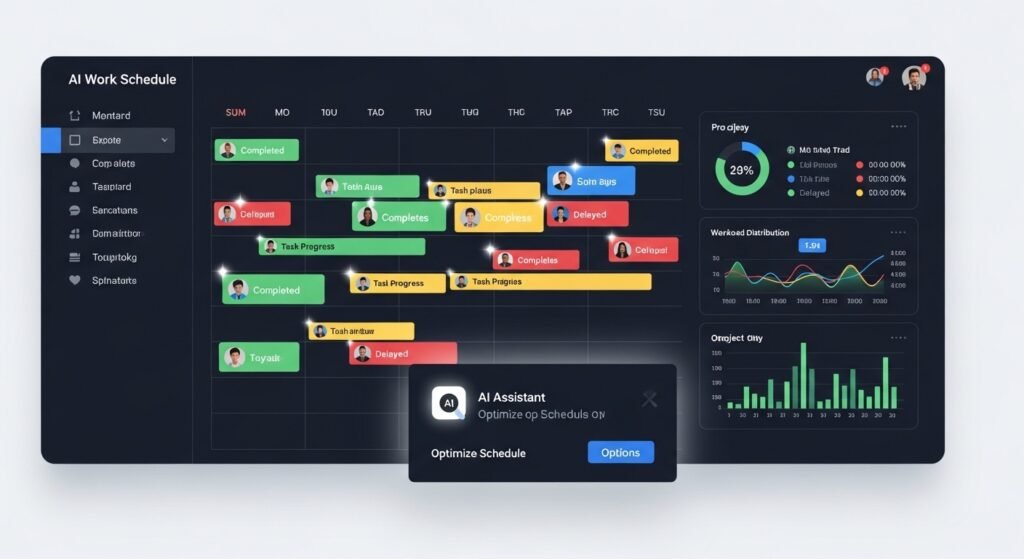
AI work schedule generator

AI work schedule generator

An ai work schedule generator sounds fancy, but the goal is pretty practical: build rosters that meet staffing needs without burning people out.
These tools often combine forecasting (predict demand) with optimization (build schedules). Forecasting might use ML to estimate how busy certain hours will be. Optimization might use classic math to place people into shifts while respecting rules.
In Australia, schedule optimization matters a lot in retail, hospitality, healthcare, and call centres. Demand swings. Sick days happen. And labour costs are real. The “AI” part can help by spotting patterns humans miss—like recurring spikes after certain campaigns, weather changes, or seasonal events.
But it still needs constraints: award rules, availability, fairness, skill levels, and local requirements. The best schedule tools don’t just produce a roster. They explain why it makes sense and allow easy overrides. Because real life always overrides the plan.

Final Quick Wrap (without making it dramatic)

If you’ve been asking how does ai works, the simplest answer is: AI learns patterns from data, then uses those patterns to predict, decide, or generate outputs. That’s the core. Everything else—deep learning, NLP, generative AI—is just different ways of doing that at scale.

FAQ (People Also Ask)

1) How does AI work step by step?

It takes input data, learns patterns during training, then uses those patterns to make predictions or generate outputs. It improves through feedback and repeated adjustment.

2) What is the difference between AI and machine learning?

AI is the umbrella term. Machine learning is a common approach inside AI where systems learn from data rather than being hand-coded with fixed rules.

3) How does generative AI create text?

It predicts the next piece of text based on patterns learned from massive datasets. It’s generating likely continuations, not “looking up” truth unless connected to sources.

4) Can AI be wrong even if it sounds confident?

Yes. Confidence in wording is not proof. AI can hallucinate or misinterpret prompts, especially when information is unclear or outside its training patterns.

5) What are real examples of AI in everyday life?

Face recognition, spam filtering, recommendations on streaming/shopping apps, navigation predictions, fraud detection, and customer service routing.

6) Is AI replacing jobs in customer support?

It’s changing tasks more than replacing entire roles. AI handles repetitive questions and routing, while humans handle edge cases, empathy, and complex decisions.

7) What data does AI need to work well?

High-quality, relevant, representative data. Bad or biased data leads to bad or biased outputs, even if the model is advanced.

8) What’s the safest way to use AI in a business?

Use it for defined tasks, measure outcomes, keep humans in the loop for high-stakes decisions, and set privacy/security rules for data handling.

…and yeah, once you notice AI in your day, you start seeing it everywhere. Not in a scary way. More like background electricity. It’s just there, doing its thing, sometimes helpful, sometimes a bit weird, and you adjust as you go.

How to Use Meta Business Suite Better in 2026

Managing a brand in 2026 feels like spinning plates while riding a unicycle, but the meta business suite is basically the kickstand that keeps everything from toppling over. It’s a free tool that pulls your Facebook and Instagram accounts into one dashboard, so you can stop jumping between apps and start actually talking to your customers. Whether you’re scheduling posts or checking your ad spend, it’s the central nervous system for anyone trying to build a business on social media.

What is Meta Business Suite?

It is an all-in-one management platform designed specifically for small businesses to manage their presence across Facebook and Instagram from a single location. It combines scheduling, messaging, and detailed analytics into one interface, allowing you to see what’s working without needing a degree in data science. Think of it as the control room where you can oversee everything from your organic stories to your paid campaigns without the usual headache of logging in and out of multiple profiles.

Is it worth the time to set up?

Definitely, mostly because it’s free and saves you dozens of hours of manual work every month. If you’re tired of posting on the fly or forgetting to reply to comments on Instagram while you’re busy on Facebook, this tool fixes that friction immediately. It provides a level of professional oversight that usually requires expensive third-party software, but it’s built directly by Meta for their own ecosystem.

How does it actually work?

Once you link your business pages, the suite aggregates all your notifications, messages, and content calendars into one place. You can create a post, choose which platforms it goes to, and schedule it for the exact time your audience is most active. It even includes a light version of ad management so you can “boost” posts or check your basic performance metrics without diving into the deep end of technical tools.

Navigating the world of facebook business manager

If you’ve been around the block, you might remember the clunky old Facebook Business Manager that felt like it was built for engineers rather than regular people. While the Meta Business Suite has replaced a lot of its daily functions for small creators, Business Manager still exists in the background for high-level “asset” management.

It’s where you handle the “legal” side of things—who has permission to see your pixel data, which agencies are allowed to run your ads, and managing multiple pages at once. Much like how professional managed IT services ensure a company’s backend stays functional, Business Manager focuses less on the creative side and more on the security and infrastructure of your brand. If you’re scaling a team, you’ll find yourself back here to make sure your sensitive business data stays in the right hands.

Understanding the shift to meta business manager

meta business manager

The transition to meta business manager was more than just a name change; it was Meta’s way of acknowledging that Instagram and Facebook are now inseparable for business owners. This backend tool is where the “real work” happens for people managing large portfolios or complex permissions. It’s the vault where you keep your “ad accounts” and “product catalogs” safe. If you ever run into a problem with your facebook login web page showing an error, it’s often because your Business Manager settings need a quick refresh. It’s not the place you go to post a fun reel, but it’s the place you go to ensure your business doesn’t get locked out of its own accounts.

Getting results with meta ads manager

When you’re ready to put some actual money behind your content, meta ads manager is where the magic happens—and where a lot of people get overwhelmed. It’s the professional-grade tool for creating highly targeted campaigns that go beyond a simple “boosted post.” You can target people based on what they’ve bought, where they live, or even people who “look like” your current customers. It’s incredibly powerful but requires a bit of a learning curve to master the different objectives, like “traffic” versus “conversions.” If you can get comfortable here, you can turn a small daily budget into a reliable lead-generation machine that works while you’re busy running the rest of your shop.

The grit behind the faceboook ads manager

A lot of people still call it faceboook ads manager, and honestly, the core logic hasn’t changed that much over the years even with the rebranding. It’s still about testing different images and headlines to see what catches people’s eyes in a crowded feed. The suite makes it easier to see these ads alongside your organic posts, which is great for keeping your brand voice consistent. You don’t want your paid ads to sound like a corporate robot if your regular posts are fun and casual. Use the suite to monitor the comments on your ads, because people will ask questions there just like they do on your regular posts, and ignoring them is basically throwing away money.

Simplifying life with the messenger facebook integration

One of the best things about the suite is how it handles messenger facebook and Instagram DMs in one unified inbox. There is nothing worse than realizing you missed a sales inquiry because it was buried in a “requests” folder on an app you forgot to check. The suite pulls every comment, DM, and mention into a single view. You can even set up “automated responses” for common questions like “What are your hours?” or “Do you ship to Canada?” This keeps your response time low, which Google and Meta both love, and it makes your business look incredibly professional and responsive without you having to be glued to your phone 24/7.

Finding your way through the sign in page of facebook

Sometimes the hardest part is just getting in the door, especially with all the security layers Meta has added. If you’re looking for the sign in page of facebook for your business, always make sure you’re heading to the official business.facebook.com URL. Using a personal login for business tasks is a recipe for disaster and can lead to account bans if you aren’t careful. Once you’re in, the suite is usually the first thing you see. It’s designed to be your “home base,” giving you a quick snapshot of your most recent notifications and how your latest posts are performing. If you’re ever stuck on a loading screen, clearing your browser cache or trying a different login portal usually clears the cobwebs.

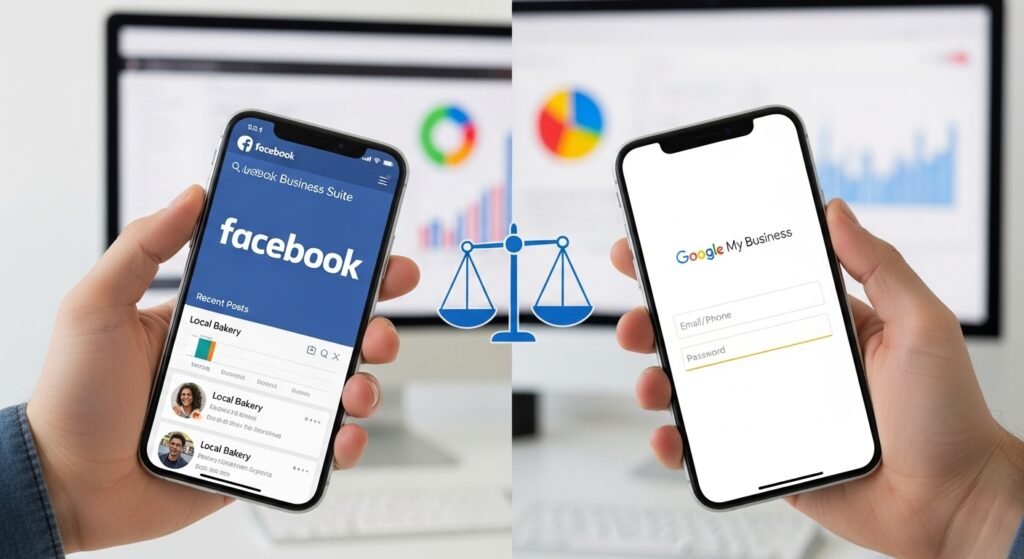
Balancing your facebook of business with google my business login

google my business login

While Meta is great for social discovery, you can’t ignore your facebook of business presence alongside your google my business login for local SEO. If you’re a brick-and-mortar shop, people are going to check your Facebook for your “vibe” and Google for your “reliability.” You need to make sure your hours, address, and phone number match exactly on both platforms. It’s a bit of a chore to keep them both updated, but it’s what builds that deep trust with a new customer. Use the suite to cross-post your updates, but always remember to log into your Google dashboard separately to respond to those specific reviews, as they carry a huge amount of weight for your local search rankings.

Platform Feature Comparison

Feature Meta Business Suite Meta Ads Manager Business Manager
Primary Goal Daily management & scheduling Paid campaign creation Asset & permission security
Best For Small business owners / Creators Performance marketers Agencies / Growing teams
Inbox Unified (FB, IG, Messenger) None None
Ad Capability Basic (Boosting / Light Ads) Full (A/B testing / Pixels) Management of Ad Accounts
Ease of Use High (Intuitive dashboard) Medium (Technical setup) Low (Infrastructure focused)

Common Mistakes to Avoid in Meta Business Suite

The biggest trap I see people fall into is “ghosting” their own comments. If you’re using the suite to schedule your posts, it’s easy to forget to log back in and actually talk to the people who are engaging with you. Social media is a two-way street. If you just broadcast without listening, the algorithm is eventually going to stop showing your stuff to people.

Another classic error is not checking the “Insights” tab. People just post what they think is cool rather than what the data says is actually working. If your audience loves your “behind the scenes” videos but ignores your “product shots,” the suite is literally screaming at you to make more videos. Listen to the numbers.

Lastly, be careful with your “automated replies.” They’re great for basic info, but if they sound too robotic, you’ll turn people off. Use them to bridge the gap until you can get there to give a real, human answer. Nobody wants to feel like they’re shouting at a wall of code.

[Image showing a unified inbox view with messages from Facebook and Instagram combined]

Anyway, that’s the deal. Meta keeps changing the names of these tools, but the goal is always the same: make it easier for you to find customers and for them to find you. Just pick one tool, get comfortable with it, and stop stressing about the technical jargon.

Frequently Asked Questions (Google People Also Asked)

Is Meta Business Suite the same as Facebook Business Manager?

Not exactly. Meta Business Suite is the newer, more user-friendly interface for daily tasks like posting and messaging. Business Manager is the older “backend” tool used for managing permissions, ad accounts, and multiple pages. Most small businesses will spend 90% of their time in the Suite.

Can I use Meta Business Suite for free?

Yes, it is a completely free tool provided by Meta. You just need a Facebook Business Page and a linked Instagram Business account to get started.

How do I link my Instagram to Meta Business Suite?

You can do this directly in the Suite’s settings. Go to “All Tools,” then “Page Settings,” and find the “Instagram” tab. Follow the prompts to log in and confirm the connection.

Why can’t I see my Instagram messages in the Suite?

Make sure your Instagram account is set to “Professional” or “Business” mode. Personal accounts don’t always sync correctly with the unified inbox features of the Suite.

Can I schedule Reels in Meta Business Suite?

Yes, as of 2026, the Suite fully supports scheduling for both Facebook and Instagram Reels. Including the ability to pick your cover photo and add captions in advance.

What is the “Essential Eight” of social media security?

While the term usually refers to general IT security, in the Meta world. It means having 2FA enabled, regular permission audits, using a Business Manager for asset protection, and never sharing your personal login credentials.

How do I get my ads to show on Instagram too?

In Ads Manager, you can select “Automatic Placements”. Which lets Meta’s AI decide where your ad will perform best, or you can manually select Instagram Stories, Feed, and Reels.

Why is my ad account disabled?

This usually happens due to a policy violation or a payment issue. Check your “Account Quality” tab in the Suite or Ads Manager to see the specific reason and start the appeal process.

So, yeah. It’s a lot, but it gets easier once you start clicking around. Don’t feel like you have to be an expert in everything on day one. Just start by scheduling your posts for next week and go from there.

What Managed IT Services Actually Include

0

Keeping a business running in Australia today means you’re pretty much tethered to your tech, and when the Wi-Fi drops or a server throws a tantrum, everything just stops. Investing in managed it services is like hiring a dedicated pit crew for your digital operations, making sure your systems are fast, secure, and ready to scale while you focus on actually growing your brand.

What exactly are managed IT services?

Essentially, it’s when you outsource your day-to-day tech chores—like cybersecurity, cloud backups, and help desk support—to a team of specialized pros. Instead of waiting for something to break and then paying a fortune to fix it, these providers monitor your systems 24/7 to catch glitches before they become full-blown disasters. It turns your IT from a series of stressful emergencies into a predictable, monthly utility.

Are they worth the investment for small businesses?

Absolutely, mostly because it’s significantly cheaper than hiring a full-time, in-house tech department. You get access to a whole “brain trust” of experts—cloud architects, security nerds, and network gurus—for a fraction of the cost of a single senior salary. Plus, it saves you from the massive financial hit of unplanned downtime, which can cost thousands of dollars per hour in lost productivity.

How do these services actually work?

The provider sets up “Remote Monitoring and Management” (RMM) tools that keep a pulse on your hardware and software around the clock. When a security patch is needed or a hard drive starts showing signs of fatigue, they jump on it immediately, often before you even realize there was a problem. They act as a strategic partner, working under a Service Level Agreement (SLA) that guarantees specific response times and uptime.

Why managed it services Melbourne are booming right now

If you’re operating in the heart of Victoria, you’ve probably noticed that the tech landscape is moving at a breakneck pace. Seeking out managed IT services Melbourne has become the go-to move for local firms that want to stay competitive without the overhead of a massive internal IT floor.

These local partners understand specific regional challenges, like navigating Australian data sovereignty laws or supporting hybrid teams scattered across the suburbs. By partnering with Global Technology Associates, businesses gain that perfect blend of remote efficiency and the ability to pop into your office if a physical piece of hardware actually goes bust. Having a team that’s in the same time zone and understands the local business culture makes a world of difference when you’re trying to hit a deadline and your email server decides to quit.

The strategic edge of managed it services Sydney

The strategic edge of managed it services Sydney

Sydney’s business scene is one of the most competitive in the country. That means your tech stack needs to be reliable and secure. Companies searching for managed IT services in Sydney are not just looking for password resets. They want a strategic partner for cybersecurity and cloud migration. As cyber threats continue to grow, a provider that can implement Essential Eight security controls is no longer a luxury. It is a practical necessity. A strong Sydney-based partner will audit your current setup, identify weak points, and build a roadmap that supports your three-year growth plan. The goal is to stay proactive, not reactive. Your infrastructure should be ready to handle a 50% jump in traffic without breaking under pressure.

Exploring managed IT services Brisbane options

Up in the Sunshine State, the focus is often on flexibility and cost-efficiency. Choosing managed IT services Brisbane allows local SMEs to tap into enterprise-grade technology that used to be reserved for the big end of town. Whether you’re in manufacturing or retail, these providers help you move away from old-school, “clunky” legacy systems and into agile cloud environments.

They handle the “boring” stuff—like automated backups and patch management—so your team can spend their time on innovation. As technology evolves, ensuring your staff has the right employability skills to manage these new digital workflows is essential. It’s a way to level the playing field, giving a small Brisbane startup the same technical “muscle” as a national corporation without the eye-watering price tag of a full-scale data center.

Understanding the value of IT managed services

When we talk about it managed services, we’re really talking about buying back your time. For a business owner, every hour spent googling “why is the printer not connecting” is an hour not spent on sales or customer service. A managed provider takes that entire headache off your plate for a fixed, predictable fee. They provide a “single point of contact” for everything digital—from your internet connection to your cloud software licenses. This eliminates the “finger-pointing” that happens when multiple vendors are involved; when something goes wrong, you have one person to call, and they own the problem until it’s fixed. It’s a shift from “IT as a cost center” to “IT as a growth engine.”

How managed IT support services keep you secure

Cybersecurity is the biggest “boogeyman” in business right now, and managed it support services are your primary defense. These teams don’t just install an antivirus and call it a day; they implement layered defenses like firewalls, multi-factor authentication, and dark web monitoring. They also provide “disaster recovery” plans, so even if the absolute worst happens—like a ransomware attack or a flood—your data is backed up and can be restored in hours rather than days. In 2026, being “secure enough” isn’t an option. You need a team that stays up-to-date with the latest hacker tactics so you don’t have to.

The benefits of brisbane managed it services

For companies based in Queensland, brisbane managed it services offer a unique level of accessibility. Sometimes, you just need a technician to walk through your warehouse and see how the Wi-Fi is performing near the loading docks. Local providers offer that hybrid approach—remote monitoring for the day-to-day stuff and on-site support for the heavy lifting. This proximity builds a stronger relationship; they aren’t just a voice on the phone; they’re a partner who knows your office layout and your team’s specific quirks. This leads to more tailored solutions that actually solve your specific bottlenecks rather than generic “one-size-fits-all” tech advice.

The national reach of managed IT services Australia

The national reach of managed IT services Australia

If your business has offices in multiple states, you probably need a provider with the scale of managed it services Australia. These larger firms have the resources to provide 24/7/365 support across different time zones. Ensuring that your Perth office is just as well-supported as your head office in Melbourne. They bring a level of standardized processes that are vital for compliance and security across a distributed workforce. You get one consolidated bill and one set of reporting metrics for your entire national footprint, which makes life a lot easier for your finance and operations teams. It’s about creating a consistent digital experience for every employee, no matter where they’re logging in from.

Comparing IT Support Models

Feature Break/Fix Model Managed IT Services
Approach Reactive (wait for failure) Proactive (prevent failure)
Cost Unpredictable & Spike-heavy Fixed Monthly Fee
Monitoring None / Occasional 24/7 Remote Monitoring
Strategy Short-term fixes only Long-term Tech Roadmap
Downtime Higher risk of long outages Minimized through prevention
Alignment Provider earns when you break Provider earns when you stay up

Common Pitfalls to Avoid

The biggest mistake I see people make is choosing a provider based purely on the lowest price. Technology is one of those areas where you really do get what you pay for. A “budget” provider might take three days to answer a critical support ticket. Which ends up costing you way more in lost business than you saved on the monthly fee.

Another classic error is not reading the Service Level Agreement (SLA). You need to know exactly how fast they’ll get back to you during an emergency. If your business runs on the weekends, but your IT provider only works 9-to-5 on weekdays, you’re going to have a bad time eventually.

Lastly, make sure they actually understand your industry. A provider that usually works with law firms might not understand the specific software requirements of a medical clinic or a manufacturing plant. Ask for references from businesses similar to yours; if they can’t provide any, that’s a massive red flag.

Frequently Asked Questions (Google People Also Asked)

What is the difference between IT support and managed IT services?

Traditional IT support is usually “reactive”—you call them when something breaks, and they fix it for an hourly fee. Managed IT services are “proactive”; you pay a fixed monthly fee for a provider to continuously monitor and manage your systems to prevent problems from happening in the first place.

How much do managed IT services typically cost in Australia?

Costs vary based on the number of users and the complexity of your systems, but most Australian SMEs spend between $100 and $250 per user per month. This usually covers everything from help desk support and security to cloud management and backups.

Do I still need an in-house IT person if I have an MSP?

Not necessarily. Many small businesses move to a “fully managed” model where the MSP handles everything. However, larger firms often use a “co-managed” approach, where the MSP handles the routine maintenance and security, freeing up the internal IT person to focus on high-level business strategy and specialized projects.

What happens if my data is lost while using a managed service?

A reputable provider will have a robust “Backup and Disaster Recovery” (BDR) plan in place. This means your data is automatically backed up to multiple secure locations, so it can be restored quickly even in the event of a total system failure or a cyberattack.

How long does it take to switch to a managed IT provider?

The “onboarding” phase usually takes between 30 and 90 days. This involves the provider auditing your current systems, documenting your setup, and installing their monitoring tools. It’s a thorough process designed to ensure a smooth transition with zero “surprises” down the road.

Can managed IT services help with cybersecurity compliance?

Yes, this is one of their core strengths. Most providers can help you align with international standards like ISO 27001 or Australian frameworks like the Essential Eight. They provide the documentation and technical controls needed to satisfy insurance requirements and government regulations.

Will I lose control of my technology if I outsource?

You may feel a slight disconnect at first, but a good provider will give you a portal to see what they are doing in real time. You still own your data and make the big strategic decisions. The MSP simply handles the routine work to keep everything running smoothly.

What should I look for in an IT service level agreement (SLA)?

Look for specific “guaranteed” response times for different levels of emergencies (e.g., 1 hour for a server crash vs. 8 hours for a printer glitch). It should also clearly outline what services are included in your monthly fee and what might incur an additional charge.

So yeah, that’s the broad strokes of it. Tech doesn’t have to be a nightmare; you just need the right people in your corner. If you’re feeling overwhelmed, maybe it’s time to stop being the “IT person” and start being the “Business Owner” again.

If you’re looking for a specific provider in your area, I can pull up a shortlist of top-rated firms in Melbourne, Sydney, or Brisbane tailored to your industry. Would you like me to do that?

Master Your Clinic Workflow with Insight Go in 2026

0

When you’re managing a busy physical therapy or rehab clinic, the last thing you need is a bulky desktop slowing you down. Patients are moving around the floor, and you need to move with them. A mobile-friendly interface like Insight Go lets therapists manage documentation and schedules from a tablet or phone. That makes the shift from patient care to paperwork almost unnoticeable. It also helps you use small pockets of time during a session to stay on top of your notes. As a result, you’re less likely to stay at the office until 8:00 PM every night.

What exactly is Insight Go by Clinicient?

It is basically a mobile-optimized, browser-based extension of the Clinicient Insight platform, specifically designed for therapists on the move. Instead of needing to download a clunky app, you just log in through your browser on any device like an iPad or a smartphone. It’s built to mirror the clinical workflow of physical, occupational, and speech therapists, allowing for real-time charting and schedule management right at the point of care.

Is making the switch to mobile documentation worth it?

Absolutely, because the biggest “time-thief” in a clinic is the gap between treating a patient and actually writing down what happened. When you wait until the end of the day, you lose the fine details and the task feels ten times heavier. Being able to tap out a few goals or check off a procedure while you’re standing next to the treatment table keeps your brain fresh and your data accurate.

How does the system keep everything synced?

The “magic” happens in the cloud—anything you input into the mobile interface is instantly available on the full desktop version used by the front desk or billing team. There’s no manual syncing or “pushing” data required. It’s one single source of truth, so if a patient changes their appointment time on your tablet, the receptionist sees it on their screen the very next second—especially when your reporting is supported by a skilled data analyst who can turn that real-time flow into cleaner dashboards, fewer billing errors, and smarter operational decisions.

Navigating the clinicient login for daily tasks

Getting started every morning usually begins with the Clinicient login screen, which is your gateway to the entire practice management suite. For most therapists, this is the most-visited page of the day, and having it bookmarked on your mobile browser is a lifesaver. The security is tight—usually involving multi-factor authentication—to make sure patient data stays under lock and key. Once you’re in, the dashboard gives you a bird’s-eye view of your schedule, showing exactly who is coming in, what their insurance status looks like, and which notes from yesterday still need a signature.

For professionals already familiar with other CRM and system access portals—such as the eLeads CRM login process—the structure feels intuitive and streamlined. It’s a clean starting point that helps you mentally prepare for the organized intensity of a busy clinic day.

Scaling with an insight enterprise mindset

When a clinic starts growing from a single location to a multi-state operation, the tech needs to grow with it—which is where Insight’s enterprise-level features come into play. You can’t manage ten locations the same way you manage one; you need centralized reporting and standardized templates so every clinic is following the same compliance rules. At this scale, the software becomes less about “writing notes” and more about “managing a system.” You’re looking at things like therapist productivity, referral patterns, and net collection rates across the whole board. It’s the difference between being a practitioner and being a business owner who has a pulse on the entire machine—especially when your team is spread out and you’re coordinating across time zones, hybrid rosters, and remote work in Australia arrangements.

The broader world of software services in healthcare

We often forget that the EMR (Electronic Medical Record) is just one piece of the puzzle in the vast world of software services that keep modern healthcare running. From the digital intake forms a patient fills out on their couch to the automated text reminders that keep them from missing an appointment, everything is connected. These services are designed to strip away the “busy work” that used to require a massive paper-filing system and a dozen filing cabinets. When these systems work together, the clinic feels like a modern tech hub rather than a dusty doctor’s office, which patients definitely notice and appreciate.

Implementing modern technology solutions at the clinic

Choosing the right technology solutions isn’t just about picking the one with the most buttons; it’s about selecting tools that truly fit the way your staff works every day. If your team consists mostly of younger therapists who grew up with smartphones and intuitive apps, they’re not going to respond well to a system that feels outdated or overly complex. You want interfaces that feel natural—built around swiping, tapping, and clean visual icons.

The goal of any digital platform in a rehabilitation setting should be to quietly support the workflow rather than dominate it. In fact, investing in the right professional technology solutions can ensure that systems enhance patient interaction instead of distracting from it. If you’re spending more time fighting the software than engaging with the human being in front of you, then the solution has actually become the problem.

Understanding the core of clinicient for rehab

At its heart, clinicient was built by people who actually understand the outpatient rehab world, which is why it doesn’t feel like a generic medical EMR. It handles the weird stuff—like Medicare’s 8-minute rule, functional limitation reporting, and the constant dance with insurance authorizations. Generic systems often fail in the PT world because they don’t account for the fact that we see the same patient twice a week for two months. The software needs to be able to “carry forward” goals and objective measures easily so you aren’t reinventing the wheel every time someone walks back through the door for their tenth visit.

The evolution of clinicient insight go for therapists

The release of clinicient insight go represented a major shift from “office-bound” software to “patient-bound” tools. Before this, you’d see therapists scribbling on legal pads and then spending two hours “data entering” those notes into a PC at the end of their shift. That’s a terrible way to live. This mobile-first approach acknowledges that the therapist’s “office” is the gym floor, the treatment plinth, or even the hallway. It’s about giving the professional the tools they need exactly where the work is happening. It’s not just a fancy add-on; for a high-volume clinic, it’s a survival tool to prevent burnout and keep the documentation compliant.

Why clinicians rely on insight software for billing

You can provide the best therapy in the world, but if the billing fails, the lights go out. This is why insight software integrates the clinical documentation directly with the billing engine. When you sign a note, the “charge capture” happens automatically based on the procedures you just documented. This prevents that awkward “did I charge for manual therapy today?” guessing game at 5:00 PM. It ensures that the codes on the bill perfectly match the story told in the note, which is the number one way to avoid those annoying insurance denials and audits that can sink a practice’s cash flow.

Answering the big question: what is insight?

If you’re new to the platform, you might be wondering what is insight beyond just a place to put SOAP notes? In the context of rehab therapy, it’s a “Single System” approach that combines EMR, scheduling, billing, and reporting into one login. Usually, clinics have one program for the schedule, another for the notes, and a third for the billing. That’s a nightmare because none of them talk to each other. Insight is the bridge that connects all those islands, so a change in the schedule automatically updates the clinician’s task list, and a signed note automatically alerts the billing team to send out a claim.

Analyzing reach through facebook insights

Transitioning from the clinical side to marketing, many clinic owners use Facebook Insights to see whether their local community is actually seeing their content. If you post about topics like “How to treat lower back pain at home,” you want to know whether people are clicking through to your website. This is the data-driven way to grow your patient base. By tracking demographics and engagement rates, you can stop wasting time on posts that no one cares about. You can then focus on topics that lead to new evaluations. Marketing is a science, and these numbers are the lab results that help you test what works.

Managing a global footprint with insight direct

For the bigger players in the tech procurement world, insight direct is often the go-to for sourcing the actual hardware like tablets and laptops that run the software. It’s about the supply chain. When you need to outfit fifty new therapists with iPads that are pre-configured with the right security settings, you need a partner that can handle that kind of volume. They take the headache out of hardware management, ensuring that every device is “enterprise-ready” the moment it’s taken out of the box. It’s the invisible backbone that allows the software to actually reach the hands of the clinicians.

Connecting with the insight global company

Some people confuse it with software, but Insight Global is a large staffing and services firm. It often helps fill talent gaps in the tech and healthcare sectors. For example, a clinic group might need a temporary project manager for a major software rollout. In that case, they may turn to a firm like this to find the right person. It is all part of the broader professional services ecosystem. Finding the right talent can be just as difficult as finding the right software. A reliable pipeline of skilled workers is crucial when you want to scale a healthcare business in a competitive market.

The data-driven approach of insight health

The future of medicine isn’t just about treating the patient in front of you; it’s about looking at populations, which is where insight health data analytics come in. By looking at the outcomes of thousands of patients with the same condition, clinics can start to see what’s actually working best. If the data shows that patients who get manual therapy in the first two weeks recover 20% faster, the clinic can change its standard of care. It’s about moving away from “I think this works” toward “I know this works because the data proves it.” This is how we prove our value to payers in a “value-based care” world.

Partnering with an it service company for security

Even with great software, you still need a reliable IT service company to protect your local network from ransomware. They set up firewalls, manage Wi-Fi access points, and keep your printers working when they should. Many clinics think they can handle IT on their own. But when a HIPAA auditor walks through the door, that approach can become risky fast. A professional team can manage your encryption, access logs, and security setup properly. It’s an investment in your own peace of mind and the safety of your patients’ most private information.

Local tech support like better way electronics

Sometimes you don’t need a global enterprise; you just need a local shop like better way electronics to fix a cracked screen on a clinic tablet. These local tech partners are essential for the “day-to-day” survival of a digital office. If a therapist drops their iPad on the gym floor, you can’t wait three weeks for a factory repair. Having a local place where you can get a screen swapped or a battery replaced in an afternoon keeps the workflow moving. It’s the small, local relationships that often keep a tech-heavy business from grinding to a halt over a simple hardware failure.

Centralizing patient support with Kuikwit.com

While the EMR handles the clinical side, you still have to manage a constant stream of patient questions. They come in from every direction. That’s where Kuikwit.com helps. Patients do not just call anymore. They send DMs on Instagram, message you on Facebook, or use WhatsApp to ask quick questions like copays. Kuikwit brings all those scattered messages into one dashboard. Your front desk no longer needs to keep ten browser tabs open. You can assign a billing question to the office manager. You can also set up AI auto-replies for common questions like, “Where do I park?” It helps your small clinic look responsive and professional. Most importantly, patients do not feel ignored.

Making the Most of Your Digital Practice

It’s easy to feel overwhelmed by all the “Insight” brands and tech terms floating around, but the goal is always the same. Spending more time with patients and less time with the computer. If you can use a tool like insight go to knock out 50% of your note during the actual treatment, you’ve already won half the battle.

The trick is to start small. Don’t try to change every single clinic workflow in one day. Start with the documentation, get the hang of the mobile interface, and then move on to the more advanced analytics and reporting. Once the clinical team is happy, the rest of the business—the billing, the marketing, and the growth—usually follows quite naturally because everyone is less stressed.

Building a tech-forward clinic isn’t about having the coolest gadgets; it’s about creating a “frictionless” environment. When your software, your IT support, and your customer communication (like Kuikwit) are all humming along, the “practice” of therapy actually feels like therapy again, rather than just a data entry job with some stretching on the side.

Frequently Asked Questions (People Also Ask)

What is the difference between Clinicient Insight and Insight Go?

Think of Insight as the “brain” and Insight Go as the “hands.” Insight is the full, robust system that handles the heavy billing and admin tasks. Insight Go is the streamlined, mobile-friendly interface designed for clinicians to use on tablets and phones while they are actually treating patients.

Does Clinicient Insight Go work on Android and iPhone?

Yes, because it is a browser-based “web app,” it doesn’t matter what operating system you use. As long as you have a modern browser (like Safari or Chrome) and a Wi-Fi connection, you can log in and start charting without needing to visit an app store.

How much does Clinicient software cost for a small clinic?

Pricing is usually customized based on the number of providers you have and which features you need (like if you want them to handle your billing for you). It’s best to get a direct quote, but most clinics find that the time saved on documentation pays for the monthly fee.

Is Insight Go HIPAA compliant?

Absolutely. It uses the same high-level encryption as the main Clinicient platform. No patient data is actually stored “on” your phone or tablet; it’s all in the secure cloud, so if you lose your device, the data isn’t compromised as long as you log out.

Can I use Insight Go for Speech Therapy (SLP)?

Yes, the system has specific templates and workflows built specifically for Physical Therapy (PT), Occupational Therapy (OT), and Speech-Language Pathology (SLP). It’s not a “one size fits all” medical note; it’s tailored to the rehab world.

How do I get a Clinicient login?

You’ll get your login credentials once your clinic administrator sets up your account in the system. If you’re the owner, you’ll go through an implementation process where their team helps you set up your database and trains your staff.

What is the “8-minute rule” feature in Insight?

It’s a built-in calculator that helps therapists in the US ensure they are billing the correct number of units for Medicare patients. It looks at the total time spent and the individual procedures to make sure you aren’t over-billing or leaving money on the table.

Does Kuikwit integrate with Clinicient?

While they are separate tools, they work side-by-side to cover different parts of the business. Clinicient handles the clinical and billing data, while Kuikwit handles the “front-end” communication with patients across social media and chat apps to keep your schedule full.

So yeah, that’s a wrap on the world of Insight. It’s a lot to take in, but once you find that rhythm between the patient and the tablet, you’ll wonder how you ever survived with a pen and a clipboard…

Struggling to Earn? Join the amazon affiliate program 2026

0

If you are looking to monetize your website or social media feed, the amazon affiliate program is usually the first place people start because of its massive product range. It allows creators to earn commissions by simply linking to products they already talk about, turning standard recommendations into a potential revenue stream.

What is the Amazon Affiliate Program?

It is a referral system where Amazon pays you a percentage of a sale if a customer clicks your link and buys something within 24 hours. You don’t need to stock inventory or handle shipping; you just provide the traffic. It’s one of the oldest and largest affiliate networks in the world, covering almost every physical and digital category imaginable.

Is it still worth it in 2026?

Yes, mostly because of the “halo effect”—if someone clicks your link for a $10 book but ends up buying a $2,000 fridge, you get a commission on the whole cart. While some niche commission rates have dropped over the years, the sheer conversion rate of Amazon is hard to beat. People already trust Amazon with their credit cards, which makes your job as an affiliate much easier than trying to sell on an unknown site.

How does it work exactly?

You grab a unique tracking link from your dashboard and place it in your content. When a reader clicks that link, a “cookie” is dropped in their browser. If they make a purchase before that cookie expires, the system attributes the sale to you. For example, many SaaS affiliate programs—like those offering cloud CRM solutions—work exactly this way. You get paid out monthly, usually via direct deposit or gift cards, once you hit a small minimum threshold.

Navigating the amazon associates affiliate program landscape

Navigating the amazon associates affiliate program

Getting started with the amazon associates affiliate program is often a rite of passage for bloggers and YouTubers alike. It’s a fairly straightforward setup, but the sheer volume of categories can be a bit paralyzing if you don’t have a plan. You aren’t just limited to basic product links anymore; there are banners, native shopping ads, and even “Idea Hubs” to help you find trending items.

For creators operating in tech niches or reviewing services like IT Consulting Companies aligning affiliate recommendations with audience expectations becomes even more important.

The trick is to stay relevant to your audience—if you run a gardening blog, don’t start linking to gaming keyboards just because they have a high price tag. Trust is the only currency that actually matters here. If your readers feel like you’re just hunting for a commission, they’ll stop clicking.

Step-by-step amazon affiliate program sign up process

The amazon affiliate program sign up is actually pretty painless, provided you have an active website or a social media following with a decent pulse. You head over to the Associates homepage, log in with your regular Amazon account, and start filling out the details about your “property.” They’ll ask how you plan to drive traffic and what kind of products you intend to promote. It’s important to be honest here because they do manual reviews once you start making sales. You’ll get temporary access to the links, but you usually need to drive at least three qualified sales within the first 180 days to stay in the program long-term.

Making the most of the amazon affiliate marketing program

Success in the amazon affiliate marketing program isn’t about being a salesperson; it’s about being a curator. The most successful affiliates are the ones who solve problems for their readers—like “the best quiet vacuums for pet owners” or “essential gear for solo hikers.” You want to create content that helps people make a decision they were already going to make. Use the SiteStripe bar at the top of your Amazon browser window to grab links quickly. It’s also worth looking into “bounties,” which pay you a flat fee for getting people to sign up for free trials of things like Prime Video or Kindle Unlimited.

Managing your earnings via the amazon affiliate program login

Managing your earnings via the amazon affiliate program login

Once the sales start rolling in, you’ll find yourself checking the amazon affiliate program login more often than you’d probably like to admit. The dashboard gives you a granular breakdown of what people are actually buying, which is a goldmine for content ideas. If you notice a specific kitchen gadget is flying off the shelves through your links, that’s a signal to write more about that specific brand or category.

This is exactly how serious affiliates start boosting sales by using real performance data instead of guessing what their audience wants. You can see your “shipped items revenue” versus your “ordered items,” which helps you track your actual take-home pay. It also shows you “Link Type” performance so you can see if your text links are outperforming your image banners.

Strict rules: amazon affiliate program requirements

You have to be careful because the amazon affiliate program requirements are famously rigid. If you break a rule, they don’t usually give you a warning; they just shut the account down. You cannot put affiliate links in emails or PDFs—they must be on a live “public” page. You also have to include a specific disclosure that identifies you as an associate, usually something like “As an Amazon Associate I earn from qualifying purchases.” And for the love of everything, don’t ask your friends or family to click your links to give you a boost. Amazon’s tracking is incredibly sophisticated, and they will catch you.

Staying updated with amazon affiliate program news

Keeping an eye on amazon affiliate program news is vital because commission structures change more often than you might expect. Sometimes a category that used to pay 8% will drop to 3% overnight, which can significantly impact your monthly income if that was your main focus. They also frequently update their “Operating Agreement,” which covers everything from how you can use their trademarked logos to where you can place your links. Staying in the loop ensures you aren’t using outdated tactics that could get your account flagged. Most of these updates are sent via email, but checking the “Announcements” section in your portal is a good habit.

Streamlining your team with Kuikwit.com

As your affiliate business grows into a full-blown brand, you’ll likely end up dealing with a flood of questions from your audience across different social channels. This is where Kuikwit.com becomes a massive lifesaver for small teams. It’s a customer support platform that pulls all your DMs and comments from WhatsApp, Facebook, and Instagram into one unified dashboard. Instead of hunting through your phone to find a message about a product recommendation, your team can assign the chat to the right person or use AI auto-replies for the basic stuff. It keeps the “human” element of your brand alive while letting you scale the technical side of your affiliate work.

Amazon Associate Commission Rates (Typical 2026 Snapshot)

Category Commission Rate Best Strategy
Luxury Beauty & Amazon Explore 10.00% High-end reviews
Digital Music & Video 5.00% Entertainment roundups
Physical Books & Kitchen 4.50% Recipe & book lists
Amazon Fashion & Jewelry 4.00% Style guides
Toys & Sports Products 3.00% Gift guides
PC & PC Components 2.50% Tech builds
Gift Cards & Alcohol 0.00% Avoid as main focus

Common Mistakes to Avoid as a New Affiliate

Common Mistakes to Avoid as a New Affiliate

The biggest trap people fall into is “over-optimizing.” They try to cram a link into every single sentence, which just makes the article unreadable. You want your links to feel natural. If you’re talking about a specific blender, link it. If you’re talking about “smoothie recipes,” you don’t necessarily need to link the blender again in every paragraph.

Another mistake is neglecting your “unfilled” links. Sometimes products go out of stock or disappear from Amazon entirely. If you have an old blog post that still gets traffic, but the link is dead, you’re leaving money on the table. Use a tool or a plugin to scan for broken affiliate links every few months. It’s an easy way to keep your passive income actually passive.

Lastly, don’t ignore the data in your dashboard. If people are clicking but not buying, your content might be great, but you’re targeting the wrong products. If people aren’t clicking at all, you might need to work on your “Call to Action” or the placement of your links. It’s a game of constant tweaking.

Frequently Asked Questions (People Also Asked)

Can I use the Amazon Affiliate Program on Instagram or TikTok?

Yes, you definitely can. Most creators use a “Link in Bio” tool to house their Amazon storefront or specific product links. You still have to follow the disclosure rules, though—make sure you use #ad or a clear “Paid Partnership” tag so your followers know you’re earning a commission.

How do I get my first three sales to stay in the program?

The best way is to write a “Review” or a “Best of” post that targets a very specific problem. Don’t just write “Cool stuff I found.” Instead, write “The only 3 tools you need to fix a leaky faucet.” Specificity drives intent, and intent drives sales.

What is an Amazon Influencer vs. an Associate?

An Associate is the standard program for bloggers and website owners. An Influencer is an extension of that program specifically for people with a large social following. Influencers get a dedicated “Storefront” URL (amazon.com/shop/yourname) where they can curate lists of their favorite products.

Does Amazon pay for clicks or only for sales?

Amazon only pays for actual sales (and some free trial sign-ups). You do not get paid just because someone clicked your link. This is why “conversion rate” is the most important metric for an affiliate to track.

Can I use Amazon affiliate links in my YouTube descriptions?

Yes, this is a very common way to monetize video content. Just ensure you include the required affiliate disclosure in the description box as well. Many YouTubers put it at the very bottom of their “About” section or right next to the links.

What happens if someone returns a product I recommended?

If a customer returns an item, the commission you earned on that sale will be deducted from your next payout. It sucks, but it’s part of the business. This is why recommending high-quality products that people actually keep is better for your long-term earnings.

Is there a limit to how much I can earn?

No, there is no cap. Some people make $50 a month to pay for their web hosting, while others build entire media empires that pull in six or seven figures annually just from Amazon commissions. It all depends on your traffic and how well you know your audience.

How long does the Amazon cookie last?

The standard cookie lasts for 24 hours. However, if a user adds an item to their “Shopping Cart” within that 24-hour window, the cookie is extended for 90 days for that specific item. If they buy it later, you still get the credit.

Anyway, that’s the broad strokes. It’s a bit of a learning curve at first, but once you get the hang of the rules and the dashboard, it becomes one of the most reliable ways to make a living online. Just stay honest with your readers and keep an eye on the rules…

Quiet Technologies in 2026: Why Silence Is the New Status Symbol

0

In 2026, the real luxury isn’t having more gadgets; it’s finally finding a way to make them all shut up for five minutes. Embracing quiet technologies is basically the only way to survive the modern digital noise without losing your absolute mind. Whether you’re trying to ignore a snoring partner or just want a kettle that doesn’t sound like a jet taking off, these specialized tools are designed to work in the background so you can actually hear yourself think.

What is quiet technology?

It is a growing category of design that prioritizes stillness, minimalism, and background operation over loud notifications and high-energy displays. Instead of fighting for your attention with pings and bright lights, these devices are built to help you finish a task and then step away without feeling drained.

Is investing in quiet tech worth it?

Definitely, especially if you value mental clarity and better rest. From noise-canceling sleepwear that helps you wake up restored to appliances that reduce home stress, the return on investment is usually a much calmer daily routine.

How does this technology work?

It usually involves one of two things: clever mechanical engineering (like muffling a motor) or active digital interference. In electronics, it often uses “Active Noise Cancelling” (ANC), which creates an opposing sound wave to neutralize background hums before they ever reach your ears.

The rise of quiet technologies in Australian homes

The rise of quiet technologies in Australian homes

Living in a noisy city like Sydney or Melbourne can really wear you down after a while. We’re seeing a massive shift on thearticlespot.com toward Australians looking for ways to “quiet” their physical environment. It’s not just about turning off your phone; it’s about the machines we live with every day. People are starting to realize that the constant hum of a fridge or the roar of a rangehood is a silent stressor.

What’s interesting is that this shift isn’t happening in isolation. Behind the scenes, innovation from global technology associates and similar industry players is influencing how appliances are engineered, prioritizing acoustic design as much as performance. Australian brands are actually leading the charge here, focusing on engineering that puts peace and quiet at the center of the home experience.

Why quiet technology is the new status symbol

It’s kind of funny how things change. It used to be that the loudest, flashiest tech was the winner, but in 2026, the ultimate status symbol is a lack of noise. If your house is a sanctuary where you can’t hear the neighbors or your own appliances, you’ve basically won the lifestyle game. Quiet technology is moving from a niche feature to a core requirement for anyone building a premium home setup. We want devices that are “invisible”—tools that do their job perfectly without demanding that we acknowledge their existence every five seconds.

Understanding halo quiet technologies for aviation pros

If you spend a lot of time in a cockpit or a high-noise industrial setting, you’ve probably heard of halo quiet technologies. These aren’t your typical chunky, over-ear headphones that clamp your head like a vice. Instead, they use lightweight “tubephone” designs that are incredibly comfortable for long-haul trips. What’s cool is they don’t even need batteries to block out the noise. They rely on superior physical ear inserts that quiet the entire frequency spectrum, making them a favorite for pilots who need crystal-clear communication without the extra weight.

For professionals researching specialized technology resources in aviation and industrial safety, this kind of innovation shows how smart acoustic design can outperform bulkier electronic alternatives.

The science behind quiet boil technology in your kitchen

There’s nothing more annoying than trying to have a conversation in the kitchen while someone is making a cuppa. Traditional kettles are loud because steam bubbles collapse and “pop” against the heating element. Quiet boil technology changes this by using a specialized coating or a diffused heating base to make those bubbles much smaller and less aggressive. It’s a simple fix that makes a world of difference when you’re trying to keep a peaceful vibe in the morning. Many Australian appliance brands are now making this a standard feature because we’re a nation of tea and coffee lovers who hate unnecessary racket.

Why NASA is betting on quiet supersonic technology

The future of travel is fast, but it has to be quiet if it’s ever going to work over land. NASA’s X-59 is the centerpiece of the quiet supersonic technology (QueSST) mission. The problem with old planes like the Concorde was the “sonic boom” that shattered windows and rattled nerves on the ground. This new design reshapes the shockwaves so they don’t all hit at once. Instead of a window-shaking bang, you get a “sonic thump”—something as quiet as a car door closing in the distance. This could finally make supersonic flight legal over populated areas again.

Comparing active vs passive quiet technologies

When you’re browsing thearticlespot.com for gear, you’ll see two main ways things stay quiet. Passive tech is all about physical barriers—think thick foam, heavy insulation, or double-glazed windows. It’s reliable because it doesn’t need power. On the other hand, active tech uses computers and mics to fight back against sound. It listens to the noise and creates a “mirror” sound wave that cancels it out. For constant hums like a plane engine, active is king. But for sudden noises like a dog barking, a good passive seal is often your best bet.

Technology Type Best Use Case Key Benefit
Active Noise Cancelling Travel, Offices, Commuting Eliminates constant low hums
Sound Masking Sleep, Shared Bedrooms Drowns out erratic noises
Vibration Isolation Home Gyms, Laundry Stops noise traveling through floors
Aerodynamic Shaping Aviation, High-Speed Fans Reduces noise at the source

Why Australian brands like Ozlo are winning at sleep

Ozlo Australia


If you can’t sleep, you can’t function. Local favorite Ozlo Australia is a perfect example of how tech can disappear into your routine. Their sleepbuds aren’t for music; they are for science-backed sound masking. They’re small enough to wear all night and use sensors to help you fall asleep faster and stay under. It’s a “quiet revolution” because it doesn’t track data just for the sake of it; it tracks your environment to help you quiet your own mind. In a world of burnout, having tech that helps you disconnect is worth its weight in gold.

The impact of quiet rangehoods on open-plan living

Most modern Aussie homes have that open-plan kitchen and living area, which is great until someone starts cooking. If your rangehood sounds like a vacuum cleaner, you can’t hear the TV or the conversation. Brands like Whispair Australia solve this by moving the motor away from the kitchen entirely. Their remote motor systems place the fan on the roof or an external wall, considerably reducing the noise while still keeping the air clean. It’s one of those “hidden” quiet technologies that you don’t notice until you realize you’re actually enjoying your kitchen for once.

Choosing quiet treadmills for apartment life

The home fitness boom in Australia hit a snag when people realized how loud treadmills actually are for the neighbors downstairs. Now, we see models like the Endurance Superstar using specialized sound-dampening materials and thicker belts to absorb the “thump” of your feet. They even use vibration-isolating feet to prevent sound from traveling through the floorboards. It makes working out at 5 AM possible without getting a nasty text from the person living below you. It’s all about engineering the friction out of the machine.

Common mistakes when buying quiet technology

The biggest mistake is assuming “quiet” means “silent.” Every machine makes some noise; the goal of these tools is to make that noise less annoying or less noticeable. Another slip-up is ignoring the decibel (dB) ratings. A difference of just 3dB might not sound like much, but it actually represents a doubling of sound energy. Also, people often forget to maintain their gear. A kettle with limescale buildup or a treadmill with a dry belt will get louder over time. Keep things clean and lubricated if you want them to stay hush-hush.

The future of stillness in a hyper-connected world

As we get further into 2026, the push for silence is only going to get stronger. We’re moving toward “everyday AI” that handles our schedules and tasks quietly in the background without constant pings. The tech is becoming less visible but more present, fading into our routines rather than interrupting them. It’s a slow recalibration of our relationship with our devices. We’re finally learning that a “smart” home should also be a “quiet” home. It’s an exciting shift for anyone who values their headspace.

FAQ: What People Are Asking About Quiet Tech

1. Is “quiet tech” just another marketing term?

Not really. While some brands use it for hype, it generally refers to specific engineering choices—like better insulation or noise-canceling chips—that have a measurable impact on decibel levels.

2. Does active noise canceling work for snoring?

It helps, but it’s not perfect. ANC is best at blocking constant hums like engines. For erratic noises like snoring, “sound masking” (which plays steady, soothing audio) is usually more effective.

3. Why are quiet kettles more expensive?

They require extra layers of insulation and specialized bases to prevent the “popping” of steam bubbles. That extra engineering and higher-quality material cost a bit more at the checkout.

4. When will quiet supersonic flights be available?

NASA is currently testing the X-59, with plans to deliver community response data to regulators by 2027. If all goes well, we could see rules change for commercial flights by 2028.

5. How can I find more Australian quiet tech reviews?

Checking out thearticlespot.com is your best bet for localized reviews on everything from silent kettles to the best apartment-friendly treadmills available in Australia.

I honestly think we’ve reached the limit of how much noise we can handle as a society. The future is definitely quieter, and honestly, it’s about time. If you can swap even one loud appliance for something a bit more respectful, your brain will probably thank you for it by the end of the week. Anyway, catch you in the next one…