Home Blog Page 5

Customer Care vs Customer Service: Complete Guide with Examples (2026)

0

The real strength of a brand is not only what it sells. It is how it treats people when something goes wrong, when a question needs answering, or when a customer simply wants help.

That is why customer care and service matter so much. They shape trust, loyalty, and whether a buyer chooses to come back. Recent customer experience research shows that three in four consumers will spend more with businesses that provide a good customer experience, and 73% will switch to a competitor after multiple bad experiences.

For modern businesses, service is no longer a support function sitting quietly in the background. It is one of the clearest ways to protect revenue and build long-term growth.

What Is Customer Service?

Customer service is the support and assistance a business provides before, during, and after a purchase. It helps people solve problems, get information, and feel confident about dealing with a brand.

That includes things like:

  • answering questions
  • resolving delivery issues
  • handling refunds or complaints
  • guiding customers through a product or service
  • providing support across chat, email, phone, and social channels

In simple terms, customer service helps customers move from confusion to clarity.

What Is the Difference Between Customer Care and Customer Service?

These terms are closely related, but they are not exactly the same.

Customer service

Customer service is usually task-focused. It deals with the immediate issue, such as tracking an order, changing a booking, or fixing an account problem.

Customer care

Customer care goes a step further. It focuses on how the customer feels during the experience. It is more relationship-driven and proactive.

A useful way to think about it:

  • customer service solves the problem
  • customer care makes the person feel valued while the problem is being solved

The strongest brands do both.

Why Customer Care and Service Matter More Than Ever

Customers now expect support to be faster, more relevant, and more personal than before. Zendesk’s recent customer experience data says 72% of customers want immediate service, while 64% will spend more if a business resolves their issue on the channel they are already using.

That means modern service is no longer just about having a support line. It is about being available where people already are and making the process feel smooth.

Research also shows that 78% of customers are willing to give a brand a second chance after a mistake if the customer service is excellent.

That is a powerful reminder that service recovery is not just damage control. It can also rebuild trust.

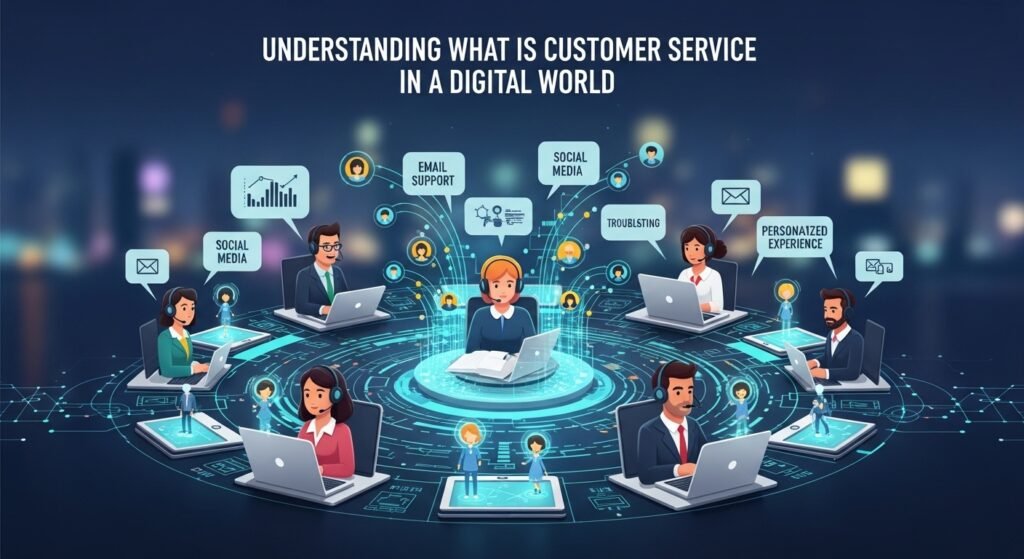
What Customer Service Looks Like in a Digital World

Modern customer service is now an omnichannel experience. People may start with Instagram, continue over WhatsApp, then ask for a follow-up through email or phone. They do not want to repeat everything every time they switch channels.

That is why omnichannel support matters. Qualtrics describes omnichannel customer experience as a seamless, integrated experience across touchpoints, with shared context and continuity between channels.

This also connects directly to your site’s related topics like remote work Australia and cloud CRM, where digital interactions and shared context are essential.

Why Empathy Still Matters

AI is now handling more routine service work, but that has made empathy even more important, not less.

When bots and automation take care of simple questions, the issues that reach human agents are often more complex, more frustrating, or more emotional. Customers in those moments do not only want speed. They want understanding.

PwC notes that strong customer experience helps people feel heard and appreciated while reducing friction and maintaining a human element.

That is why empathy remains one of the most valuable service skills a team can develop.

The Three Essentials of Modern Customer Service

A simple service framework for teams should focus on three things:

Promptness

Customers expect quick responses. Long delays create friction and signal that their time is not valued.

Professionalism

People need to trust the business. Clear communication and calm problem-solving make that easier.

Empathy

Customers remember how they were treated, especially when something went wrong.

When these three elements work together, service becomes a loyalty driver rather than a cost center.

How AI Is Changing Customer Care

what is customer service in a digital world

AI is changing customer expectations, especially around speed and availability. Zendesk reports that many consumers now find AI bots helpful for simple issues, and AI is increasingly shaping expectations around immediate responses and smarter self-service.

That does not mean AI replaces humans. It means support is becoming more layered.

A practical model looks like this:

  • AI handles repetitive, low-risk questions
  • humans handle sensitive, complex, or emotional issues
  • systems keep context shared across channels

That is one reason tools like Kuikwit customer engagement content can fit naturally into this topic, especially where brands want centralized support across messaging platforms.

Why Centralized Support Matters

One of the biggest service problems for growing brands is fragmentation. Messages come in from different platforms, and teams lose track of context.

A centralized support setup helps teams:

  • respond faster
  • reduce missed messages
  • route questions to the right person
  • maintain conversation history
  • measure where customers get stuck

This is where systems like CRM, CRM software for small businesses, and customer care and service become more important.

Common Mistakes That Hurt Customer Service

Some service problems are very common, and they damage trust quickly.

Slow response times

Customers interpret delays as a sign that their issue is not important.

Over-scripted replies

If teams sound robotic, the interaction feels cold and impersonal.

Poor follow-up

Promising an update and then disappearing breaks trust fast.

No shared context

When customers repeat themselves across channels, frustration rises.

Over-relying on automation

AI can help, but it should not be used as a shield against real human support.

These mistakes are avoidable, but only if businesses design service around the customer rather than internal convenience.

Why Customer Experience Now Drives Growth

Customer experience is not just a support metric. It is increasingly tied to growth. HubSpot’s 2025 Australia business growth report says customer experience is the top growth driver, with 43% of businesses attributing progress over the past year to CX.

That makes service quality a business strategy issue, not just an operations issue.

Good service improves:

  • retention
  • trust
  • repeat purchases
  • referrals
  • brand differentiation

What the Future Looks Like

Customer care and service will continue moving toward a blended model:

  • faster first responses through AI
  • stronger personalization
  • better omnichannel continuity
  • more valuable human involvement in difficult cases

The future is not about removing people. It is about using technology to reduce repetitive work so human teams can focus on the moments that matter most.

Brands that get this balance right will be faster, more consistent, and more memorable.

Final Thoughts

Customer care and service are no longer side functions. They are central to trust, retention, and long-term growth.

People do not just remember what they bought. They remember how easy or difficult it was to get help. They remember whether they felt heard. They remember whether the brand followed through.

That is why service matters so much. It is not just support. It is part of the product experience itself.

FAQs

What is customer service?

Customer service is the support a business gives before, during, and after a purchase to help customers solve problems and get value from what they bought.

What is the difference between customer care and customer service?

Customer service focuses more on solving the issue. Customer care focuses more on the relationship and how the customer feels during the process.

Why is customer service important?

Good service improves trust, retention, and repeat revenue. Research shows customers spend more with businesses that deliver a strong customer experience.

Can AI replace human support?

Not fully. AI is helpful for routine issues, but human support is still important for complex or emotional situations.

What are the most common customer service mistakes?

Slow responses, over-scripted communication, poor follow-up, weak channel continuity, and using automation without enough human backup.


Cloud CRM: The 2026 Survival Guide for Digital Brands

If you’ve been trying to juggle a hundred different spreadsheets while your DMs are exploding, you know that keeping track of your community is a full-time job. Switching to a cloud crm isn’t just a fancy tech upgrade; it’s a survival tactic for anyone trying to stay relevant in 2026 without losing their mind. It’s about having a “brain” for your business that lives on the internet, so you can stop digging through emails and start actually connecting with people.

What is Cloud CRM?

A cloud-based CRM (Customer Relationship Management) is software hosted on a provider’s servers that you access via the internet. Instead of installing a heavy program on one computer, you log in through a browser or an app on your phone. It keeps all your contact info, chat history, and collab details in one spot that’s always backed up and ready to go.

Is a cloud-based CRM worth the cost?

For most creators and small businesses, yes, because it saves you from the “data mess” that kills productivity. Most systems follow a subscription model, which means you don’t have to pay thousands upfront for hardware. You pay as you grow, making it way cheaper than trying to build your own database or hiring an IT guy to fix a broken local server.

How does the integration work?

It works by “talking” to your other apps—like your email, your calendar, and your social platforms. When a fan or a brand reaches out, the CRM automatically pulls that info into their profile. By 2026, most of these systems have AI built-in that can even draft your replies or remind you to follow up with a lead you haven’t talked to in a week.

Why crm and cloud computing are the dream team

The marriage of crm and cloud computing has basically changed the rules for how we work from home in Australia. Back in the day, if your computer crashed, your business was dead in the water because all your client info was on that one hard drive. Now, with the cloud, the “computing” happens elsewhere, which means you can drop your laptop in a puddle and still log in from a tablet at a cafe in Melbourne without losing a single contact.

Of course, this shift also highlights why cyber security jobs are becoming more critical than ever, because protecting that cloud-based data is now just as important as accessing it.It’s that peace of mind that allows you to focus on the creative stuff. You aren’t just buying software; you’re buying a safety net that lets you scale your brand globally without needing a massive office or a server room.

Navigating the best crm cloud applications in 2026

crm cloud applications in 2026

When you start looking for crm cloud applications, it’s easy to get overwhelmed by the options. In 2026, the big names like Salesforce and HubSpot are still around, but we’re seeing a huge rise in niche tools built specifically for the creator economy. These “lite” versions are perfect because they don’t have a million confusing buttons you’ll never use. They focus on what matters: tracking your collabs, managing your affiliate links, and seeing which platforms are actually driving your growth. If you’re blogging for thearticlespot.com or running a YouTube channel, you need an app that feels like an assistant, not a textbook.

How to use a crmconsole to stay organized

Getting comfortable with your crmconsole is the first step to feeling like a pro. Think of the console as your cockpit—it’s where you see the “big picture” of your audience. You can see who your most loyal fans are, which brands are consistently paying on time, and where your bottlenecks are.

If you spend twenty minutes every Monday reviewing your analytics and tools—whether that’s your CRM dashboard or something like Google Search Console login to track visibility and performance—you’ll start to see patterns you never noticed before. It turns your “gut feelings” into actual data.

Instead of guessing what your followers want, you can look at the history of your interactions and make a plan that actually works.

Why a cloud based crm is essential for remote teams

If you’ve got an editor in Perth and a manager in Sydney, you can’t survive without a cloud based crm. It acts as your “single source of truth.” If someone updates a contract or changes a deadline, everyone sees it instantly. No more “I didn’t get that email” or “I thought we were doing it next week.” It keeps the team synchronized in real-time. In 2026, the best systems even have built-in chat features so you don’t have to keep jumping over to Slack or Discord. It keeps the business conversation right next to the business data, which saves everyone a massive amount of brain power.

Deep dive: crm software and the “Human” touch

We often talk about crm software like it’s a cold, robotic tool, but it’s actually what allows you to stay human at scale. As your audience grows, you physically cannot remember every conversation or every detail about a brand partner. The CRM remembers for you. It tells you that “Sarah from the Sydney brand” mentioned her dog was sick last time you talked. When you bring that up in your next email, it builds a real connection. That’s the secret to being a successful content creator—using the technology to remember the small things that actually matter to people.

Understanding the customer relationship management system definition

If you want to get technical, the customer relationship management system definition is a technology for managing all your company’s relationships and interactions with customers and potential customers. But for us, it’s just a way to stop being a “messy creator” and start being a “smart business.” It’s a tool that organizes your chaos. Whether you’re tracking 500 email subscribers or 50,000 TikTok fans, the goal is to make every single one of them feel like they aren’t just a number in a database. It’s about turning a random follower into a long-term supporter of your brand.

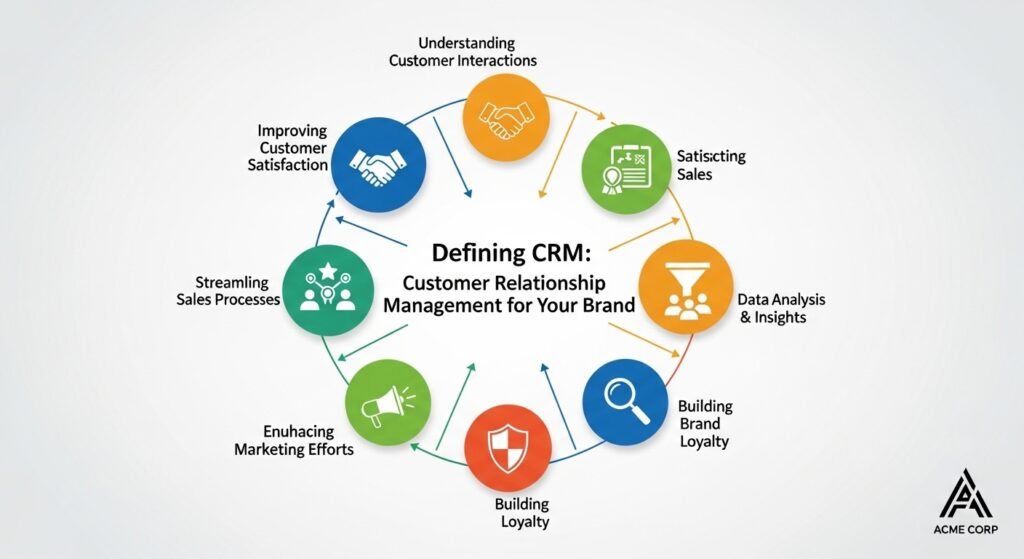
How to define crm customer relationship management for your brand

How to define crm customer relationship management

When you try to define crm customer relationship management for your own specific brand, you have to ask what your biggest problem is. Is it that you forget to reply to DMs? Or that you lose track of which brands owe you money? Once you define your pain points, you can customize your CRM to fix them. You don’t have to use every feature on day one. Start by just using it as a better address book, then slowly add in things like email automation or sales forecasting. It’s a marathon, not a sprint, and the system should grow with you as your influence expands.

Accessing your data with a console cloud login

The convenience of a console cloud login means your office is wherever you are. Whether you’re on a plane or waiting for a bus, you can check your deals or update a contact in seconds. In 2026, most of these logins are secured with biometrics, so you don’t even have to remember a complex password. It’s fast, it’s secure, and it means you’re never “out of the loop.” This kind of mobility is what makes the modern creator lifestyle possible. You aren’t tethered to a desk, which is exactly how it should be when your job is to be out in the world making content.

Feature Cloud CRM On-Premise CRM
Upfront Cost Low (Monthly sub) High (Servers + Licenses)
Maintenance Automatic by provider Requires internal IT team
Accessibility Anywhere with internet Office network only
Scaling Instant (Click a button) Hard (Need more hardware)
Security Managed by experts Your responsibility

Exploring the benefits of console cloud for Aussies

For those of us in the Australian market, using a console cloud setup is a game-changer for latency. A few years ago, using US-based software was a laggy nightmare, but now with local data centers in Sydney and Melbourne, the experience is snappy. This is why websites like thearticlespot.com are constantly recommending cloud tools for local creators. We finally have the infrastructure to compete on a global stage without the “Aussie lag” holding us back. It means you can manage a brand deal in London just as easily as one in Brisbane, all from the same clean interface.

Making the move to a specialized cloud crm

While general CRMs are great, sometimes you need something a bit more specialized. A cloud crm built for creators might have specific features for tracking YouTube analytics or managing influencer gifting campaigns. These niche tools often integrate better with the apps you already use every day. They “understand” the creator workflow in a way that a corporate CRM built for a bank never will. It’s about finding a tool that speaks your language and doesn’t make you feel like you’re doing a data entry job for a corporation you don’t even like.

Common mistakes when setting up your CRM

The biggest mistake? Not using it. People spend hours setting up their console cloud and then they go right back to their old habits of using sticky notes and unorganized folders. You have to commit to the system for it to work. Another big slip-up is over-complicating it. You don’t need a hundred different custom fields if you only use three. Keep it lean and keep it fast. If it’s too hard to use, you won’t use it, and then it’s just a waste of a monthly subscription. Start small, be consistent, and let the data build up over time.

Looking ahead at the future of CRM consoles

As we head deeper into 2026, the trend is shifting toward “invisible” CRMs. We’re seeing systems that live inside your email or your social apps, so you don’t even have to switch tabs. They use AI to automatically log your calls and summarize your meetings. The goal is to spend zero time managing the software and all your time using the information it provides. It’s an exciting shift that’s going to make the “business side” of being a creator feel a lot less like a chore and a lot more like a superpower.

FAQ: What Creators are Asking Google in 2026

1. Is a cloud CRM secure?

Yes, usually more secure than your own computer. Big providers spend millions on encryption and security teams that a solo creator could never afford. Just make sure to turn on Two-Factor Authentication (2FA) for your console cloud login.

2. Can I use a CRM for free?

Many platforms like HubSpot or Zoho have “forever free” tiers that are great for beginners. They give you the basics of contact management without costing a cent. You only pay when you need advanced automations or a massive database.

3. What is the difference between a CRM and a CMS?

A CRM (Customer Relationship Management) manages your people and relationships. A CMS (Content Management System) like WordPress manages your content and website. You usually need both to run a successful online brand.

4. How does a CRM help with brand deals?

It helps you track who you’ve pitched, what they said, and when to follow up. It also stores your contracts and payment info so you aren’t digging through your “Downloads” folder every time you need to send an invoice.

5. Why is thearticlespot.com recommending cloud tools?

Because they understand that the Australian market is unique. They focus on tools that have local support and don’t require a massive IT degree to figure out, making them perfect for the “solopreneur” lifestyle.

I could honestly keep talking about this for another few thousand words because it really is the backbone of any serious brand, but you’ve probably got content to go make. Just remember: the best time to start organizing your business was a year ago, but the second best time is today. Don’t wait until you’re drowning in unread DMs to find a system that works. Anyway, hope that helps you get your head around the cloud stuff—it’s easier than it looks once you dive in.

Best tech gadgets for remote work Australia in 2026

0

Finding the right tech to survive remote work australia isn’t just about picking the shiniest laptop on the shelf; it’s about building a fortress that keeps your productivity high while the neighbor’s lawnmower tries to ruin your Zoom calls. In 2026, the game has shifted from just “having a home office” to “optimizing a digital ecosystem” that actually supports your spine and your sanity. If your current setup still involves a kitchen chair and a tangled mess of white cables, you’re basically leaving money—and focus—on the table.

What are the best remote work gadgets for 2026?

It’s no longer just about a basic webcam; we’re talking about AI-integrated laptops, Wi-Fi 7 routers for lag-free meetings, and ergonomic gear that actually fits your body. Gadgets now focus on “frictionless transitions,” meaning tools that let you move from a dedicated desk to a patio or a cafe without missing a beat.

Is upgrading your home office tech worth it?

Definitely, if you value your time and health. Investing in high-quality peripherals like the Logitech MX Master 3S or an electric standing desk can prevent chronic back pain and carpal tunnel, which are the silent killers of a long-term remote career.

How does the tech ecosystem work together?

Ideally, your gadgets should “talk” to each other. Your noise-canceling headphones should switch seamlessly between your phone and laptop, and your smart hub should manage your lighting and climate to keep your brain in “work mode” during business hours.

The shifting landscape of remote work australia in 2026

The vibe of remote work australia has moved way past the experimental phase we saw a few years ago. Now, it’s a mainstream model where professional services, finance, and marketing lead the charge in full flexibility. You’ve got businesses in Sydney and Melbourne realizing that they don’t need a massive CBD footprint if their teams are kitted out with the right gear. It’s not just about “working from home” anymore; it’s about “working from anywhere” with a solid NBN connection. This shift has also fueled growth among content creators and digital professionals who can operate entirely online. The market has had to respond by providing tools that are specifically designed for the Australian lifestyle—rugged, portable, and extremely efficient.

Why recruitment online is obsessed with your home office setup

Why recruitment online is obsessed with your home office setup

If you’re looking at recruitment online lately, you might notice that “remote-ready” is a major selling point. Recruiters are no longer just asking about your CV; they want to know if you have a reliable environment to get the job done. A candidate with a dedicated setup—think high-res Dell Pro webcams and external microphones—immediately signals a higher level of professionalism. It’s about credibility. When you hop on an interview call and your audio is crisp and your lighting is balanced, you’ve already won half the battle. Companies are leaning into AI-enabled sourcing, so your digital presence needs to be as sharp as your physical one used to be.

Navigating services australia for remote work support

Sometimes people forget that services australia has actually rolled out some pretty cool tech to support remote communities and workers. They’ve been using portable, high-speed satellite systems to make sure service officers can stay online even in the middle of nowhere. For the everyday remote worker, this serves as a reminder that connectivity is king. If you’re living in a regional area and trying to hold down a high-stakes job, you can’t rely on a “maybe” connection. Looking into Wi-Fi 7 routers or even satellite backups is becoming a standard move for people who want to keep their career moving while living the dream on the coast, especially with support from experienced global technology associates who understand infrastructure challenges in remote environments.

Finding work from home jobs that provide tech stipends

One of the best trends in work from home jobs right now is the inclusion of “tech stipends.” Smart companies know that a happy employee is one who isn’t squinting at a 13-inch screen all day. They’ll often give you a few hundred—or even a thousand—dollars to spend on your setup. This is when you want to look at things like the Asus Zenbook 14 OLED or a secondary portable monitor. These tools don’t just make the work easier; they make it more enjoyable. If you’re hunting for a new role, always check the benefits section for gear allowances; it’s a sign that the company actually respects your daily grind.

Essential Gadget Why You Need It in 2026 Top Recommendation
Wi-Fi 7 Router Eliminates lag and latency ASUS BE6500
AI-Powered Laptop Speeds up mundane tasks HP OmniBook Snapdragon X
Ergonomic Mouse Saves your wrist from strain Logitech MX Master 3S
Noise-Canceling Mic Makes you sound like a pro Shokz OpenComm2 UC
Dual-Screen Extender Boosts multitasking by 40% Lenovo Yoga Book 9i

Why you should seek jobs sydney but live elsewhere

Why you should seek jobs sydney but live elsewhere

The beauty of the current market is that you can seek jobs sydney while sitting in a cafe in Hobart. Sydney remains a powerhouse for high-paying tech and finance roles, but you don’t have to pay Sydney rent to work there. This “geographic arbitrage” only works if your tech is flawless. You need a setup that makes you feel like you’re sitting in the same room as your manager. A high-quality monitor riser and a comfortable, ergonomic chair are non-negotiable here. You’re trading a commute for a desk, so make sure that desk is a place you actually want to spend eight hours a day.

Action workforce trends and the move to hybrid gear

We’re seeing the action workforce move toward gear that is “hybrid-native.” This means backpacks with built-in charging ports and folding mice like the OrigamiSwift that slide into a pocket. People are tired of being tethered to one spot. Even in sectors like logistics or project management, the ability to jump on a call from a site or a vehicle is huge. This kind of flexibility requires “tough” tech—things that are water-resistant and have long battery lives. You don’t want your headphones dying halfway through a crucial briefing because they couldn’t handle a six-hour travel day.

How to seek adelaide opportunities from a home office

If you want to seek adelaide roles, you’ll find a growing tech scene that is very friendly to remote setups. Adelaide has become a bit of a hub for defense and space tech, which means cybersecurity is a massive priority. Your remote gear needs to reflect that—think encrypted SSDs for your backups and laptops with built-in privacy shutters. It’s not just about being “productive”; it’s about being “secure.” A professional who takes data privacy seriously is always going to be more attractive to high-end recruiters. Plus, having a clean, organized desk helps your brain stay focused on complex problem-solving.

Tapping into the national workforce with the right gear

Being part of the national workforce means you could be collaborating with someone in Perth while you’re in Brisbane. Time zones are a mess, so your tech should help you manage them. Smartwatches that show multiple clocks or calendar apps that automatically adjust for your team’s location are lifesavers. It’s the little things that make a big difference. If you can stay synchronized with a team that spans 4,000 kilometers, you become an invaluable asset. High-quality video conferencing gear is the bridge that closes that distance, making “remote” feel a lot less like “isolated.”

Why thearticlespot is the go-to for Aussie tech reviews

When you’re trying to figure out which monitor arm won’t sag or which mechanical keyboard isn’t too loud for a shared apartment, thearticlespot.com is a great local resource. Most tech reviews are based on the US or UK markets, but we have different availability and pricing here in Australia. Having a blog that understands the “Aussie tax” and knows which retailers actually have stock in Brisbane or Perth is a game-changer. It’s about getting advice that actually applies to your local context. If you’re building your 2026 dream office, checking out local insights can save you a lot of return-shipping headaches.

Common mistakes in choosing remote work tech

A classic blunder is buying the cheapest version of something you use every single day. A $20 mouse might seem like a bargain until your wrist starts aching three weeks in. Another mistake is ignoring your lighting. You can have a $500 webcam, but if you’re sitting with a window behind you, you’ll just look like a silhouette in a witness protection program. You also need to think about your “fallback” plan. What happens if your NBN goes down? Having a router with 5G fallback or a high-capacity power bank for your laptop can save your reputation during a blackout.

The future of ergonomic workstations in Australia

The trend for 2026 is moving toward “wellness-integrated” tech. We’re seeing air purifiers like the Dyson Big+Quiet being marketed specifically for home offices to keep your brain sharp. Even smart rings are being used to track stress levels and remind you to take a “vision break” every twenty minutes. It’s a holistic approach. We’ve realized that a productive worker isn’t just someone who types fast; it’s someone who is comfortable, hydrated, and breathing clean air. The home office is no longer a temporary setup—it’s the most important room in the house for your career longevity.

FAQ: Remote Work Questions Aussies are Asking

  1. Can I get a tax deduction for my remote work tech?

Generally, yes. If you use the gear for work, you can usually claim a portion of the cost. However, the rules for “instant asset write-offs” change, so it’s always worth checking the latest ATO guidelines or hitting up your accountant before you drop $3k on a new setup.

  1. What’s the most important piece of gear for a new remote worker?

Honestly? A good chair. You can work on a slow laptop, but you can’t work with a pinched nerve in your back. Look for something with proper lumbar support and adjustable armrests.

  1. Is Wi-Fi 7 worth it if I only have a standard NBN plan?

It helps with internal network congestion. Even if your internet speed is capped, Wi-Fi 7 makes sure your laptop, phone, and smart home devices aren’t fighting each other for “airtime,” which leads to fewer dropouts during video calls.

  1. How do I keep my home office from feeling like a “work prison”?

Separation is key. If you can, use a room divider or a rug to define the “work zone.” Also, tech like the Ember Mug 2 (which keeps your coffee hot for hours) adds a little bit of luxury that makes the day feel less like a grind.

  1. Do I need a dedicated microphone for Zoom calls?

If you do a lot of presentations, then yes. Built-in laptop mics pick up a lot of room echo and fan noise. A simple USB mic or a pair of high-end bone-conduction headphones like Shokz will make you sound infinitely more professional.


Anyway, that’s the long and short of the 2026 tech landscape for us down under. It’s an exciting time to be a remote worker because the gear is finally catching up to the way we actually want to live and work. Just don’t forget to stand up and stretch every once in a while, even if your desk is amazing. Catch you on the next one…


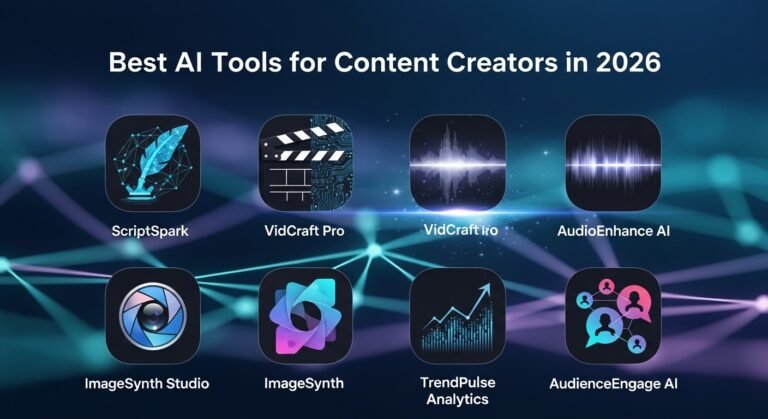
Best AI tools for content creators in 2026

Getting eyes on your work in 2026 feels like a completely different game. It’s no longer enough to have a good idea — you need the right tech stack to get that idea out of your head and onto a screen before the trend dies. If you’re not using a few smart shortcuts, you’re running a marathon in flip-flops while everyone else is on e-bikes.

The good news: the tools that close that gap have never been cheaper or easier to use. Below is the real, no-hype list — organised by the job each tool actually does, with free and paid options — plus a look at how to wire them into one workflow. For the wider picture beyond creator work, see our roundup of the best AI tools in 2026.

Use CaseToolFree PlanStarting PriceBest For
Writing & scriptsChatGPT / ClaudeYes~$20/monthDrafts, scripts, repurposing
Research with sourcesPerplexityYes~$20/monthFact-checked ideation
Video editingDescriptYes~$19/monthText-based editing, cutting filler
Video & B-roll generationRunwayLimited credits~$15/monthAI video and B-roll
Short-form clippingOpus ClipYes~$19/monthTurning long video into shorts
Voice & audioElevenLabsYes~$5/monthNatural AI voiceovers
Audio cleanupAdobe PodcastYesFreeStudio sound from a phone mic
Design & graphicsCanva Magic StudioYes~$15/monthThumbnails, posts, no design skills
Image generationMidjourneyNo~$10/monthHigh-fidelity visuals
Photo editingAdobe FireflyLimited~$10/monthLighting fixes, object removal
SchedulingBuffer / FeedHiveYes~$6/monthAuto-posting across platforms
Inbox & DM managementKuikwitCentralising creator messages

The Best AI Tools for Content Creators, by Use Case

Writing and Ideation

ChatGPT and Claude are the two workhorses. ChatGPT is the flexible all-rounder for hooks, captions, and turning one piece of content into ten. Claude shines on long-form — full video scripts, newsletters, anything where tone and nuance matter — because it holds a lot of context without losing the thread. Both have genuinely useful free tiers, with ~$20/month plans for heavy use. Not sure which fits your workflow? Our Claude vs ChatGPT vs Gemini and DeepSeek vs ChatGPT breakdowns compare them head to head.

For ideation backed by real sources, Perplexity works like an AI search engine — ask for trending angles or stats and it answers with citations you can verify, which beats inventing facts. And when you’re staring at a blank page, a bank of creative writing prompts is still one of the fastest ways to break the freeze.

Video Editing and Generation

Descript edits video like a document — delete a word from the transcript and it cuts that moment from the footage, filler “ums” included. It’s the biggest single time-saver for talking-head creators. Runway generates B-roll and short clips from text prompts, so you can fill visual gaps without a camera. And Opus Clip does the job that used to eat an editor’s afternoon: feed it a long podcast or stream and it finds the most engaging 60 seconds, adds captions, and formats it vertical for TikTok, Reels, and Shorts.

Voice and Audio

ElevenLabs is the standout for voice — natural AI voiceovers and cloning that no longer sound robotic, ideal for faceless channels or fixing a single flubbed line without re-recording the whole thing. Adobe Podcast and its Enhance tool clean up audio recorded on a phone mic until it sounds studio-grade, for free.

Design and Visuals

Canva Magic Studio is the gateway for non-designers — thumbnails, carousels, and social posts in minutes, with AI that writes copy and resizes layouts for every platform. Midjourney produces the high-fidelity, scroll-stopping images when a template won’t cut it. For photo work, Adobe Firefly and Photoshop’s generative tools fix lighting, remove distracting objects, and clean up backgrounds in a couple of clicks — the modern darkroom.

Scheduling and Inbox Management

Once the content exists, Buffer and FeedHive schedule and auto-repurpose it across platforms, so one post becomes a week of content. And if brand deals are part of the plan, the messages that actually pay you arrive as DMs and comments scattered across Instagram, TikTok, and email — easy to miss. A tool like Kuikwit pulls those conversations into a single inbox, so a collab request doesn’t get buried under fan replies.

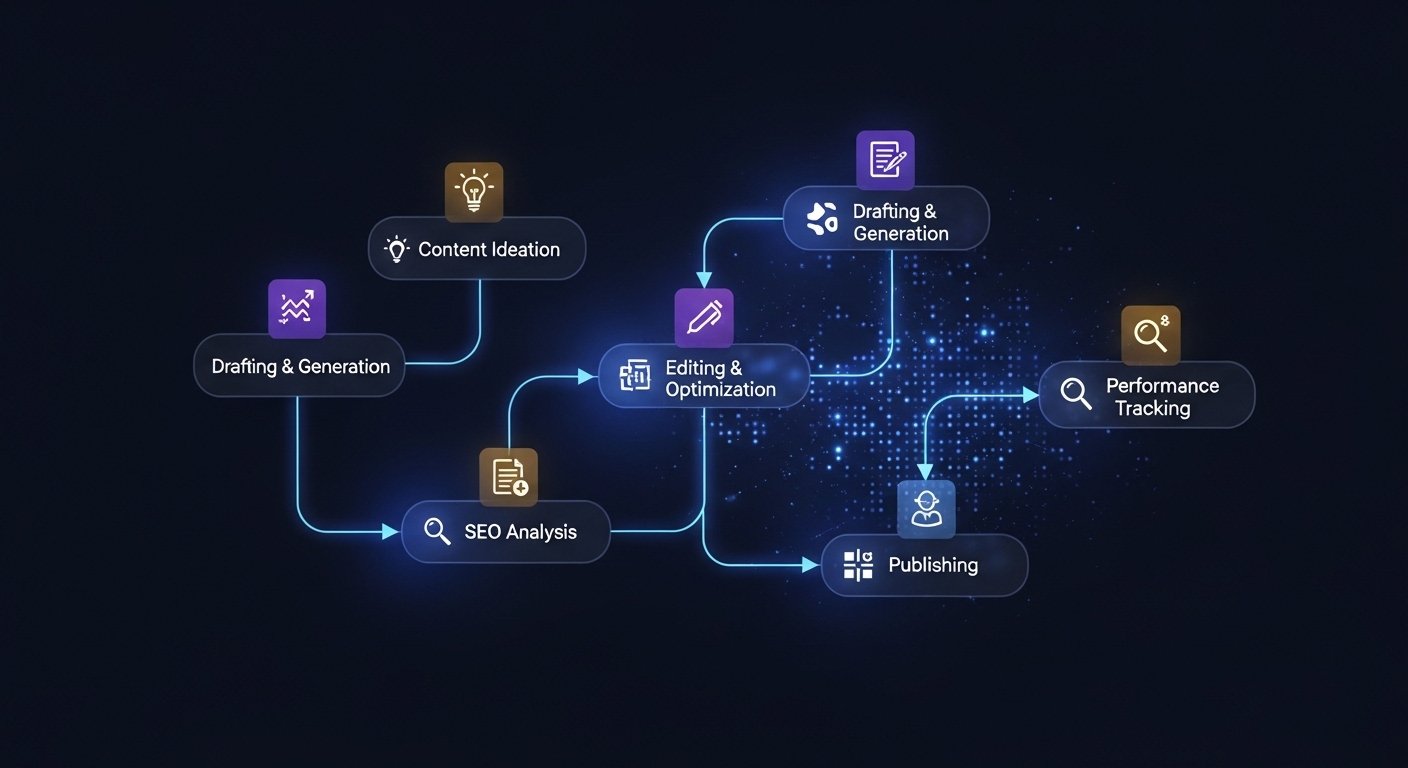
What an AI-Powered Content Workflow Actually Looks Like

What an AI-Powered Content Workflow Actually Looks Like

The magic isn’t any single tool — it’s the pipeline. A rough idea becomes a Perplexity-researched outline, which becomes a Claude-written script, which becomes an ElevenLabs voiceover, which Descript and Runway turn into a finished video, which Opus Clip slices into shorts, which Buffer schedules everywhere. You set the parameters and review the output at each step. The goal is fewer tabs and less friction — not more apps. Pick the two or three tools that solve your biggest bottleneck and ignore the rest of the noise.

Free AI Tools (and How to Avoid Looking Like Everyone Else)

You can build a genuinely professional setup on free tiers alone — Canva, the free plans of ChatGPT or Claude, Adobe Podcast, and ElevenLabs’ free credits will carry a new creator a long way. The catch with free tools (and AI in general) is sameness: when everyone leans on the same templates and prompts, everything starts to look identical.

The fix is to feed the AI unique “seeds” — your specific stories, opinions, and mistakes. Don’t ask for “a post about coffee”; tell it about the morning you spilled a flat white on a stranger in Melbourne and what it taught you about embarrassment. That’s where good prompt engineering earns its keep: the engine is generic, but your weird, specific life is the fuel.

Beating Creator Burnout in 2026

None of this matters if you burn out by Friday. The pressure to stay “relevant” — posting daily across four platforms — is the real hurdle, not the technology. The whole point of automating the grunt work is to protect your creative energy for the parts only you can do: the storytelling, the perspective, the judgement. Use the tools to buy back hours, then actually rest. A burnt-out creator eventually stops creating altogether, and no tool fixes that.

How to Keep Your Content Sounding Human

AI can replace creators who only regurgitate facts. It can’t replace a unique perspective, a sense of humour, or a real story. Audiences can feel when something is 100% machine-made — it reads cold and empty. Over-polished writing is the giveaway; real people use fragments, slang, and the occasional tangent. Use AI to do the work, but keep your voice in the driver’s seat: read it out loud, and if you wouldn’t say it to a friend, rewrite it.

Frequently Asked Questions

Is being a content creator a real job in 2026?

Yes. It’s a multi-billion-dollar industry spanning ad revenue, brand deals, and paid communities. It’s as real as any profession — just with better lighting.

Can AI replace content creators?

It can replace the ones who only repackage facts. It can’t replace original perspective, humour, or lived experience. AI is the tool, not the talent.

Which AI tool is best for beginners?

Canva is the easiest entry point for visuals, and ChatGPT or Claude for writing. All three have free plans you can start using today.

How do I make AI content sound more human?

Stop over-polishing. Add your own examples, opinions, and voice, use natural phrasing, and read everything aloud before you publish.

What AI tools do YouTubers use in 2026?

Commonly Descript and Opus Clip for editing and clipping, ElevenLabs for voice, Canva for thumbnails, and ChatGPT or Claude for scripts and titles.

Final Thoughts

The best AI tools for content creators in 2026 aren’t about replacing you — they’re about clearing the busywork so you can focus on the ideas that actually connect. Start with the one tool that fixes your biggest bottleneck, build a simple pipeline from there, and keep your own voice front and centre. The creators winning the clicks in 2027 will be the ones who let the bots handle the grunt work and kept the human part for themselves.

Why Applied Technology Centers Matter in 2026

0

The idea of an applied technology center sounds technical at first. But it’s really about preparing people for real work, real tools, and real industries. Not theory alone. Not classroom-only learning. More like building confidence through doing.Technology changes fast. Training has to move faster. That’s where these centers quietly shape the future workforce without most people even noticing.An applied technology center is a training and education facility focused on practical, hands-on technical skills instead of purely academic theory. These centers help students and professionals learn real-world applications of technology, engineering, and digital tools. They often partner with industries, ensuring training stays relevant to current job markets and technological demands.

What is an applied technology center?
It is a facility that provides practical technical training aligned with industry needs.

Is studying there worth it?
Yes, especially for people who prefer skill-based careers and faster job entry.

How does it work?
Through hands-on labs, real equipment training, and industry-led certification programs.

How Applied Technology Training Works in Real Life

In most traditional classrooms, learning often stops at theory. You read, memorize, test, and move forward. Applied technical training flips that model completely. Students handle real equipment, real software, real systems. They troubleshoot problems the way professionals do. Sometimes messy. Sometimes frustrating. But realistic. Many centers simulate workplace environments so learners understand workflow pressure, teamwork, and deadlines early. Instead of asking “Will I ever use this?” students immediately see where knowledge fits. Over time, confidence builds. Skills become muscle memory. That shift is what makes technical education feel alive instead of abstract.

Institute of Applied Technology and Digital Learning Evolution

Milestone information technology represents project-based digital transformation. Companies don’t just upgrade systems randomly anymore. They move through structured milestones like cloud migration, automation integration, and cybersecurity strengthening. Each milestone reduces operational friction. It also builds long-term scalability. Enterprise IT now focuses on resilience, not just performance. Businesses want systems that survive disruptions. Pandemic years accelerated this mindset. Companies realized fragile systems cost more than strong ones. Technology associates help plan these transformations gradually. Not chaotic. Not rushed. Just structured progress.

Applied Institute of Technology and Industry Collaboration

Applied Institute of Technology

An applied institute of technology often works closely with employers. That’s not marketing talk. Companies help design course modules, provide equipment, or offer internship pipelines. This creates a loop where education follows real workforce needs instead of guessing future demand. Many graduates already have job offers before finishing training. Some programs even run inside industrial campuses. Students learn inside factories, labs, or corporate environments. That exposure changes mindset. Suddenly, learning feels connected to future income, stability, and growth. And honestly, that motivation alone changes performance.

Global Technology Associates and Workforce Development Trends

Organizations like global technology associates focus on connecting education with industry transformation. Workforce development today isn’t just about degrees. It’s about adaptability. Companies need workers who learn continuously. Technical centers and specialized technology resources train that mindset early. Workers become comfortable updating skills, learning new software, adjusting to automation shifts. Governments also support such models because unemployment gaps shrink faster when training matches market needs. It’s less about academic prestige and more about practical readiness. That shift is subtle but powerful. And still growing globally.

Benefits of Practical Technical Training Over Traditional Learning

Hands-on training reduces the shock many graduates feel entering the workforce. There’s less confusion. Less hesitation. People understand systems before day one. Another benefit is speed. Many programs take less time than traditional degrees. That means faster earning potential. Technical training also helps career switchers. Adults returning to education often prefer applied models because they’re focused and efficient. There’s also confidence. When someone fixes a real system, not just studies diagrams, their belief in their skills grows. That psychological shift matters more than people realize.

Real Examples of Applied Training Changing Careers

Imagine someone working retail for years but moving into network support after a technical training program. That’s common. Or someone transitioning from basic IT support into cybersecurity through applied labs and simulations. Even healthcare tech roles often start from applied training pathways. Many success stories come from people who didn’t thrive in lecture-heavy education. But give them tools, systems, and real problems — they excel. These stories don’t always make headlines. But they happen every day. Quiet career transformations.

Common Mistakes People Make When Choosing Technical Training

One mistake is chasing course popularity instead of market demand. Just because something sounds exciting doesn’t mean it pays well or has hiring demand. Another mistake is ignoring accreditation or industry partnerships. Programs disconnected from real employers often produce outdated skills. Some learners also underestimate soft skills. Communication, teamwork, and documentation matter heavily in technical roles. Finally, people sometimes rush program selection without understanding career pathways. Good training programs clearly show where graduates usually land professionally.

Comparing Applied Technology Training vs Traditional Degrees

Comparing Applied Technology Training

Traditional degrees often focus on broad knowledge foundations. They build analytical thinking and research ability. Applied technical programs focus on immediate usability. Both have value. But they serve different career paths. Technical programs are often better for roles needing specific tool mastery. Degrees work well for theory-heavy or research careers. Many professionals combine both eventually. They might start applied, then move into management or advanced study. There’s no universal path. Just different starting points.

Where Kuikwit.com Fits Into Modern Technical Ecosystems

Modern technical roles often involve communication platforms, customer systems, and support tools. This is where platforms like Kuikwit.com fit naturally into training discussions. Kuikwit acts as a centralized communication dashboard connecting WhatsApp, Instagram, Facebook, and website chat. Students training in technical support, IT service management, or customer automation often learn tools like this. Because real companies depend on them daily. Understanding centralized messaging systems prepares students for modern digital workplaces. Not glamorous. But extremely practical. And highly employable.

Traditional Training vs Applied Technical Training

Feature Traditional Education Applied Technical Training
Learning Style Theory-focused Hands-on practical
Job Readiness Slower transition Faster workforce entry
Industry Connection Limited Strong partnerships
Skill Updates Slower curriculum Frequently updated
Career Switching Harder Easier

The Future of Applied Technical Education

The Future of Applied Technical Education

Technology keeps reshaping jobs. AI, automation, cloud computing — all changing workforce requirements. Applied training models adapt faster than traditional education systems. Micro-certifications, modular learning, and hybrid digital labs are becoming standard. Remote simulation labs now allow learners to train on real systems from anywhere. Employers increasingly value verified skill over theoretical knowledge. That trend isn’t reversing. If anything, it’s accelerating. Skills are becoming currency. Not just degrees.

Why Employers Prefer Applied Skill Graduates

Employers don’t want to train from zero anymore. They want people who can contribute quickly. Applied graduates usually require shorter onboarding. They already understand workflow, equipment, and problem solving in practical environments. They also adapt faster to software upgrades. Because they learned through doing, not memorizing. Many hiring managers now view applied certifications as equal or even superior for technical roles. It depends on the job, of course. But the perception shift is real.

The Human Side of Technical Skill Development

Skill-based education often restores confidence in people who struggled academically. Not everyone learns best through lectures. Some need movement. Interaction. Real problem solving. Applied training supports different learning styles. That inclusivity matters. Technical careers also provide stable income opportunities without requiring massive student debt. That changes life outcomes for many people. It’s not just education. It’s social mobility.

Full FAQ Section

Are applied technology centers only for students?
No. Many programs are designed for working professionals and career switchers.

How long do most programs take?
Anywhere from 6 months to 2 years depending on specialization.

Do companies respect applied certifications?
Yes, especially in IT, manufacturing, healthcare tech, and digital services.

Can you get high-paying jobs through technical training?
Yes. Many technical roles offer strong salary growth paths.

Is digital training replacing physical labs?
Not fully. Hybrid models are becoming more common.

Do these programs require strong academic backgrounds?
Usually not. Motivation and practical learning ability matter more.

Are internships included?
Many centers integrate internships directly into training pathways.

Is applied training only for technology careers?
No. It also supports healthcare tech, logistics, automation, and industrial fields.

There’s no single perfect education path anymore. Some people thrive in universities. Others thrive in labs, workshops, or digital simulation environments.

Applied training doesn’t try to replace traditional education. It just fills the space between theory and reality. And honestly, that space is where most careers actually happen.

And maybe that’s enough.


Global Technology Associates in 2026: Complete Guide

0

Global technology associates refers to organizations and professionals working together across borders to deliver advanced IT, mining technology, and enterprise solutions. These networks help companies scale faster, improve infrastructure, and adapt to fast-moving digital environments. As industries shift toward automation and AI integration, global tech partnerships are becoming less optional and more foundational for long-term business stability.

What are global technology associates?
They are partnerships or networks of technology professionals delivering enterprise IT and engineering solutions worldwide.

Is working in global tech worth it?
Yes. High demand, global exposure, and strong salary growth make it attractive for many professionals.

How do global technology partnerships work?
They combine specialized teams, infrastructure, and digital tools across countries to deliver unified services.

Global Technology Associates and Modern Industry Evolution

The concept of global technology associates didn’t appear overnight. It grew alongside globalization, outsourcing, and cloud computing expansion. Companies realized they didn’t need all expertise in-house anymore. Instead, they could collaborate with global tech networks that specialize in specific areas like infrastructure, cybersecurity, or automation. This shift reduced costs but also increased efficiency. Today, businesses rely on distributed teams working across time zones. It keeps operations moving 24/7. It also reduces risk because expertise is not limited to one region.

At the same time, organizations are becoming more aware of risks like Gmail passwords data breach incidents, which highlight why strong cybersecurity partnerships are no longer optional. Technology partnerships now influence finance, healthcare, mining, and education sectors. Quietly but massively.

UTS Jobs and UTS Careers in Global Technology

UTS Jobs and UTS Careers in Global Technology

UTS jobs and UTS careers often act as gateways into international technology ecosystems. Universities and research hubs create talent pipelines feeding global companies with skilled graduates. Many students move directly into enterprise IT, data science, or infrastructure engineering roles. UTS programs focus heavily on real-world technical experience, not just theory. That makes graduates attractive to global employers. Many professionals start locally but quickly transition into multinational projects. Remote work accelerated this transition. Now engineers can contribute to global systems without relocating. Education and global technology networks are becoming tightly connected.

Milestone Information Technology and Enterprise Infrastructure

Milestone information technology represents project-based digital transformation. Companies don’t just upgrade systems randomly anymore. They move through structured milestones like cloud migration, automation integration, and cyber security breach prevention strengthening. Each milestone reduces operational friction. It also builds long-term scalability. Enterprise IT now focuses on resilience, not just performance. Businesses want systems that survive disruptions. Pandemic years accelerated this mindset. Companies realized fragile systems cost more than strong ones. Technology associates help plan these transformations gradually. Not chaotic. Not rushed. Just structured progress.

Global Mining Technology and Industrial Innovation

Global mining technology shows how traditional industries are becoming tech-driven. Modern mining operations rely on AI sensors, automation equipment, and real-time data analytics. Safety improves. Productivity increases. Environmental monitoring becomes more accurate. Mining companies now partner with global technology specialists to manage equipment remotely. Drones inspect sites. AI predicts equipment failure. It’s no longer manual heavy industry alone. Technology sits at the core now. Global partnerships make advanced mining technology accessible even to smaller operators. This reshapes how resource industries operate worldwide.

How Kuikwit.com Connects with Global Technology Ecosystems

Kuikwit.com represents another layer of global digital collaboration. It centralizes customer communication across platforms like WhatsApp, Instagram, and Facebook into a single dashboard. For technology service companies, this matters. Global teams need unified communication. Kuikwit enables faster customer response times. It reduces message fragmentation. AI auto-replies support large-scale operations. Analytics improve customer understanding. Technology companies managing global support teams benefit from centralized messaging platforms. Communication efficiency directly affects customer satisfaction. Tools like Kuikwit become operational infrastructure, not optional software.

Benefits of Global Technology Partnerships

Benefits of Global Technology Partnerships

The biggest benefit is access to specialized expertise without building large internal teams. Companies scale faster. Innovation cycles shorten. Risk spreads across partners instead of staying internal. Another advantage is cost control. Outsourcing specialized technical tasks reduces infrastructure expenses. Businesses also gain flexibility. They can shift strategies without rebuilding entire departments. Global technology partnerships also improve disaster recovery. Multiple regional teams ensure business continuity. When systems fail in one region, another team steps in. This resilience matters more than speed sometimes.

Real Examples of Global Technology Associates in Action

A mining company integrates AI predictive maintenance using global engineering teams. Equipment downtime drops dramatically. A healthcare provider uses global cloud infrastructure teams to secure patient data. System reliability improves. A startup uses global IT support partners instead of building internal teams. Costs stay manageable. Growth accelerates. These examples show global collaboration isn’t theoretical anymore. It’s operational reality. Quiet partnerships driving visible outcomes.

Common Mistakes Companies Make with Global Technology Partnerships

Some companies expect instant transformation. That rarely works. Integration takes time. Another mistake is poor communication between global teams. Cultural differences matter. Process clarity matters. Some businesses also underestimate cybersecurity coordination. Global systems create global vulnerabilities. Strong security frameworks must exist across all partners. Finally, companies sometimes focus only on cost savings. That usually backfires. Quality and reliability matter more long-term.

Comparing Global Technology Associates vs Traditional IT Models

Traditional IT models rely heavily on internal teams. Control stays centralized. But scaling becomes slow. Global technology associates offer flexibility and rapid scaling. Traditional models provide consistency but limited innovation speed. Global partnerships bring diverse expertise but require strong coordination. Most modern enterprises use hybrid models. Core systems internal. Specialized projects external. Balance usually wins.

Traditional IT vs Global Technology Associates

Feature Traditional IT Global Technology Associates
Scalability Limited High
Innovation Speed Moderate Fast
Cost Efficiency Moderate High
Risk Distribution Low High
Talent Access Local Global

Security and Compliance in Global Technology Operations

Security and Compliance in Global Technology Operations

Security becomes complex in global systems. Data travels across regions. Regulations vary. Companies must follow GDPR, SOC2, and regional compliance laws. Global partners must follow unified security protocols. Encryption, access controls, and monitoring systems protect infrastructure. Security is no longer optional. It is operational survival.

The Human Side of Global Technology Work

Technology partnerships still depend on people. Communication skills matter. Cultural awareness matters. Global teams succeed when collaboration is smooth. Technology supports work. It doesn’t replace human judgment. The best partnerships combine technical strength with human adaptability.

Building Long-Term Global Technology Strategy

Long-term strategy focuses on stability first, growth second. Companies build partner ecosystems slowly. They test integrations, They measure performance. They expand gradually. Sudden expansion often creates system chaos. Structured scaling creates sustainability.

Full FAQ Section

Are global technology partnerships only for big companies?
No. Many startups use them for cost efficiency.

Do global tech associates reduce jobs locally?
Usually they shift job roles toward higher skill positions.

Is global IT outsourcing safe?
Yes, if security standards and contracts are strong.

How do companies choose global tech partners?
Based on expertise, compliance, and communication capability.

Do global teams slow decision making?
Not if communication workflows are structured well.

The technology world keeps shifting. Companies adapt. Partnerships grow. Some models work. Some fail.

But global collaboration isn’t going away. Not now. Not anytime soon.

And honestly… most businesses are still figuring it out as they go.

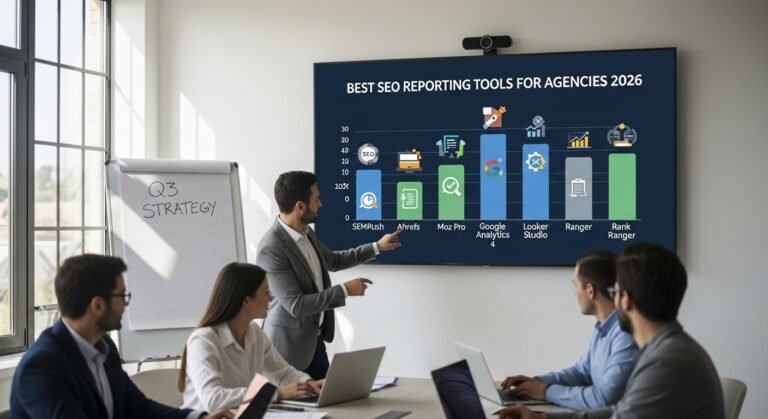
Best SEO Reporting Tools in 2026: 10 Picks for Rankings, Audits and ROI

Here’s the problem with most SEO advice: it tells you what to do, but never shows you whether it’s actually working.

That’s where SEO reporting tools come in. The good ones turn a mess of rankings, traffic, and technical errors into something you can actually read — and act on. The bad ones just show you numbers without context.

I’ve gone through the main options so you don’t have to. Below are the 10 best SEO reporting tools in 2026, with honest takes on pricing, what each one is genuinely good at, and who should (and shouldn’t) use them.

Editorial note: This article was reviewed by TheArticleSpot’s editorial team for clarity, source accuracy, and relevance. AI tools may have supported outlining, editing, formatting, or research organization, but final review and publication decisions are handled by a human editor. Tool features, pricing, and availability can change, so readers should verify important details on the official provider website before making a final decision.

Quick answer: The best SEO reporting tool depends on what you need to report.

For most agencies, Semrush is the strongest all-in-one option because it combines rankings, audits, competitor research, backlinks, and branded reports.

For smaller agencies and freelancers, SE Ranking offers the best balance of price, rank tracking, audits, and white-label reporting.

For free reporting, Google Search Console plus Looker Studio is the best starting stack because it uses Google’s own performance data and turns it into live dashboards.

For technical SEO audits, Screaming Frog is still the best value because it finds crawl issues, redirects, duplicate metadata, broken links, and technical problems that cloud dashboards often miss.

Quick Comparison Table For Best SEO Reporting Tools

Tool Best For Free Plan Starting Price
Semrush All-in-one SEO + reporting Limited free ~$140/month
Ahrefs Backlink analysis + site audit No (trial only) ~$99/month
Moz Pro Beginners + keyword tracking 30-day trial ~$99/month
Google Search Console Free rank and click data Yes — free Free
Screaming Frog Technical site audits Yes (500 URLs) ~£149/year
SE Ranking Affordable all-in-one 14-day trial ~$65/month
SEOptimer Audit reports for agencies Yes (limited) ~$19/month
Mangools Simple rank tracking 10-day trial ~$29/month
Looker Studio Free custom dashboards Yes — free Free
Nightwatch Visual rank tracking 14-day trial ~$39/month

Pricing is approximate and subject to change. Always check the provider’s website before signing up.

How These SEO Reporting Tools Were Compared

Method updated 26 July 2026. This editorial comparison checks each product against seven practical reporting needs: ranking reports, Google Search Console integration, technical-audit depth, client reporting, multi-project usefulness, current pricing value and ease of setup. Provider pages are the source of record for plans and features; prices and trials can change, so confirm them before buying.

  • Ranking reports: whether keyword movement is shown clearly over time.
  • Search Console integration: whether the workflow can use Google query and page data.
  • Technical audit depth: whether it surfaces crawl errors, broken links, redirects and metadata issues.
  • Client reporting: whether it supports exports, scheduled reports, branding or shareable dashboards.
  • Agency usefulness: whether multiple clients, projects or campaigns are manageable.
  • Pricing value: whether the documented feature set fits the intended use and budget.
  • Ease of use: how much setup and ongoing maintenance the workflow appears to require.

Limitation: this is an editorial fit comparison, not a standardized hands-on benchmark of every paid plan. “Best for” labels are recommendations by use case, not universal performance results.

For the evidence, prompting, human-review and measurement method behind this update, see our guide to AI tools for an SEO workflow.
1. Semrush

semrush

Best for: Agencies and marketers who want everything in one place

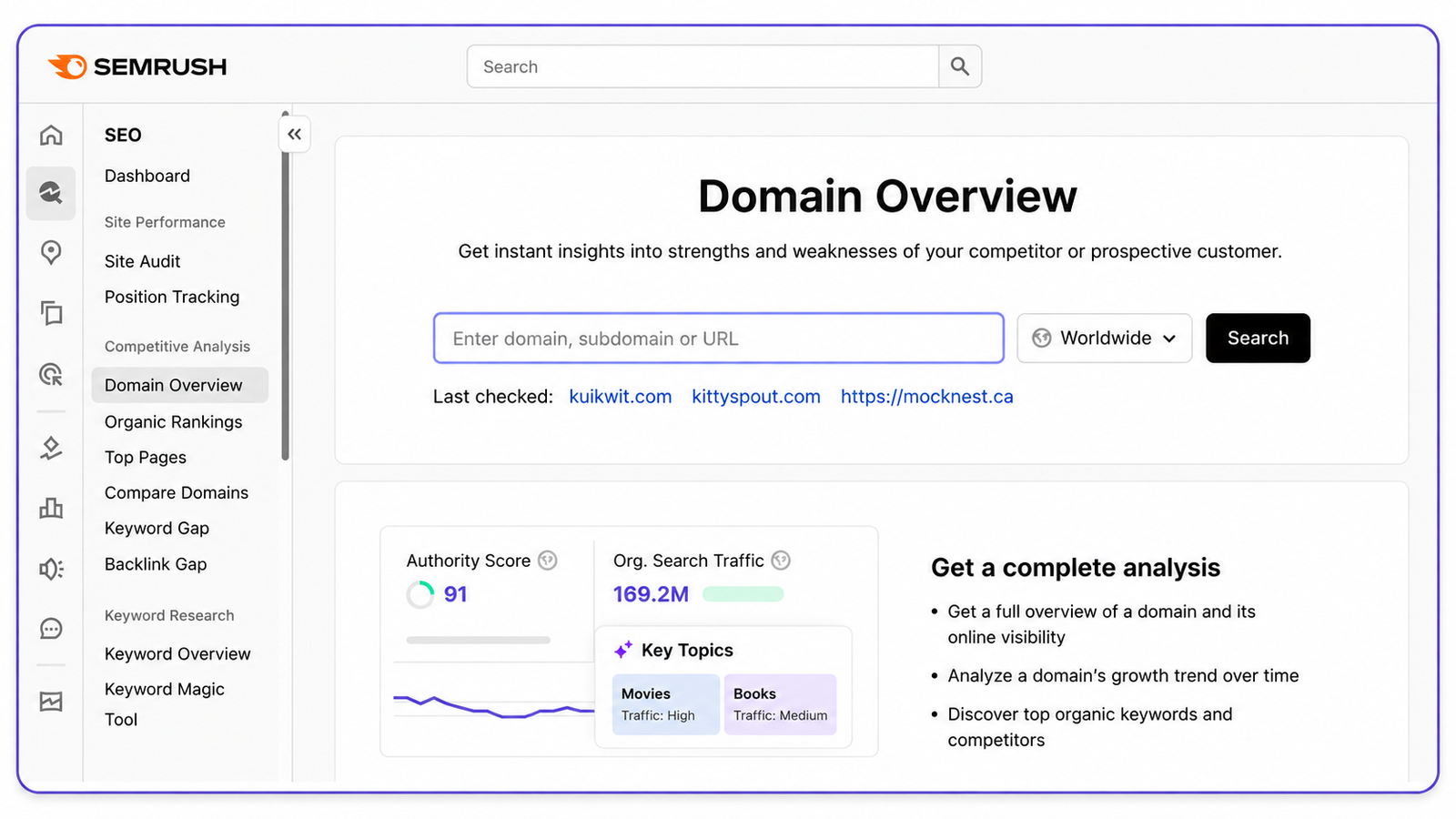
If you’ve spent any time in SEO, you’ve heard of Semrush. It’s one of the most comprehensive platforms out there — rank tracking, keyword research, site auditing, backlink analysis, competitor research, and reporting all under one roof.

For reporting specifically, Semrush gives you customisable PDF reports, scheduled delivery to clients, and white-label options on higher plans. The My Reports tool is genuinely handy — you pull data from across the platform into a single branded document without having to copy-paste anything manually.

Key features: – Position tracking for thousands of keywords across desktop and mobile – Site audit with 140+ technical checks – Backlink audit and link-building tools – Competitor gap analysis (great for finding keywords you’re losing to rivals) – Scheduled branded PDF reports – Google Analytics and Search Console integration

Pricing: Pro starts at around $139.95/month. Guru (which adds historical data and white-label reporting) is around $249.95/month.

Pros: – Genuinely comprehensive — rank tracking, audits, backlinks, content tools, all in one – Built-in reporting templates save a lot of time – Good for managing multiple clients or projects at once

Cons: – Expensive if you’re a solo blogger or small site owner – Keyword data sometimes differs from what you see in Search Console (use GSC as the source of truth) – The interface takes time to learn — there’s a lot going on

Bottom line: Semrush is the go-to choice for digital agencies and SEO professionals who need a full reporting suite. If you’re managing multiple clients or need to send polished reports regularly, it earns its price tag. If you’re a solo blogger, it’s probably overkill.

2. Ahrefs

Best for: Backlink analysis and competitive research

Ahrefs built its name on having one of the biggest and most frequently updated backlink indexes in the industry. And that reputation is still deserved. If you want to understand where your competitors are getting links from — or why a particular page ranks where it does — Ahrefs is the tool most professionals reach for first.

Beyond backlinks, it now handles rank tracking, site audits, keyword research, and content gap analysis pretty well too. It’s not quite as polished as Semrush for client-facing reporting, but the data quality is excellent.

Key features: – Industry-leading backlink index, updated constantly – Site Audit with crawl health scoring – Rank Tracker with keyword movement history – Content Explorer for finding proven topic ideas – Keyword Explorer with click data estimates (not just search volume) – API access for custom reporting on higher plans

Pricing: Lite is around $99/month. Standard is around $199/month.

Pros: – Genuinely the best backlink data in the industry – Clean, intuitive interface — easy to navigate once you’re familiar – Site Audit is well-organised and easy to prioritise – Great for competitor research

Cons: – No free plan — trial access only – Rank tracking limits on the lower plans can feel restrictive – Reporting is less customisable than Semrush if you’re delivering to clients

Bottom line: If backlinks and competitive research are your priority, Ahrefs is hard to beat. It’s also a solid all-rounder for SEO professionals who want high-quality data without the clutter of Semrush.

3. Moz Pro

Best for: Beginners and teams that want straightforward rank tracking

Moz has been around since the early days of SEO, and it shows — in the best way. The interface is cleaner and more approachable than most alternatives, and its Domain Authority metric has become so widely referenced that it’s practically an industry standard.

It’s not trying to be Semrush. Moz Pro focuses on doing the fundamentals well: keyword tracking, site crawling, and basic reporting. If you don’t need the full power of a platform like Semrush and just want something reliable that doesn’t overwhelm you, Moz Pro is worth a look.

Key features: – Keyword Explorer with SERP analysis – Rank Tracker with weekly updates – Site Crawl with clear issue prioritisation – Link Explorer for backlink research – Custom campaign reporting and PDF exports – On-page optimisation recommendations

Pricing: Standard is around $99/month. Medium is around $179/month.

Pros: – Much friendlier interface than Semrush or Ahrefs for beginners – DA and PA metrics are universally understood — useful for client conversations – Decent local SEO reporting features – Good on-page analysis

Cons: – Smaller backlink index than Ahrefs or Semrush – Rank tracking only updates weekly on lower plans (Semrush and Ahrefs offer daily) – Fewer advanced features overall

Bottom line: Moz Pro is the right choice for small businesses, beginners, and local businesses that want clean, reliable reporting without a steep learning curve. It’s not the most powerful tool in this list, but it’s consistently solid.

4. Google Search Console

Best for: Free, official data straight from Google

No other tool on this list can tell you what Google actually thinks of your site. That’s what makes Search Console irreplaceable.

The data in GSC isn’t estimated or scraped — it comes directly from Google. Which queries triggered your pages, which pages got clicks, your average ranking position, Core Web Vitals, mobile usability issues, indexing errors. All of it, completely free, with no usage limits.

Every website should be using Search Console. Full stop. It doesn’t matter what other tools you have — GSC is the foundation everything else builds on.

Key features: – Clicks, impressions, CTR, and average position by query, page, device, and country – Index coverage report showing which pages are indexed (or not, and why) – Mobile usability report – Core Web Vitals tracking – Alerts for manual actions and security issues – URL Inspection tool for checking how Google sees a specific page – Sitemaps submission

Pricing: Completely free.

Pros: – 100% free with no caps – The most accurate click and impression data available — it’s Google’s own data – Covers technical issues, manual actions, indexing, and site health – Connects directly with Google Analytics 4 and Looker Studio

Cons: – The reporting interface is fairly basic — not built for sending to clients – No competitor data whatsoever – Only shows your own site – Historical data capped at 16 months

Bottom line: Table stakes. If your site isn’t in Search Console already, set it up before you do anything else. Use it alongside a paid tool for competitor data and deeper analysis — but never instead of it.

5. Screaming Frog SEO Spider
Screaming Frog SEO Spider

Best for: Deep technical site audits

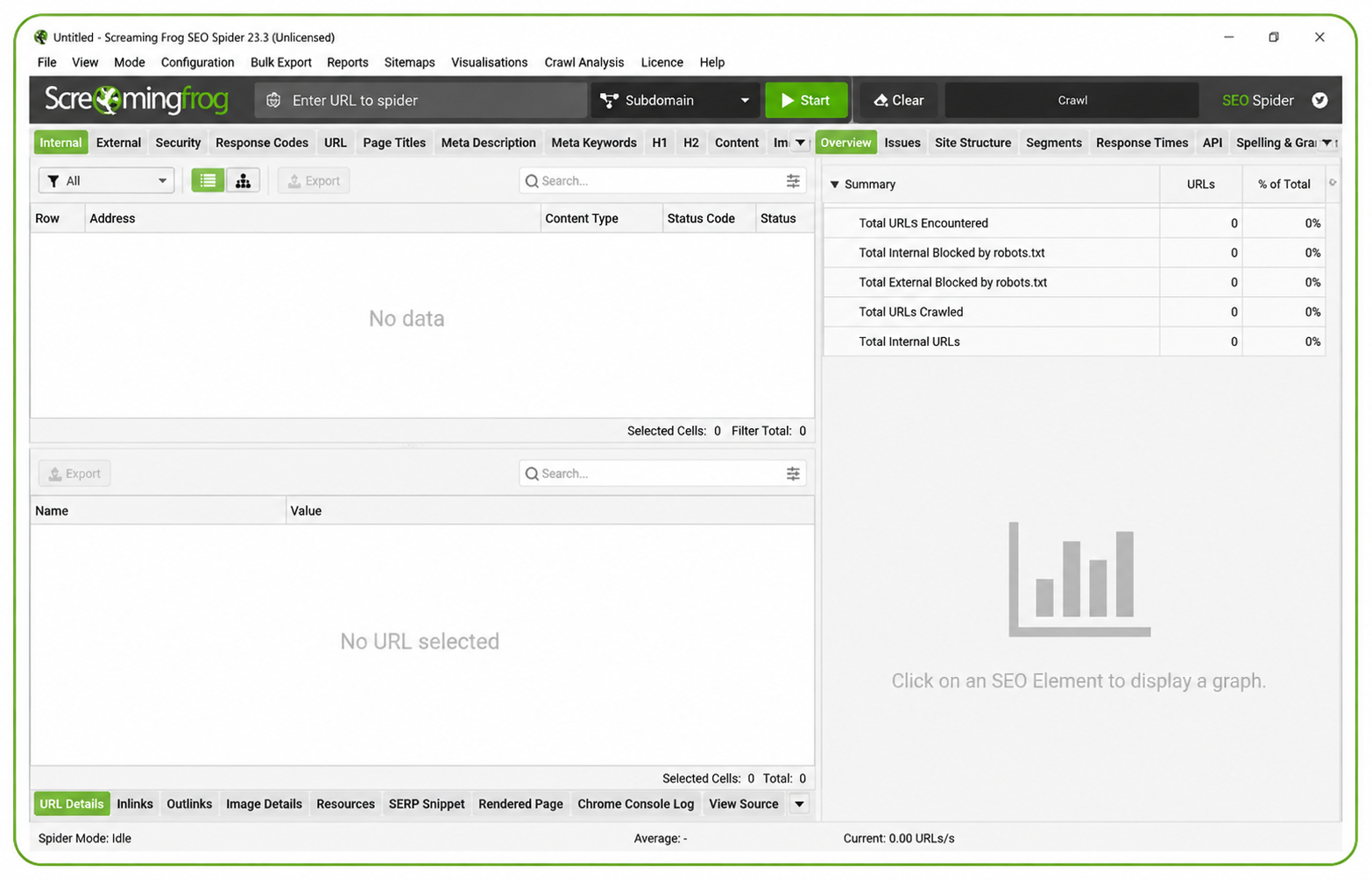
Screaming Frog is a bit different from everything else on this list. It’s a desktop app — not a cloud dashboard — and it crawls your website the same way a search engine would. Broken links, redirect chains, duplicate meta descriptions, missing titles, thin pages — it finds all of it, fast.

For large sites especially, it’s one of the most valuable tools you can have. The free version crawls up to 500 URLs, which is fine for small sites. The paid version removes that limit and adds scheduling, Google integrations, and more.

Key features: – Full site crawl with status code analysis (finding 404s, 301 chains, etc.) – Duplicate content detection – Redirect chain auditing – Broken internal and external link finder – Meta data analysis — missing, duplicate, and oversized titles and descriptions – Integration with Google Analytics, Search Console, and PageSpeed Insights – Custom extraction using XPath and CSS selectors – Scheduled crawls and automated reports on the paid version

Pricing: Free up to 500 URLs. Paid licence is around £149/year (roughly $190 USD). One of the best-value tools in SEO.

Pros: – Extremely fast and thorough for technical audits – Works offline — no subscription required to run a crawl – Hugely respected in the SEO industry for good reason – The annual cost is a fraction of monthly cloud tools

Cons: – Desktop only — nothing cloud-based – You need to know what you’re looking at to interpret the results – No rank tracking, keyword research, or ongoing monitoring – Not designed for client-facing reporting dashboards

Bottom line: A must-have for anyone doing serious technical SEO. It’s not a replacement for a platform like Semrush — it’s the tool you reach for when you need to understand exactly what’s wrong with a site’s structure.

6. SE Ranking

Best for: Affordable all-in-one SEO reporting for small agencies and freelancers

SE Ranking sits in an interesting spot: it does almost everything Semrush does, but at a price point that’s actually manageable for freelancers and small agencies. Rank tracking, site audits, backlink monitoring, competitor analysis, and white-label client reporting — all included.

The white-label and client portal features are surprisingly good for the price. You can send branded reports that look like they came from your own platform, which matters when you’re building client relationships.

Key features: – Accurate daily rank tracking across Google and Bing – Website audit with health scoring – Backlink checker and monitor – On-page SEO checker – White-label reports with custom branding – Client portal for sharing reports directly – Keyword grouper and content editor

Pricing: Starts around $65/month (Essential plan). Pricing scales based on how many keywords you’re tracking.

Pros: – Genuinely strong value compared to Semrush or Ahrefs – White-label and client reporting features punch above their price point – Clean, modern interface that’s easy to navigate – Rank tracking is accurate and reliable

Cons: – Backlink database is smaller than Ahrefs – Keyword data volume is lower than the top-tier tools – Some features like content analysis are still catching up to the competition

Bottom line: Probably the best value-for-money choice for freelance SEOs and small agencies. You get 80% of what Semrush offers at roughly half the price. If you’re managing 5–20 clients, this is worth a serious look.

7. SEOptimer

Best for: Quick audits and entry-level agency reporting

SEOptimer isn’t trying to compete with Semrush on depth. It’s designed for agencies that need fast, clean site audits and simple reports — especially for lead generation.

The standout feature is the embeddable audit widget. You put it on your own website, prospects run a free site audit, and you get their contact details. It’s a clever lead gen tool, and for small agencies looking to grow their client base, it pays for itself quickly.

Key features: – One-click website audit with an overall health score – White-label PDF reports with custom branding – Embeddable audit widget for lead generation – Keyword rank tracking – Basic backlink analysis – Bulk report generation for multiple sites

Pricing: DIY SEO plan starts around $19/month. Agency plans from around $29/month.

Pros: – Very affordable — the lowest entry point on this list – Reports are clear and easy for non-technical clients to understand – The embeddable widget is excellent for generating new business – Fast setup — no technical knowledge needed to get started

Cons: – Lighter feature set than the big platforms – Rank tracking is limited on lower plans – Not the right tool for deep technical SEO work – Backlink data is fairly basic

Bottom line: If you’re a small agency or freelancer who wants affordable client reporting — especially with the lead gen widget — SEOptimer delivers a lot for $19/month. Just don’t expect Semrush-level depth.

8. Mangools (SERPWatcher)

Best for: Simple, visual rank tracking on a budget

Mangools is a bundle of five SEO tools — KWFinder, SERPChecker, SERPWatcher, LinkMiner, and SiteProfiler. For reporting purposes, SERPWatcher is the main event: clean daily rank tracking with visual charts and a metric called the Dominance Index that weights rankings by traffic potential.

It’s popular among bloggers and solo content marketers for good reason. It does rank tracking and keyword research well at a price that doesn’t feel painful.

Key features: – Daily rank tracking with visual position history charts – Dominance Index — an engagement-weighted ranking metric – Shareable interactive report links (clients can view without logging in) – KWFinder for keyword research – SERPChecker for SERP analysis – LinkMiner for basic backlink research

Pricing: Entry plan starts around $29/month billed annually.

Pros: – One of the cleanest, most beginner-friendly interfaces in SEO – Excellent value purely for rank tracking – Shareable report links make client updates dead simple – Solid keyword research tools included

Cons: – Site audit functionality is limited – Smaller backlink index – Not built for agencies managing many clients – Doesn’t have the competitive depth of Semrush or Ahrefs

Bottom line: If you mainly need rank tracking and keyword research — and don’t need the full agency toolkit — Mangools is genuinely great. Bloggers and solo marketers who want something that just works will love it.

9. Looker Studio (formerly Google Data Studio)

Best for: Free custom dashboards connected to live data

Looker Studio doesn’t collect SEO data itself. What it does is pull data from sources you’ve already connected — Google Search Console, Google Analytics 4, Google Ads, and hundreds of other platforms via connectors — and lets you build live dashboards that update automatically.

For client reporting, this is a game changer. Build the dashboard once, share a link, and your client can check their stats any time without you having to manually export and email a PDF.

Key features: – Free custom dashboard builder with drag-and-drop interface – Native connections to Google Search Console and Google Analytics 4 – Hundreds of community connectors (Semrush, Ahrefs, Facebook Ads, and more) – Dashboards update automatically — no manual refreshing – Shareable links or scheduled email delivery – Blend multiple data sources in a single chart

Pricing: Completely free.

Pros: – Totally free — no limits on reports, users, or data sources – Live data directly from GSC and GA4, no exports needed – Extremely flexible — build it however you want – Great for creating branded client dashboards that look professional

Cons: – Setup takes time — this isn’t plug-and-play – Data quality depends entirely on what you connect – Some third-party connectors cost extra – It’s a reporting layer, not an SEO tool

Bottom line: If you’re already using Search Console and GA4, there’s no reason not to use Looker Studio too. It turns your existing data into live client dashboards for free. The learning curve is real, but worth it.

10. Nightwatch

Best for: Visual rank tracking with precise local and international data

Nightwatch focuses on doing one thing really well: visual rank tracking with accurate localised data. If you’re tracking rankings across multiple countries, cities, or languages, Nightwatch is noticeably more precise than most tools in this price range.

It’s not trying to be a full SEO suite. But for agencies with local SEO clients or businesses competing in multiple markets, that precision matters.

Key features: – Daily rank tracking with clean visual graphs – Tracks Google, YouTube, Bing, and DuckDuckGo – Local and mobile rank tracking down to city level – Automated white-label report delivery via email – Backlink monitor – Basic site audit – Google Search Console and Analytics integration

Pricing: Starter plan from around $39/month (500 keywords).

Pros: – Clean visual reports that clients actually enjoy reading – Genuinely strong for local and international rank tracking – Good white-label report delivery built in – Competitive pricing for the keyword volume included

Cons: – Lighter features on backlinks and technical auditing – Smaller platform than Semrush or Ahrefs – Keyword database for research is limited

Bottom line: The right pick for local SEO agencies and businesses that need accurate granular rank tracking and automated client reports — without paying Semrush prices.

What Are SEO Reporting Tools?

SEO reporting tools collect search-performance, ranking, crawl, backlink or analytics data and turn it into reports that help people monitor visibility and diagnose changes. Depending on the product, a report may combine Google Search Console data, analytics, keyword databases and site crawlers.

They do not replace strategy or prove why a ranking changed. Their value is organising evidence so an editor, marketer or agency can investigate and decide what to do next.

Free vs Paid — What Do You Actually Need?

Google Search Console and Looker Studio are genuinely powerful and completely free. If you’re running a small site, that combination gets you further than most people realise.

But as your site grows, the gaps become obvious. You can’t see competitor data in GSC. You can’t track backlinks. You can’t do keyword research. That’s when a paid tool starts earning its cost.

The decision isn’t really “free vs paid” — it’s whether you’ve hit the point where the missing data is costing you opportunities.

What to Actually Look for When Choosing

Don’t get distracted by feature lists. Focus on what matters for your situation:

  • Rank tracking accuracy — daily or weekly updates, mobile vs desktop, local vs national
  • Site audit depth — how many technical checks, crawl limits per plan
  • Backlink data — freshness and index size vary a lot between tools
  • Client reporting — white-label, scheduling, PDF exports, shareable links
  • Integrations — especially Google Analytics, Search Console, and Ads
  • Automation — scheduled reports and alerts so you’re not doing everything manually

The Right Tool Depends on Who You Are

There’s no single best SEO reporting tool. It depends on your situation:

  • Solo bloggers and content sites: Google Search Console + Mangools or Nightwatch
  • Small businesses: SE Ranking or Moz Pro
  • Freelance SEOs: SE Ranking or SEOptimer
  • Agencies: Semrush or Ahrefs + Looker Studio for client dashboards
  • Technical SEO specialists: Screaming Frog paired with a cloud platform
  • Enterprise: Semrush or Ahrefs at higher plan tiers

The setup that works for most small-to-medium agencies? Google Search Console (free, authoritative data) + SE Ranking or Semrush (rank tracking and audits) + Looker Studio (free, live client dashboards). That combination covers everything without paying for overlap.

Best SEO Reporting Tools for Small Agencies

For small agencies, the best SEO reporting tool is usually the one that balances price, client reporting, rank tracking, and site audits. SE Ranking is a strong choice because it includes daily rank tracking, audits, white-label reports, and client-friendly dashboards at a lower cost than Semrush or Ahrefs.

Semrush is better for agencies that need deeper competitor research, content tools, and more advanced reporting. SEOptimer is useful for agencies that mainly need quick audit reports and lead generation.

For most small agencies, the best setup is Google Search Console for official data, SE Ranking for tracking and reports, and Looker Studio for live dashboards.

Best SEO Reporting Tools for Freelancers

Freelancers usually need simple, affordable tools that are easy to explain to clients. SE Ranking, Mangools, SEOptimer, Google Search Console, and Looker Studio are the most practical options.

A freelancer does not always need a $100+ per month platform at the beginning. A good starting stack is Google Search Console, Looker Studio, and one paid rank tracking or audit tool. As client work grows, upgrading to SE Ranking, Semrush, or Ahrefs makes more sense.

Best Free SEO Reporting Stack

The best free SEO reporting stack is Google Search Console plus Looker Studio.

Google Search Console gives you real Google data, including clicks, impressions, CTR, average position, indexed pages, and search queries. Looker Studio turns that data into visual dashboards that can be shared with clients or internal teams.

This free setup does not replace paid tools because it does not include competitor research, backlink analysis, or advanced keyword tracking. But for a small website, it is the best place to start.

Best White Label SEO Reporting Tools

White-label SEO reporting is useful when agencies need branded reports for clients. Semrush, SE Ranking, SEOptimer, AgencyAnalytics, Whatagraph, and Nightwatch are common options for this use case.

For small agencies, SE Ranking and SEOptimer are usually more affordable. For larger agencies, Semrush offers deeper SEO data and stronger reporting templates. The right choice depends on whether you need simple reports, full SEO campaign tracking, or client dashboards.

Related SEO Guides

If you are improving SEO reporting, these guides may also help:

Final Thoughts

Most businesses that struggle with SEO aren’t short on ideas. They’re short on visibility — they don’t know what’s working, what’s broken, or where they’re leaving traffic on the table.

Good reporting tools fix that. They don’t do the SEO for you, but they make it much harder to waste months optimising the wrong things.

Start with Google Search Console if you haven’t already. It’s free, accurate, and gives you the clearest picture of how your site is performing. Then layer in the tools that match your scale and budget.

What are SEO reporting tools?

The best SEO reporting tools include Google Looker Studio, Semrush, Ahrefs, SE Ranking, AgencyAnalytics, DashThis, and Screaming Frog. The right choice depends on whether you need keyword tracking, technical SEO audits, backlink reports, client dashboards, or automated white-label reports.

Which SEO reporting tool is best for agencies?

AgencyAnalytics, SE Ranking, Semrush, and DashThis are strong choices for agencies because they offer client dashboards, automated reports, and white-label reporting. Agencies should choose a tool that saves reporting time and clearly shows SEO progress to clients.

What should an SEO report include?

A good SEO report should include organic traffic, keyword rankings, clicks, impressions, CTR, top pages, backlinks, technical SEO issues, conversions, content performance, and clear recommendations. The report should explain what changed, why it changed, and what to do next.

What is white-label SEO reporting?

White-label SEO reporting allows agencies to send reports using their own branding, logo, colors, and domain. This helps agencies look more professional and gives clients a consistent reporting experience.

Are SEO reporting tools worth it?

Yes, SEO reporting tools are worth it if they save time, improve decision-making, and show whether SEO work is producing results. They help businesses understand rankings, traffic, conversions, technical issues, and growth opportunities more clearly.


Screaming Frog Tutorial: Step-by-Step SEO Audit Guide for Beginners

If you work in SEO long enough, you eventually run into technical problems you cannot see from the surface. That is where tools like Screaming Frog become valuable. It is not flashy, and it is not built for hype. But it quietly powers many of the most useful technical SEO audits happening behind the scenes every day.

Screaming Frog helps SEO professionals, agencies, developers, and site owners understand how a website looks to a crawler. That perspective matters because rankings are not driven by content alone. Technical structure, crawlability, duplication, internal linking, and indexation all shape search visibility.

What Is Screaming Frog?

Screaming Frog is a technical SEO crawler that scans website URLs and collects data about how a site is structured. It works in a similar way to a search engine bot by crawling links, extracting page-level information, and highlighting issues that may affect performance in search.

It is commonly used to find:

  • broken links
  • duplicate content
  • redirect chains
  • missing metadata
  • canonical issues
  • orphaned pages
  • crawl errors

That makes it a strong fit for technical audits, especially when paired with broader tools like SEMrush login and Google Search Console login.

Why Technical SEO Matters More Than Ever

Modern SEO is no longer only about keywords and rankings. Search visibility also depends on technical clarity. A site may have great content, but if search engines cannot crawl it properly, understand its structure, or resolve duplication issues, performance often suffers.

Technical SEO helps remove those barriers. It supports content rather than replacing it. That is why strong technical workflows are now part of most serious SEO strategies, including those built around search optimization services and best SEO reporting tools.

How Screaming Frog Works

Screaming Frog crawls a website by following internal links from one page to another, just like a bot discovering content across a site. As it crawls, it gathers key technical data.

What it collects during a crawl

Status codes

It shows whether URLs return successful pages, redirects, client errors, or server errors.

Meta data

It extracts title tags, meta descriptions, headings, and other page-level information.

Canonical tags

It helps identify whether canonical signals are missing, broken, or conflicting.

Internal links

It maps how pages connect across the site and reveals weak internal linking structures.

Technical signals

It can surface problems related to duplicates, pagination, redirects, and crawl depth.

This kind of information is what makes technical audits more accurate and less dependent on guesswork.

Why Screaming Frog Is Useful for SEO Site Audits

A proper SEO site audit goes far beyond checking titles and descriptions. It should also review crawl paths, duplicate pages, redirect issues, indexation signals, and internal linking.

Screaming Frog is useful here because it gives you a technical map of the site. It helps you see:

  • which pages are broken
  • which pages are duplicated
  • which URLs are wasting crawl budget
  • which areas have poor linking
  • which sections may confuse search engines

That is why many SEO teams start technical audits with a crawl before moving into content and backlink analysis.

Common Issues Screaming Frog Can Uncover

Broken links

Broken links create a poor user experience and waste crawler resources. They can also weaken site quality signals.

Duplicate content

Duplicate pages, duplicate metadata, and repeated parameters can create confusion around which page should rank.

Redirect chains

Long redirect paths slow crawling and can reduce efficiency. They are especially common after migrations or URL changes.

Missing or weak metadata

Pages with missing titles, poor headings, or duplicate descriptions are easier to overlook until a crawler surfaces them.

Orphan pages

These are pages that exist but are not properly linked from the rest of the site. That makes them harder for crawlers to discover.

Canonical issues

Incorrect or conflicting canonicals can harm indexation and split ranking signals.

These are exactly the kinds of technical weaknesses that quietly hurt rankings over time.

Screaming Frog vs Other SEO Tools

The discussion around Screaming Frog usually comes up when comparing it to tools like Ahrefs, SEMrush, or other SEO software.

The difference is usually about purpose.

Screaming Frog focuses heavily on technical crawling and site structure. Tools like best SEO reporting tools, SEMrush login, and Screaming Frog can work together, but they do different jobs.

Screaming Frog is strongest for:

  • technical crawl analysis
  • redirect discovery
  • duplicate detection
  • metadata extraction
  • site architecture review

Other SEO platforms are stronger for:

  • keyword tracking
  • competitor research
  • backlink intelligence
  • visibility reporting
  • content planning

A strong SEO workflow usually combines both technical and strategic tools.

Why Agencies and Large Sites Use Crawlers

Agencies often use Screaming Frog because it creates a repeatable audit workflow. The crawl becomes the baseline technical snapshot. From there, teams can prioritize fixes, report progress, and compare improvements over time.

Large content sites and ecommerce platforms benefit even more because technical errors scale fast. One broken rule can affect hundreds or thousands of pages.

That is why technical crawlers matter so much for sites with:

  • large content libraries
  • category structures
  • blog archives
  • migration history
  • parameter-heavy URLs
  • complex internal linking

This is especially relevant for content publishers like TheArticleSpot, where technical clarity supports content discoverability.

How Technical SEO Supports Content Performance

Technical SEO does not replace content quality. It helps content perform properly.

A page can be well written, well optimized, and useful to readers, but if it is buried too deep, blocked by crawl issues, duplicated, or poorly linked, it may never reach its ranking potential.

That is why technical audits support broader content work such as:

  • improving internal links
  • cleaning indexation issues
  • consolidating duplicates
  • fixing crawl friction
  • supporting better site structure

Related reading: If you are improving your SEO workflow, you may also find our guides on uploadarticle SEO and search optimization services useful.

A Simple Technical SEO Crawl Checklist

When using Screaming Frog, focus first on the issues most likely to affect visibility.

Check status codes

Find 404 pages, broken internal links, and unnecessary redirects.

Review title tags and descriptions

Look for missing, duplicate, or overly long metadata.

Inspect canonicals

Make sure canonical tags point to the right version of each page.

Review internal linking

Check whether important pages are too deep or poorly connected.

Look for duplicates

Find repeated URLs, duplicate titles, and duplicate content patterns.

Monitor crawl depth

Make sure key pages are easy for crawlers to reach.

This kind of audit helps turn raw crawl data into real SEO actions.

Can Beginners Use Screaming Frog?

Yes, but beginners will get more value from it if they already understand basic SEO concepts.

A crawler gives you technical data, but you still need to interpret it correctly. That is why Screaming Frog is often most useful when combined with basic knowledge of:

  • indexing
  • internal linking
  • canonicals
  • redirects
  • metadata
  • crawl efficiency

Even so, beginners can still use it to start spotting simple site issues and learning how technical SEO works in practice.

How Often Should You Run a Crawl?

The right frequency depends on the size and complexity of the site.

Small websites

Monthly crawls are often enough.

Content-heavy sites

Biweekly or monthly checks are usually helpful.

Large or fast-changing sites

Weekly or ongoing monitoring is better.

The bigger the site and the more often it changes, the more useful regular crawl reviews become.

Final Thoughts

Technical SEO rarely feels exciting. There are no viral moments and no instant magic. But the quiet work often matters the most.

You crawl. You fix. You monitor. You repeat.

Over time, rankings stabilize, indexation improves, and content performs better because the technical barriers are no longer getting in the way.

That is why Screaming Frog remains one of the most useful tools in serious SEO work. It helps you see what search engines may be struggling with before those issues turn into bigger ranking problems.

FAQs

What is Screaming Frog used for?

Screaming Frog is used to crawl websites and find technical SEO issues such as broken links, duplicate pages, redirect chains, and metadata problems.

Is Screaming Frog free?

It has a free version with crawl limits and a paid version for larger or more advanced audits.

Who should use Screaming Frog?

SEO professionals, agencies, developers, and site owners managing technical SEO or larger websites.

Does Screaming Frog improve rankings directly?

Not directly. But fixing the issues it finds often helps improve crawling, indexation, and overall SEO performance.

Is technical SEO more important than content?

Both matter. Content drives relevance, while technical SEO helps search engines access and understand that content properly.


Why Businesses Trust Gonzay Com Agency in 2026

0

Most people don’t wake up thinking about SEO agencies. They think about customers. Sales. Visibility. Survival. Growth. Somewhere along the way, they realize their website isn’t doing what it should. Traffic feels stuck. Rankings slide. Competitors move ahead quietly.That’s usually when names like gonzay com agency start appearing in searches and conversations. Not as hype. More as a possibility. A partner. A way forward.This article explores how Gonzay fits into Australia’s evolving digital marketing space, how it works, what it offers, and why more businesses are paying attention.

Gonzay com agency operates as a digital marketing and SEO-focused service provider helping Australian businesses improve visibility, traffic, and online credibility. Through structured optimization, content strategy, and data-driven analysis, the agency supports brands in building sustainable growth. Rather than relying on shortcuts, it focuses on long-term performance, transparency, and practical implementation that aligns with modern search engine expectations.

What is Gonzay Com Agency?
It is a digital marketing and SEO-focused company serving businesses in Australia and beyond.

Is Gonzay worth working with?
For companies seeking long-term growth and structured SEO support, it can be a strong option.

How does Gonzay work?
By combining technical audits, content strategy, analytics, and ongoing optimization.

How Gonzay Com Agency Works Behind the Scenes

At its core, Gonzay follows a structured and methodical approach to digital growth. When a client signs on, the first step is usually a deep audit. Website structure, page speed, content quality, backlink profile, and competitor landscape are carefully reviewed. Nothing flashy. Just data. Honest data.Once the baseline is clear, the agency builds a roadmap. This includes keyword research, technical fixes, content planning, and authority building through professional search optimization services that strengthen long-term visibility and performance.

Each phase is timed. Each action has a purpose. There is little room for guesswork. The idea is to replace assumptions with evidence.Behind the scenes, specialists collaborate across departments. SEO consultants, content writers, technical analysts, and account managers stay aligned. Progress is tracked through dashboards and reports. Adjustments are made continuously. It is not a “set and forget” system. It evolves with search trends.Clients are not kept in the dark. Regular updates explain what is happening and why. That transparency helps build trust over time.

Internet Trends and Digital Strategy at Gonzay

Digital Strategy at Gonzay

Following internet trends is not about chasing every new platform or feature. Gonzay focuses on understanding long-term behavioral shifts. How users search, How they browse. How they convert. These patterns shape every campaign.Internet trends gonzay com research often highlights changes in mobile usage, voice search, AI-driven results, and content consumption habits. These insights are translated into practical strategies rather than buzzwords. If users are spending more time on visual content, websites adapt. If search intent shifts, content follows.The agency also monitors algorithm updates closely. Instead of reacting emotionally, teams analyze impacts and adjust structures calmly. This prevents sudden ranking losses and unstable performance.Staying current doesn’t mean abandoning foundations. Gonzay balances innovation with stability. That balance keeps campaigns resilient even during major digital shifts.

Gonzay.com Digital Marketing and Business Growth

Digital marketing at Gonzay goes beyond SEO alone. It integrates social signals, paid campaigns, conversion optimization, and branding. The idea is to create a complete digital presence rather than isolated traffic spikes, supported by smart tools like AI-powered search optimization that improve how users find and interact with content.

Business marketing Gonzay com strategies focus heavily on understanding customer journeys. From first search to final purchase, every interaction is mapped. Weak points are improved. Strong points are amplified. Over time, this creates smoother funnels.Email marketing, remarketing, and content distribution also play roles. Traffic without engagement is useless. Gonzay works on keeping visitors active, informed, and loyal.This holistic approach is especially useful for growing brands that want consistency rather than short-term bursts.

SEO Agency in Australia: Gonzay’s Market Position

Australia’s SEO market is competitive. Agencies operate in Sydney, Melbourne, Brisbane, and regional hubs. Gonzay positions itself as a balanced provider, sitting between high-cost enterprise firms and low-budget freelancers.As an SEO agency Sydney businesses recognize, Gonzay emphasizes reliability and scalability. It handles startups, SMEs, and expanding enterprises with structured systems. This flexibility helps it compete with larger firms.Affordable SEO services Melbourne gonzay offerings also attract local businesses seeking professional support without excessive pricing. Cost transparency remains a key selling point.Rather than overselling, the agency focuses on realistic projections. Sustainable ranking takes time. Gonzay doesn’t promise miracles. It promises process.

SEO Specialists and Consulting Services

Behind every successful campaign stands a skilled SEO specialist. Gonzay invests heavily in talent development. Consultants undergo regular training on algorithm changes, analytics platforms, and optimization methods.

SEO consultants work closely with clients to understand industry nuances. An ecommerce brand needs different tactics than a legal firm. A restaurant differs from a SaaS company. Customization matters.Consulting sessions often include competitor analysis, keyword mapping, site restructuring, and performance forecasting. These sessions empower business owners to understand their digital landscape.Over time, clients become more informed decision-makers. That knowledge transfer is part of Gonzay’s long-term philosophy.

Best SEO Companies in Australia 2025: Gonzay’s Role

Gonzay Com Agency

When discussions arise around best SEO companies in Australia 2025, Gonzay frequently appears in comparative reports and industry commentary. This is partly due to consistent delivery and partly due to client retention. The agency focuses on building case studies rather than chasing awards. Real data, real improvements, real timelines. These outcomes matter more than marketing trophies.

Search engines increasingly reward user satisfaction. Gonzay’s emphasis on usability, content quality, and trust signals aligns well with future ranking factors. Their approach to search optimization services reflects this long-term focus.

Positioning for 2025 means preparing today. Gonzay’s ongoing investments in analytics, automation, and research reflect that mindset.

Content Strategy and the Role of TheArticleSpot.com

Content remains the backbone of search visibility. Gonzay collaborates with platforms like thearticlespot.com, which specializes in publishing high-quality blog content and informational articles.Through this partnership, businesses gain access to structured content pipelines. Articles are optimized, published, promoted, and monitored. This builds topical authority over time.Writers focus on depth rather than filler. Topics are researched thoroughly. Keywords are placed naturally. User intent guides structure.This synergy between agency and publishing platform strengthens online credibility. It helps brands become trusted information sources, not just sellers.

SEO Beginner Guide for Australia by Gonzay

New businesses often feel overwhelmed by SEO jargon. Gonzay addresses this through its SEO beginner guide for Australia. These resources simplify complex concepts.Topics include indexing, crawling, keyword intent, backlinks, site architecture, and analytics interpretation. Examples are localized. Regulations and market behavior are explained clearly.These guides empower entrepreneurs to make informed choices. Even if they outsource SEO, they understand what is being done.Education reduces dependency. Gonzay sees this as an advantage, not a threat. Informed clients collaborate better.

Technical Optimization and Page Performance Tools

Website performance influences rankings heavily. Gonzay integrates tools such as page size checker uploadarticle.com to analyze loading speeds and resource usage.Large images, unoptimized scripts, and bloated plugins are identified and fixed. Mobile optimization receives special attention, given its ranking importance.Technical audits also cover schema markup, internal linking, URL structures, and indexation status. Small technical improvements often produce significant gains.By maintaining clean infrastructure, websites remain competitive even in saturated markets.

Why Businesses Choose Gonzay Com Agency

One of the biggest advantages of working with Gonzay is structure. Clients receive clear, organized plans instead of vague promises. Every activity is tracked, measured, and evaluated. This allows businesses to understand exactly how their campaigns are performing and where improvements are being made.Another strong benefit is flexibility. Strategies are regularly updated based on market changes, ensuring companies never fall behind trends or algorithms. Gonzay also improves communication by translating complex technical data into simple language. This helps clients stay informed and confident in their decisions. Over time, most clients develop long-term partnerships, feeling supported rather than controlled.

Proven Success Stories Across Australia

Gonzay’s impact can be seen through real client results. A Melbourne-based retailer partnered with Gonzay to improve local visibility. Through localized SEO, both foot traffic and online orders grew steadily over nine months.In Sydney, a consultancy adopted Gonzay’s content and backlink strategy. Within one year, organic leads tripled, significantly reducing reliance on paid ads.A startup combined SEO, blogging via thearticlespot.com, and performance optimization. Increased online visibility attracted investor interest. These examples show that consistent strategy produces lasting results—not shortcuts.

SEO Pitfalls That Hold Businesses Back

Many businesses focus only on rankings instead of user intent. High-volume keywords may look attractive but often fail to generate real sales.Technical problems are another major issue. Slow websites, broken pages, and poor mobile optimization silently damage performance. Frequent agency switching also disrupts progress, as SEO requires time and consistency.Overdependence on automation tools is risky. While tools assist monitoring, they cannot replace human strategy. Gonzay minimizes these mistakes through education and structured planning.

What Makes Gonzay Different From Other Agencies

Unlike large corporate agencies, Gonzay provides personalized attention. At the same time, it has stronger resources than small agencies, creating a balanced approach.Many firms focus mainly on backlinks using tools like Ahrefs. Gonzay goes further by integrating content, user experience, and analytics.Low-cost providers often deliver short-term gains followed by instability. Gonzay prioritizes long-term growth, making it ideal for businesses seeking reliable progress.

Handling Growth and Large-Scale Campaigns

Gonzay uses scalable systems to manage multiple campaigns efficiently. Clients receive customized dashboards and detailed reports for transparency.Project management tools track tasks, deadlines, and deliverables, reducing delays and miscommunication. Automation handles routine monitoring, allowing specialists to focus on strategic decisions.This balance between technology and human expertise maintains quality while increasing productivity.

Overview of Gonzay’s Core Services

Service Area Purpose Best For
Keyword Research Traffic Targeting Content Teams
Technical SEO Site Health Developers
Content Strategy Authority Building Brands
Local SEO Location Visibility SMEs
Analytics & Reporting Performance Tracking Agencies

These integrated services ensure all departments remain aligned toward common goals.

Commitment to Data Protection and Ethics

Commitment to Data Protection and Ethics

Client data security is a top priority at Gonzay. Encrypted systems, controlled access, and compliance frameworks protect sensitive information.Privacy regulations are strictly followed, and ethical standards guide all data usage. Transparent reporting ensures clients receive accurate results without manipulation.This approach builds trust that strengthens over time.

The People Behind Digital Performance

Digital marketing is driven by people, not just platforms. Strategists, writers, analysts, and account managers work together to interpret data and understand customer behavior.Gonzay invests in employee training and wellbeing. Burnout reduces quality, while healthy teams deliver consistent performance. Technology supports creativity but never replaces human judgment.

Creating Sustainable Online Authority

Digital authority is built through consistency—publishing quality content, earning genuine backlinks, and maintaining technical excellence.Gonzay focuses on multi-year growth plans instead of short-term campaigns. Performance is reviewed quarterly, and strategies are adjusted based on data.This patient, evidence-based approach delivers stronger long-term results than aggressive tactics.

Full FAQ Section

Is Gonzay suitable for small businesses?
Yes, it offers scalable packages for startups and SMEs.

Does Gonzay provide local SEO?
Yes, including Google Business optimization.

How long before results appear?
Usually three to six months for stable growth.

Can Gonzay handle ecommerce SEO?
Yes, including product optimization and conversion tracking.

Does Gonzay offer content writing?
Yes, directly and through partners like thearticlespot.com.

Is reporting transparent?
Yes, with detailed performance dashboards.

Do they guarantee rankings?
No reputable agency should. Gonzay focuses on sustainable improvement.

Can campaigns be customized?
Yes, every strategy is tailored.

Search Optimization Services: Complete Guide 2026

0

Unluckily,‍‌‍‍‌‍‌‍‍‌ most businesses don’t fail because their products are bad, but because they don’t get found. They bury themselves on the third page of Google and become invisible to their potential customers. That is exactly when professional search optimization services come in. Not as a magic wand, not as shortcuts, but simply as the constant, long-term diligent work that turns websites from unnoticed links into discoverable assets.

Search optimization services are a kind of help that businesses can get to improve their ranking in search engines by adjusting the content, structure, and authority signals. By performing keyword research, making technical fixes, and applying user-focused strategies, the services enhance the web presence and improve the ranking. Properly carried out, they make websites go beyond just showing on the net and turn into actual channels of growth, bringing in lead traffic and converting visitors into customers.

What are search optimization services?
They are professional services that help a website to get a better ranking and be more visible in search engines.

Are SEO services worth it?
Yes, if used correctly they can give sustainable organic traffic and brand authority over time.

How do they work?
They use a combination of technical fixes, content strategy, and authority building to improve rankings.

Understanding What SEO Really Means Today

Understanding What SEO Really Means Today

For a long time now, SEO has moved on from simply stuffing pages with keywords and hoping to get ranked. The present-day SEO is a perfect mixture of technology, psychology, content quality, and user experiences. Google assesses visitors’ behavior on your website, its loading speed, the level of reliability, and answer relevancy. It is less about tricks and more about credibility, which is why following proven article SEO optimization techniques has become essential for long-term ranking success.

Basically, modern SEO goes hand in hand with business objectives to a large extent. It considers the whole customer journey, purchase intentions, and long-term engagement. An SEO company that is efficient is not merely engaged in chasing rankings. It is preparing the digital groundwork that can withstand changes in the algorithm.

Mainly, search engines support regularity. The ones who are coming back to the screen of their customers have been able to provide the solutions, update their web content, and maintain the brand loyalty of their customers through better ideation and execution of marketing strategies. SEO is a process by which a brand can become one of those brands over time.

How Search Optimization Services Work in Practice

Top-notch search optimization services begin with diagnosis. The agencies scrutinize technical health, competitor positions, and existing content performance. This sets the stage. Guesswork becomes ‘optimization’ when you skip this step. Data is king. Always.Once the audit is complete, the team will develop keyword strategies and content plans. These will serve as a roadmap for the areas where traffic opportunities lie.

Planning will be followed by execution. At this point, correction of site architecture, link exchange, uploading speed enhancement, and use of semantic markup will play their roles. Besides that, content development will focus intently on the searcher’s needs, supported by tools like creative writing prompts to keep ideas fresh and engaging. After that, the team will step into the monitoring stage. Ranking, clicking, and the conversion rate are continuously tracked.

SEO is more of a journey rather than a destination. It changes with time. Agencies that grasp this fact will remain in the game.

The Role of an SEO Agency in Long-Term Growth

It is the role of a really excellent SEO agency that a company sees them more as a strategic partner than a vendor. The best agencies delve into your market, customers, and competitors.The agency is responsible for giving you right information about how long it normally takes to get to the top of SERPs and build up your domain authority levels.Further than just the implementation stage, agencies establish communication with developers, writers, designers, and marketers.There is great competition among agencies in places like SEO Perth and throughout Australia.

Search Engine Positioning SEO and Google Searchability

Search engine positioning SEO is a focus on your brand’s visibility for keywords that are profitable from a business perspective.Multiple signals affect Google searchability. Page speed, mobile-friendliness, crawlability, content relevance, and quality of backlinks are all important factors.Search engines also take into account behavioral metrics such as bounce rates, time spent on the page, and return visits.SEO is the link between human psychology and technology.

Local SEO Services and Geographic Visibility

Local SEO Services and Geographic Visibility

Local SEO services are the kind of help businesses can get when they want to dominate the search results in a specific area.Local optimizations include Google Business Profiles, citation management, localized content, and review strategies.SEO agencies in Australia frequently dedicate a major part of their work to local optimization.A company that refuses to work on local SEO is basically losing customers every day.

Working with an SEO Consultant vs an SEO Company

An SEO consultant usually works independently. They offer personalized attention and flexible strategies. Many businesses prefer consultants for niche markets or early-stage projects.SEO companies provide scale. Teams. Infrastructure. Reporting systems. Multiple specialists. They suit larger organizations or aggressive growth plans.Both models work when competence exists. Problems arise when businesses choose based on price instead of capability. Cheap SEO almost always becomes expensive later.The best choice depends on goals, budget, and internal capacity. There is no universal solution. Only strategic alignment.

SEO Marketing and Content Strategy Integration

SEO marketing connects organic visibility with branding and conversion strategy. Rankings mean nothing if visitors don’t trust or engage with your site. Content bridges that gap.Modern SEO content focuses on problem-solving. Not keyword stuffing. Pages answer questions deeply. They anticipate objections. They guide decisions.Good SEO content reads naturally. It flows, It respects intelligence. It doesn’t feel manufactured. Google increasingly rewards this authenticity.Agencies that integrate content, branding, and SEO outperform those that treat them separately.

The Role of TheArticleSpot.com in IT and SEO Education

TheArticleSpot.com serves as a valuable platform for readers who want to understand information technology, digital marketing, and search optimization in a practical and accessible way. By publishing in-depth articles on SEO strategies, website development, and online business growth, the platform helps beginners and professionals stay updated with industry trends.

Through well-researched content and real-world examples, TheArticleSpot.com bridges the gap between technical knowledge and everyday business needs. It supports entrepreneurs, marketers, and developers in making informed decisions by providing clear insights into search optimization services, digital tools, and performance-driven online strategies.

In the context of this article, platforms like TheArticleSpot.com demonstrate how quality content combined with strong SEO practices can turn information into long-term digital assets that attract, educate, and convert readers.

Common Mistakes Businesses Make with SEO Services

Many businesses expect instant results. They treat SEO like advertising. When rankings don’t rise in two months, they panic. That mindset destroys long-term success.Another mistake is ignoring technical health. Content alone cannot fix broken architecture. Technical debt accumulates silently.Some overload keywords without intent analysis. Traffic rises. Conversions don’t. Frustration follows.Others switch agencies too frequently. Every reset delays momentum. Stability matters.

Comparing SEO Agencies in Australia and Globally

SEO agency Australia markets have matured rapidly. Local agencies now compete with international firms. Standards have risen.Global agencies bring scale and advanced tools. Local agencies bring market insight and cultural understanding. Both offer value.The best agencies combine global best practices with regional knowledge. They adapt, They listen, They customize.Choosing based on reputation, case studies, and transparency beats choosing on promises.

Measuring Success in Search Optimization Services

Success is not just rankings. It is qualified traffic, engagement, and revenue. Metrics must reflect business goals.KPIs include organic sessions, conversion rates, keyword visibility, backlink quality, and retention. No single metric tells the full story.Good agencies explain metrics clearly. They don’t hide behind dashboards. They interpret data in plain language.Measurement builds trust. Without it, SEO becomes guesswork.

Core Components of Search Optimization

Component Purpose Impact
Technical SEO Improve crawlability Higher indexation
Keyword Research Target intent Better relevance
Content Strategy Answer queries User engagement
Link Building Build authority Ranking strength
Analytics Measure progress Optimization

Building Sustainable SEO Strategies

Building Sustainable SEO Strategies

Sustainable SEO focuses on systems, not shortcuts. It builds libraries of content, It maintains technical health and It nurtures authority.

This approach survives algorithm updates. It grows gradually. It compounds.

Businesses that invest consistently outperform those chasing trends. SEO is a marathon. Not a sprint.

Long-term strategies align marketing, product, and customer experience. Everything supports visibility.

The Human Side of Search Optimization

Behind every ranking is human effort. Writers. Developers. Analysts. Strategists. Creativity and logic blend constantly.

Great SEO respects users. It does not manipulate them. It serves them.

Successful brands understand this. They optimize for people first. Algorithms follow.

Technology assists. Humans decide.

 Full FAQ Section

What is SEO in simple terms?
SEO improves how easily people find your website on search engines.

How long does SEO take to work?
Usually three to six months for noticeable progress.

Is SEO better than paid ads?
SEO offers long-term value. Ads offer short-term exposure.

Do small businesses need SEO?
Yes. Especially for local visibility and trust building.

Can I do SEO myself?
Basic SEO is possible. Advanced SEO requires expertise.

How much do SEO services cost?
Prices vary by scope and competition.

Is link building still important?
Yes, when done ethically and strategically.

Does content matter for SEO?
Content is central to ranking success.

How do I choose an SEO agency?
Check experience, transparency, and results.

SEO doesn’t feel dramatic when it works. It feels quiet. Gradual. Reliable.

You publish, You optimize, You adjust and You improve.

Traffic grows. Trust builds. Visibility compounds.

No fireworks.

Just progress.