
Home Blog Page 3

Risk Management | Guide for Reducing Business Losses

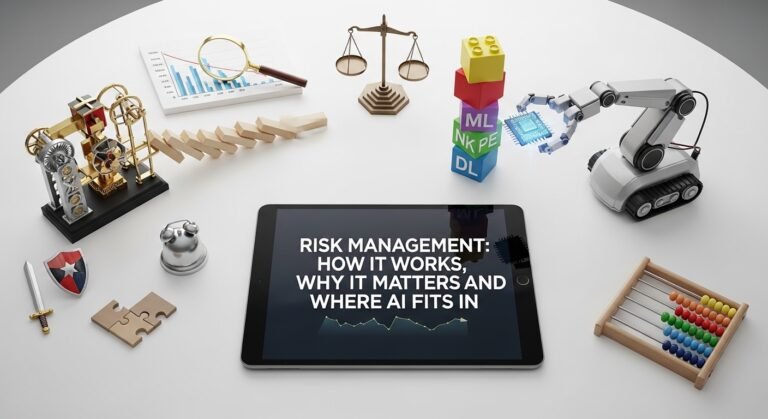
Stuff breaks. Sometimes you see it coming, sometimes it blindsides you on a Tuesday morning before your coffee kicks in. That’s the whole reason risk management exists. Not as some corporate checkbox exercise—but as a way to catch problems while they’re still small enough to handle without losing sleep, money, or both.

What is risk management? It’s how you figure out what could go sideways—whether that’s a project, a system, a business decision, or the whole company—and then decide what to do about it before it actually happens.

Is it worth it? I mean, yeah. It keeps costs from ballooning, stops small problems from becoming company-wide fires, and helps people think straight when pressure hits instead of just reacting.

How does it work? You look for things that could go wrong. You figure out how bad each one would actually be. You pick a response. You put a name next to it. And then you keep checking back, because risks don’t sit still.

The Risk Management Process

Here’s the thing nobody says out loud—this process isn’t meant to live in a binder that only gets opened during annual reviews. It’s supposed to be practical. Like, actually useful on a Wednesday afternoon when something weird happens.

A company starts by asking one uncomfortable question: what could hurt us? And that list gets long fast. Data breaches. Supply chain hiccups. A cyberattack nobody planned for. A bad hire. A vendor going under. Legal exposure nobody flagged. Or just a plain old human mistake—someone clicking the wrong button, sending the wrong file, skipping a step because they were rushing.

Then you study each one. Not in some abstract way. How likely is this, really? And if it does happen, what’s the actual damage? Is it a bruise or a broken leg?

After that, you decide. Some risks you shrink—better security, redundant suppliers, tighter processes. Some you hand off through insurance or contract terms. Some are so minor you just shrug and accept them.

The point isn’t pretending your business is bulletproof. It’s knowing exactly where the cracks are, how fast water could get through, and whose job it is to grab the bucket.

Risk Management Plan

All that thinking I just described? It’s worthless without structure around it.

I’ve watched teams where one manager treats every small hiccup like a five-alarm emergency while the person across the hall ignores warning signs that would make an auditor faint. Without a plan, that’s what you get—inconsistency. And inconsistency in risk management is basically just gambling with extra steps.

A proper plan spells things out. How do we spot risks? Who writes them down? What’s the scoring criteria? At what point does leadership need to hear about it? What kind of response matches what severity level?

And timing. Not wishy-washy “we’ll review quarterly” timing. Actual dates on actual calendars with actual people attached to them.

This is where most organizations quietly fail, by the way. They build a gorgeous plan. Formatting looks great. Charts and color codes, the works. Then it gets saved to a shared drive and nobody opens it again until something goes wrong.A plan that works shows up in places that matter—project kickoffs, vendor evaluations, software rollouts, hiring discussions, incident debriefs. If it only exists in a document, it’s decoration. Expensive, time-consuming decoration.

Element What it does Why it matters
Risk identification Lists possible threats Helps teams see weak spots early
Risk assessment Measures likelihood and impact Makes priorities clearer
Risk response Defines actions to reduce or handle risk Prevents confusion during pressure
Ownership Assigns responsibility Stops risks from being ignored
Monitoring Tracks changes over time Keeps the plan useful

Risk Management Frameworks

Risk Management Frameworks

People throw around “risk management framework” a lot, and I get why it sounds like corporate jargon. But the actual idea behind it is pretty simple—stop making it up as you go.

A framework gives everyone the same playbook. Instead of one department handling risk one way and another department doing something completely different, you’ve got a shared structure. Here’s how we think about this. Here’s the language we use. Here’s how we compare one risk to another without it turning into an argument about whose problem is worse.

Most frameworks cover the same ground: governance at the top, identification somewhere in the middle, scoring criteria that everyone agrees on, controls that actually get enforced, reporting that reaches the right people, and reviews that happen on a schedule instead of whenever someone remembers.

It sounds dry. I won’t pretend otherwise. But it’s the kind of boring that prevents very expensive surprises.

Some companies build their own internal version. Others lean on formal standards like ISO 31000 or COSO. The right call depends on how big you are, what industry you’re in, and how tangled your operations get. A twelve-person startup doesn’t need what a multinational bank needs. But both of them need something they can repeat without reinventing it every time.

Risk Management Framework in Real Business Settings

A framework sitting in a policy folder isn’t a framework. It’s a PDF.

It becomes real when it shows up in actual work. Picture a software company about to launch a new platform. The product team is stressed about shipping on time. Security is worried about holes in the code. Legal is sweating over privacy compliance. Customer support is bracing for the chaos that always follows a launch.

Every single one of those worries is valid. But without a framework, they all get treated as separate fires. Nobody knows which one to grab the extinguisher for first.

A working framework pulls those concerns into the same room—literally or figuratively—and forces a conversation about what actually matters most right now. Not in theory. Right now, with this launch, at this stage, for these customers.

Same thing applies to a retail brand expanding into a new market. Or a hospital adopting a new digital tool. Or a logistics company that just realized eighty percent of its shipments depend on one supplier who’s been acting weird lately.

The framework doesn’t make uncertainty disappear. That’s not what it’s for. What it does is shrink the blind spots. It makes people ask the awkward questions earlier—the kind everyone’s thinking but nobody wants to say out loud. And sometimes that one uncomfortable question is the thing that saves a quarter. Or a reputation. Or a relationship with your biggest client.

AI Risks in Modern Organizations

This one’s getting harder to wave away because AI isn’t experimental anymore. It’s making real calls—or at least heavily shaping them.

Hiring filters deciding who gets an interview. Chatbots talking to your customers without a human in the loop. Fraud detection flagging (or missing) transactions. Recommendation engines nudging what people see and buy. Internal copilots drafting emails, summarizing documents, writing code.

These aren’t pilot projects tucked in a corner somewhere. They touch customers. Employees. Revenue. Trust.

And the tricky part—the part that separates AI risk from the old-school risks people are used to—is speed. A traditional process failure might take weeks to cause real damage. A broken AI system can scale its mistakes across thousands of interactions before anyone realizes something’s off.

Biased outputs reaching real users. Hallucinated answers stated with absolute confidence. Personal data leaking into places it shouldn’t be. Decisions nobody can trace back to a clear logic. Weak oversight because the team assumed the model “knows what it’s doing.”

I’ve seen teams deploy an AI feature to save twenty hours a week, then spend four months cleaning up errors because nobody stress-tested edge cases before going live. And that’s not a rare horror story. It’s a Tuesday for a lot of companies right now.

AI is useful. Nobody’s arguing that. But a tool that moves fast can amplify sloppy controls just as quickly as it amplifies productivity.

AI Risk Management Practices That Actually Help

When the conversation turns to managing AI risk, there’s this tendency to jump straight into governance language and policy frameworks and skip right past the stuff that actually prevents problems.

The basics are where protection actually lives. And the basics aren’t glamorous.

First—what data is the model trained on, and should it even have access to that data? That question alone catches more issues than most people expect.

Then there’s human review. Not token review where someone rubber-stamps outputs. Actual review, especially when the stakes are high. Finance. Healthcare. Insurance. Education. Employment decisions. These are areas where a confident-sounding wrong answer can ruin someone’s day, career, or health.

Documentation matters too. Not because anyone enjoys writing it. Because six months from now, when something breaks and your team needs to trace what happened, unclear systems turn into unsolvable puzzles. You want a paper trail not for bureaucracy’s sake—for sanity’s sake.

Testing helps more than people think. Throw bad inputs at the model. Feed it unusual scenarios. Try to misuse it on purpose. If your team can break it in a sandbox, your customers will definitely break it in production.

And escalation paths. This is the big one nobody builds until it’s too late. If an AI tool starts spitting out harmful, misleading, or just plain wrong outputs—who pulls the plug? Who investigates? Who tells the users? If those answers don’t exist before launch, you’re not managing AI risk. You’re just crossing your fingers and hoping the software behaves.

Common Mistakes That Weaken Control

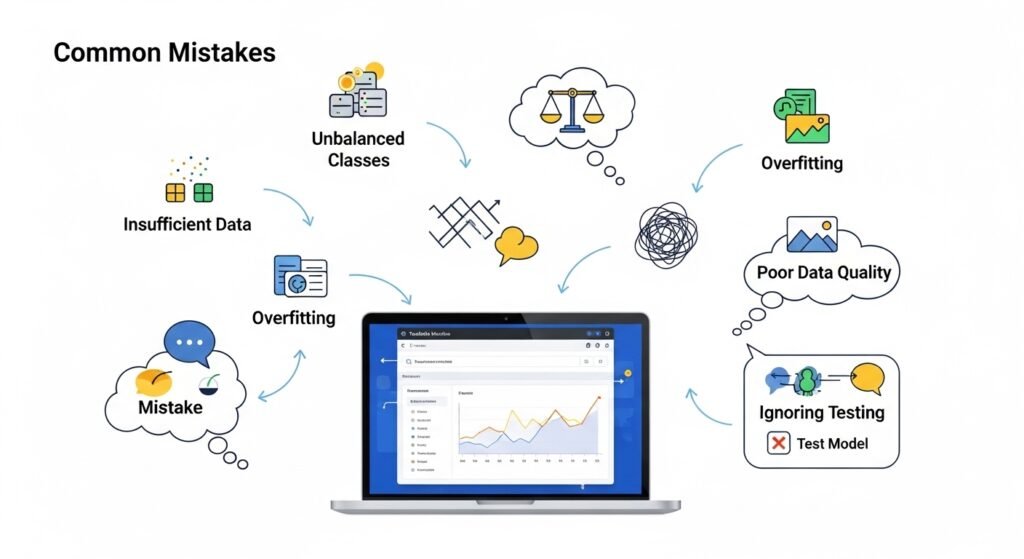
The number one mistake? Treating every risk like it weighs the same. It doesn’t. A two-day delay on an internal report is not the same creature as a data breach exposing customer records. But I’ve sat in rooms where both got the same yellow dot on a risk matrix and the same shrug.

Second mistake—assuming risk management belongs to the compliance department and nobody else. Operations creates risk. Engineering creates risk. HR creates risk. Finance, procurement, leadership decisions—all of it shapes what the company is exposed to. Compliance can’t babysit everyone.

Then there’s the spreadsheet trap. Teams build these elaborate scoring sheets—likelihood times impact, color-coded cells, weighted averages—and never actually talk about context. A risk scored “medium” on paper can absolutely destroy you if it hits during a product launch, or right after a PR crisis, or when your biggest client is already unhappy.

And the classic. The one I see everywhere. Risks get identified, discussed, scored, assigned pretty colors, maybe even presented in a meeting. Then they get filed away. Nobody checks again. Nobody updates anything. Six months later, the exact same risk shows up again—except now it’s more expensive, more urgent, and everyone’s acting surprised even though it was literally written on a slide deck they all sat through.

Not dramatic. Not catastrophic. Just wasteful. And painfully common.

Comparing Traditional Business Risks and AI-Driven Risks

Traditional risks come from places businesses already have muscle memory for. Financial exposure, supply chain breakdowns, compliance violations, workplace safety incidents, vendors failing to deliver, servers going down. These aren’t fun, but most organizations have at least some playbook for them.

AI-driven risks overlap with all of those areas but layer on a kind of messiness that traditional frameworks weren’t designed to handle. The problems are harder to explain to non-technical stakeholders. They’re harder to monitor because the system’s decision logic isn’t always visible. And ownership gets genuinely confusing.

If a third-party model produces harmful output, whose fault is that? The vendor who built it? Your team who deployed it? Both? If biased training data leads to biased decisions that affect real customers—where exactly in the chain did the failure start? Was it a data problem, a design problem, an oversight problem, or all three?

These questions aren’t hypothetical anymore. They come up in real post-mortems, in real boardrooms, in real regulatory conversations.

So the comparison isn’t really “old risks versus new risks.” It’s familiar, predictable risks versus fast-moving, technically tangled risks that don’t always announce themselves clearly. That distinction shapes how you govern, how you monitor, and how quickly you need to respond.

FAQs

What are the five steps in the risk management process? Most approaches break it into identification, assessment, prioritization, response, and monitoring. Different organizations use different labels for those stages, but the underlying logic stays pretty consistent.

Why is a risk management plan important? Because without one, people improvise. And improvised risk management means one person escalates everything while another person ignores obvious red flags. A plan creates shared expectations so the response is consistent, not personality-dependent.

What is the difference between a framework and a plan? A framework is the overarching system—the rules, the structure, the philosophy. A plan is the specific document or approach you apply to a particular project, department, or business function within that larger structure.

What are common AI risks for businesses? Biased outputs, privacy violations, confidently wrong answers, weak accountability chains, security gaps in model infrastructure, poor governance around training data, and teams leaning on automated decisions without enough human judgment in the mix.

Who owns risk in an organization? Everyone contributes to it, whether they realize it or not. But ownership should be explicit. Leadership sets the tone and expectations, managers handle exposure within their teams, and specialists support analysis, controls, and reporting.

You don’t need a flawless system on day one. Almost nobody has one. What you need is something your team will actually use, something honest enough to reflect what’s really happening, and something you revisit often enough that it still matches reality. That’s usually where the real improvement kicks in—not in the policy document, but in the habit of paying attention.


 

Best ROI Calculator to Track Business Returns

Ever stared at a pricing page wondering if a tool or software is actually worth it? You’re not the only one. That’s basically the whole reason ROI calculators exist. They take the fuzzy stuff—hours spent, money out, money back—and lay it all out so you’re working with real numbers instead of a hunch.

What is an ROI calculator? It’s a simple tool that shows you what you’re likely to get back from whatever you spend money on.

Is an ROI calculator worth using? Pretty much, yeah. Especially when you’re weighing decisions around new tools, automation, or bringing someone new on. It cuts through the noise.

How does an ROI calculator work? You feed it your numbers—what you’re spending, the hours it might save, extra revenue you’re expecting—and it shows your return stretched out over time.

How an ROI Calculator Works in Real Life

Let’s keep this simple. All an ROI calculator really does is line up two things side by side: what’s going in, and what’s coming back. The useful part is how it takes ordinary day-to-day work and turns it into something you can actually measure. Think about the time your team burns on repetitive stuff—data entry, answering the same kinds of customer emails, pulling reports. Once you attach a dollar figure to those hours, small annoyances start looking like real money.

Feed in your actual data (team size, hourly rates, what everyone’s working on) and patterns start jumping out. You begin to see exactly how much time could disappear if certain jobs ran on autopilot. And we’re not talking about vague “we’d save some time” estimates either. Actual hours—weekly, monthly, across a whole year. That’s usually when the lightbulb goes on for most people. The whole thing stops being abstract.

Benefits of Using an ROI Calculator for Business Decisions

ROI Calculator for Business Decisions

Plenty of businesses run on gut instinct. Which works… right up until it doesn’t. The real win with an ROI calculator is clarity. You finally get to see where your money and time are going, and—more importantly—where they’re slipping away. Maybe half your week goes into tasks that don’t actually move revenue. Or maybe your team’s drowning in work a machine could handle in minutes.

Then there’s the confidence piece. Walking into a meeting with hard numbers instead of opinions changes the whole dynamic. Decisions happen faster. People actually listen. You stop arguing about whether something’s a good idea and start figuring out when to start. Small shift, but it matters more than you’d think.

Real Example: Breaking Down ROI with Numbers

Say you’ve got a small accounting firm. Five people on the team. Each one sinks about 10 hours a week into manual data entry and reconciliation. Quick math—that’s 50 hours gone every week. Now picture automation trimming that down to 15 hours total. You just got 35 hours back. Every week.

Here’s how it breaks down:

Task Before (Hours/Week) After (Hours/Week) Time Saved
Data Entry 30 10 20
Reconciliation 20 5 15
Total 50 15 35

Now plug in a number. If your team’s average rate is $25 an hour, that’s $875 saved each week. Stretch that across a year… you can do the math from there. This is exactly what an ROI calculator is built for. It takes “we’ll probably save some time” and turns it into something you can actually point at.

Common Mistakes People Make When Calculating ROI

This is where things get sloppy. A lot of folks only think about direct costs—the sticker price of a tool—and forget everything else. Training time. Ramp-up. All the little inefficiencies that come with switching things up. Another one? Being way too optimistic. Assuming the new thing will run perfectly from day one. Spoiler: it usually doesn’t.

Then there’s the long-term angle. Some investments take a while to pay off. Three months in, you might see nothing much. But fast-forward to month twelve and the impact stacks up. If your math only covers the first few weeks, you’re basically reading the first chapter of a book and calling it a review.

And then—weirdly—some people just don’t believe the numbers once they see them. They go with their gut anyway. Which, honestly, is how bad decisions end up happening.

ROI Calculator vs Manual Estimation

Sure, you could do this by hand. Fire up a spreadsheet, write a bunch of formulas, spend your afternoon nudging cells around. Some folks actually prefer it—feels more hands-on. But it eats time, and errors sneak in more than you’d expect.A proper tool makes it smoother. It walks you through what to enter, runs the numbers instantly, and shows the result in a way that doesn’t require a finance background to read. No tangled formulas. No wondering if you forgot a row somewhere.

That doesn’t mean you stop thinking, though. The tool gives you the numbers. What they mean for your business—that part’s still on you.

Why ROI Matters More Than Ever Right Now

Things are moving fast. Budgets are tighter, timelines are shorter, and everyone’s being asked to do more with less. In that kind of environment, every call carries real weight. Throwing money at something and hoping it works out isn’t really a strategy anymore.That’s partly why ROI calculators have gone from “nice to have” to something people actually use. And it’s not just the big companies. Freelancers, small teams, early-stage startups—everyone’s looking for ways to stay sharp. Because at the end of the day, it’s not only about saving money. It’s about using your hours better. And that’s a much harder thing to measure without something real in front of you.

Full FAQ Section

1. What is the purpose of an ROI calculator? It helps you see what you’ll actually get back from an investment—comparing what you put in against the gains, including time and extra revenue.

2. Can small businesses use ROI calculators? Definitely. Honestly, smaller businesses might get the most out of them, since every dollar and every hour carries more weight.

3. How accurate are ROI calculations? They’re only as good as what you put in. Use realistic numbers and the results will actually be useful.

4. What factors should I include in ROI calculations? Your costs, hours saved, labor rates, potential revenue growth, plus the softer wins like efficiency and smoother workflows.

5. Is ROI only about money? Not really. Time savings, productivity gains, and better use of your people all count—even when they’re harder to put on a balance sheet.

6. How often should I calculate ROI? Anytime you’re considering a new investment, or just checking in on how things are performing. Quarterly is a solid rhythm to start with.

7. Can ROI calculators predict future profits? Not exactly predict. But they give you a pretty decent estimate based on where things stand today.

8. Are free ROI calculators reliable? Some of them, sure. Just make sure you can actually tweak the inputs and that it’s not painfully generic.

Sometimes you run the numbers and the answer’s obvious. Other times, not even close. But either way, having something concrete to look at helps. You pause. You rethink. Maybe you tweak a couple of inputs. And slowly, it starts to click.

Best AI Tools in 2026: 12 Picks for Work, Writing And Coding

AI tools are no longer a future idea. They are already inside our browsers, phones, emails, documents, design apps, and work dashboards. From writing emails to fixing code, summarising notes, creating images, and planning content, these tools are changing how people work every day.

For students, creators, developers, marketers, and small business owners, the right AI tool can save time and reduce repetitive work. But the goal is not to let AI replace your thinking. The real value comes when AI supports your ideas, speeds up simple tasks, and helps you focus on better decisions. Below are the 12 best AI tools in 2026 — compared at a glance, then reviewed one by one — plus a plain-English guide to using them well. For more options by category, you can also browse our full AI tools directory.

If you need a repeatable buying process instead of another roundup, use our how to choose an AI tool guide to test privacy, accuracy, integrations and total cost before you commit. When your shortlist is ready, apply the companion AI tool evaluation checklist and downloadable scoring workbook.

Editorial note: This article was reviewed by TheArticleSpot’s editorial team for clarity, source accuracy, and relevance. AI tools may have supported outlining, editing, formatting, or research organization, but final review and publication decisions are handled by a human editor. Tool features, pricing, and availability can change, so readers should verify important details on the official provider website before making a final decision.

ToolBest ForFree PlanStarting PriceRating
ChatGPTAll-round writing & brainstormingYes~$20/month (Plus)4.8 / 5
ClaudeLong-form writing & analysisYes~$20/month (Pro)4.7 / 5
Google GeminiPeople living in Google WorkspaceYes~$20/month (AI Pro)4.5 / 5
Microsoft CopilotMicrosoft 365 productivityYes~$20/month (Pro)4.4 / 5
PerplexityAI-powered research & searchYes~$20/month (Pro)4.6 / 5
GitHub CopilotCoding & developmentYes (limited)~$10/month (Pro)4.7 / 5
Notion AINotes & team knowledgeAdd-on~$10/member/month4.3 / 5
GrammarlyWriting & grammar polishYes~$12/month (Pro)4.5 / 5
Canva AIDesign & visual contentYes~$15/month (Pro)4.4 / 5
Otter.aiMeeting notes & transcriptionYes~$17/month (Pro)4.2 / 5

The 10 Best AI Tools in 2026, Reviewed

1. ChatGPT — Best All-Rounder

ChatGPT is the tool most people reach for first, and for good reason. It handles writing, brainstorming, coding help, summaries, and everyday problem-solving in one place, with a generous free tier and a ~$20/month Plus plan for heavier use. If you only adopt one AI tool this year, this is the safest starting point. Curious how it stacks up against rivals? See our Claude vs ChatGPT and DeepSeek vs ChatGPT comparisons.

Best for: Anyone who wants one flexible assistant for writing, ideas, and quick answers.

2. Claude — Best for Long-Form Writing and Analysis

Claude is known for handling long documents, nuanced writing, and careful reasoning particularly well. It’s a favourite among writers, researchers, and analysts who need the tool to hold a lot of context at once without losing the thread. The free plan is solid, with a ~$20/month Pro tier for power users.

Best for: Long articles, detailed analysis, and tasks where tone and nuance matter.

3. Google Gemini — Best for Google Workspace Users

Gemini is Google’s AI assistant, and its biggest strength is how deeply it sits inside Gmail, Docs, Sheets, Slides, Drive, and Meet. If your day already runs on Google tools, Gemini gives you AI help without switching apps. We break down where it wins and loses in our Claude vs ChatGPT vs Gemini comparison.

Best for: Teams and individuals who live inside Google Workspace.

4. Microsoft Copilot — Best for Microsoft 365

Copilot brings AI directly into Word, Excel, PowerPoint, Outlook, and Teams. For organisations already on Microsoft 365, it’s the most natural way to add AI to existing workflows — drafting documents, summarising email threads, and building slides from a prompt.

Best for: Businesses and professionals working across the Microsoft 365 suite.

5. Perplexity — Best for Research and Search

Perplexity works like an AI-powered search engine: ask a question and it returns a clear answer with cited sources you can verify. That makes it a strong choice for research, fact-checking, and quickly understanding an unfamiliar topic without wading through ten browser tabs.

Best for: Research, learning, and anyone who wants answers with sources attached.

6. GitHub Copilot — Best for Coding

GitHub Copilot acts as an AI pair programmer inside your editor, suggesting lines and whole functions based on the context of your code. It speeds up development noticeably — but you should always review what it produces, since AI can suggest code that’s insecure or simply wrong.

Best for: Developers who want faster coding and fewer repetitive keystrokes.

7. Notion AI — Best for Notes and Team Knowledge

Notion AI lives inside Notion, where it can summarise pages, draft content, and pull answers out of your team’s existing notes and docs. For teams that already organise their work in Notion, it turns a static workspace into something you can actually query.

Best for: Teams managing notes, wikis, and projects inside Notion.

8. Grammarly — Best for Writing Polish

Grammarly checks grammar, clarity, and tone across almost everything you write — email, documents, and the web. The free version covers the basics well, while the Pro tier adds rewriting suggestions and tone adjustments that help your writing land the way you intend.

Best for: Anyone who wants cleaner, clearer, more professional writing.

9. Canva AI — Best for Design and Visuals

Canva AI brings generative design into the Canva editor — creating images, writing copy, and resizing layouts in seconds. It’s built for non-designers, so you can produce social posts, presentations, and marketing graphics without touching complex software.

Best for: Creators and small businesses making visual content without a designer.

10. Otter.ai — Best for Meetings and Transcription

Otter.ai records, transcribes, and summarises meetings in real time, then turns them into searchable notes with action items. For anyone drowning in calls, it means never scrambling to remember what was decided.

Best for: Capturing and summarising meetings, interviews, and lectures.

11. Cursor — Best for AI-Native Coding Cursor

Cursor turns your editor into an agentic coding environment — its Composer model and parallel “agents” can edit across multiple files, run tasks, and open pull requests. In 2026 it’s become the serious alternative to GitHub Copilot for developers who want the AI to act, not just autocomplete. Best for: Developers who want an AI that builds, not just suggests.

12. NotebookLM — Best for Research From Your Own Sources

Google’s NotebookLM lets you upload your own documents — PDFs, notes, slides — and ask questions answered only from those sources, which sharply reduces hallucination. It’s ideal for students and researchers working from a fixed set of materials. Best for: Studying or researching from a trusted pile of documents.

Best AI Tools by Category

Choosing the right AI tool depends on what you actually need it for. Some tools are better for writing, while others are stronger for coding, research, design, meetings, or productivity.

Best AI Writing Tools

ChatGPT, Claude, and Grammarly are the strongest choices for writing. ChatGPT is best for flexible content creation, Claude is better for long-form writing and analysis, and Grammarly is useful for polishing grammar, tone, and clarity.

Best AI Coding Tools

GitHub Copilot and Cursor are the best AI tools for coding. GitHub Copilot is ideal for autocomplete and code suggestions, while Cursor is better for developers who want an AI editor that can work across multiple files.

Best AI Research Tools

Perplexity and NotebookLM are the strongest research tools. Perplexity is better for web-based answers with cited sources, while NotebookLM is better when you want answers grounded in your own uploaded documents.

Best AI Design Tools

Canva AI is the best option for non-designers who need social graphics, presentations, visual content, and marketing assets quickly.

Best AI Productivity Tools

Google Gemini, Microsoft Copilot, and Notion AI are strong productivity tools. Gemini works best inside Google Workspace, Copilot fits Microsoft 365 users, and Notion AI is useful for teams that already manage notes and projects in Notion.

How We Chose the Best AI Tools

We selected these AI tools based on practical usefulness, ease of use, feature quality, pricing, free-plan availability, and how well each tool fits real-world work.

The goal was not to list every AI app available. Instead, we focused on tools that are widely used, regularly updated, and genuinely helpful for students, creators, developers, marketers, businesses, and everyday users.

We also considered whether each tool solves a clear problem, such as writing faster, improving research, summarising meetings, generating designs, helping with code, or organising knowledge.

What Is an AI Tool?

An AI tool is a software application that uses artificial intelligence to complete tasks that normally need human thinking. These tasks may include writing, editing, coding, researching, summarising, designing, planning, translating, or recognising patterns.

Most modern AI tools use technologies linked with artificial intelligence, natural language processing, and machine learning. In simple words, they learn from large amounts of data and then respond to user prompts.

For example, if you ask an AI writing tool to create an email, it studies your instruction and generates a draft. If you ask an AI coding tool to fix an error, it checks the context and suggests possible code.

Pros and Cons of the Best AI Tools in 2026

Tool Pros Cons
ChatGPT Most versatile; best voice mode; strong image generation (GPT Image 2) Can hallucinate; best features need Plus/Pro; free-tier limits
Claude Excellent long-form and reasoning; large context window; strong for coding Smaller plugin ecosystem; limited image generation; free usage caps
Google Gemini Deep Google Workspace integration; generous free tier; strong multimodal (Gemini 3.1 Pro) More inconsistent answers; best inside Google’s ecosystem
Microsoft Copilot Native to Microsoft 365; now agentic and multi-model; free basic tier Real value needs an M365 licence; agent setup can get complex
Perplexity Cites its sources; ideal for research; Spaces for projects Not built for long-form creation; answer depth varies
GitHub Copilot In-editor pair programming; affordable (~$10); broad language support Can suggest insecure or wrong code; needs review; Cursor now leads on agentic work
Notion AI Queries your own workspace; great for team knowledge; v3.0 upgrades Add-on cost; only useful if you live in Notion
Grammarly Works everywhere you write; strong tone and clarity; usable free tier Rewriting needs Pro; rivals offer lifetime plans
Canva AI Generative design for non-designers; all-in-one editor Not for advanced design; outputs can look templated
Otter.ai Real-time transcription, summaries and action items; searchable notes Accuracy drops with accents or poor audio; free minutes capped
Cursor Agentic multi-file editing; cost-efficient in-house model; parallel agents Paid for heavy use; steeper learning curve
NotebookLM Grounded in your own sources; minimal hallucination; free Limited to uploaded material; not a general assistant

Are AI Tools Worth It?

For many people, AI tools are worth using because they save time. A task that may take 30 minutes can sometimes be done in a few minutes with the right prompt and review.

AI tools can help with:

  • Writing first drafts
  • Summarising long text
  • Creating content ideas
  • Fixing basic code errors
  • Planning study notes
  • Making images
  • Organising research
  • Automating repeated tasks

However, they are not perfect. AI can still make mistakes, misunderstand instructions, or produce generic content. That is why human review is important. AI should be treated like an assistant, not a final authority.

How Do AI Tools Work?

AI tools work by processing large amounts of information and learning patterns. When you type a prompt, the tool predicts a useful response based on the information it has learned and the context you provide.

It may feel like the tool is “thinking,” but it is really generating likely answers based on patterns. This is why clear instructions matter. A vague prompt gives a vague result. A detailed prompt gives a better result.

This is also why prompt engineering has become important. The better your prompt, the better the output.

Free AI Tools and Why People Use Them

Free AI tools are popular because not everyone wants another monthly subscription. Students, freelancers, bloggers, and small businesses often need useful tools without high costs.

Many platforms offer free plans with limited usage. This helps users test the tool before paying. Free versions of AI chatbots, writing assistants, image tools, and study tools can still be useful for basic tasks.

But free tools often come with limits. They may have slower responses, lower usage caps, fewer advanced features, or weaker privacy protection. For sensitive business work, paid or enterprise versions are usually safer.

AI Writing Tools for Content Creators

AI Writing Tools for Content Creators

AI writing tools are useful for bloggers, marketers, students, and business owners. They can help create outlines, improve sentences, generate title ideas, rewrite paragraphs, and summarise long content.

But AI writing should not be published without editing. If you copy AI content directly, it may sound generic. The best method is to use AI for structure and ideas, then add your own examples, experience, tone, and accuracy checks.

For SEO content, AI writing tools can help with:

  • Blog outlines
  • Meta descriptions
  • FAQs
  • Content briefs
  • Topic ideas
  • Social captions
  • Email draftsIf you use AI for SEO, combine it with tools like the best SEO reporting tools to track actual performance.

    Generative AI and Creative Work

    Generative AI can create text, images, code, music, video ideas, designs, and more. It is now used by writers, designers, developers, marketers, and creative teams.

    For example, a designer can use AI to create mood board ideas. A blogger can use it to draft a content outline. A developer can use it to generate test code. A student can use it to understand a difficult topic.

    Generative AI is powerful because it helps people create faster. But it still needs human direction. The best results come when the user gives clear instructions and edits the final output.

    Best AI for Coding

    For developers, AI coding tools can save time by suggesting code, explaining errors, writing functions, and helping with tests. GitHub Copilot is one of the most popular examples, working inside the editor as an AI pair programmer that suggests lines or functions based on context.

    AI coding tools are useful, but developers should still review the output. AI can suggest code that works poorly, creates security risks, or does not match the project properly. Use AI coding tools for support, not blind copying.

    AI Study Tools for Students

    AI study tools can act like personal tutors. Students can use them to explain difficult topics, create flashcards, summarise chapters, generate quizzes, and simplify complex ideas.

    For example, a student can ask AI to explain a physics concept in simple language or create a revision plan for exams. This can make learning easier, especially when students are studying alone.

    However, students should avoid using AI only to get answers. The better use is to ask AI to explain the process. Learning happens when you understand the “why,” not only the final answer. Students who want structured learning can also explore an AI course for beginners to understand the basics properly.

    Common Mistakes When Using AI Tools

    Many people use AI tools incorrectly. The biggest mistake is trusting the output without checking it. AI can sound confident even when it is wrong.

    Another common mistake is giving weak prompts. If you write “create a blog,” the result will usually be basic. A better prompt includes the topic, audience, tone, word count, structure, and goal.

    Users should also avoid sharing sensitive personal or business data unless they understand the tool’s privacy settings.

    Final Thoughts

    AI tools are useful, but they work best when humans stay in control. They can save time, support creativity, improve productivity, and help with learning. But they still need clear instructions, fact-checking, and human editing.

    The best approach is simple: use AI to speed up the boring parts, then add your own thinking, voice, and judgment. That is how AI becomes a real assistant instead of just another app.

    If you want to understand systems that can choose tools and continue through a bounded workflow, read our guide to AI agents for beginners, including practical examples, risks and human approval controls.

    For practical implementation patterns with triggers, approval gates and safe failure paths, see these small-business AI automation examples.

    FAQs

    What are AI tools?

    AI tools are software applications that use artificial intelligence to help with tasks like writing, coding, studying, designing, researching, and planning.

    What are the best AI tools right now?

    The most popular AI tools in 2026 include ChatGPT, Claude, Google Gemini, Microsoft Copilot, Perplexity, GitHub Copilot, Notion AI, Grammarly, Canva AI, and Otter.ai.

    Are free AI tools good?

    Yes, many free AI tools are useful for basic tasks. However, free plans may have limits on features, speed, usage, or privacy.

    Can AI tools replace human workers?

    AI tools can automate some tasks, but they still need human judgment, creativity, ethics, and real-world understanding.

    What is the best AI tool for writing?

    ChatGPT, Claude, and Grammarly are commonly used for writing, editing, and content planning. ChatGPT and Claude handle drafting and ideas, while Grammarly polishes grammar and tone.

    What is the best AI for coding?

    GitHub Copilot is one of the most popular AI coding tools, but developers should always review AI-generated code before using it.

    Which AI tool is best for free?

    ChatGPT, Claude, Google Gemini, and Perplexity all offer genuinely useful free plans. For most people, the free tier of ChatGPT or Claude is the best place to start.

    Which AI tool is better than ChatGPT?

    ChatGPT is still the best all-round AI assistant for most users, but Claude is often better for long-form writing, Perplexity is stronger for research, and GitHub Copilot is better for coding. The best choice depends on what task you need help with.

AI Course for Beginners 2026: Free Learning Path (No Coding Required)

You don’t need a computer science degree, a paid bootcamp, or any coding experience to learn AI in 2026. You need a laptop, an internet connection, and a path that doesn’t waste your time. That last part is the problem — there are thousands of “AI courses for beginners” out there, most of them either too shallow to be useful or too technical to start with.

So this guide does something different. Instead of selling you a course, it gives you the actual path: a free, structured, step-by-step curriculum that takes you from “I keep hearing about AI in meetings and nodding blankly” to genuinely understanding what AI is, using the main tools confidently, and having a small project you can point to. Every course linked here is real and free to start, and the whole thing requires zero coding.

If you’ve been waiting until you feel “ready enough” to begin — this is the starting line.

What you’ll be able to do after this path

Before we get into the modules, it’s worth being clear about what beginner actually means here, because a lot of courses are vague about it. By the end of this learning path you’ll be able to:

  • Explain what AI and machine learning are — and the difference — without faking it
  • Use ChatGPT, Claude, and Gemini for real work tasks, not just party tricks
  • Write effective prompts that get useful output instead of generic mush
  • Spot where AI is genuinely useful in your own job or studies
  • Recognise AI’s limits — bias, hallucination, when not to trust it
  • Show one small finished project that proves you can apply what you learned

None of that requires you to build a neural network from scratch. That’s a different, more advanced journey, and we’ll point to it at the end for anyone who wants it. For most people — marketers, analysts, students, small business owners, career changers — the path below is exactly the right level. For a stronger conceptual foundation as you go, keep our explainer on what artificial intelligence is open in a tab.

Do you need any background to start?

no codeing needed

No. The only honest prerequisite is curiosity and a willingness to actually finish what you start. You don’t need maths, you don’t need Python, and you don’t need to have worked in tech.

This matters because intimidating terminology stops more beginners than difficulty ever does. People see words like “deep learning,” “transformers,” or “neural networks” in a course title and assume that’s the level they need to aim for on day one. It isn’t. Starting at the right level and building properly is almost always faster than jumping into the deep end and quietly giving up three weeks later.

If you can use a web browser and write an email, you’re ready for Module 1.

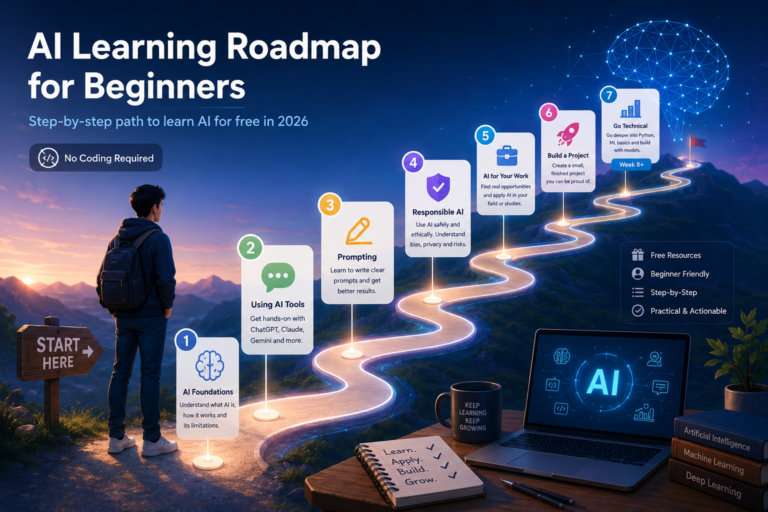
The free AI learning path: 8 weeks, no coding

Here’s the sequence that works for most beginners. It’s built around free courses from names you can trust — Google, DeepLearning.AI, the University of Helsinki — and it’s deliberately paced so you build confidence before complexity. Treat it as roughly 4–6 hours a week. You can go faster; just don’t skip the foundations.

The whole path is laid out as a curriculum table further down, but here’s how each stage works and why it’s in this order.

Weeks 1–2 — Understand what AI actually is

Start with the concepts, not the tools. You want to understand what AI is, how machine learning lets systems learn from data instead of following fixed rules, and crucially what AI can’t do. This is the part that stops you from either over-trusting AI or being scared of it.

Two free options here, pick one (or do both):

  • Elements of AI — a free course from the University of Helsinki and MinnaLearn, taken by over 2 million people. No maths, no programming, just clear explanations of the core ideas. It’s the gentlest possible on-ramp.
  • Google’s “Introduction to AI” — the first course inside Google AI Essentials (more on that below). Covers foundational concepts including machine learning and the rise of generative AI, and it’s free to access.

Pair either one with our plain-English explainers on what machine learning is and how AI works so the vocabulary sticks.

Weeks 2–3 — Get hands-on with the actual tools

This is where it becomes real. Sign up for free accounts on ChatGPT, Claude, and Gemini and use each one for genuine tasks — drafting an email, summarising a long document, researching a topic, brainstorming ideas. Use them side by side and notice the differences. You’ll learn more from a week of real use than from a month of watching videos about them.

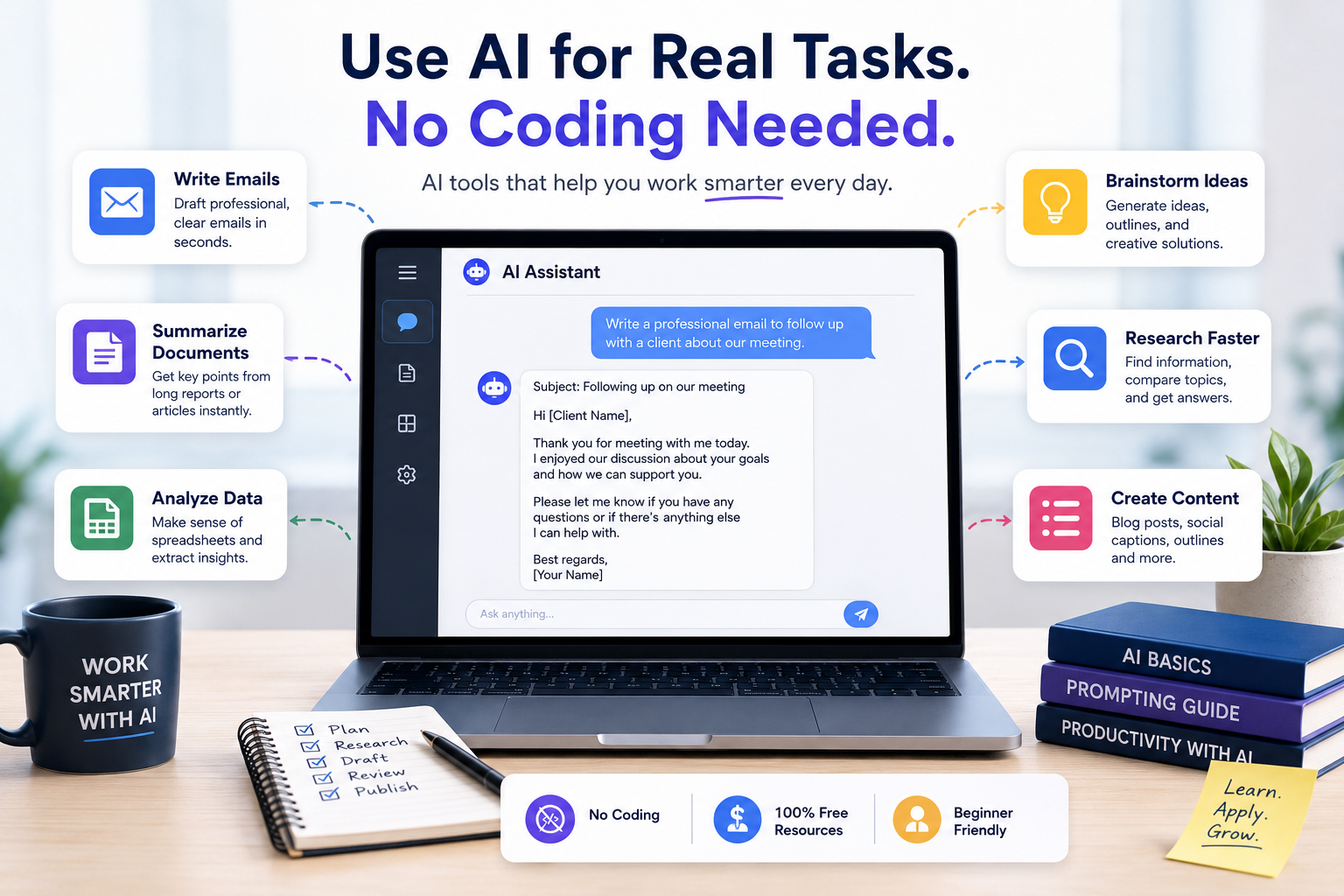
If you want structure around this, the early modules of Google AI Essentials walk you through using AI tools for everyday work scenarios. Our roundup of the best AI tools in 2026 is a useful map of what’s out there beyond the big three chatbots.

Weeks 3–4 — Learn to prompt properly

Most beginners get mediocre results from AI not because the tools are weak but because their prompts are vague. Prompting is a genuine, learnable skill, and it’s the single highest-leverage thing a beginner can get good at.

Google AI Essentials has a dedicated course called Discover the Art of Prompting that teaches you how to give AI clear, specific instructions and how to chain prompts together for multi-step tasks. It’s the most practical few hours you’ll spend in this whole path. If you want extra practice, our guide to prompt generator tools gives you templates to riff on.

Weeks 4–5 — Use AI responsibly (this is not optional)

AI tools reproduce biases in their training data, they sometimes confidently make things up (“hallucinate”), and anything you type into them is data you’re sharing. A beginner who understands this is far more employable than one who doesn’t, because the most common way AI projects fail in the real world isn’t bad technology — it’s people trusting output they shouldn’t have.

Google AI Essentials includes a Use AI Responsibly module with a practical framework for spotting AI harms and security risks. Anthropic’s free AI Fluency course (from the team behind Claude) covers a complementary framework for working with AI effectively, ethically, and safely. Don’t skip this stage just because it sounds like the boring bit — it’s a real differentiator.

Weeks 5–6 — Apply AI to your own field

Now connect it to your actual life. Take a real challenge from your work or study — a repetitive task, a research process, a recurring document — and use AI tools to improve it. This is where learning becomes a skill rather than trivia.

DeepLearning.AI’s “AI for Everyone”, taught by Andrew Ng, is perfect here. It’s a non-technical, roughly four-week course (free to audit) that helps you spot where AI genuinely fits into an organisation and how to think about AI projects strategically. It’s the course to take if you want to talk credibly about AI at work. Ng’s follow-up, Generative AI for Everyone, goes a layer deeper on the tools beginners are actually using.

Weeks 6–7 — Build one small thing

Employers and clients respond to work you can show far more than to a certificate. Your project doesn’t need to be impressive — it needs to be finished and real. A prompt library for your team. A spreadsheet workflow that uses AI to clean or summarise data. A short research process you automated. A simple custom chatbot for a hobby. Pick something small, finish it, and be able to walk someone through it.

Week 8+ (optional) — Go technical if you want to

If you’ve enjoyed all of this and want to understand how the models actually work under the hood, this is where the coding path opens up. It’s completely optional — plenty of valuable, well-paid AI-adjacent roles never require it. But if you’re curious:

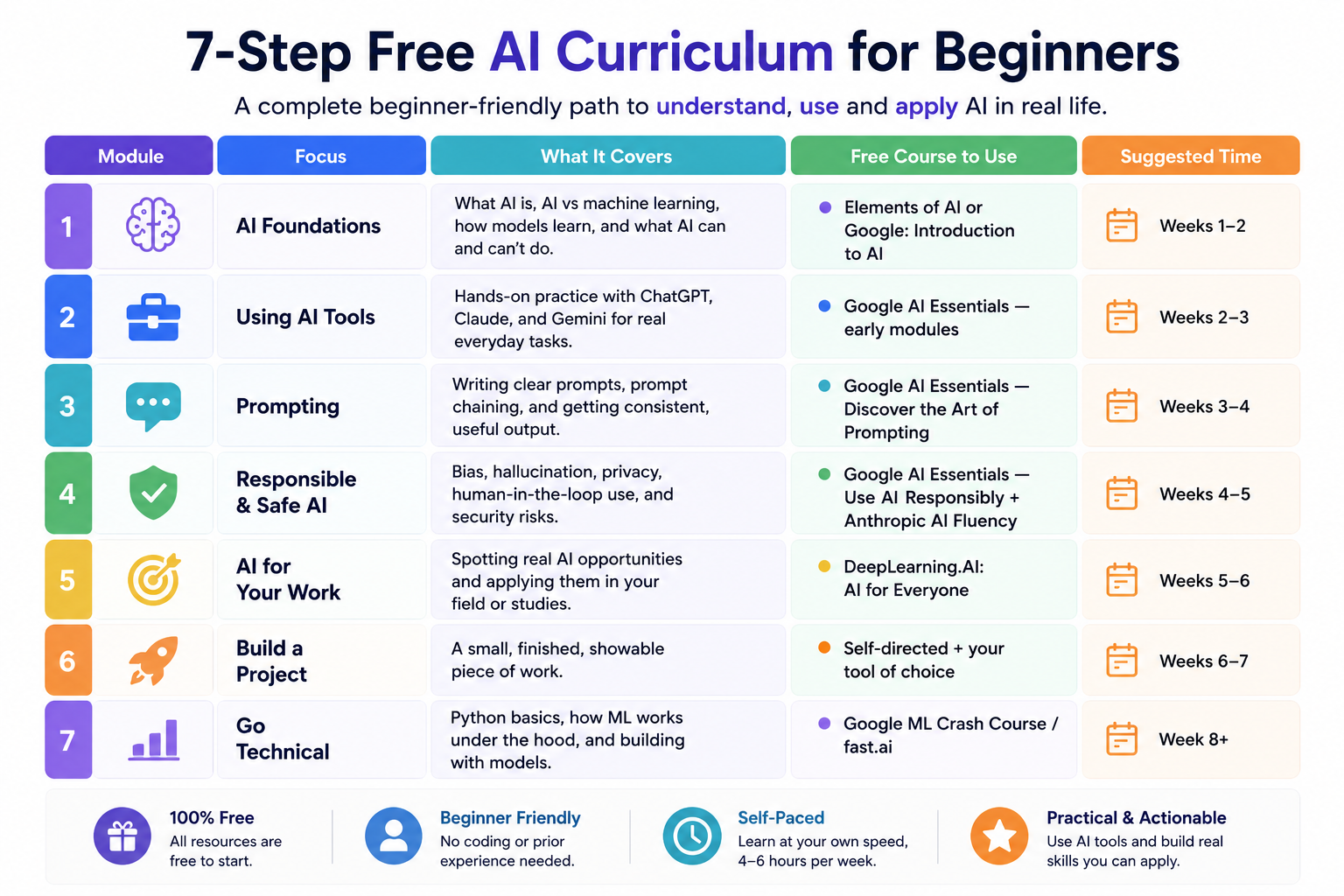
AI for beginners: the free curriculum at a glance

Here’s the whole path as a single curriculum you can work through module by module. Bookmark this table.

7 steps for ai courses

ModuleFocusWhat it coversFree course to useSuggested time
1AI foundationsWhat AI is, AI vs machine learning, how models learn, and what AI can and can’t doElements of AI or Google: Introduction to AIWeeks 1–2
2Using AI toolsHands-on practice with ChatGPT, Claude, and Gemini for real everyday tasksGoogle AI Essentials — early modulesWeeks 2–3
3PromptingWriting clear prompts, prompt chaining, and getting consistent, useful outputGoogle AI Essentials — Discover the Art of PromptingWeeks 3–4
4Responsible & safe AIBias, hallucination, privacy, human-in-the-loop use, and security risksGoogle AI Essentials — Use AI Responsibly + Anthropic AI FluencyWeeks 4–5
5AI for your workSpotting real AI opportunities and applying them in your fieldDeepLearning.AI: AI for EveryoneWeeks 5–6
6Build a projectA small, finished, showable piece of workSelf-directed + your tool of choiceWeeks 6–7
7Go technicalPython basics, how ML works under the hood, and building with modelsGoogle ML Crash Course / fast.aiWeek 8+

Are these courses really free? Mostly, yes. Every course above can be started for free. Some are free end-to-end (Elements of AI, fast.ai, Microsoft, Hugging Face, Google’s ML Crash Course). Others — Google AI Essentials and the DeepLearning.AI courses — are free to access and audit, with an optional paid certificate (financial aid is available if you want the certificate but can’t pay for it). You can complete this entire path without spending a cent.

The best free AI courses for beginners (and who each is for)

If you’d rather pick one strong course than follow the full sequence, here’s the short list, sorted by who they suit.

Google AI Essentials — The best all-round starting point for working professionals. Five short courses (Introduction to AI, Maximise Productivity With AI Tools, Discover the Art of Prompting, Use AI Responsibly, Stay Ahead of the AI Curve), under 10 hours total, zero experience required, built by AI experts at Google. Free to access; the Google-issued certificate is optional and paid.

DeepLearning.AI — AI for Everyone — The best course for understanding AI strategically. Taught by Andrew Ng, no coding or maths, about four weeks. Ideal if you want to lead or contribute to AI conversations at work rather than build models. Free to audit.

Elements of AI — The best pure beginner on-ramp. Free, no jargon, no programming, designed by the University of Helsinki for the general public. Start here if the word “AI” still feels intimidating.

Google Machine Learning Crash Course — The best free first step into the technical side, once you’re ready. Free, well-structured, with interactive exercises.

fast.ai — The best free deep-dive for people who want rigour and intend to build. Not watered down, and that’s the point.

A pattern worth noticing: the quality gap between free and paid AI courses has narrowed dramatically over the last couple of years. Google, Microsoft, IBM and several universities have put serious effort into free AI education, partly because they want you building on their platforms. You benefit from that. Where free courses still fall short is feedback on your work, peer interaction, and job-placement support — so if those things matter to you, a paid program might be worth it later. But not as your first move.

Do you actually need to learn to code?

This is the question beginners agonise over most, so let’s settle it. No — you do not need to code to start learning AI, and for a large and growing set of roles you never will. AI tools specialists, AI-literate marketers, operations people who automate workflows, product folks who direct AI effectively — these jobs reward people who understand AI and can apply it, not people who can derive the maths.

Coding becomes necessary when you want to build models, work as a machine learning engineer, or do research. If that’s your goal, the optional Module 7 above is your gateway, and Python is the language to learn (it runs the entire modern AI ecosystem). But notice the order: understand and use AI first, then decide whether you want to go technical. Plenty of people discover that the no-code path gets them exactly where they wanted to go.

How long does it take to learn AI as a beginner?

Realistically, the path above takes most people 8 to 12 weeks at a few hours a week to get a solid, confident foundation — what you’d reasonably call “beginner complete.”

Being genuinely job-ready for an AI-focused role is a longer arc: typically 9 to 18 months for someone starting from a non-technical background, including building a portfolio, getting comfortable with industry tools, and being able to handle an interview. Anyone promising you’ll be job-ready in six weeks is overselling. You can learn the vocabulary in six weeks. Learning to apply it well takes longer — and that’s true of every worthwhile skill.

The good news: you start getting useful almost immediately. The prompting and tool skills from weeks 2–4 are things you can put to work the very next day.

Mistakes beginners make (and how to avoid them)

Starting too advanced. Diving into deep learning before you understand basic AI concepts builds a shaky structure that collapses later. Start at Module 1 even if it feels too easy.

Collecting courses instead of finishing one. The job market rewards people who complete real projects, not people with forty open browser tabs and three unfinished courses. The hardest problem in online learning isn’t difficulty — it’s completion. Most platforms see single-digit completion rates, not because the content is bad but because nobody’s holding you accountable.

Chasing certificates over skills. A certificate looks nice, but if you can’t actually do anything afterwards, it does little in an interview where someone asks you to walk through a project. Aim for skills you can demonstrate.

Skipping the responsible-AI part. It feels like the boring module. It’s actually one of the most valuable, because understanding AI’s limits is exactly what separates people who use AI well from people who get burned by it.

How to actually finish (the real secret)

Since completion is the thing that trips up almost everyone, build accountability in from day one. Treat a free course like you paid $1,000 for it. Schedule the time as if it were a meeting with someone else. Tell a friend or partner you’re doing it — saying it out loud creates a small amount of social pressure that matters more than you’d expect. Set a weekly checkpoint. Join a study group or community forum attached to the course. Free removes the friction of cost but amplifies the friction of accountability, and the fix isn’t to pay more — it’s to make the commitment somewhere other than just inside your own head.

What to do after the beginner path

Once you’ve finished, go deeper in the direction most relevant to you. If your interest is using AI at work, build out a real workflow and explore more of the best AI tools for 2026 and the best AI writing tools. If you’re leaning technical, move into Google’s ML Crash Course, then fast.ai or Hugging Face. Either way, keep building small projects — a public portfolio of finished work is worth more than any single qualification.

If you’ve made it this far and you’re still not sure whether AI is for you, that’s fine. The decision doesn’t have to be a dramatic leap. Start with Elements of AI or Google AI Essentials, give it two weeks, and see if it holds your attention. That’ll tell you more than any guide ever could.

Frequently asked questions

What is AI?

Artificial intelligence (AI) is software that performs tasks normally requiring human thinking — recognising patterns, understanding language, making predictions, or generating content. Instead of following fixed, hand-written rules, modern AI systems learn from large amounts of data. Most practical AI today runs on machine learning, a specific approach within AI where systems learn patterns from data. The chatbots you’ve used, like ChatGPT, Claude and Gemini, are a type called generative AI, which creates new text, images, or code based on patterns learned during training.

How long does it take to learn AI as a beginner?

A focused beginner spending a few hours a week can build a solid foundation in about 8 to 12 weeks using a free learning path. That covers AI concepts, using the main tools, prompting, responsible use, and a small project. Becoming fully job-ready for an AI-focused role typically takes longer — around 9 to 18 months from a non-technical start — because that includes building a portfolio and getting comfortable with industry tools. You can apply basic AI skills, especially prompting, almost immediately.

Is the AI course for beginners really free?

Yes. You can complete a full beginner AI learning path without paying anything. Courses like Elements of AI, Google’s Machine Learning Crash Course, fast.ai, Microsoft’s AI for Beginners and Hugging Face’s courses are free end-to-end. Others, like Google AI Essentials and DeepLearning.AI’s AI for Everyone, are free to access and audit, with an optional paid certificate — and financial aid is available if you want the certificate but can’t afford it.

Do you need to know how to code to learn AI?

No. You can learn AI and become genuinely useful with it without writing a single line of code. Courses like Elements of AI, Google AI Essentials and AI for Everyone require no programming and focus on understanding and applying AI. Coding only becomes necessary if you want to build machine learning models yourself or work as a machine learning engineer, in which case Python is the language to learn.

Which free AI course is best for a complete beginner?

For a complete beginner, Elements of AI is the gentlest starting point (no maths, no code), while Google AI Essentials is the best all-round option for working professionals who want practical, hands-on skills in under 10 hours. If you want to understand AI strategically for the workplace, DeepLearning.AI’s AI for Everyone by Andrew Ng is the strongest pick. All three are free to start.

9 Powerful Prompt Generator Tools for Better AI

Artificial intelligence tools are getting smarter, but the quality of their output still depends heavily on one thing: the prompt you give them.

That is exactly why prompt generators are becoming more popular among writers, marketers, students, developers, business owners and content creators. Instead of wasting time figuring out how to ask an AI tool the “right way,” a prompt generator helps structure your request so the AI understands your intent more clearly.

Whether you use ChatGPT, Writeless AI, Claude, DeepSeek or another AI platform, better prompts usually lead to better results.

This guide explains what a prompt generator is, how prompt engineering works, the best use cases, mistakes to avoid and how these tools are changing AI content creation.

What Is a Prompt Generator?

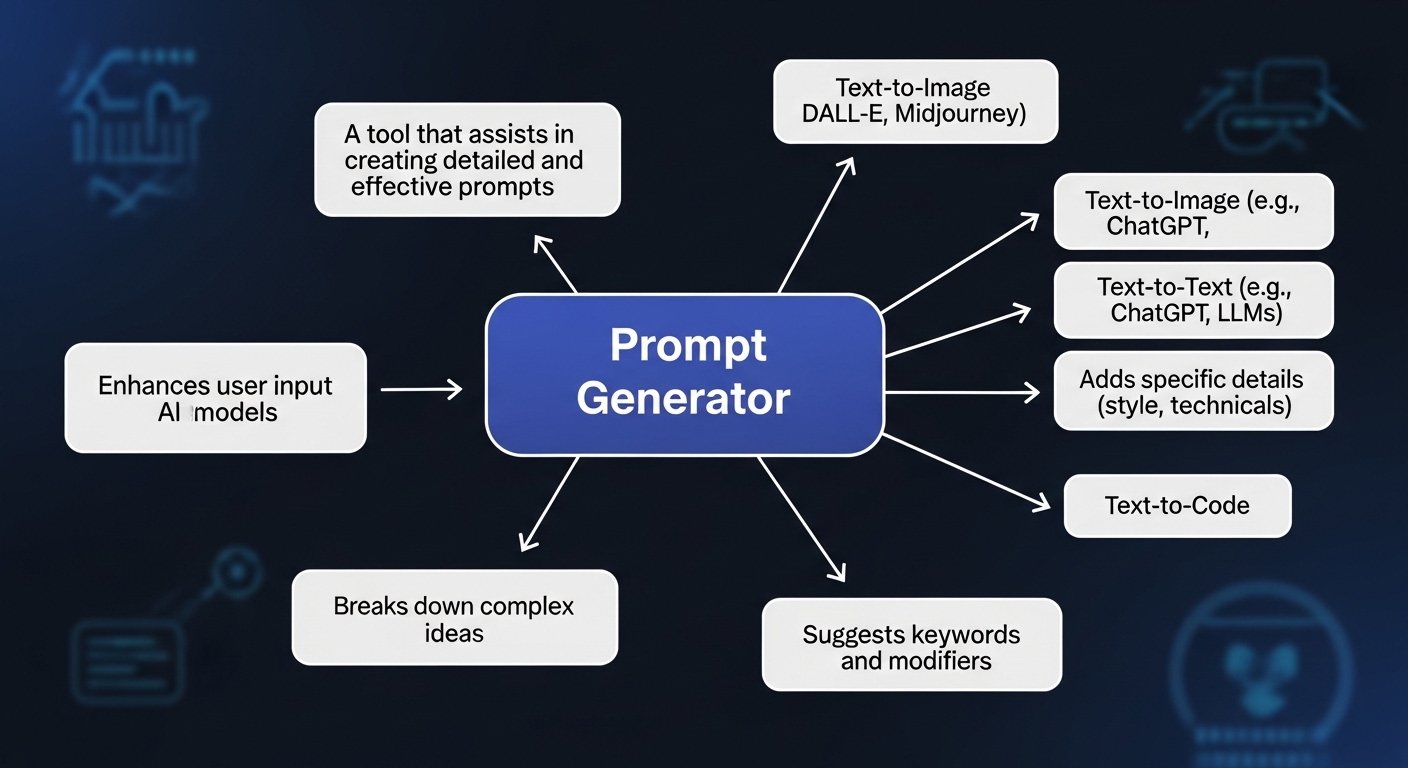
A prompt generator is a tool that helps users create more effective prompts for artificial intelligence systems.

Instead of typing vague requests into an AI chatbot, prompt generators improve clarity, structure and detail so the AI can respond more accurately.

These tools are commonly used for:

  • Blog writing
  • SEO content
  • Storytelling
  • Coding help
  • Marketing campaigns
  • Academic writing
  • Social media content
  • Product descriptions
  • AI image generation
  • Business workflows

In simple terms, a prompt generator acts like an assistant that helps you communicate better with AI.

Also read: What Is Artificial Intelligence?

Are Prompt Generators Worth Using?

What Is a Prompt Generator

Yes, especially if you use AI regularly for content creation, automation or productivity.

Many people assume AI tools automatically produce excellent results. In reality, AI systems depend heavily on the quality of the instructions they receive.

A weak prompt often creates:

  • Generic answers
  • Repetitive content
  • Incorrect context
  • Poor structure
  • Weak SEO writing
  • Unclear outputs

A strong prompt improves:

  • Accuracy
  • Creativity
  • Structure
  • Relevance
  • SEO performance
  • Workflow speed

Prompt generators reduce the trial-and-error process and help users get stronger outputs faster.

How Does a Prompt Generator Work?

Most prompt generators follow a simple process.

Step 1: User Input

You enter a keyword, idea, question or goal.

For example:

  • “Write a product description”
  • “Generate blog ideas about AI”
  • “Create a fantasy story”
  • “Improve SEO content”

Step 2: AI Processing

The prompt generator analyses your request and expands it using AI logic, templates or prompt engineering frameworks.

Step 3: Optimized Prompt Output

The system generates a clearer, more detailed prompt designed to produce stronger AI responses.

For example:

Instead of:

“Write about AI”

A prompt generator may create:

“Write a 1,200-word SEO-optimized article comparing the best AI tools for content creators in Australia, including pricing, ease of use, productivity benefits and limitations.”

That extra structure gives AI significantly more direction.

What Is Prompt Engineering?

Prompt engineering is the process of designing prompts strategically so AI systems produce better responses.

A prompt generator helps automate parts of this process, but prompt engineering goes deeper.

It focuses on:

  • Context
  • Clarity
  • Tone
  • Structure
  • Constraints
  • Output formatting
  • Examples
  • Specificity

Prompt engineering matters because AI does not “understand” requests the way humans do. It predicts patterns based on wording and context.

The better your instructions, the better the output.

Also read: Prompt Engineering

Why Prompt Engineering Matters

What Is a Prompt Generator

A vague prompt often creates vague AI output.

For example:

Weak Prompt

“Write about AI tools.”

The AI may respond with generic information.

Better Prompt

“Write a beginner-friendly 1,000-word article comparing the best AI tools for Australian small businesses in 2026, including pricing, productivity benefits and ease of use.”

The second prompt gives:

  • Audience context
  • Word count
  • Geographic targeting
  • Comparison structure
  • Specific goals

That usually produces much stronger results.

Best Prompt Generator Use Cases

Prompt generators are useful across many industries and content types.

Use Case Example
SEO blogging Blog outlines, keyword prompts
Social media Caption ideas, hook generation
Storytelling Character ideas, plot prompts
Marketing Ad copy, email campaigns
Coding Debugging and code explanations
Education Essay prompts, study questions
Business Reports, workflows, AI automation
AI image tools Midjourney or DALL·E prompts
Customer support AI chatbot workflows

Writeless AI and Prompt Generation

Writeless AI is one of the AI content tools often associated with prompt generation and AI-assisted writing.

It helps users:

  • Generate blog ideas
  • Improve prompts
  • Create SEO content
  • Structure articles
  • Speed up writing workflows

What makes Writeless AI useful is not only content generation but also its ability to refine user input into stronger AI-ready instructions.

For example, if someone enters a simple request, Writeless AI may restructure it into a more detailed prompt that improves the final output quality.

Also read: Writeless AI

ChatGPT Prompt Generator Tools

ChatGPT is powerful, but it performs much better with structured prompts.

A ChatGPT prompt generator helps users:

  • Create clearer prompts
  • Improve AI writing quality
  • Generate better ideas
  • Reduce repetitive responses
  • Improve workflow speed

ChatGPT prompt generators are commonly used for:

  • Blog writing
  • AI research
  • SEO content
  • Email creation
  • Storytelling
  • Script writing
  • Business planning
  • Productivity tasks

Also read: Claude vs ChatGPT and DeepSeek vs ChatGPT

Writing Prompt Generator Tools

A writing prompt generator helps users overcome writer’s block and create structured ideas faster.

These tools are useful for:

  • Bloggers
  • Copywriters
  • Students
  • Journalists
  • Marketers
  • Fiction writers
  • Screenwriters

Examples include:

  • Blog topic prompts
  • Story starters
  • Essay ideas
  • Marketing hooks
  • Social media concepts
  • Product description prompts

A writing prompt generator is especially useful when creativity slows down or deadlines become overwhelming.

Story Prompt Generator Tools

A story prompt generator focuses more on creative storytelling.

These tools generate:

  • Character concepts
  • Plot twists
  • Fantasy worlds
  • Dialogue ideas
  • Mystery scenarios
  • Romance prompts
  • Sci-fi concepts

Writers often use story prompt generators to:

  • Start novels
  • Build creative momentum
  • Break writer’s block
  • Explore unexpected ideas

Also read: Creative Writing Prompts

The Evolution of AI Prompt Generators

Prompt generators used to be very simple.

Early versions mostly:

  • Added keywords
  • Expanded sentences
  • Suggested basic wording

Modern AI prompt generators are much more advanced.

Today’s systems can:

  • Adapt prompts for specific AI models
  • Create SEO-ready instructions
  • Generate tone variations
  • Build structured workflows
  • Suggest formatting
  • Add context automatically
  • Understand user goals better

Some AI prompt tools now specialize in:

  • Midjourney prompts
  • SEO content prompts
  • Business automation prompts
  • AI coding prompts
  • Video generation prompts
  • Academic writing prompts

This evolution is making AI workflows faster and more accessible for everyday users.

Common Mistakes People Make with Prompt Generators

1. Being Too Vague

Weak prompts create weak results.

Example:

“Write a story.”

Better:

“Write a suspenseful short story set in Melbourne involving a missing journalist and AI surveillance technology.”

2. Overloading the Prompt

Too much information can confuse AI systems.

Keep prompts detailed but organized.

3. Ignoring Output Refinement

Even strong prompts still require editing.

AI-generated content should be reviewed for:

  • Accuracy
  • Tone
  • SEO
  • Readability
  • Human flow

4. Expecting Perfect Results Instantly

Prompt engineering often involves testing and refining.

Small wording changes can dramatically improve output quality.

5. Copying Generic Prompts

Using overused internet prompts may create repetitive AI content that lacks originality.

Custom prompts usually perform better.

Best Prompt Generator Features to Look For

If you are choosing a prompt generator tool, look for:

Feature Why It Matters
AI-assisted suggestions Improves output quality
SEO optimization Helps content rank better
Tone customization Useful for branding
Workflow templates Saves time
Prompt history Helps refine prompts
Multi-platform support Useful for ChatGPT, Claude, Midjourney etc.
Content-specific modes Better for blogs, ads or stories
Simplicity Faster learning curve

Prompt Generators and SEO Content

Prompt generators are becoming increasingly important in SEO workflows.

SEO professionals use them to:

  • Build content outlines
  • Create meta descriptions
  • Generate title ideas
  • Improve topical coverage
  • Structure articles
  • Create semantic keyword prompts

However, prompt generators alone do not guarantee rankings.

Good SEO still requires:

  • Human editing
  • Search intent matching
  • Internal linking
  • Originality
  • Readability
  • Experience-based content

Also read: AI Tools and Generative AI

How Prompt Generators Are Changing AI Workflows

How to Use a Prompt Generator

AI prompt generators are shifting how people interact with artificial intelligence.

Instead of needing deep technical knowledge, users can now:

  • Create content faster
  • Build workflows
  • Automate tasks
  • Generate ideas
  • Improve productivity
  • Experiment creatively

This is especially important for non-technical users who want AI benefits without becoming developers or machine learning engineers.

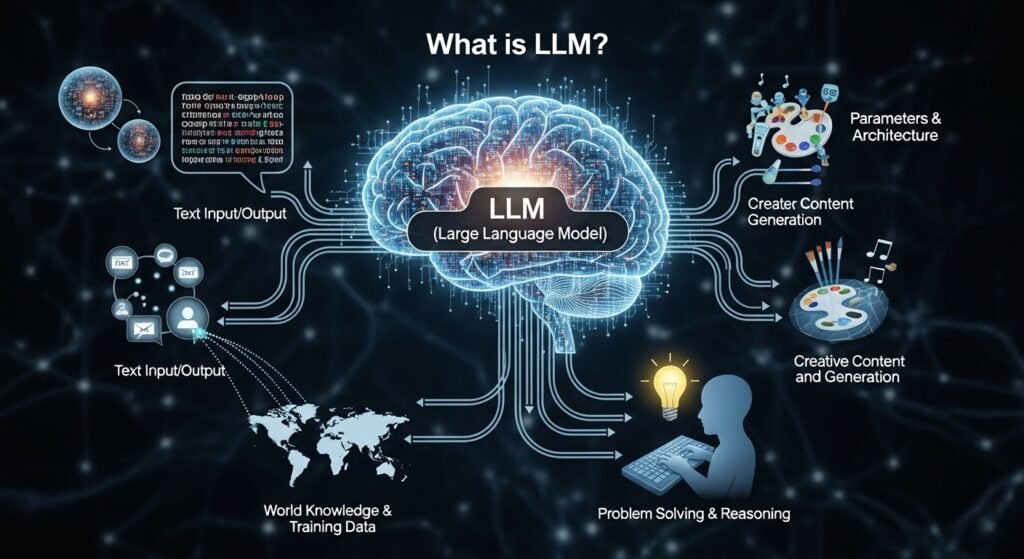
Also read: LLM and How Does AI Work?

Final Verdict: Are Prompt Generators Useful?

Yes. Prompt generators are becoming one of the most practical AI productivity tools for writers, marketers, students, businesses and creators.

They help users communicate more effectively with AI systems and reduce the time spent fixing weak outputs.

However, the best results still come from combining:

  • Prompt generators
  • Prompt engineering
  • Human editing
  • Creativity
  • Clear goals

AI tools are improving quickly, but strong prompts remain the foundation of high-quality AI content.

FAQs About Prompt Generators

What is a prompt generator?

A prompt generator is a tool that helps users create optimized prompts for AI systems like ChatGPT, writing tools and image generators.

How does a prompt generator improve AI output?

It improves clarity, structure and context so AI systems can generate more accurate and useful responses.

Can prompt generators help with SEO writing?

Yes. Prompt generators can help create blog outlines, keyword prompts, meta descriptions and structured AI content for SEO workflows.

What is the difference between a prompt generator and prompt engineering?

A prompt generator creates or improves prompts automatically. Prompt engineering is the broader practice of strategically designing prompts for better AI results.

Are prompt generators useful for storytelling?

Yes. Story prompt generators help writers create characters, plots, settings and creative scenarios.

Is Writeless AI good for prompt generation?

Writeless AI can help refine prompts and generate structured content, especially for blogging and content marketing tasks.

Can prompt generators be used for all AI tools?

Most modern prompt generators work with multiple AI systems including ChatGPT, Claude, image generators and AI writing tools.

Do prompt generators replace human creativity?

No. They support creativity and productivity, but human editing, judgement and originality still matter.


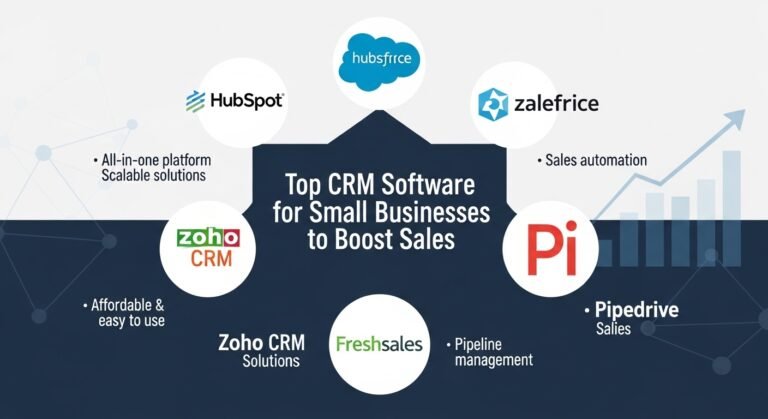
Top CRM Software for Small Businesses to Boost Sales

Running a small business is already a handful. Managing customer relationships, tracking leads, staying on top of sales, and keeping everyone on the same page can get overwhelming fast. That’s where CRM software for small business comes in. A good CRM doesn’t just track customer interactions — it makes your entire process smoother, saves time, and helps you grow. The right CRM Software for Small Businesses is one that’s simple to use, reasonably priced, and capable of managing your leads and customer interactions without creating extra work.

The wrong one adds friction your team will quietly abandon within a month. Below, we break down what to look for, the mistakes to avoid, and how the leading options — KuikWit, HubSpot, Salesforce, and Zoho — actually compare.

Which CRM Software Is Best for Small Business?

Choosing a CRM is like picking the right tool for a job — it depends entirely on your requirements. Some businesses need simple lead tracking; others need deeper automation and reporting. But two things are non-negotiable for a small business: it has to be user-friendly (nobody has time to fight a complicated system) and it has to be affordable without sacrificing the features you actually need.

The most popular options on the market right now are Salesforce CRM, HubSpot CRM, Zoho CRM, and KuikWit. Each is strong in different areas, and we’ll cover them below.

AI CRM Software for Small Business

AI CRM software uses artificial intelligence to automate workflows that used to eat your day — follow-ups, email responses, and lead scoring. For a small team, this is a genuine shift: AI can monitor customer activity, predict the best time to follow up, and surface which products a customer is most likely to want.

KuikWit is one example of AI applied to business communication. It integrates email, WhatsApp, and social messaging into a single inbox, so leads don’t slip through the cracks while you’re switching between apps. The main benefit of automated communication is time saved — particularly when you’re juggling multiple leads at once.

You can explore more on CRM to understand the bigger picture of customer relationship management.

Top CRM Software for Small Businesses

For a small business, a CRM has to fit your existing operations, be easy to use, and stay within budget.

Salesforce CRM is frequently rated one of the most powerful platforms available, with deep analytics, robust automation, and a huge library of integrations. The trade-off: it’s expensive and can feel like overkill for a small team, with a steep learning curve to match.

HubSpot CRM is the more budget-friendly route, and its free tier is genuinely useful — lead tracking, email logging, and pipeline management included. It’s a strong starting point for businesses new to CRM, requiring very little technical skill.

Zoho CRM sits comfortably in the middle. It’s affordable, highly customizable, and offers solid pipeline management, workflow automation, and reporting at a fraction of Salesforce’s cost. For small businesses that have outgrown a free tool but aren’t ready for enterprise pricing, Zoho is one of the best-value options available.

KuikWit is built around simplicity and unified communication, pulling multiple messaging and communication channels into a single platform. It suits businesses that want to streamline customer conversations without app-switching.

You can also explore Softr CRM to see another option tailored for small business needs.

Must-Have CRM Features

So which features should actually drive your decision? Look for a tool that organizes your customer data and improves how you interact with customers:

Lead and contact management. View leads and customers in one place, with easy, structured follow-up.

Sales and marketing automation. Scheduled emails, reminders, and triggered follow-ups cut manual work and reduce human error.

Integrations. Your CRM should work in harmony with the tools you already use — email marketing, accounting software, and social platforms.

Analytics and reporting. Visibility into your sales pipeline, conversion rates, and customer behavior so you can make decisions based on data, not guesswork.

Mobile access. If you’re often on the move, a CRM that works on your phone or tablet is essential.

You can also check out Cloud CRM to understand the flexibility of cloud-based solutions.

Matching a CRM to Your Sales Process

One thing small businesses often overlook is how well a CRM fits their existing sales process. The right CRM automates routine tasks, tracks leads, and gives clear pipeline insight without adding stress. If it’s hard to use or fights your workflow, it ends up hurting more than helping.

This is where a communication-centric tool like KuikWit earns its place — by centralizing conversations and automating follow-ups, it lets sales reps focus on converting leads and closing deals rather than managing scattered messaging tools.

CRM Software: Advantages and Disadvantages

CRM Software for Small Busines

Advantages

  • Easier lead management — always know where each lead sits in the pipeline, which makes follow-up and closing simpler.
  • Consistent customer interaction — all customer data in one place means more personalized service.
  • Time savings — automated emails, reminders, and data entry free you up for higher-value work.
  • Better conversion — improved processes and follow-up typically lift close rates over time.

Disadvantages

  • Learning curve — fully-featured platforms like Salesforce can take real time to master. Simpler options (HubSpot, Zoho, KuikWit) reduce this.
  • Cost — high-end CRMs get expensive at scale, though free tiers (like HubSpot’s) help smaller teams start at no cost.
  • Data overload — without a clear process, you can drown in data that’s hard to act on.

Comparison Table

CRM Software Key Features Pricing Best For
KuikWit All-in-one, multi-channel inbox, automation Free trial; custom plans Small businesses centralizing communication
HubSpot CRM Free plan, lead monitoring, easy to use Free / paid tiers Businesses just starting with CRM
Zoho CRM Affordable, customizable, pipeline management Paid (low entry cost) Flexible, budget-conscious teams
Salesforce CRM Highly customizable, deep analytics, integrations Paid (premium) Complex needs and fast growth

Mistakes to Avoid

Skipping team training. If your team doesn’t know how to use the CRM, it’s worthless. Get everyone aligned from day one.

Ignoring data hygiene. Keep customer data clean and current. A cluttered database makes lead management progressively harder.

Overlooking integrations. Confirm the CRM connects with the tools you rely on — email marketing, accounting, and messaging — before you commit.

Frequently Asked Questions

  1. Which is the best CRM for small business? It depends on your needs and budget. KuikWit, HubSpot, Zoho, and Salesforce are among the most popular choices — KuikWit for unified communication, HubSpot for a free starting point, Zoho for value, and Salesforce for complex requirements.
  2. How does CRM software improve customer relationships? By recording every customer interaction, a CRM lets you personalize service and follow up more relevantly.
  3. Can small businesses use Salesforce CRM? They can, but the licensing fees and implementation costs are steep. Simpler alternatives like KuikWit, HubSpot, and Zoho are often a better fit.
  4. How do I pick the right CRM for my business? Weigh your budget, ease of use, and the features you genuinely need. If centralizing communication is the priority, KuikWit is a strong choice.
  5. What is data hygiene in CRM? The ongoing practice of keeping customer data clean, accurate, and up to date.
  6. Why does CRM software need automation? Automation saves time by handling repetitive tasks like follow-ups and reminders, reducing errors along the way.
  7. How does CRM software boost sales for small businesses? Through more efficient communication, better lead management, and task automation — all of which support higher conversion and stronger customer loyalty.


Claude vs ChatGPT: Which AI Tool Is Right for You?

If you are trying to choose between Claude and ChatGPT, the real answer is not “one is better.” It depends on what you do all day. Writing, coding, research, image work, long documents, team workflows. These tools overlap a lot, sure, but they do not feel identical once you actually use them for real work.

What is Claude AI vs ChatGPT?
Claude AI is Anthropic’s assistant, while ChatGPT is OpenAI’s assistant. Both are general-purpose AI tools that help with writing, coding, analysis, research, and everyday tasks, but they differ in product style, model access, and surrounding features.

Is it worth paying for Claude Pro or ChatGPT Plus?
For many users, yes. Claude offers Pro and Max tiers, while ChatGPT offers Plus and higher tiers. Whether it is worth paying comes down to how often you use the tool and whether you need better access, stronger models, or premium features. ChatGPT Plus is listed at $20 per month on OpenAI’s help page. Anthropic lists Free, Pro, Max, Team, and Enterprise plans on its pricing page.

How do these tools work?
Both systems are large language model products. You type a prompt, the model interprets it, then generates a response based on patterns learned from huge amounts of training data. After that, product features matter a lot too. File handling, context, tools, integrations, memory, image generation, coding agents. That is where the day-to-day difference starts to show.

Claude AI vs ChatGPT

This is the comparison most people are actually searching for. Not the theoretical one. The practical one. Claude tends to be framed by Anthropic as an AI for problem solving, deep work, writing, analysis, and coding, especially with products like Claude Code and its newer Claude model line. ChatGPT, on the other hand, has become more of a broad consumer and professional AI hub.

It handles writing and coding too, obviously, but it also pushes hard into image generation, voice, and a wider tool-style experience in the ChatGPT app. So the feel is different. Claude often comes across as calmer and more document-centric. ChatGPT feels more like a multi-tool that keeps expanding sideways into new modes of use.

What is ChatGPT and where does it fit here?

What is ChatGPt


People still search what is chatgpt because they hear the name everywhere and assume it is the same thing as “AI” in general. It is not. ChatGPT is OpenAI’s chat-based AI product. You use it to draft text, rewrite ideas, explain topics, answer questions, brainstorm, code, generate images, and work through tasks in a conversational way. That sounds broad because it is broad. ChatGPT has become one of those products people open for ten different reasons in the same week. Study help on Monday. Email cleanup on Tuesday. A product draft on Wednesday. An image concept on Thursday. That flexibility is part of why it stays at the center of the conversation. And yes, that also means expectations get weirdly inflated sometimes.

Claude AI

Claude AI has a different brand feel. Anthropic positions it as a problem-solving assistant built for serious work like analysis, writing, coding, and complex thinking. That is not just marketing fluff either. The product pages lean hard into tackling hard problems, handling data, and helping with deeper workflows rather than only casual chat. Anthropic also leans into its “constitution” and safety framing more explicitly than most competitors, which shapes how people talk about Claude’s tone and behaviour. Some users really like that. Others feel it can become a bit cautious depending on the task. Still, if your day involves long documents, structured reasoning, code help, or polishing messy material into something cleaner, Claude has earned a strong place in the conversation for a reason.

ChatGPT AI

ChatGPT AI feels broader in everyday use. OpenAI’s product stack around it keeps growing, and that changes the comparison. You are not only comparing a writing assistant to another writing assistant anymore. You are comparing ecosystems. ChatGPT offers free access, paid tiers, image generation, voice features, and higher-end plans for heavier users. The product feels designed for general use first and specialist depth second, even though it can absolutely handle specialist work. That matters because users do not always want the “best model” in the abstract. They want the handiest tool. The one they can open quickly, ask three things, attach a file, maybe generate an image, and keep moving. ChatGPT is very strong in that kind of everyday flexibility.

Claude Pro vs ChatGPT Plus

This is where the buying decision gets more real. Claude Pro vs ChatGPT Plus is not just a model debate. It is a product access debate. ChatGPT Plus is listed by OpenAI at $20 per month and gives subscribers a more powerful experience with access to premium features and GPT-5.4 in ChatGPT. Claude’s pricing page shows Free, Pro, Max, Team, and Enterprise tiers, though Anthropic’s public pricing page is broader and more plan-based rather than centered around one single consumer tier page. The bigger question is not only cost. It is what you need more often. Better image tools and a more varied app experience? ChatGPT Plus starts to look attractive. Strong long-form drafting, problem-solving, and Claude-specific workflows? Claude Pro becomes easier to justify. The monthly spend is only part of the story. Habit matters more than people admit.

ChatGPT vs Claude for writing, research, and long documents

For writing, both are strong. That is the annoying answer, but it is true. The difference usually shows up in the feel of the output. Claude often gets praised for handling long documents and nuanced rewrites in a way that feels steady and less jumpy. ChatGPT is also strong at rewriting and ideation, but many users like it most when they want breadth, fast iteration, or a more tool-rich workflow around the writing itself. For research-style use, neither should be treated as an unquestionable source. Still. That has not changed. You ask, you get a draft or synthesis, then you verify. Where Claude can feel appealing is when the task is dense and text-heavy. Where ChatGPT can pull ahead is when the task spills into adjacent work like summarising, then converting that into a visual, then refining the copy again. Different rhythm. Different strengths.

Best tool for coding, agents, and technical work

Best tool for coding


This section matters because a lot of users no longer judge these tools by casual chat. They judge them by whether they save real hours. Anthropic is pushing hard here with Claude Code, which is described as an agentic coding tool that understands codebases, edits files, runs commands, and helps developers ship faster. That is a serious statement of intent. OpenAI, meanwhile, positions ChatGPT more broadly, but it also serves coding workflows very well, especially for debugging, explanation, scaffolding, and technical back-and-forth inside the app. If you are doing codebase-aware work and want a product explicitly framed around that, Claude’s developer positioning is hard to ignore. If you want coding help inside a wider general AI workspace, ChatGPT stays very compelling. So the answer changes depending on whether coding is your main job or just one of several things you use AI for in a day.

Claude vs ChatGPT vs Gemini

Once people start comparing two tools, a third name always appears. Usually Gemini. That is normal search behaviour now. Someone looking at claude vs chatgpt vs gemini is usually trying to avoid buyer’s regret rather than chase perfect objectivity. In plain terms, Claude is often associated with careful long-form analysis and serious writing or coding workflows. ChatGPT tends to win attention for product breadth, mainstream familiarity, and multimedia features like image generation. Gemini usually enters the conversation because of Google’s ecosystem and search adjacency. But if your choice is just between Claude and ChatGPT, dragging Gemini in can sometimes blur the decision more than it helps. Better to start with your actual tasks. Long document review. Everyday AI assistant. Team adoption. Coding help. Visual generation. Once you know the job, the shortlist gets less noisy.

Claude.ai, claude.ai, chatgpt com, and chatgpt online

A surprising chunk of search traffic is not informational at all. It is navigational. People type claude.ai, chatgpt com, or chatgpt online because they just want the right site. Claude’s product is available through Anthropic’s Claude experience, and its official consumer-facing entry points live under Anthropic’s Claude pages. ChatGPT’s official product pages live on OpenAI’s site and the ChatGPT app experience. This sounds obvious, but it matters for content strategy. A lot of articles miss the fact that users searching these phrases are not always asking for a definition. Sometimes they just want to land in the right place and figure out plans, features, or sign-in options fast. So yes, search intent around this topic is messier than it looks at first glance.

Free ChatGPT and ChatGPT Plus

The free-versus-paid question is still huge. OpenAI’s pricing page states that the free version of ChatGPT is available to everyone, while paid plans add a more powerful experience and access to newer capabilities. ChatGPT Plus specifically remains the better-known consumer paid tier at $20 per month. For a lot of casual users, the free version is enough. They ask questions, clean up a few drafts, maybe get some study help, maybe write a short email. Done. But once you use it daily, the premium tiers start making more sense. Faster responses, stronger access, better availability, newer features. That is the usual progression. Free gets you in the door. Plus is for people who stop treating it like a novelty and start building it into normal work.

ChatGPT image generator

This is one of the clearest differences in product feel right now. OpenAI has made image generation a visible part of the ChatGPT experience, with official announcements and help documentation showing that users can create images directly in ChatGPT, and newer image systems have been positioned as faster and more precise. That changes the comparison because it expands what ChatGPT is for. You are not only asking it to write or explain. You can ask it to create visuals, edit them, or turn an idea into something you can actually see. Claude, by contrast, is not publicly positioned the same way in its consumer product pages. So if image work matters even a bit to your workflow, social posts, concept mocks, blog visuals, product ideas, then ChatGPT gains a very practical edge. Not theoretical. Practical.

Claude Monet, Corbett and Claude, and why search intent gets weird

This part looks odd, but it is worth saying because keyword lists around AI get messy fast. Claude Monet is the painter, obviously. Corbett and Claude refers to things outside AI contexts depending on the search. These phrases are not relevant to choosing an AI assistant, but they do show how search terms can collide around one word. “Claude” is not a unique enough label on its own. That means a good blog post needs to anchor the AI meaning clearly and quickly. Otherwise it drifts. Readers bounce. Search engines get mixed signals. So if you are optimising content around Claude, you need clarity early. Mention Anthropic. Mention Claude AI. Mention the actual use case. Otherwise you end up competing with art history, names, and totally unrelated branded queries. Not ideal.

Area Claude ChatGPT
Core positioning Problem solving, analysis, writing, coding Broad everyday AI assistant with expanding tools
Official plan framing Free, Pro, Max, Team, Enterprise Free, Go, Plus, Pro, Business, Enterprise
Consumer paid plan visibility Broader pricing page Plus clearly listed at $20/month
Coding angle Strong push via Claude Code Strong coding help inside broader app
Image generation Not a headline consumer differentiator on official pages Officially integrated into ChatGPT
Best fit Deep text work, structured analysis, code-heavy workflows Flexible daily use, multimedia work, all-round assistance

The table looks neat, but real usage never is. People switch tools by task. They use one for a dense draft, one for image ideas, one for quick coding help, one for messy planning. That is actually the normal pattern now. Not loyalty. Utility.

So which one should you actually pick?

If your work is heavily text-based, with long documents, reasoning-heavy prompts, structured writing, and serious code workflows, Claude makes a very strong case. If you want a more all-round tool with broader consumer familiarity, image generation, flexible everyday use, and a wide feature surface, ChatGPT is probably the easier recommendation. That is the honest version. No drama. No fake winner. Just fit. The people happiest with AI tools are usually the ones who stop asking for a universal champion and start asking a simpler question. Which one helps me get through Tuesday faster without making a mess of it. That tends to be the better filter anyway.

FAQs

Is Claude better than ChatGPT for writing?
Sometimes, yes, especially for long, dense, text-heavy work. But ChatGPT is also very strong for writing, especially when the task overlaps with brainstorming, editing, and visual or tool-based workflows.

Is ChatGPT Plus worth paying for?
For regular users, often yes. OpenAI lists ChatGPT Plus at $20 per month, and it offers a more powerful experience with premium access and features.

Can Claude generate images like ChatGPT?
ChatGPT officially supports image creation inside the product. Claude’s official consumer-facing pages do not position it the same way, so ChatGPT is the clearer choice if images matter to your workflow.

What is the official Claude website?
Anthropic’s Claude product pages are the official place to access Claude information, plans, and product details.

Which is better for coding, Claude or ChatGPT?
Claude has a strong developer angle through Claude Code, while ChatGPT remains excellent for broad coding support inside a general AI workspace. The better option depends on whether coding is your main workflow or just one part of it.

If you want, I can also turn this into a WordPress-ready version with meta title, meta description, slug, and internal-link suggestions.


LLM vs Human Writing: What You Actually Need to Know

A large language model is an AI system trained on huge amounts of text so it can predict, generate, rewrite, summarise, and reason through language-like tasks. It does not “think” the way people do, but it can detect patterns in words at a scale that makes it useful for search, coding, support, writing, research, and a lot more. Today, most modern generative AI products sit on top of that basic idea.

What is a large language model?

It is a deep learning model, usually built on transformer architecture, trained on very large datasets so it can understand and generate text.

Is it worth using?

Yes, when the task involves drafting, coding help, summarising, search support, or question answering. Not always, though. Accuracy still depends on the model, the prompt, and the data around it.

How does it work?

At the core, it predicts the next token in a sequence, using patterns learned from massive text corpora and transformer-based self-attention.

When people first hear about this space, they usually start with the obvious question. What exactly are we talking about here. Is it a chatbot. A search engine. A writing tool. A coding assistant. The answer is a bit annoying because it is all of those things, depending on how the system is packaged.

A large language model is really the engine underneath. The visible product might be a chat app, a help desk bot, a developer tool, or an enterprise search assistant. Same underlying family, different use cases. That distinction matters because many articles flatten the topic too much. They explain the tech, but skip the practical part. Or they hype the practical part and barely explain the tech. Neither helps.

What Is LLM?

What Is LLM

If you want the simple version, the phrase usually means a very large AI language model trained on an enormous amount of text so it can continue text, answer questions, summarise documents, translate content, and generate code. Cloudflare describes it as a type of AI program that can recognise and generate text, while AWS explains that these are deep learning models pre-trained on vast amounts of data and built on transformers. That overlap is important. The field uses different wording, but the underlying idea is stable.

The “meaning in AI” part is not just the acronym. It points to a broader shift in how software behaves. Traditional software follows explicit rules. A language model learns statistical patterns from data, then uses those patterns to respond in flexible ways. That is why it can handle messy, natural questions better than a rigid rules engine. Also why it sometimes sounds confident when it should slow down. The flexibility is the strength. It is also the risk.

Another thing people miss: size alone is not the whole story. Bigger models can be more capable, yes, but deployment quality, tuning, retrieval, safety layers, and evaluation matter just as much. A smaller model with strong retrieval can outperform a larger one on a company’s internal knowledge base. So the acronym may look technical and neat. The real-world picture is messier than that.

How It Works Without the Overcomplicated Version

Under the hood, these systems are usually based on transformer architecture. AWS notes that transformers use self-attention to understand relationships between words and phrases, and they can process sequences in parallel rather than one token at a time the way older recurrent systems did. That parallelism is a big reason modern models scaled so fast. It made training on massive datasets more practical.

In practice, the model sees a sequence of tokens and learns to predict what comes next. Not magic. Prediction at massive scale. After enough training, that simple mechanism starts producing surprisingly useful behaviour: drafting emails, explaining code, answering questions, rewriting tone, translating content, even helping with analysis. Cloudflare’s explanation gets to the heart of it by framing deep learning as a probabilistic process over unstructured data. That sounds dry, but it explains why output feels fluid rather than rule-bound.

Then comes fine-tuning or task-specific optimisation. The base model may know a lot of general language patterns, but that does not automatically make it good for legal drafting, medical summarisation, or software engineering. Teams usually add instruction tuning, retrieval, safety controls, tool use, guardrails, or domain-specific prompting. That is where an average assistant becomes a useful one. Or doesn’t.

Why Large Language Models Matter More Than the Hype Cycle

The reason this technology matters is not that it can write a paragraph in three seconds. Plenty of flashy demos do that. The real shift is that one model can support many language-heavy tasks without being rebuilt from scratch every time. AWS highlights this flexibility clearly: the same model family can answer questions, summarise text, translate language, and complete sentences. That multi-purpose nature is what changed the market so fast.

For businesses, that means customer support, document search, workflow automation, internal knowledge access, and drafting tools are now easier to build than they were a few years ago. For individual users, it means faster writing, faster learning, and sometimes a strange feeling that software suddenly understands vague instructions. Not perfectly. But enough to change expectations.

Search is changing because of this too. People no longer only want links. They want synthesis. They want the first pass done for them. That shift is why large language models are now tied to search, copilots, assistants, and productivity platforms. Once users get used to natural-language interaction, going back to rigid inputs feels old quite quickly.

Benefits That Actually Matter in Real Use

The strongest benefit is speed. A good model can turn hours of rough drafting into twenty minutes of editing. That applies to content teams, analysts, support staff, researchers, and developers. The model does not remove expertise, but it reduces blank-page friction. For many teams, that is the first real win.

The second benefit is accessibility. A non-technical user can ask a plain-language question and still get something usable back. Cloudflare points out that these systems respond to unpredictable and unstructured queries, unlike traditional software that expects precise commands. That sounds small. It is not. It changes who gets value from software.

Then there is breadth. One model can power summarisation, Q&A, rewriting, extraction, translation, and chat. That does not mean it is best-in-class at everything. Still, the ability to serve many functions from one AI layer is commercially important. It lowers product complexity, at least at the interface level, even if the backend gets more demanding.

Where Things Break: Hallucinations, Confidence, and Context Gaps

Where Things Break

This is the part that should always sit next to the hype. A language model can produce text that sounds clean, sure, polished, even authoritative, while being wrong. Sometimes slightly wrong. Sometimes very wrong. The problem is not only hallucination. It is presentation. The answer often arrives in a tone people trust.

One practical fix is retrieval-augmented generation. AWS defines RAG as a method that optimises output by letting the model reference an authoritative knowledge base outside its training data before generating a response. In plain terms, you stop asking the model to remember everything and instead let it fetch the right context at runtime. That tends to improve relevance and accuracy without retraining the whole model.

Even then, quality is not automatic. Bad retrieval, stale documents, weak chunking, and poor prompts still create weak outputs. So the mistake many teams make is blaming the model when the system around the model is the real issue. Fair enough. Sometimes the model is the issue too. But not always.

LLM Leaderboard and Benchmarks

People love a leaderboard because it feels decisive. Pick the top model, move on. Real life is not that tidy. Public ranking pages can help, but they measure different things and often blend provider-reported results with third-party evaluations. Vellum’s leaderboard, for example, says it shows current public benchmark performance for state-of-the-art model versions and focuses on more recent, non-saturated benchmarks rather than stale ones. That is useful, but it still needs interpretation.

Benchmarks matter because they create shared tests. Stanford’s HELM project is built around broad, transparent evaluation of foundation models rather than a single vanity score. That is a healthier direction. Different systems behave differently across reasoning, safety, accuracy, instruction following, and domain tasks, so one number rarely tells the full story.

Then there are task-specific evaluations like SWE-bench for software engineering. Its official site explains that SWE-bench Verified is a human-filtered subset and reports the percentage of instances solved. That kind of benchmark is far more useful for coding workflows than a vague “overall smartness” score. So when someone asks about leaderboards, the better answer is this: first decide the task, then choose the benchmark that reflects that task.

Here is a simple way to think about the landscape:

Evaluation type What it tells you Why it matters
General capability leaderboard Broad relative performance across mixed tasks Good for quick market scanning
Holistic benchmark frameworks Performance across multiple scenarios and risks Better for nuanced model selection
Coding benchmarks Ability to solve real software tasks Useful for developer tools and agents
Retrieval-based evaluations How well a system answers using external data Important for enterprise search and internal docs
Human preference arenas Which outputs people tend to prefer Useful, but subjective

That table is simple on purpose. Because people often overcomplicate evaluation talk and still end up picking on brand recognition alone.

Best LLM for Coding

Best LLM for Coding

This depends on what “coding” means in your workflow. Code completion inside an editor is not the same thing as debugging across a large repo. Nor is that the same as acting like an autonomous software agent. SWE-bench exists because ordinary coding demos do not test real maintenance work very well. The benchmark focuses on issue resolution in real repositories, which is a better proxy for serious engineering support.

If you are comparing models for coding, you should look at software-engineering evaluations, tool-use performance, latency, context window, and cost. A model that writes tidy snippets may still struggle with repo navigation, test repair, or multi-file reasoning. This is where public coding leaderboards can help, but only if you read the fine print. Vellum’s coding leaderboard and SWE-bench style measurements are more practical than generic chatbot rankings for developer use.

For teams, the best model is often not the one with the highest raw score. It is the one that fits the stack, handles longer context well enough, integrates with tools, and does not blow up cost at production scale. That answer is less dramatic than “use the smartest one.” Still true. Usually more useful too.

Using a Large Language Model Online

Most people first interact with this technology online through chat interfaces, AI search tools, writing assistants, coding copilots, or embedded support bots. The convenience is obvious. You open a browser, paste text, ask a question, and get a workable answer. For individuals, that low-friction access is why adoption happened so fast.

But online access changes the risk profile as well. You need to think about privacy, data retention, source grounding, and whether the tool is meant for casual public use or business workflows. An online assistant may be fine for brainstorming headlines. It may be the wrong place for confidential financial data, contracts, or private client material. That part still gets ignored far too often.

The other thing worth saying is that an online interface is not the same as a production-grade AI system. A polished chat box can hide weak retrieval, weak governance, or vague source handling. So yes, online tools are convenient. Just do not confuse convenience with reliability.

Real Examples So the Topic Feels Less Abstract

A retailer might use a language model to summarise customer reviews and extract recurring complaints. A law firm might use one for first-pass document classification, though with very careful review. A software company might pair one with repo access, ticket context, and tests to help engineers move faster. A university might use one to answer common admin questions from a verified knowledge base.

In customer support, the model can draft responses, triage intent, and route tickets. In marketing, it can help with ideation, rewrites, and search-focused content structure. In engineering, it can explain unfamiliar code or propose fixes. Cloudflare even points to use cases like customer service, chatbots, online search, and coding support, which lines up with how the market is actually using these systems today.

The more grounded pattern is this: language model plus context plus workflow equals value. Model alone, dropped into a business without structure, usually creates noise before it creates leverage.

Common Mistakes People Make

One mistake is treating the model like a database. It is not. Ask it for exact facts without grounding and you may get plausible nonsense. Another mistake is expecting one prompt to work forever. Good outputs often come from an iterative setup, not a single heroic instruction.

A third mistake is choosing based on hype instead of task fit. A top-ranked general model may still be the wrong pick for cost-sensitive support automation or for a narrow internal knowledge base. This is where benchmark literacy matters. HELM exists partly because single-angle evaluation is too shallow, and AWS’s framing of RAG matters because many real applications depend on current external knowledge rather than frozen training data. And maybe the most expensive mistake of all: no human review loop. People assume that because the output sounds professional, it is production-ready. Sometimes it is. Often it needs editing, validation, or policy checks. That does not make the tool useless. It just means adults still need to stay in the room.

Large Language Model vs Traditional Search vs Rule-Based Software

Large Language Model

A traditional search engine finds documents. A language model can synthesise an answer. Rule-based software follows explicit logic. A language model handles fuzzier inputs and ambiguous wording. That is the short comparison. The longer one is more interesting.

Traditional search is usually stronger when you need traceable sources and broad document retrieval. Rule-based systems are stronger when the process must be deterministic. Language models are stronger when the task is linguistic, variable, and messy. So the best systems often mix all three. Search retrieves. Rules constrain. The model interprets and writes. That hybrid pattern is where things are heading. Not because it sounds clever, but because each component covers a weakness in the others.

Where the Topic Is Going Next

The direction is pretty clear. Better retrieval. Better agent workflows. More realistic evaluations. More domain-specific deployment. Less obsession with raw size, more focus on system quality. The leaderboard culture will stay, because people love rankings, but selection will keep moving toward practical fit rather than pure bragging rights. Benchmarking will also get more specialised. General chat preference scores are not enough for law, medicine, finance, support, or engineering. That is why projects like HELM and SWE-bench matter. They push evaluation closer to real use. Still imperfect. Still evolving. But better than one giant score that pretends every task is the same.

And for regular users, the biggest change may be boring in the best way. These models will just become part of software. Less of a spectacle. More of a layer. Like search, spellcheck, cloud sync. Quietly everywhere.

FAQs

What is a large language model in simple words?

It is an AI system trained on huge amounts of text so it can understand prompts and generate useful language-based output such as answers, summaries, rewrites, and code. Most modern generative AI tools rely on this kind of model underneath.

How do large language models actually work?

They learn patterns from massive datasets and predict the next token in a sequence using transformer architecture and self-attention. After that, many systems add fine-tuning, retrieval, and safety controls to make responses more useful in real tasks.

Are language models the same as search engines?

No. A search engine retrieves documents or pages, while a language model generates or synthesises text. In many modern products, both are combined so the system can retrieve sources first and then produce a grounded response.

Which benchmark should you trust when comparing models?

There is no single best benchmark for every case. Use broad frameworks like HELM for a wider evaluation view, and task-specific benchmarks like SWE-bench when you care about software engineering performance. The benchmark should match the job you need done.

Is a large language model good for business use right now?

Yes, especially for drafting, support, internal knowledge access, summarisation, and coding assistance. But it works best when paired with retrieval, governance, testing, and human review rather than used as a free-floating answer machine.

That is really the shape of it. Not magic. Not useless either. Just a powerful language layer that gets impressive fast, messy fast, and valuable when someone sets it up properly. Then it starts feeling less like a trend and more like infrastructure.


AGI vs AI: What Is the Real Difference in 2026

Look, I got tired of reading the same explanation about this stuff everywhere. So I’m just going to tell you what I actually think about it, because honestly, most people don’t know what they’re talking about when they say “AI.”

What is AI? The Thing We’re Actually Using Right Now

So AI is basically… okay, imagine you have someone who’s really, really good at one specific job. That’s what we have now. Your phone camera knows your face because it’s been trained on millions of faces. Netflix knows what you want to watch. ChatGPT can write emails. These systems are narrow. Laser-focused. They can’t really pivot.

The AI meaning that matters right now is this: software that’s gotten really good at recognizing patterns from tons of data. That’s genuinely impressive technology. Don’t get me wrong. But it’s still just pattern recognition dressed up in fancy language.

I remember when people first started using ChatGPT, everyone thought it was magic. It could write. It could code. It could explain things. And yeah, it’s useful. I use it. But then someone asked it to do something totally outside its training, and suddenly you see the seams. It doesn’t actually understand anything. Want to understand better? Check out this explainer on how AI actually works at a technical level. It predicts what words should come next based on probability. The illusion of understanding is there, but the actual understanding? Not really.

What is AGI? The Thing That Might Break Everything

What is AGI

AGI is different. Like, genuinely different in a way that’s hard to overstate.

AGI meaning is artificial general intelligence. It’s a system that could do what humans do. Any task. Any problem. You wake it up and explain something it’s never seen before, and it just… figures it out. Like your brain does when you encounter new situations.We don’t have this. We might never have this. That’s the honest answer.The whole AGI vs AI thing is basically asking: do we have a calculator or do we have a mind? Right now we have calculators that are really good at specific math. We don’t have minds. We might never build minds. We don’t actually know if human-like intelligence can be replicated in silicon.

What we do have right now is generative AI—systems that can create content. Write text. Generate images. That’s different from just analyzing or recognizing patterns. But it’s still narrow. Still specialized. Still not general intelligence.I’ve been following this space for a few years, and what strikes me most is how many people talk confidently about AGI timelines when the truth is we’re kind of shooting in the dark. Some researchers say five years. Some say a hundred. Some think we’re on completely the wrong track and need entirely new approaches. They can’t all be right, but they’re all serious people.

Breaking This Down: The Actual Differences

Here’s what actually separates these two things:

Scope. AI today does one thing. Maybe multiple related things if you’re generous. But it stays in its lane. AGI would theoretically handle anything.

Transfer of knowledge. If you learn Spanish, you can sort of understand Portuguese. Your brain transfers knowledge between related domains. AI can’t do this. It needs to be retrained. Rebuilt. Refocused.

Problem-solving. AI finds solutions in the data it was trained on. It pattern-matches. It predicts. It doesn’t actually reason through novel problems. An AGI system would reason. It would ask clarifying questions. It would know what information it’s missing.

Real understanding. This is probably the biggest one. AI systems can simulate understanding really convincingly. They can write persuasive arguments they don’t believe in. They can explain concepts they don’t actually grasp. AGI would actually understand. It would know why things work, not just how to describe them.

What’s Different Current AI (Narrow) Theoretical AGI (General)
Can do multiple unrelated tasks? Nope. Needs retraining Yes. Seamlessly
Requires new data per domain? Always Never
Understands causality? No, just correlation Yes, actual reasoning
Can learn on its own? Limited, mostly supervised Should be adaptive
Exists right now? Very much yes No. Hypothetical

Okay But What Does AGI Actually Mean For People

AGI Actually Mean For People

I think this is where most discussions fall apart. Everyone’s arguing about whether AGI is 10 years away or 200 years away or impossible, and meanwhile actual AI is completely transforming how people work and live right now.Narrow AI is already replacing jobs. Creating new ones. Changing how we write, create art, analyze data, diagnose diseases. That’s happening today. The economic disruption is real. The ethical questions are real. The jobs disappearing and appearing are real.

But then there’s this theoretical AGI conversation, and it feels like science fiction by comparison. It might matter enormously if it ever happens. Or it might be irrelevant. We don’t know. What we do know is that the current AI revolution is already here.When I talk to people in different industries, they’re all dealing with the same thing: how do we use these narrow AI tools effectively? How do we retrain people? How do we stay competitive? Nobody’s worrying about AGI showing up next quarter. They’re worrying about GPT-5 or whatever’s next, and how to adapt to that.

How These Systems Actually Work (Or Don’t)

Current AI works through machine learning. You throw data at it. It builds patterns. It outputs predictions. You feed it examples of dog pictures labeled “dog” and cat pictures labeled “cat.” It learns the patterns. Then when you show it a new picture, it guesses based on those patterns.

This is genuinely clever engineering. But it’s still fundamentally mechanical. It’s sophisticated prediction.AGI would need something fundamentally different. It would need to understand causality. To model how the world actually works. To transfer knowledge between domains. To recognize when two totally different situations are actually analogous. To reason through novel problems without training data.Some researchers think maybe we just need to scale up what we have now. Make it bigger. Train it longer. Eventually it emerges. Others think we’re hitting a wall and need completely new ideas. Nobody really knows.

The Part About What Experts Actually Believe

Here’s something I find genuinely interesting. When you read what top AI researchers actually say, there’s massive disagreement. Like, embarrassingly huge disagreement.

Some of them think AGI is inevitable and close. Others think it might be impossible. Others think we’re not even on the right path. If these are the people working on it full-time, and they disagree this much, what does that tell you? It tells you we don’t have a map. We’re exploring.The timeline predictions are wild. Demis Hassabis (running DeepMind) talks about AGI like it’s plausible this decade. Other researchers laugh that off. Yann LeCun (Meta’s AI chief) thinks we’re missing fundamental pieces. Geoffrey Hinton worries about safety risks. They’re not dummies. They just genuinely don’t know.

Why the Distinction Actually Matters (And Why It Doesn’t)

It matters because it helps you understand what’s actually happening versus what’s speculation. When someone’s hyping “the future of AI,” are they talking about improvements to current narrow AI? That’s real. That’s happening. Or are they talking about AGI? That’s theoretical.It matters because it affects how you think about your career. If narrow AI is improving every year, you need to adapt now. That’s practical. If AGI shows up in five years and disrupts everything, that’s a totally different scenario, and honestly, probably nothing you can do about it anyway.

It doesn’t matter in the sense that worrying about AGI when you could be learning current AI tools is kind of backwards. Focus on what’s actually relevant to your life.

What About The Safety Concerns Everyone Talks About

People get scared about AGI because if something that intelligent existed and we couldn’t control it… yeah, that could be bad. Really bad. The alignment problem is real. If a system that powerful doesn’t actually want the same things you want, that’s a fundamental issue.But here’s the thing. Current narrow AI has safety concerns too. It has bias. It can be manipulated. It can perpetuate unfair patterns. Those problems are real and happening now. The AGI safety stuff is important to think about, but it’s not why AI is already changing the world. The narrow AI safety stuff is.

The Honest Truth About Where We Actually Are

We’re in the narrow AI era. This is the era where machines are incredibly good at specific tasks. Image recognition. Language processing. Game-playing. Pattern detection. These are transformative technologies. They’re real. They’re working. They’re creating and destroying value right now.

The AGI conversation? It’s interesting. Worth thinking about. Worth being careful about. But it’s not what’s happening this year or next year. It’s speculation about what might happen eventually.If I had to guess? I’d say AGI might be 20-50 years away if it’s possible at all. But I could be wildly wrong. We don’t have enough information to know. What we do know is that narrow AI is going to keep improving, and that’s going to keep changing everything.

What Actually Matters If You’re Trying To Stay Relevant

Learn current AI tools. Actually learn them. Don’t just use ChatGPT casually. Understand what it can and can’t do. Understand its limitations. Understand how to actually extract value from it.

Stay curious about AGI but don’t obsess over it. Read about it. Follow the discussion. But remember that nothing is certain and most predictions are probably wrong anyway.Think practically. How does current AI affect your industry? Check out quiet technologies that might be subtly transforming your space. How do your competitors use it? How can you add value in a world where narrow AI is increasingly common? That’s the real question.

For deeper technical understanding, explore specialized technology resources that can help you stay current with developments in the field.And honestly, if you’re not using these tools yet because you think they’re overhyped, you’re probably behind. They might be overhyped in terms of capabilities, but they’re genuinely useful for a lot of things. The people getting value aren’t the ones debating whether AGI is 10 years away. They’re the ones actually using current AI to do work better.

Questions People Actually Ask About This Stuff

What exactly is AI in terms I can understand?

Software that learns patterns from examples and then uses those patterns to do something. Recognize faces. Recommend movies. Write text. It’s prediction at scale. Not consciousness. Not understanding. Pattern recognition that happens to be useful.

So what is AGI meaning exactly?

A theoretical system with general intelligence. Could do anything a human can do intellectually. Doesn’t exist. Might never exist. We don’t know how close we are or if current approaches even work.

Is AI just fancy automation?

Sort of, but not exactly. Automation is doing the same thing repeatedly. AI is learning from examples and adapting. There’s a difference. You can automate turning on a light. You can’t really automate recognizing faces without machine learning. Well, you can try, but it would be terrible.

When will we actually have AGI?

Honest answer? Nobody knows. Could be 10 years. Could be never. Could be 200 years. The experts disagree massively. Anyone telling you they’re certain is either lying or overconfident.

Should I actually be worried about this?

About current AI? Yes, in the sense that you should understand it and use it effectively. About AGI? Not right now. Worry about things affecting your life in the next five years. That’s narrow AI. The AGI stuff is long-term speculation that you can’t really plan for anyway.

So here’s the thing. Most people mix these up because “AI” has become this umbrella term for everything from Netflix recommendations to theoretical future super-intelligence. They’re different categories of things. Current AI is changing everything right now. That’s the real story. AGI is an interesting maybe that nobody actually knows about. Both matter, but they matter in different ways for different timeframes. The practical move is understanding what we have, using it well, and staying informed about what might come next without losing sleep over it.

How to Use Teachable Machine Easily in 2026

You don’t need a PhD. You don’t need a data science background. Google’s Teachable Machine lets you build a working machine learning model in your browser — drag in some images, hit train, done. It sounds too easy, but honestly? It kind of is. And that’s exactly the point.

Question Short Answer
What is Teachable Machine? A free, browser-based tool by Google that lets anyone train custom ML models without code.
Is it worth using for real projects? Absolutely — educators, designers, and small devs use it regularly. Has real export options too.
How does it work? You upload examples, it trains on them in real time, then you can export the model or embed it.

How Google’s Teachable Machine Actually Works

At its core, Teachable Machine uses transfer learning. That’s a fancy phrase for something pretty practical — instead of building a model from scratch, it takes a pre-trained neural network (usually MobileNet for images) and fine-tunes it based on your own examples. If you want a solid grounding in how this fits into the bigger picture, this overview of machine learning is worth a read before you dive in. So when you show it 30 photos of your cat and 30 photos of your dog, it’s not starting from zero. It’s borrowing knowledge from a model that already understands shapes, textures, edges — and just learning the last bit.

The whole process runs inside your browser. No server uploads, no waiting. You open the site, pick a project type — image, audio, or pose — and start feeding it data. You can use your webcam in real time or upload files. Once you hit ‘Train Model,’ it runs locally using TensorFlow.js. The feedback is instant. Within seconds, you can point your camera at something and watch it classify live.

It’s remarkably clean. There are no confusing settings unless you click into ‘Advanced,’ where you can tweak epochs, batch size, and learning rate. Most people never touch those. And honestly, for the kinds of tasks Teachable Machine is built for — recognition tasks with clear categories — the defaults work surprisingly well.

Why Educators and Designers Are Actually Using This

Why Educators and Designers Are Actually Using This

The tool got popular in schools first. Teachers were using it to explain AI without having to explain Python. You train a model that tells the difference between thumbs up and thumbs down, and suddenly students understand what training data means, what a label is, why more examples matter. That’s real learning — not just theory.

But it spread beyond classrooms. Designers started using it for interaction prototypes. Accessibility researchers built gesture-based interfaces. Artists made installations that respond to body movement. Someone on Reddit built a plant disease detector for their garden using nothing but a phone camera and Teachable Machine. It took them an afternoon.

The export options are part of what makes it genuinely useful beyond demos. You can export your model as a TensorFlow.js file for web projects, a TensorFlow Lite model for mobile apps, or a standard TensorFlow SavedModel for more serious deployment. If you’re thinking about scaling that further, it helps to understand the specialized technology resources available to developers at different stages. That covers a lot of ground. It’s not just a toy anymore once you realise you can pull that model into a real app.

Teachable Machine vs Other No-Code ML Tools

Tool Best For Export Options Learning Curve Free Tier
Teachable Machine Quick prototypes, education TF.js, TFLite, SavedModel Very Low Fully Free
RunwayML Creative/generative AI Video, image outputs Low-Medium Limited
Lobe.ai Image classification apps TFLite, ONNX, TF Low Free
AutoML (Google Cloud) Production ML pipelines Cloud deployment Medium-High Paid (credits)
CreateML (Apple) iOS/macOS apps Core ML Low (Mac only) Free with Xcode

Real Examples People Are Actually Building

Let’s get specific. Because the use cases are more interesting than ‘classify cats and dogs.’

Gesture-Based Instrument Control

Musicians and sound designers have trained models to recognise hand positions through a webcam, then wired those classifications to MIDI controls using p5.js. You raise your left hand — the reverb increases. You tilt your right — it changes pitch. None of this required writing ML code. They used Teachable Machine for the recognition layer and JavaScript libraries for the audio side. Rough around the edges? Sure. But functional enough to perform live.

Sorting Physical Objects on a Conveyor Belt

A small manufacturing hobbyist (a maker, really — home workshop type) built a simple belt sorter that could tell screws from bolts from washers. He used a Raspberry Pi, a camera, and a TFLite model he exported straight out of Teachable Machine. Trained in under an hour. Deployed the same afternoon. This kind of project is a good example of what people call quiet technologies — tools doing real work in the background without any fanfare. The accuracy wasn’t perfect — around 87% — but for sorting hardware into bins, good enough. That’s the whole vibe of this tool. Not perfect. Good enough, fast.

Sign Language Letter Recognition Prototypes

Accessibility developers have been using the pose and image classification features to prototype sign language recognition tools. None of these are production-ready. But they’re proof-of-concept fast — you can show a client or a grant committee something that actually runs in a browser within a day. That matters a lot when you’re trying to get funding or buy-in for a longer project. It’s also the kind of practical, community-focused work that applied technology centres are increasingly championing in 2026.

Mistakes People Make When Using Teachable Machine

Mistakes People Make When Using Teachable Machine

The most common one — not enough data per class. People train with 10 images per category and wonder why accuracy is terrible. The tool itself doesn’t stop you from doing this, and the training UI doesn’t warn you loudly enough. Aim for at least 50-100 varied samples per class. Different lighting, angles, backgrounds. If all your ‘apple’ photos are taken on the same white table, your model is going to struggle the moment you put a real apple on a wooden surface.

Another one: training too many classes at once. If you’re starting out, stick to two or three categories. More than five and you’re asking for a lot from a model that’s running in a browser with limited training time. It can work, but the accuracy drop is real and confusing if you don’t understand why.

People also forget about background variation. Your model learns everything in the frame, not just the object you care about. If you always hold a pen against a blue wall, and you later test it against a white wall — it might fail. Because it learned ‘blue wall + pen-ish shape = pen.’ That’s not a Teachable Machine problem specifically, it’s a classic data collection mistake. But it trips up beginners constantly.

A Quick Data Quality Checklist

What to Check Why It Matters
Varied backgrounds per class Prevents the model from learning background instead of object
Consistent lighting variation Real-world conditions differ from your desk lamp setup
Minimum 50+ samples per class Below this, accuracy gets unpredictable
Test with unseen data Don’t test with the same images you trained on
Balance classes evenly Unequal class sizes cause bias toward the larger class

Integrating a Teachable Machine Model Into a Real Web App

Once you’ve trained something useful, you don’t have to keep it inside the Teachable Machine interface. Export it as a TensorFlow.js model and you get a folder with a model.json file and some weight files. Drop those into your web project, reference them in your HTML, and you’re loading your own custom AI model.

The code to run inference is about 10-15 lines of JavaScript. Google provides sample snippets directly on the export screen. You load the model, set up a prediction loop, and pass in image frames from a canvas or video element. The output is an array of class probabilities — you just pick the highest one and act on it. That’s it.

Wiring it to something interactive — like changing background colours based on what the camera sees, or triggering sounds — is a front-end JavaScript task. Not a machine learning task. That’s the whole point of this tool. The ML part is done. What you do with it is your call. And if you’re thinking about how this kind of project fits into a broader tech strategy, organisations like Global Technology Associates are worth looking at for context on how small AI deployments fit into enterprise thinking.

Full FAQ — Questions People Actually Ask

1. Is Teachable Machine free to use?

Yes, completely. No account required either — though you’ll need to sign in with a Google account if you want to save your project to Google Drive. Otherwise, you can just download the model files directly. There are no paid tiers, usage limits, or hidden costs. Google built it as an educational tool and it’s stayed that way.

2. Can I use Teachable Machine models in a commercial project?

You can export and use the model in your own projects, including commercial ones. The model weights you create belong to your training data. That said, the underlying architecture (MobileNet) has its own Apache 2.0 licence, which is commercially permissive. Just don’t redistribute the Teachable Machine interface itself as your own product.

3. How accurate are Teachable Machine models for real applications?

Accuracy depends almost entirely on your data quality and task difficulty. Simple, visually distinct categories with good training data can hit 90-95% accuracy easily. Complex tasks — subtle differences between similar-looking objects, or recognition in highly variable conditions — will struggle. For demos and prototypes, the accuracy is more than adequate. For production systems handling safety-critical decisions, you’d want a more robust pipeline.

4. What’s the difference between Teachable Machine and training a model from scratch?

From scratch means building the neural network architecture, initialising weights randomly, and training on a massive dataset — we’re talking potentially millions of samples and days or weeks of GPU time. Teachable Machine uses transfer learning, starting from a model already trained on ImageNet’s 14 million images. If you’re new to all of this and want context on the fundamentals, this explainer on what artificial intelligence actually is is a good starting point. You’re only teaching the model the last classification step. Much faster, much less data needed, but also less flexible for highly specialised tasks.

5. Can Teachable Machine handle audio recognition?

Yes — that’s one of the three project types. You train it on short audio samples (recorded or uploaded). It works well for simple, distinct sounds: clapping vs snapping, spoken commands, specific environmental noises. It uses a spectrogram-based approach under the hood, converting audio to a visual frequency representation and then classifying that. Works reasonably well. Not suitable for complex speech recognition — for that you’d want something like Whisper or a dedicated ASR model.

6. Does Teachable Machine store my training data on Google’s servers?

No, by default. Training happens entirely in your browser. Your images, audio, or pose data never leave your device unless you explicitly choose to save your project to Google Drive. This is actually a big deal for privacy-conscious use cases — schools, healthcare demos, anything involving faces or personal images. The model runs locally using TensorFlow.js.

7. What are the limitations compared to proper ML platforms?

Quite a few. You’re limited to classification tasks — you can’t do object detection (bounding boxes), segmentation, or regression. The model architecture is fixed to MobileNet variants. Training dataset size has practical browser limits. You have minimal control over the model beyond the advanced hyperparameters. And the model size means it’s not going to compete with production models on complex tasks. Think of it as a prototyping and education tool, not a replacement for proper ML workflows.

8. Can I retrain a Teachable Machine model later with new data?

You can load a saved project back in and add more training examples, then retrain. It doesn’t do true incremental learning — it retrains from the same starting point each time. So if you add new images and retrain, it processes all your data again. This is fine for small datasets. For very large collections it can get slow in the browser, and at that point you’d be better off moving to a proper framework like TensorFlow or PyTorch.

So — Worth Your Time?

If you’re trying to understand machine learning for the first time, yes, absolutely, If you’re a teacher who needs to make AI tangible for students who’ve never coded, this is probably the fastest path to that. If you’re a designer or maker who wants to prototype something interactive without hiring an ML engineer, it’s a genuinely practical tool.

It won’t replace a real ML pipeline for anything serious. That’s not what it’s for. But as a first step, a proof-of-concept generator, or just a way to see what’s actually possible — it’s hard to argue against something free, fast, and that runs in your browser.

Train something weird. Point it at your houseplants. Make it recognise your coffee mug versus your water bottle. The first time it works — and it will — something clicks. That’s the real value here.