
Home Blog Page 2

How to Optimise Your Google Business Profile to Rank Higher in Local Search

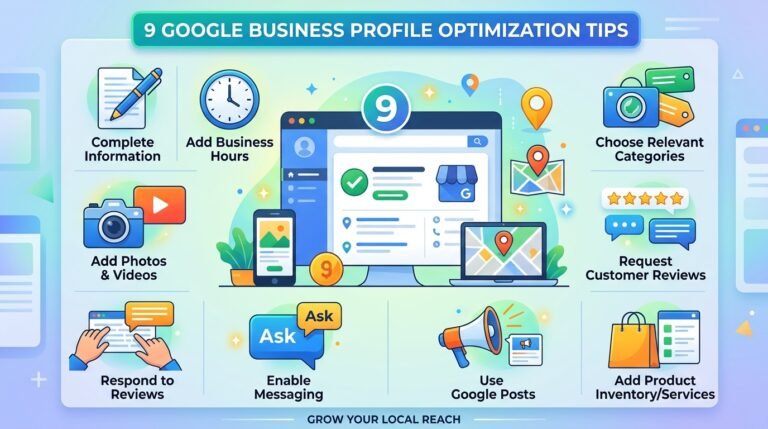
If your business cannot be found easily on Google, you are probably losing customers every single day. That is why google business profile optimization has become one of the most important local SEO strategies for modern businesses.

When someone searches for a nearby service, restaurant, clinic, agency, or shop, Google usually shows local listings before websites. Those listings influence calls, clicks, directions, bookings, and trust almost instantly.

Many businesses assume creating a profile is enough. It is not. A neglected Google Business Profile quietly loses visibility over time, even when the business itself is excellent.

This guide explains how Google Business Profile optimization really works, why it matters for local SEO, and what businesses should focus on if they want long-term visibility instead of short-term tricks.

What Is Google Business Profile Optimization?

Google Business Profile optimization is the process of improving a business listing so it performs better in local Google search results and Google Maps.

This includes optimizing:

  • Business information
  • Categories
  • Photos
  • Reviews
  • Services
  • Local relevance
  • User engagement
  • Trust signals
  • Business activity

The goal is simple: help Google understand your business clearly while making customers trust your listing immediately.

A fully optimized profile increases the chances of appearing in:

  • Local map packs
  • Nearby searches
  • “Near me” searches
  • Mobile local results
  • Voice search queries

Businesses investing in local SEO often combine profile management with broader search optimization services for stronger visibility growth.

Why Google Business Profiles Matter More Than Ever

Your Google Business Profile is often the first impression customers get.

Before someone visits your website, they usually see:

  • Reviews
  • Photos
  • Business hours
  • Phone number
  • Directions
  • Services
  • FAQs

That tiny box on Google shapes trust very quickly.

If the information looks incomplete, outdated, or inactive, many users simply choose another business instead.

This is why local SEO today is less about manipulation and more about consistency, credibility, and accurate information.

Google Business Listing Optimization Starts With Accuracy
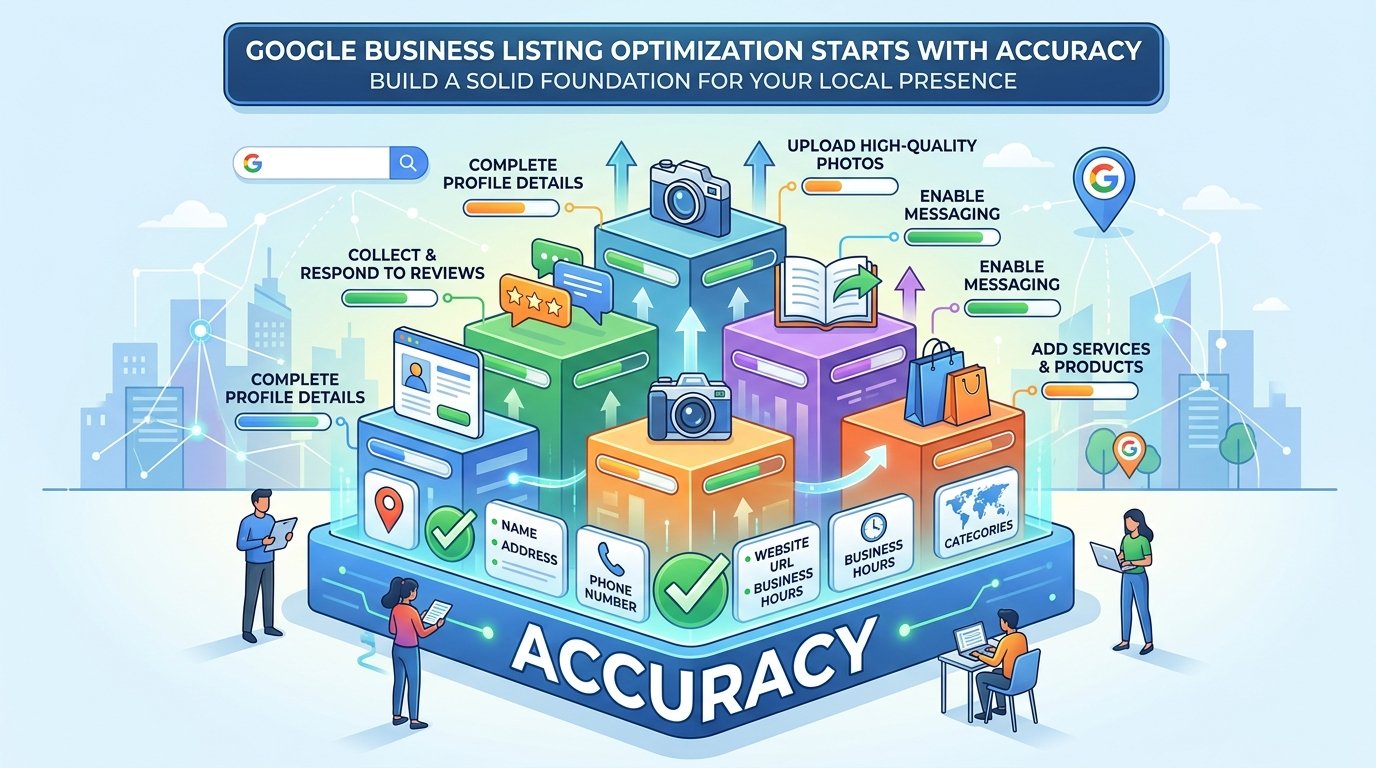
Google Business Listing Optimization Starts With Accuracy

The foundation of every optimized profile is accurate business information.

Your:

  • Name
  • Address
  • Phone number
  • Website
  • Hours
  • Categories

must remain consistent everywhere online.

Google uses consistency as a trust signal. Even small differences can create confusion for search engines.

For example:

  • Different phone numbers
  • Old addresses
  • Inconsistent business names
  • Duplicate listings

can weaken local ranking signals over time.

Businesses should also regularly verify technical details connected to their website infrastructure. Even something as simple as understanding what a DNS server is can help prevent local visibility problems caused by technical errors.

Google My Business SEO Is Different From Website SEO

Google my business SEO does not work exactly like traditional SEO.

Website SEO focuses heavily on:

  • Backlinks
  • Content depth
  • Technical optimization
  • Internal linking

Google Business Profile rankings rely more on:

  • Relevance
  • Proximity
  • User behavior
  • Reviews
  • Engagement
  • Listing completeness

Google pays close attention to real-world behavior signals such as:

  • Calls
  • Direction requests
  • Click-through rates
  • Review activity
  • Photo engagement

That is why stuffing keywords into your business description rarely helps long term.

Instead, businesses should focus on creating a trustworthy, active, and accurate profile.

Why Regular Updates Matter

Many businesses create a profile once and never touch it again.

That is a mistake.

Google notices inactivity surprisingly quickly.

Regular updates help signal that your business is active and legitimate. Useful updates include:

  • New photos
  • Service additions
  • Updated hours
  • Posts
  • Product listings
  • Event updates
  • Attribute changes

Fresh activity quietly improves trust signals over time.

Businesses already tracking SEO performance with platforms like Google Search Console often notice how local visibility and profile engagement influence overall traffic quality.

Reviews Influence Rankings and Customer Decisions

Reviews affect both visibility and conversions.

A business with stronger reviews usually performs better because people trust other customers more than marketing claims.

However, businesses often misunderstand review strategy.

The goal is not “getting perfect reviews.” The goal is building authentic trust consistently.

Good review practices include:

  • Asking happy customers naturally
  • Responding professionally
  • Addressing complaints calmly
  • Avoiding fake reviews
  • Staying active

Negative reviews are not always harmful. Sometimes thoughtful responses actually build more trust than perfect ratings.

Understanding how customers leave reviews also matters. Businesses that guide customers naturally often receive better engagement without sounding pushy.

Google Business Manager Helps Multi-Location Businesses

Businesses with multiple locations often struggle to maintain profile consistency.

That is where Google Business Manager becomes important.

It helps businesses:

  • Manage multiple locations centrally
  • Control permissions
  • Standardize information
  • Organize teams
  • Maintain branding consistency

Without centralized management, profiles often drift apart in quality and accuracy, which eventually impacts rankings.

This becomes especially important for agencies, franchises, healthcare groups, and multi-location service businesses.

Google Business Profile Reinstatement After Suspension

One of the most stressful situations businesses face is profile suspension.

A suspended profile can dramatically reduce visibility overnight.

Common reasons include:

  • Address inconsistencies
  • Guideline misunderstandings
  • Suspicious edits
  • Duplicate listings
  • Verification issues

Google business profile reinstatement often requires patience and proper documentation.

Businesses should avoid panicking and making repeated random edits. Clear evidence, accurate business details, and careful appeals usually work better than emotional responses.

Google My Business Optimization Service vs DIY

There is a difference between doing basic optimization and hiring a professional google my business optimization service.

A quality service focuses first on fundamentals:

  • Accurate business setup
  • Proper categories
  • Local relevance
  • Review management
  • Ongoing activity
  • Consistency

Advanced tactics only matter after the basics are handled properly.

This is why experienced local SEO specialists often outperform businesses trying random “ranking hacks” from outdated online advice.

Businesses serious about long-term local visibility often combine profile management with broader digital marketing strategies like content marketing strategy and SEO vs SEM planning.

Google Workspace and Professional Trust

Using a professional business email helps build credibility.

Businesses using:

  • Google Workspace Business Starter
  • Google Workspace Business Standard

often appear more trustworthy than businesses using free personal email accounts. Professional email alone does not improve rankings directly, but it improves operational consistency, communication quality, and brand perception.

These small trust factors quietly influence customer confidence over time.

Common Google Business Profile Mistakes

Many businesses lose rankings due to avoidable mistakes.

Common issues include:

  • Ignoring profile updates
  • Choosing incorrect categories
  • Using keyword-stuffed names
  • Having inconsistent business information
  • Uploading poor-quality photos
  • Neglecting reviews
  • Forgetting seasonal hour updates

Most ranking declines happen slowly through neglect rather than sudden penalties.

That is why consistency matters more than shortcuts.

Common Questions

What does Google Business Profile optimization do?

It improves a business listing’s visibility, trust, engagement, and local search performance on Google Maps and local search results.

Is Google Business Profile optimization important for small businesses?

Yes. Small businesses rely heavily on local visibility, especially for mobile and “near me” searches.

How often should I update my Google Business Profile?

Profiles should be reviewed regularly. Updates to photos, services, hours, and posts help maintain activity signals.

Can bad Google reviews be removed?

Only reviews violating Google guidelines can usually be removed. Most businesses should focus on professional responses instead.

Is Google Business Profile optimization different from SEO?

Yes. Local profile optimization focuses more on proximity, trust, reviews, and engagement rather than backlinks alone.

Do I need a Google My Business expert?

Not always, but businesses with competition, multiple locations, or declining rankings often benefit from professional management.

Conclusion

Effective google business profile optimization is not about gaming Google. It is about building clarity, trust, consistency, and relevance over time.

Businesses that maintain accurate listings, update profiles regularly, manage reviews professionally, and stay active locally usually perform much better in local search.

The businesses winning local SEO today are rarely the loudest. They are usually the most consistent.

If your business depends on local customers, your Google Business Profile is no longer optional marketing. It is part of your digital storefront.

And just like any storefront, it needs attention if you want people to walk through the door.
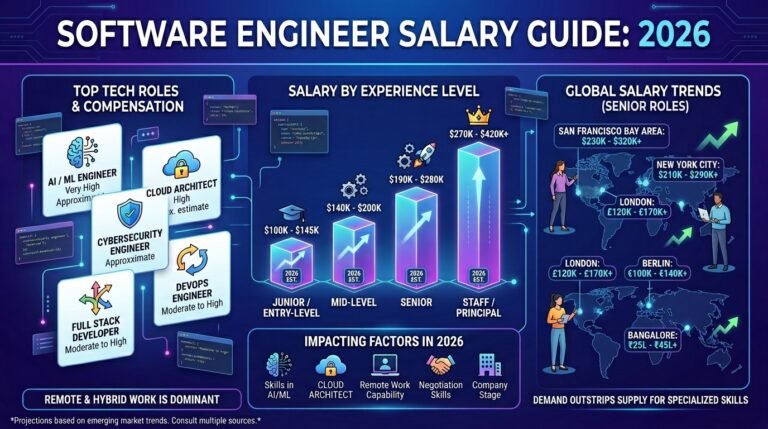
Software Engineer Salary Guide in 2026

The demand for software engineers keeps growing worldwide, but so does curiosity around one major question: what is a realistic software engineer salary in 2026?Some developers see viral posts online claiming engineers earn hundreds of thousands of dollars at Google, Meta, or Amazon. Others hear stories about layoffs, automation, and AI replacing coding jobs entirely. The truth sits somewhere in the middle.

Software engineering is still one of the highest-paying and most flexible career paths globally, but salaries vary massively depending on experience, location, company size, technical specialization, and industry.An entry-level developer working at a startup will earn very differently from a principal engineer at Meta or Google in California. At the same time, remote work and AI tools are changing salary expectations faster than many people realize.

This guide breaks down software engineer salary trends in 2026, including major tech company pay, entry-level expectations, senior engineering compensation, and what actually influences earning potential.

What Is a Software Engineer Salary?

A software engineer salary refers to the total compensation paid to professionals who design, build, test, and maintain software systems.

This compensation may include:

  • Base salary
  • Bonuses
  • Stock options
  • RSUs (restricted stock units)
  • Profit sharing
  • Performance incentives
  • Remote work benefits

Software engineering salaries differ depending on:

  • Experience level
  • Company reputation
  • Technical specialization
  • Country and city
  • Industry demand
  • Leadership responsibilities

Developers working in cloud computing, AI, cybersecurity, infrastructure, and distributed systems often earn significantly more than generalist developers.

Also read: https://thearticlespot.com/software-engineering/

Why Software Engineer Salaries Remain High

Why Software Engineer Salaries Remain High

Technology continues powering almost every industry.

Businesses rely on software for:

  • Ecommerce
  • Banking
  • Healthcare
  • Logistics
  • Artificial intelligence
  • Cybersecurity
  • Mobile apps
  • Cloud infrastructure
  • Streaming platforms
  • Enterprise systems

Because of this, skilled software engineers remain extremely valuable.

Even with AI coding tools becoming more advanced, companies still need engineers who can:

  • Solve complex problems
  • Design scalable systems
  • Maintain infrastructure
  • Secure applications
  • Understand business logic
  • Review and improve AI-generated code

AI is changing workflows, but it has not removed the need for experienced engineers.

Also read: https://thearticlespot.com/ai-and-automation/

Software Engineer Average Salary in 2026

The software engineer average salary depends heavily on region and experience.

Approximate global averages in 2026:

Experience Level Average Salary Range
Entry-level software engineer salary $70,000–$120,000
Mid-level engineer $120,000–$180,000
Senior software engineer salary $180,000–$300,000+
Principal software engineer salary $250,000–$600,000+

These figures may include stock compensation in large technology companies.

In countries with lower living costs, salaries may be lower in raw numbers but still highly competitive locally.

Entry Level Software Engineer Salary

The entry level software engineer salary has increased over the past few years due to demand for cloud, AI, mobile, and backend development skills.

Typical entry-level roles include:

  • Junior software engineer
  • Associate developer
  • Graduate engineer
  • Frontend developer
  • Backend developer
  • QA automation engineer

Entry-level engineers at smaller companies may earn moderate salaries initially, while graduates entering top tech firms can receive much larger compensation packages.

Factors affecting entry-level pay include:

  • Internship experience
  • Computer science degree
  • Portfolio projects
  • Open-source contributions
  • AI and cloud certifications
  • Programming languages

Strong skills in Python, Java, Go, JavaScript, Rust, or distributed systems often improve salary opportunities quickly.

Also read: https://thearticlespot.com/employability-skills/

Senior Software Engineer Salary

The senior software engineer salary rises significantly once engineers begin handling architecture, scalability, mentoring, and system ownership.

Senior engineers are usually expected to:

  • Lead technical decisions
  • Review code
  • Mentor juniors
  • Design infrastructure
  • Improve performance
  • Solve production issues
  • Collaborate with multiple teams

At major companies, senior engineers often earn more from stock compensation than base salary alone.

High-demand senior specializations include:

  • AI infrastructure
  • Cloud engineering
  • Security engineering
  • Machine learning systems
  • Site reliability engineering
  • Platform engineering

Principal Software Engineer Salary

A principal software engineer salary can become extremely high because these roles influence entire engineering organizations.

Principal engineers usually focus on:

  • Long-term architecture
  • Scalability strategy
  • Technical leadership
  • Cross-team systems
  • Infrastructure direction
  • Innovation planning

Unlike engineering managers, principal engineers often remain deeply technical while influencing major business decisions.

At large tech companies, total compensation may exceed several hundred thousand dollars annually due to equity and bonuses.

Google Software Engineer Salary

The google software engineer salary is among the most discussed in the industry.

Google engineers typically receive:

  • Base salary
  • Annual bonuses
  • Large stock packages
  • Performance incentives

Compensation depends heavily on level.

Approximate ranges:

Level Estimated Total Compensation
Entry-level $150,000–$220,000
Mid-level $220,000–$350,000
Senior engineer $350,000–$700,000+

Google salaries appear extremely high partly because of stock-based compensation.

Engineers working on AI infrastructure, distributed systems, and cloud platforms often command the highest packages.

Also read: https://thearticlespot.com/generative-ai/

Amazon Software Engineer Salary

The amazon software engineer salary is competitive, although Amazon’s compensation structure differs slightly from some competitors.

Amazon often provides:

  • Strong base salaries
  • Sign-on bonuses
  • Vesting stock plans

Many engineers join Amazon for:

  • Cloud computing experience
  • AWS exposure
  • Distributed systems work
  • Leadership principles culture

Engineers working with AWS infrastructure and scalable backend systems often gain highly valuable industry experience.

Also read: https://thearticlespot.com/aws-amazon-web/

Microsoft Software Engineer Salary

The microsoft software engineer salary remains highly competitive, especially for engineers working in AI, Azure cloud computing, enterprise systems, and developer tools.

Microsoft compensation usually includes:

  • Base salary
  • Bonuses
  • RSUs
  • Long-term incentives

Microsoft is also known for strong work-life balance compared to some other large tech companies.

Cloud engineers and AI-focused developers currently remain in especially high demand within Microsoft ecosystems.

Apple Software Engineer Salary

The apple software engineer salary varies depending on product teams and specialization.

Apple engineers often work in:

  • iOS development
  • Hardware-software integration
  • AI systems
  • Privacy engineering
  • Graphics performance
  • Device optimization

Apple places heavy emphasis on performance, privacy, and ecosystem integration.

Engineers working on highly optimized systems and device-level software often earn premium compensation.

Meta Software Engineer Salary

The meta software engineer salary is frequently among the highest in big tech.

Meta compensation often includes substantial stock packages, particularly for senior engineers.

Meta engineers commonly work on:

  • AI systems
  • Recommendation algorithms
  • Infrastructure scaling
  • VR and AR products
  • Distributed systems
  • Machine learning platforms

Meta salaries became widely discussed because some senior engineers reportedly reached seven-figure total compensation packages during strong stock performance periods.

Software Engineer Salary California

The software engineer salary California range remains among the highest globally.

This is largely because California includes:

  • Silicon Valley
  • San Francisco
  • Mountain View
  • Palo Alto
  • Major AI startups
  • Venture-backed companies

However, California also has extremely high living costs.

A $250,000 compensation package in California may not feel as financially dramatic as the same salary elsewhere due to:

  • Housing costs
  • Taxes
  • Transportation
  • General living expenses

Remote work is slowly changing this dynamic as more companies hire globally.

Chaturbate Software Engineer Salary

The chaturbate software engineer salary receives attention online because niche technology companies sometimes offer surprisingly competitive compensation.

Adult-content and streaming technology platforms often require:

  • Real-time infrastructure
  • Video optimization
  • Payment systems
  • Scalable backend architecture

Because these systems are technically demanding, salaries can be strong for experienced engineers working in backend performance and infrastructure.

Factors That Influence Software Engineer Salaries

Several factors dramatically affect compensation.

Experience

The largest salary jumps often happen between junior, mid-level, and senior positions.

Technical Specialization

High-paying specializations include:

  • AI engineering
  • Cybersecurity
  • Cloud infrastructure
  • Machine learning
  • Distributed systems
  • DevOps
  • Platform engineering

Company Size

Big tech companies generally pay far more than smaller businesses.

Location

California, New York, Seattle, London, Singapore, and Zurich remain strong salary markets.

Equity and Stock Compensation

In large companies, stock can significantly increase total earnings.

Real-World Example: Two Engineers, Different Salaries

Real-World Example Two Engineers, Different Salaries

Imagine two developers with similar coding ability.

Engineer A

  • Small local startup
  • Basic web applications
  • Limited scalability work
  • Salary: $85,000

Engineer B

  • Cloud infrastructure engineer
  • Large AI-focused company
  • Distributed systems expertise
  • Salary plus stock: $320,000

The difference is not only coding skill.

It is specialization, business impact, and scale.

How to Increase Your Software Engineer Salary

Learn High-Demand Skills

Strong salary boosters include:

  • AI systems
  • Cloud computing
  • Backend scalability
  • Cybersecurity
  • Distributed systems

Build Real Projects

Companies value practical experience heavily.

Understand System Design

Senior salaries usually require strong architecture knowledge.

Improve Communication Skills

Technical communication matters more than many engineers expect.

Change Companies Strategically

Many developers increase salary fastest by switching companies rather than waiting for small annual raises.

Is Software Engineering Still a Good Career in 2026?

Yes, although the industry is changing.

AI tools are automating repetitive coding tasks, but software engineers remain critical for:

  • System architecture
  • Infrastructure
  • Product thinking
  • Security
  • AI supervision
  • Complex debugging
  • Business integration

The strongest engineers increasingly combine:

  • Technical depth
  • AI understanding
  • Problem-solving ability
  • Communication
  • Product awareness

Also read: https://thearticlespot.com/what-is-artificial-intelligence/

Common Questions About Software Engineer Salary

What is the average software engineer salary?

The software engineer average salary varies globally, but mid-level engineers often earn between $120,000 and $180,000 annually in strong technology markets.

Which company pays software engineers the most?

Companies like Meta, Google, Netflix, OpenAI, and some AI startups are known for extremely high engineering compensation.

Is California still the best place for software engineers?

California remains one of the strongest salary markets, although remote work is creating more global opportunities.

Do software engineers earn more than data analysts?

In many cases yes, especially at senior levels. However, AI and data-focused roles are also becoming highly competitive.

Also read: https://thearticlespot.com/data-analyst/

Is software engineering being replaced by AI?

No. AI is changing software engineering workflows, but experienced engineers remain highly valuable.

What skills increase software engineer salary fastest?

Cloud computing, AI systems, distributed architecture, cybersecurity, and infrastructure engineering often lead to faster salary growth.

Conclusion

The reality of software engineer salary trends in 2026 is more complex than viral internet posts suggest.

Yes, top engineers at Google, Meta, Apple, Microsoft, and Amazon can earn extremely high compensation packages. But salary depends heavily on specialization, experience, location, business impact, and technical depth.

Entry-level engineers can still build excellent careers, while senior and principal engineers often reach compensation levels that rival executive roles in other industries.

At the same time, the industry is evolving quickly. AI, cloud computing, cybersecurity, and scalable infrastructure are becoming some of the most valuable skill areas for long-term growth.

The developers who continue learning, adapting, and solving meaningful technical problems will likely remain in demand for many years ahead.


Claude vs ChatGPT vs Gemini Compared: Which AI Chatbot Wins in 2026?

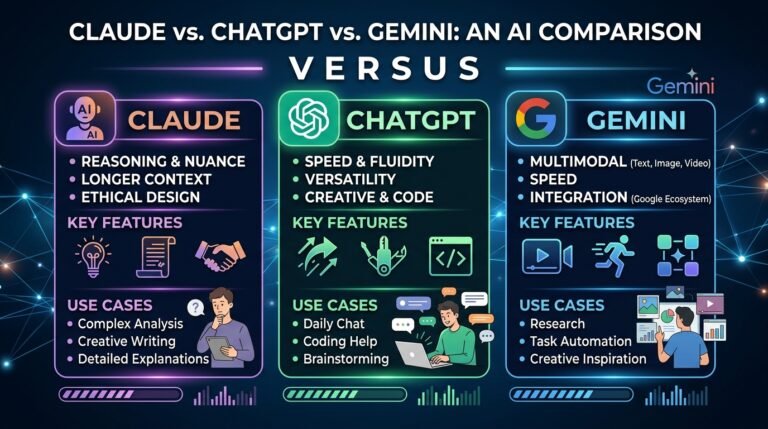
You have probably tried at least one of them by now. Maybe you started with ChatGPT when it first exploded onto the scene, dabbled with Google’s Gemini because it was right there in your browser, or heard a developer friend raving about Claude. Now you are staring at three tabs, three subscriptions, and one nagging question: which one is actually worth it? The Claude vs ChatGPT vs Gemini debate has become the defining question of the AI era, and in 2026 the answer is more nuanced — and more interesting — than it was even a year ago.

This is not a spec-sheet comparison. This is a practical, real-world breakdown of what each AI assistant does best, where each one falls short, and how to pick the right tool for the way you actually work.

Editorial note: This article was reviewed by TheArticleSpot’s editorial team for clarity, source accuracy, and relevance. AI tools may have supported outlining, editing, formatting, or research organization, but final review and publication decisions are handled by a human editor. Tool features, pricing, and availability can change, so readers should verify important details on the official provider website before making a final decision.

What Are Claude, ChatGPT, and Gemini?

Before diving into the comparison, a quick orientation for anyone who has been watching from the sidelines. If you are still wrapping your head around the underlying technology, our guide on what is generative AI is a solid starting point.

ChatGPT is OpenAI’s flagship AI assistant, currently powered by GPT-5.4. It launched in late 2022 and quickly became the household name for AI chatbots. It has the largest user base of any AI assistant, with hundreds of millions of weekly active users, a mature plugin ecosystem, and deep integration across third-party tools.

Claude is built by Anthropic, a company founded by former OpenAI researchers. Now running on Claude 4.6 (with Opus 4.7 arriving in 2026), it has earned a reputation for nuanced reasoning, exceptional coding ability, and the most reliable long-context processing in the industry.

Gemini is Google’s answer, deeply woven into the Google ecosystem — Workspace, Search, Android, and YouTube. Its standout feature is a massive context window and strong multimodal capabilities across text, images, video, and audio. All three are built on machine learning foundations, but their training approaches and design philosophies lead to very different user experiences.

All three cost roughly the same at the consumer level — around $20 per month for premium access — and all offer limited free tiers. For a broader look at the landscape beyond these three, check out our roundup of the best AI tools in 2026.

Why the Claude vs ChatGPT vs Gemini Debate Matters

This is not just a tech curiosity. For freelancers, business owners, students, marketers, and developers, picking the right AI assistant directly affects productivity, output quality, and even revenue. Australian businesses adopting AI tools are finding that the wrong choice means wasted hours rewriting sloppy outputs or debugging hallucinated code. The right choice means finishing in half the time.

The broader trend is clear: AI assistants are becoming as essential as email or spreadsheets. The question has shifted from “should I use AI?” to “which AI should I use?” That makes understanding the strengths and trade-offs of each platform genuinely important. In fact, AI proficiency is quickly becoming one of the core employability skills in Australia that employers actively look for.

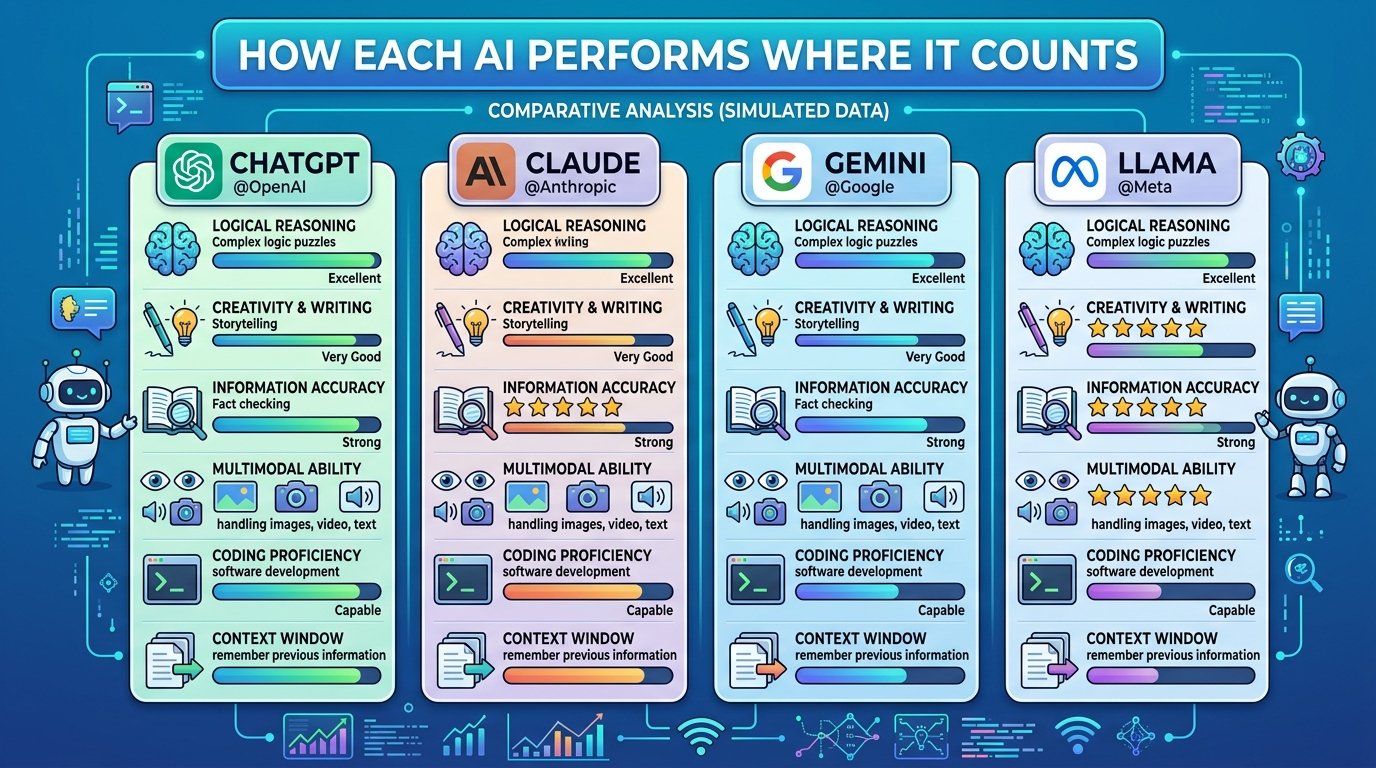
How Each AI Performs Where It Counts

AI performance

Writing and Content Creation

If your work revolves around writing — blog posts, marketing copy, reports, proposals — the differences are meaningful.

ChatGPT is the most versatile generalist. It handles everything from social media captions to long-form articles competently, though it can lean toward a recognisable “AI voice” that experienced readers spot quickly. It excels at brainstorming and generating ideas fast.

Claude produces the most natural, human-sounding prose. It follows nuanced instructions better, maintains tone consistency across long documents, and tends to push back constructively when a prompt is vague rather than guessing and producing filler. For professional writing tasks — client proposals, editorial content, detailed reports — Claude consistently delivers cleaner first drafts.

Gemini is capable but less focused on writing craft. Where it shines is research-adjacent writing: pulling in current information from the web, summarising multiple sources, and producing reference-heavy content. If your writing task involves synthesising lots of information quickly, Gemini handles that well.

Coding and Development

For developers and technical users, this category often determines the whole decision.

Claude has emerged as the strongest coding assistant, particularly for complex logic, full-file refactoring, and understanding large codebases. Claude Code, its terminal-based agentic coding tool, has become a favourite among professional developers who need more than autocomplete suggestions. If you are considering a career in this space, our guide to software engineering in 2026 covers how AI is reshaping the role.

ChatGPT remains excellent for quick scripts, data analysis with its built-in code interpreter, and breadth of language coverage. If you need a snippet in an obscure framework, ChatGPT’s vast training data usually delivers something workable.

Gemini’s advantage is speed and its enormous context window, which lets it process entire repositories at once. For developers working within the Google ecosystem — Firebase, Google Cloud, Android — Gemini integrates more naturally than the alternatives.

Research and Analysis

ChatGPT with browsing enabled is a strong research companion, pulling in recent web results and summarising them conversationally. Its memory features across sessions also help with ongoing research projects.

Claude handles long documents with unmatched reliability. Feed it a 200-page contract, a full codebase, or a stack of academic papers and it will maintain coherence throughout. Other models tend to lose track of details in genuinely long contexts, even when they technically support the token count.

Gemini leans into Google’s search infrastructure. For quick factual lookups and staying current with fast-moving topics, it benefits from being plugged directly into the world’s largest search engine. As AI increasingly merges with hardware and connected devices through AIoT, this kind of ecosystem integration becomes even more valuable.

Real-World Scenarios: Choosing the Right AI

Choosing the right AI

Rather than abstract benchmarks, here is how the choice plays out in everyday situations.

You run a small business and need marketing copy. ChatGPT is the fastest path to decent ad copy, email sequences, and social posts. Claude is better if you care about the writing quality standing out from competitors also using AI. Gemini works if you want copy that references current trends or competitor analysis pulled from the web. And if you are also evaluating tools for managing customer relationships alongside your AI assistant, our explainer on what is CRM software is worth a read.

You are a developer building a SaaS product. Claude is the clear pick for complex architecture decisions, debugging, and sustained coding sessions. ChatGPT is a useful backup for quick prototyping and exploring unfamiliar APIs. If you are deploying on cloud infrastructure, our AWS Amazon Web guide covers the essentials.

You are a student writing a research paper. Gemini helps gather and synthesise sources efficiently. Claude is better for structuring arguments and producing polished academic prose. ChatGPT sits comfortably in between.

You manage a team and need to process long documents. Claude handles this better than any alternative. Drop in meeting transcripts, policy documents, or contract bundles and get reliable summaries without information loss.

Practical Tips for Getting the Most From Any AI Assistant

Regardless of which platform you choose, a few strategies make a real difference.

Write specific prompts. “Write me a blog post about marketing” produces generic output from any model. “Write a 1,200-word blog post for Australian small business owners about LinkedIn marketing strategies that don’t require a large ad budget, using a conversational but professional tone” gets dramatically better results from all three. If crafting prompts feels overwhelming, a prompt generator tool can help you get started.

Use the right tool for the right job. There is no rule saying you can only use one. Many professionals rotate between two or even all three depending on the task. A developer might use Claude for coding, ChatGPT for brainstorming product names, and Gemini for competitive research.

Test outputs critically. Every AI hallucinates occasionally — inventing facts, citing non-existent sources, or confidently stating something incorrect. Always verify important claims, especially in professional or published content. This is particularly crucial for sensitive areas like messaging security or legal compliance, where inaccurate AI output can cause real damage.

Take advantage of context windows. If you are working on a large project, feed the AI as much relevant context as possible. Claude’s massive context window makes it particularly effective for complex multi-document tasks, but even ChatGPT and Gemini perform better with more context.

Frequently Asked Questions

Which AI is best for everyday use?

ChatGPT is the strongest all-rounder for casual daily use. It handles the widest variety of tasks competently, has the most mature third-party integrations, and its conversational memory makes ongoing projects smoother. If you only want one subscription, ChatGPT covers the most ground.

Is Claude better than ChatGPT for writing?

For professional and long-form writing, Claude generally produces more natural, nuanced prose with better instruction-following. ChatGPT is faster for generating ideas and casual content. The gap is most noticeable in tasks requiring consistent tone, complex structure, or sensitivity to audience. If you are using AI to support a content business, our guide on ways to upload a blog and earn money covers the practical side of monetising your writing.

Which AI has the largest context window?

Gemini offers the largest raw context window, extending up to two million tokens in its Pro tier. However, output quality can vary at extreme lengths. Claude provides the most consistently reliable long-context processing, maintaining accuracy across its full context window.

Are these AI tools free to use?

All three offer limited free tiers. Premium plans for ChatGPT Plus, Claude Pro, and Gemini Advanced all sit at approximately $20 per month. API pricing varies, with Gemini Flash generally being the cheapest option for developers.

Which AI is best for coding?

Claude leads for complex coding tasks, large codebase understanding, and agentic development through Claude Code. ChatGPT is strong for quick scripts and data analysis. Gemini is fastest for straightforward tasks and works well within Google’s development ecosystem.

The Bottom Line

The Claude vs ChatGPT vs Gemini comparison does not have a single winner, and anyone telling you otherwise is oversimplifying. ChatGPT is the most versatile generalist with the biggest ecosystem. Claude delivers the highest quality output for writing, coding, and deep analysis. Gemini is the smartest pick for multimodal work and anyone already embedded in Google’s tools.

The practical move is to try all three with the kind of work you actually do, not synthetic benchmarks or hypothetical scenarios. If you are just getting started with AI, an AI course for beginners can help you build the foundational skills to get more from any of these platforms. Most professionals who take AI seriously in 2026 use at least two of these tools regularly, matching each to its strength. That flexibility — not blind loyalty to one platform — is what turns AI from a novelty into a genuine productivity advantage.

Specialized Technology Resources Guide 2026

Specialized technology resources are niche tools, systems, and technical frameworks designed to solve very specific problems inside modern IT environments. They support developers, cybersecurity teams, analysts, cloud engineers, and businesses dealing with complex digital infrastructure.

As technology keeps expanding, general tools are no longer enough for every task. Modern systems rely on focused tools that do one job extremely well. That is why understanding specialized technology resources is no longer optional for many technical teams. It is becoming a basic part of working in IT, security, automation, and cloud-based environments.

What Are Specialized Technology Resources?

Specialized technology resources are advanced digital tools, systems, or infrastructures built for narrow technical use cases. Instead of trying to handle everything, they are designed to solve one specific challenge with higher accuracy, stability, and speed.

These resources may include:

  • security monitoring tools
  • cloud orchestration systems
  • log analysis platforms
  • automation frameworks
  • packet inspection tools
  • data engineering pipelines
  • indexing systems
  • API management layers

This is different from general-purpose software, which is usually broader and easier to use but less powerful at scale.

Why Specialized Technology Resources Matter

Technology used to be more general. A few servers, a few programs, and a few storage systems could support many business needs.

That is no longer the case.

Today, businesses rely on distributed systems, cloud platforms, automation tools, AI infrastructure, and security monitoring solutions all working together. As systems become more complex, specialization becomes necessary.

Specialized tools help organizations:

  • reduce human error
  • increase performance
  • improve technical accuracy
  • manage scale more effectively
  • improve uptime and resilience
  • respond faster to risks

That is why these tools quietly support much of the modern internet, even if most users never notice them directly.

How Specialized Technology Resources Work

Most specialized resources work behind the scenes. They monitor, scan, process, route, or analyze data continuously without much manual input.

For example:

  • a monitoring tool may scan logs all day for unusual patterns
  • a security system may inspect network behavior in real time
  • an orchestration tool may manage containers across cloud environments
  • a data pipeline may process thousands of events every second

These tools usually integrate with:

  • APIs
  • databases
  • cloud services
  • internal dashboards
  • analytics systems
  • automation workflows

Modern technical architecture is highly modular. That means businesses often use many small, focused systems instead of one large platform trying to do everything.

Specialized Resources in Modern IT Ecosystems

Modern IT ecosystems depend on multiple layers of tools working together. One platform manages infrastructure. Another handles identity and access. Another monitors endpoints. Another checks logs. Another analyzes network patterns.

This fragmentation is not a weakness. In many cases, it is a strength.

Specialized technology resources support:

  • cloud infrastructure
  • distributed applications
  • automation pipelines
  • site reliability workflows
  • data platforms
  • developer operations
  • cybersecurity operations

This is similar to how transportation technology depends on several coordinated systems rather than one single tool.

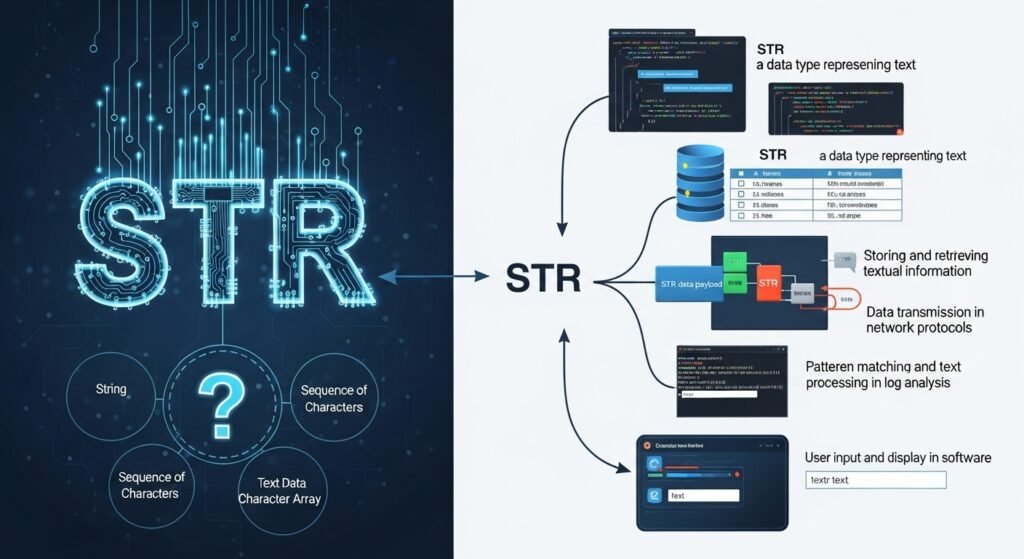
What Is STR in Technical Contexts?

What Is STR

The term STR can mean different things depending on the context, which is why it often confuses beginners.

In programming, str usually refers to a string data type used for storing text.

In search, indexing, or cybersecurity contexts, STR may appear as part of search filters, structured markers, or pattern-matching operations.

That is why understanding the meaning of STR depends on where it appears.

In technical systems, string processing matters because so much digital communication depends on text-based inputs, logs, commands, URLs, and machine-readable instructions.

STR Processing and Specialized Systems

Specialized systems often rely heavily on structured pattern processing. These systems are designed to handle repeated input formats quickly and accurately.

Examples include:

  • log parsers
  • intrusion detection tools
  • indexing engines
  • query processors
  • monitoring systems

These tools are effective because they are optimized for predictable patterns. Instead of handling every kind of data equally, they focus on one type of processing and become faster and more stable as a result.

This is one reason specialized systems outperform general tools in high-volume environments.

Search Operators and Precision Discovery

Technical professionals often rely on advanced search operators to locate precise information across websites, systems, or indexed environments.

For example, search-level patterns and URL-based filtering can help researchers and analysts find:

  • exposed endpoints
  • structured paths
  • configuration traces
  • documentation fragments
  • indexing markers

This kind of precision matters in technical research and security work, especially for people exploring cyber security jobs or working in digital investigations.

Benefits of Specialized Technology Resources

The biggest benefit is efficiency.

Because these systems focus on one narrow function, they usually perform that function better than broader tools.

Better accuracy

Specialized tools reduce error because they are optimized for specific tasks.

Better scalability

As systems grow, specialized platforms can often handle more data with less performance loss.

Better security

Niche security tools can detect suspicious behavior more precisely than general systems.

Better automation

They make it easier to automate repetitive technical tasks at scale.

Better resilience

Modular environments can remain stable even when one component has a problem.

That is why businesses adopt these systems for practical reasons, not just technical trends.

Real-World Examples of Specialized Tools

Specialized technology resources appear in many industries.

Cloud operations

Cloud providers use orchestration and infrastructure tools to manage workloads across distributed systems.

Finance

Financial companies use specialized fraud detection systems to analyze transactions in real time.

Security

Security teams use packet inspection, endpoint monitoring, and threat-detection tools to identify risks quickly.

Streaming platforms

Media services use encoding tools, delivery optimizers, and performance monitoring systems to keep content available at scale.

Content platforms

Sites with growing content libraries may use specialized SEO, indexing, and analytics systems to keep content accessible and visible.

That is one reason content ecosystems like TheArticleSpot also benefit from structured technical tooling.

General Tools vs Specialized Technology Resources

General tools are usually easier to adopt at the beginning. Specialized tools become more valuable as systems grow.

General tools

  • easier to learn
  • flexible across many use cases
  • useful for smaller teams
  • often better for starting out

Specialized resources

  • more precise
  • better at scale
  • stronger for complex workflows
  • often require more training
  • more effective in large or sensitive environments

Most businesses begin with general tools, then move toward specialization as their systems mature.

Common Mistakes Businesses Make

Some companies make the mistake of adding too many specialized tools without planning how those tools will connect. That often creates confusion instead of efficiency.

Other common mistakes include:

  • skipping staff training
  • ignoring documentation
  • expecting tools to replace strategy
  • failing to monitor automated systems
  • buying tools without clear workflows

Specialized tools are powerful, but they still need skilled people and clear processes around them.

Security and Reliability Advantages

One major reason specialized technology resources matter is security.

Specialized security systems can focus on very narrow patterns, helping teams detect threats more accurately and reduce false positives. They also improve reliability because they are built for performance under pressure.

This is especially true when businesses combine focused systems with tools like messaging security agent and malware protection.

In critical environments, stability matters just as much as flexibility. Specialized systems are often built with redundancy, failover, and monitoring in mind.

The Future of Specialized Technology Resources

The future is likely to become even more specialized.

As cloud environments, AI systems, edge computing, and automation pipelines grow more complex, businesses will need more focused tools to support those layers. General systems will still exist, but niche technical resources will continue expanding because complexity keeps increasing.

That means specialized technology resources will remain important across:

  • AI infrastructure
  • cybersecurity
  • data engineering
  • cloud operations
  • automation ecosystems
  • enterprise IT

Final Thoughts

Specialized technology resources are not flashy consumer tools. Most of them work quietly behind the scenes. But they hold modern digital systems together.

They help businesses scale, secure systems, reduce errors, and manage complexity more effectively. As technology grows more advanced, these focused tools become more necessary, not less.

That is why they matter. Not because they are trendy, but because modern systems depend on them.

FAQs

What are specialized technology resources?

They are niche tools, systems, or frameworks built to solve specific technical problems in IT, security, cloud, and data environments.

Are specialized technology resources only for developers?

No. Analysts, security teams, data engineers, IT managers, and content platforms can all use them.

Are specialized tools harder to use?

Usually yes, but many modern tools now have better interfaces and easier workflows.

Do specialized tools replace human teams?

No. They support teams, improve efficiency, and reduce manual workload, but they do not replace strategy or oversight.

Do specialized resources improve cybersecurity?

Yes. Many specialized security systems help detect threats faster and more accurately than broad tools.

Do small businesses need specialized tools?

Often yes, especially when they begin scaling operations, managing sensitive data, or working with more complex systems.


How Do I Know If My Email Has Been Hacked? 7 Warning Signs

You open your inbox one morning and suddenly something feels off. Maybe there are unread emails you never opened. Maybe friends are asking why you sent them strange messages. Or perhaps your password suddenly stops working even though you know you typed it correctly. At that point, one question immediately hits your mind: how do I know if my email has been hacked?

Unfortunately, hacked email accounts have become extremely common in Australia and around the world. Cybercriminals target email because it connects to almost everything else in your digital life — banking, social media, shopping accounts, work platforms, cloud storage, and even government services.

The scary part is that many people do not realise their account has been compromised until weeks later.

This guide explains the biggest warning signs, what hackers actually do with stolen email accounts, how to check your security quickly, and the steps you should take immediately if you think your email has been hacked.

What Does It Mean If Your Email Has Been Hacked?

A hacked email account means someone has gained unauthorized access to your email.

This can happen through:

  • Phishing scams
  • Weak passwords
  • Malware
  • Public Wi-Fi attacks
  • Data breaches
  • Fake login pages
  • Password reuse across websites

Once hackers access your email, they often try to:

  • Reset passwords for other accounts
  • Steal financial information
  • Impersonate you
  • Scam your contacts
  • Access personal files
  • Gather additional information about your identity

Because email controls so many other accounts, hackers often see it as the “master key” to your digital life.

How Do I Know If My Email Has Been Hacked?

There are several strong warning signs that your account may have been compromised.

1. You Notice Emails You Never Sent

One of the biggest signs is finding messages in your “Sent” folder that you never wrote.

Hackers often use compromised accounts to send:

  • Spam
  • Scam links
  • Phishing emails
  • Fake invoices
  • Cryptocurrency scams

Sometimes your friends, family, or coworkers may contact you asking why you sent suspicious messages.

If that happens, do not ignore it.

2. Your Password Suddenly Stops Working

If your email password no longer works unexpectedly, someone may have changed it.

Hackers often lock users out quickly after gaining access.

This is especially dangerous because they may immediately begin resetting passwords connected to:

  • Banking apps
  • Social media
  • Shopping accounts
  • Cloud storage
  • Government services

Always check whether password reset notifications were sent to your inbox recently.

3. You Receive Security Alerts

Major providers like Gmail, Outlook, and Yahoo usually warn users about suspicious activity.

You may see notifications about:

  • New device logins
  • Logins from another country
  • Password changes
  • Recovery email changes
  • Unusual account activity

Many Australians ignore these warnings assuming they are system glitches. Sometimes they are not.

Also read: https://thearticlespot.com/gmail-passwords-data-breach/

4. Friends or Family Receive Strange Messages

A very common hacked email warning sign is when your contacts start receiving unusual emails from you.

These emails may contain:

  • Random links
  • Fake payment requests
  • Cryptocurrency promotions
  • “Urgent” requests
  • Attachments you never sent

Hackers rely on trust. If a message appears to come from your address, people are more likely to open it.

This is why hacked email accounts can spread quickly through personal networks.

5. Your Inbox Looks Different

Hackers sometimes change inbox settings quietly.

Watch for:

  • Missing emails
  • Deleted folders
  • Strange forwarding rules
  • New signatures
  • Filters you never created
  • Emails marked as read automatically

Some attackers create hidden forwarding rules so they continue receiving copies of your emails even after you change the password.

That is why checking settings matters.

6. Unusual Login Locations or Devices

Most email services allow you to check login history.

If you see access from:

  • Another country
  • Unknown devices
  • Suspicious IP addresses
  • Cities you have never visited

your account may have been compromised.

Even one suspicious login deserves investigation.

7. Linked Accounts Start Acting Strange

Email hacks often spread into other services.

Watch for:

  • Password reset emails you did not request
  • Locked social media accounts
  • Shopping purchases you never made
  • Banking verification alerts
  • Strange subscriptions

Hackers often move fast once they access an email account.

Why Email Hacks Matter More Than People Think

Why-Email-Hacks-Matter-More-Than-People-Think

Why-Email-Hacks-Matter-More-Than-People-Think

Many people assume hacked email accounts are just annoying spam problems.

They are not.

A compromised email account can lead to:

  • Identity theft
  • Financial fraud
  • Data leaks
  • Social media takeovers
  • Workplace breaches
  • Blackmail scams
  • Malware infections

In Australia, cybercrime complaints continue rising each year, especially around phishing and account compromise scams.

Once hackers gather enough additional information, they may attempt to answer your security questions, impersonate you, or target your friends and family.

Also read: https://thearticlespot.com/optus-data-breach/

How Hackers Usually Gain Access to Email Accounts

Understanding how attacks happen helps you avoid them.

Phishing Emails

This is the most common method.

Hackers send fake messages pretending to be:

  • Banks
  • Delivery companies
  • Streaming services
  • Government agencies
  • Microsoft or Google

The goal is to trick you into entering your password on a fake website.

Password Reuse

If you reuse passwords across websites, one leaked breach can expose everything.

Hackers test stolen passwords on multiple services automatically.

Malware and Spyware

Malicious software can steal passwords directly from devices.

This often happens through:

  • Fake downloads
  • Pirated software
  • Suspicious attachments
  • Fake browser updates

Also read: https://thearticlespot.com/malware-protection/

Weak Security Questions

Hackers sometimes recover accounts by answering weak security questions.

Questions like:

  • Mother’s maiden name
  • Birthplace
  • First school

can often be found online through social media or public records.

What Should You Do Immediately If Your Email Was Hacked?

If you suspect your account has been compromised, act quickly.

Change Your Password Immediately

Use a strong password with:

  • Uppercase letters
  • Lowercase letters
  • Numbers
  • Symbols

Avoid using old passwords.

Enable Two-Factor Authentication

Two-factor authentication adds an extra security layer.

Even if hackers steal your password, they still need the second verification code.

This is one of the most effective protections available.

Check Forwarding Rules and Settings

Hackers sometimes leave hidden access behind.

Check for:

  • Email forwarding
  • Recovery email changes
  • Unknown devices
  • Suspicious filters
  • Connected third-party apps

Review Your Sent Folder

Check whether your account sent messages you do not recognize.

Warn contacts if necessary.

Scan Your Devices for Malware

Run antivirus or security scans on:

  • Phones
  • Laptops
  • Tablets
  • Desktop computers

A hacked device may continue stealing passwords.

Change Passwords for Linked Accounts

If your email was hacked, assume connected accounts may also be at risk.

Prioritize:

  • Banking
  • PayPal
  • Social media
  • Shopping sites
  • Cloud storage

How to Protect Your Email Going Forward

The best protection is prevention.

Use Unique Passwords

Never reuse passwords across websites.

Password managers help store complex passwords safely.

Turn On Multi-Factor Authentication

This should be enabled everywhere possible.

Especially for:

  • Email
  • Banking
  • Government accounts
  • Cloud storage

Be Careful With Links

Never click suspicious login links directly from emails.

Instead:

  • Open the official website manually
  • Check the sender address carefully
  • Look for spelling mistakes

Update Your Devices Regularly

Security updates patch vulnerabilities hackers exploit.

Delaying updates increases risk.

Avoid Public Wi-Fi for Sensitive Logins

Public networks can expose data if not secured properly.

If necessary, use a trusted VPN.

Real-Life Scenario: How Quickly an Email Hack Can Escalate

Imagine someone gains access to your Gmail account.

Within minutes they may:

  1. Reset your Facebook password
  2. Access saved banking notifications
  3. Read personal conversations
  4. Collect address and phone details
  5. Send scam emails to friends and family
  6. Attempt cryptocurrency scams
  7. Steal cloud-stored documents

This is why email security matters far beyond your inbox.

Common Questions About Hacked Email Accounts

Can someone hack my email without my password?

Yes. Phishing scams, malware, stolen sessions, and data breaches can sometimes bypass traditional passwords.

How do I check if my email was part of a breach?

You can use trusted breach-checking tools like Have I Been Pwned to see whether your email appeared in known leaks.

Can hackers read deleted emails?

Sometimes. Depending on the provider, deleted emails may remain in trash or backups temporarily.

Should I delete a hacked email account?

Not necessarily. Many hacked accounts can be recovered and secured if handled quickly.

Can hackers access bank accounts through email?

Potentially yes. Email often controls password resets and financial notifications.

Conclusion

If you are asking yourself how do I know if my email has been hacked, the warning signs are usually there — strange sent messages, login alerts, password problems, suspicious account activity, or friends reporting unusual emails.

The important thing is acting quickly.

A hacked email account is not just an inbox problem anymore. It can expose your identity, finances, personal conversations, and connected accounts.

The good news is that strong passwords, two-factor authentication, careful security habits, and regular account checks dramatically reduce the risk.

In a world where almost every service connects back to your email, protecting that single account may be one of the most important digital security steps you can take.


How to Login to Semrush: Direct Link + Account Access Guide (2026)

Search engine optimization is no longer about guessing keywords and hoping pages rank. Modern SEO requires real data, technical analysis, competitor research, and continuous optimization. That is where Semrush becomes one of the most powerful tools for marketers, bloggers, agencies, and businesses.

Whether you are trying to grow traffic, improve rankings, or understand why competitors outrank your website, Semrush gives you the insights needed to make smarter decisions.

If you are new to SEO, you should also learn how tools like Google Search Console work alongside Semrush because combining both platforms helps you track real keyword performance and indexing issues more accurately.

What Is Semrush?

Semrush is an all-in-one SEO and digital marketing platform designed to help users improve online visibility. It offers tools for:

  • Keyword research
  • Competitor analysis
  • Site audits
  • Rank tracking
  • Backlink analysis
  • PPC research
  • Content optimization
  • Technical SEO monitoring

After logging in, users gain access to a dashboard where they can monitor projects, track rankings, audit websites, and analyze competitors from one place.

Unlike simple keyword tools, Semrush provides deeper SEO insights that help websites build long-term organic traffic strategies.

How to Log In to Semrush

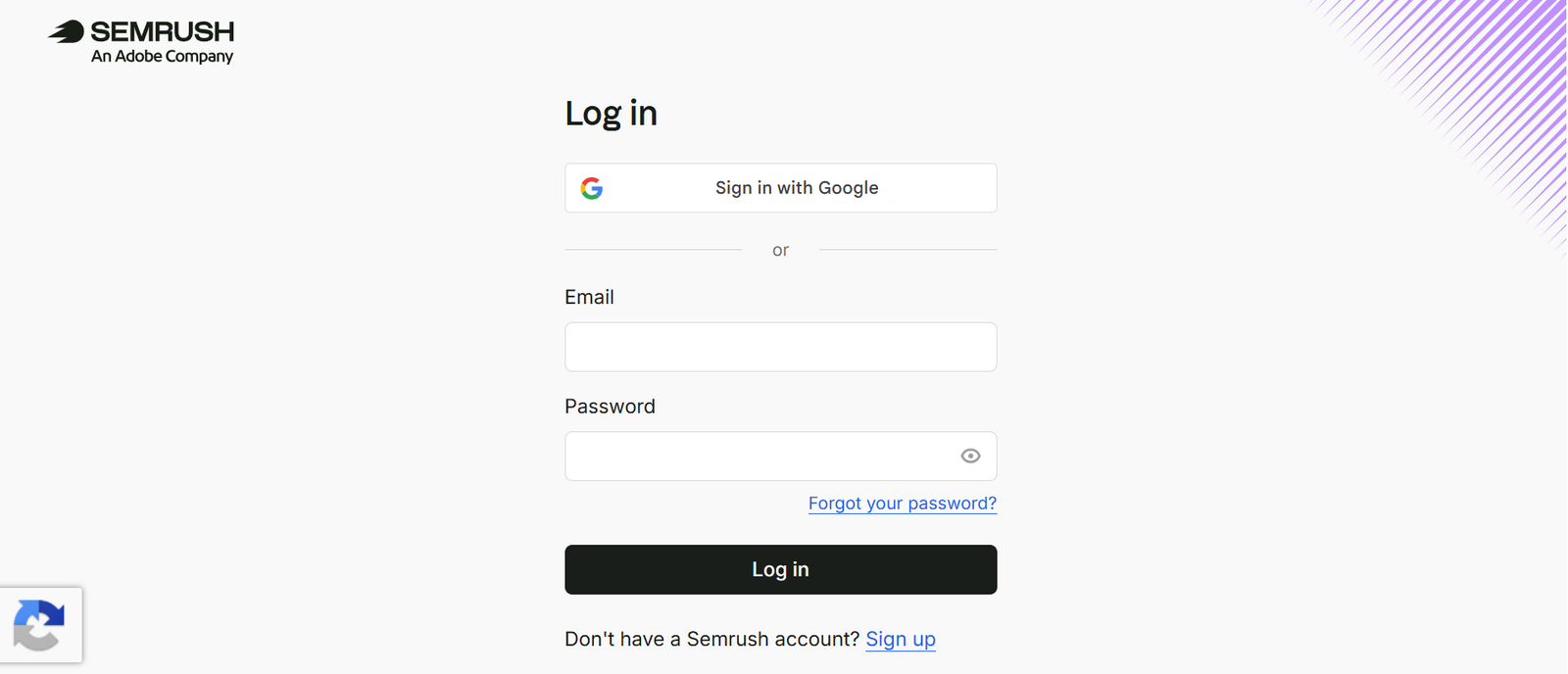
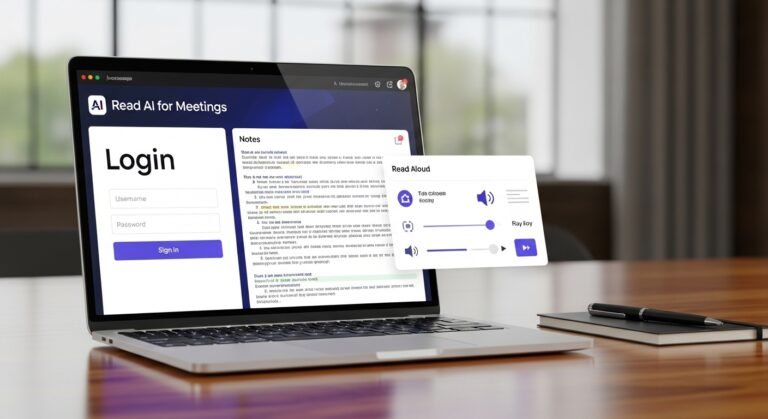
semrush login

Getting started with Semrush is simple.

Step-by-Step Semrush Login Process

  1. Visit the official Semrush website
  2. Click the Log In button
  3. Enter your email and password
  4. Complete two-factor authentication if enabled
  5. Access your SEO dashboard

Once logged in, you can create projects, track keywords, audit your website, and monitor SEO growth.

However, logging in is only the beginning. The real value comes from learning how to use the platform effectively.

Why Semrush Is Important for SEO

SEO has become increasingly competitive in Australia and globally. Google now prioritizes content quality, user experience, page speed, semantic relevance, and authority.

Semrush helps website owners understand all of these ranking factors using real-time SEO data.

For example, if your content has technical issues like duplicate titles, missing metadata, broken links, or slow-loading pages, Semrush can identify them immediately. Tools like Screaming Frog can also help with advanced crawling and technical SEO audits, making it a great companion tool. 

Semrush also helps identify keyword opportunities your competitors are already ranking for, allowing you to create stronger and more targeted content.

1. Keyword Research with Semrush

Using SEMrush for Keyword Research

Keyword research is one of the most important parts of SEO because it determines what users are searching for online.

Semrush provides detailed keyword data including:

  • Monthly search volume
  • Keyword difficulty
  • Search intent
  • CPC value
  • SERP competition
  • Trend analysis

Instead of targeting random keywords, you can identify terms that bring realistic ranking opportunities.

For example, many beginners make the mistake of targeting broad keywords with massive competition. Semrush helps you discover long-tail keywords with better ranking potential and higher conversion intent.

If you want to improve your SEO content strategy further, tools mentioned in our guide on best SEO reporting tools can help monitor keyword growth and ranking improvements.

2. Running a Site Audit

Technical SEO problems can prevent pages from ranking even if the content is excellent.

The Semrush Site Audit tool scans your website for issues such as:

  • Broken links
  • Duplicate content
  • Missing titles
  • Missing meta descriptions
  • Slow page speed
  • Crawlability issues
  • Internal linking errors
  • Redirect problems

Many websites unknowingly lose rankings because of technical SEO mistakes. Regular audits help identify and fix these problems before they affect organic traffic.

If your website contains duplicate pages or weak content, Google may reduce visibility in search results. This is why structured SEO audits are critical for long-term ranking stability.

3. Competitor Analysis

One of the strongest features inside Semrush is competitor research.

You can enter a competitor domain and instantly analyze:

  • Their top-performing pages
  • Organic traffic estimates
  • Ranking keywords
  • Backlink profiles
  • Paid advertising strategies
  • Content gaps

This allows you to understand why competitors rank higher and where new opportunities exist.

For example, if a competitor ranks for hundreds of valuable keywords your website does not target, you can build optimized content around those missing opportunities.

Businesses looking for deeper SEO growth often combine competitor research with professional search optimization services to scale rankings faster. 

4. Tracking Keyword Rankings

SEO rankings constantly change because Google updates algorithms frequently.

The Position Tracking feature inside Semrush allows users to monitor:

  • Daily keyword rankings
  • Ranking increases and drops
  • Competitor movement
  • Featured snippets
  • Local SEO visibility
  • Mobile and desktop performance

For Australian websites, it is important to set Australia as the target location when tracking keywords. This provides more accurate ranking data for local search results.

Tracking rankings helps businesses measure whether SEO improvements are actually working.

5. Backlink Analysis and Link Building

Backlinks remain one of Google’s strongest ranking signals.

Semrush helps analyze backlink profiles by showing:

  • Referring domains
  • Authority scores
  • Toxic backlinks
  • Lost links
  • New backlinks
  • Competitor backlink sources

This helps websites identify harmful backlinks while discovering new opportunities for authority building.

If your website has toxic links pointing to it, rankings may suffer. Semrush allows you to identify and disavow suspicious backlinks before they damage SEO performance.

6. Content Optimization Tools

Creating content without optimization often leads to poor rankings.

Semrush includes SEO writing tools that analyze:

  • Readability
  • Keyword usage
  • Semantic relevance
  • Content originality
  • Tone consistency
  • Competitor comparison

This helps writers produce content that is more aligned with Google’s ranking expectations.

You can also combine these insights with modern AI tools to speed up content research and brainstorming while still maintaining human-quality writing.

7. Using Semrush for Content Planning

Content planning becomes easier when you understand what users are actually searching for.

Semrush helps identify:

  • Trending topics
  • Seasonal keywords
  • Search intent
  • Related keyword clusters
  • Question-based searches

Instead of publishing random articles, you can build topical authority around specific niches.

For example, if you run a technology blog, you can create connected content around AI, SEO, automation, and machine learning while internally linking related articles together.

This strategy improves both user experience and SEO relevance.

Common SEO Mistakes Beginners Make with Semrush

Many beginners misuse SEO tools because they focus only on traffic numbers.

Some common mistakes include:

Ignoring Search Intent

Ranking is difficult if content does not match what users actually want.

Targeting Only High-Volume Keywords

Large keywords are usually highly competitive and difficult to rank for.

Publishing Thin Content

Google prefers detailed, helpful, and structured content.

Ignoring Technical SEO

Broken links, duplicate pages, and slow websites can damage rankings.

Weak Internal Linking

Internal links help distribute authority across pages and improve crawlability.

For example, connecting related pages like Prompt Engineering, Generative AI, and What Is Machine Learning creates stronger topical relevance.

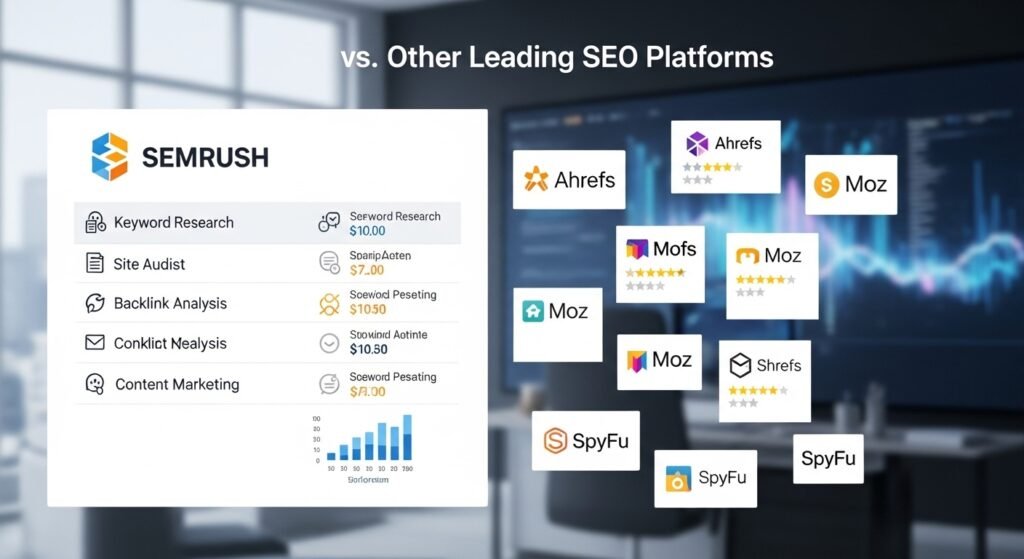
Semrush vs Other SEO Tools

Comparing SEMrush With Other SEO Platforms

Several SEO platforms exist today, but each has different strengths.

Semrush

Best all-in-one SEO platform for keyword research, audits, tracking, and competitor analysis.

Ahrefs

Strong backlink database and competitor link analysis.

Moz

Beginner-friendly interface with simpler SEO tools.

Ubersuggest

Affordable but limited compared to enterprise SEO platforms.

Semrush stands out because it combines multiple SEO functions into one platform, making it useful for bloggers, agencies, and businesses alike.

Is Semrush Worth It in 2026?

For serious SEO growth, Semrush remains one of the best investments available.

It helps users:

  • Increase organic traffic
  • Identify ranking opportunities
  • Monitor technical SEO health
  • Improve content quality
  • Study competitors
  • Build stronger SEO strategies

The longer you use SEO data consistently, the easier it becomes to make informed optimization decisions.

Final Verdict

Semrush is far more than a simple login portal. It is a complete SEO intelligence platform designed to help websites improve visibility, traffic, and rankings through data-driven decisions.

From keyword research and audits to backlinks and competitor tracking, the platform gives businesses the tools needed to compete in modern search results.

When combined with proper technical SEO, quality content, and strong internal linking, Semrush becomes one of the most valuable tools for long-term organic growth.

FAQs

Is Semrush free to use?

Semrush offers a limited free version, but advanced features require a paid subscription.

Is Semrush beginner friendly?

Yes. Beginners can start with keyword research, site audits, and rank tracking before moving into advanced SEO analysis.

Does Semrush help with local SEO?

Yes. Users can track rankings based on specific countries and locations, including Australia.

Can Semrush improve rankings directly?

No SEO tool directly improves rankings. Semrush provides insights and recommendations that help users optimize websites more effectively.

Which is better, Semrush or Ahrefs?

Semrush is stronger as an all-in-one SEO platform, while Ahrefs is especially strong for backlink analysis.

7 Honest Writeless AI Facts You Should Know

In today’s world of content creation, it seems like every other week there’s a new tool ready to revolutionize the way we work by saving time, streamlining workflows, and simplifying everything. Writeless AI is one of the many tools that have recently surfaced and drawn people’s attention. It is packaged as a remedy for the typical hiccups in writing, particularly for those who want quick content production without the usual talking back and forth.

This article will discuss the real features of Writeless AI, assess its performance, and determine whether the software justifies the marketing.

What Is Writeless AI?

Writeless AI is an AI-driven content creation software that helps craft written pieces from minimal user input. It aims to aid writers, marketers, and other professionals in the speedy generation of written material.

Is Writeless AI Worth It?

Writeless AI can be worth the investment if your focus is on quick creation of content with minimal effort. However, the output quality, just like any AI, is highly dependent on the way it is used. While some users appreciate the convenience and efficiency it provides, others find it a little short on the creative side.

How Does Writeless AI Work?

The working principle behind it is the use of a machine learning algorithm to generate text from a small amount of user input. You feed the program with some cues or a piece of information, and the AI generates the article or the paragraph(s).

Is Writeless AI Really the Game-Changer for Content Creation?

Businesses and content creators who want to keep things minimal in terms of effort are exactly the kind of users Writeless AI tries to attract. It promises to be a hassle-free partner. But is it really as smooth as it is presented?

Let’s analyze it a bit. Writeless AI’s idea is fundamentally to render content creation effortless and instant. That’s a massive relief for marketers or anybody struggling with deadlines because you no longer have to compose each and every sentence on your own. The AI functions by taking in the prompt that you come up with, collecting information on the topic, and producing a piece of content that corresponds to what was asked.

But that raises another question: how well does it fare in practice? Are you getting the quality that you require with Writeless AI, or is it merely fast but not that good? Now we will look at the details.

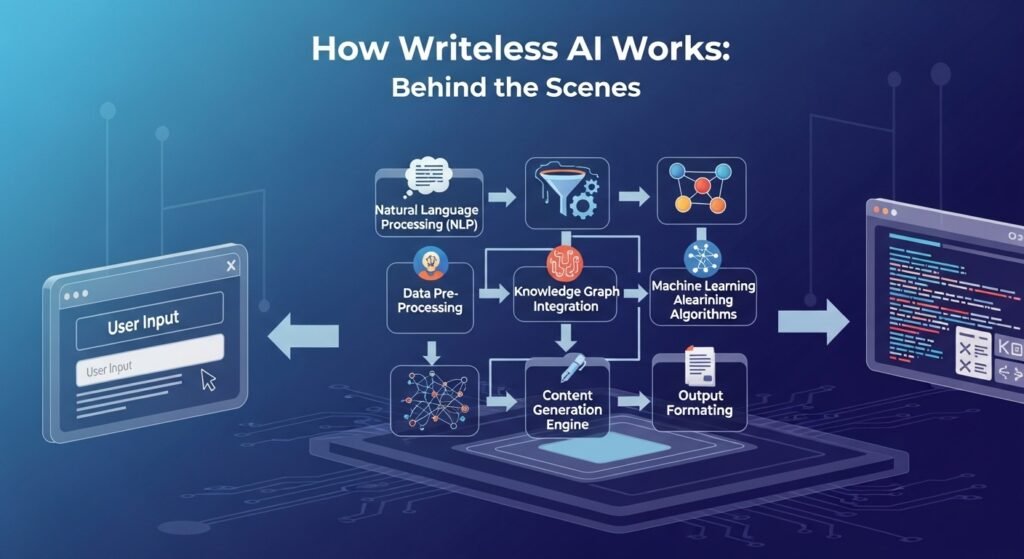
How Writeless AI Works: Behind the Scenes

How Writeless AI Works

In essence, Writeless AI is built on a fairly straightforward but potent principle. Through the adoption of natural language processing (NLP) and machine learning, it understands the context and generates text that mimics human writing. Once you have given instructions or a few guiding sentences on the general direction of the content, the AI continues the task.

Usually, this is how the whole procedure works:

  • You enter the preliminary input, which can be a subject, a set of keywords, or the specific style that you want the writing to have.
  • The AI evaluates the input and interprets the meaning. It consults its databases of vast knowledge to compose content corresponding to the instructions given.
  • Finally, Writeless AI delivers the output in the form of content that can be anything from a short piece of text to a lengthy article. You can always provide additional or more precise details to reshape the output.

Basically, the whole point of Writeless AI is to alleviate the writing process, making it quicker and less wearisome. Learn more about effective writing techniques in our guide on prompt engineering.However, here is a question: is it able to manage intricate subjects, creativity, or very detailed directives just as well?

Benefits of Using Writeless AI

What we have seen so far is an outline of Writeless AI’s operating principle, so now let’s see whether it brings real relief in content production or if it just dumps out run-of-the-mill text. Below is a list of some positives that users have acknowledged.

Speed and Efficiency

The biggest plus of using Writeless AI is, without a doubt, speed. If time is your enemy, using AI for generating content might help you save several hours. It can write blog entries, product descriptions, and other texts in just a matter of minutes, thereby freeing you to dedicate your time to other aspects of the job.

Reduces Writer’s Block

Whether it is a blog post or an article, content writing always involves the pain of facing that blank page staring at you. Writeless AI helps you get out of that rut by jumping over the wall called writer’s block. Explore our collection of creative writing prompts to further enhance your brainstorming sessions. It hands you sequences of words and, at the same time, makes you think more about how and where to start.

Scalable Content Creation

If you are a business owner or a content creator and have the need to produce a large amount of text very quickly, for instance for websites, blogs, or social media posts, Writeless AI can help you scale up your content production without losing pace. No matter whether you are handling a single project or multiple projects at the same time, the AI can assist you in keeping a consistent flow of content.

Cost-Effective

You might find it to be a less expensive way of producing large quantities of content compared with engaging a team of writers. Obviously, it cannot completely replace a professional writer, but it provides a decent first draft and adds value to your content creation processes.

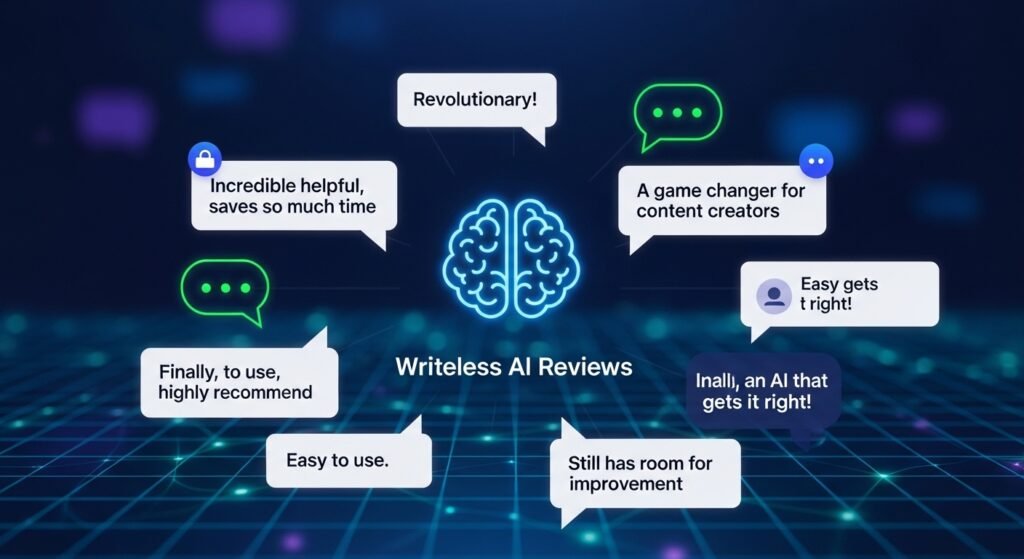
Writeless AI Reviews: What Are Users Saying?

Writeless AI Reviews

The tool has sparked quite a bit of user reaction, with reviews running all over the board. On its bright side, commentators frequently mention its speed and simplicity. Users often consider it a helpful tool for brainstorming, initial drafting, and quick generation of SEO-optimized content.

That said, quite a few people remain skeptical, noting that the created content often lacks depth and imagination, particularly for more complex topics. AI-written text may come out repetitive, and it might miss the subtlety and nuance that human writers are capable of delivering.

Some voice concerns over the fact that the AI produces so-called formulaic content for certain industries like e-commerce product descriptions or more generic blog posts. It may get the basic job done, but the text does not always sound natural or unique. Learn more about optimizing your content through our search optimization services.

Does Writeless AI Work for Specific Content Needs?

How well Writeless AI accommodates different content needs depends on the type of content and how specific it needs to be. Here is a brief overview of how this tool performs for different needs.

Blog Posts and Articles

Writeless AI will serve you well in the case of blog posts or articles on simple subjects. You will have an article that suits your keywords, tone, and length preferences. On the other hand, if you are working on producing a highly analytical piece or a creatively driven one, you will likely have to edit the AI’s output extensively or partly write it yourself.

Social Media Content

When it comes to social media content, Writeless AI does a very good job of being both engaging and succinct. The software generates Facebook updates, Twitter posts, or Instagram captions very quickly. It is particularly useful for helping you maintain a regular flow of posts while multitasking.

Product Descriptions

For the e-commerce sector, Writeless AI is quite a useful tool in helping you write basic product descriptions. It offers great relief if you do not want to keep typing the same type of information for different products. Nonetheless, if you deal with high-end or luxury items, you may want to go beyond what the AI provides in order to create more engaging and persuasive text.

SEO Content

In the area of SEO content, Writeless AI can help deliver text with integrated keywords, meta descriptions, and title tags. Learn more about large language models (LLMs) and their capabilities for content optimization. You do, however, have to check for cases of keyword stuffing after the content is generated, as this may sometimes occur with AI-written output.

Mistakes to Avoid When Using Writeless AI

mistakes to avoid

Just as with any other tool, you can make a few mistakes in your usage of Writeless AI that will spoil your experience with it. Here are some frequent ones.

Over-Reliance on the Tool

Despite being super helpful for content creators who need to get content ready swiftly, Writeless AI should not replace human creativity or strategic thinking. Consider it a helper, not a crutch. If you rely on the AI too heavily, the content may become generic and uninspired.

Lack of Refinement

Writeless AI can provide you with a raw draft, but normally, the draft will require some review. In fact, skipping the refinement step is one of the common mistakes. While the AI takes care of much of the work, it is still up to you to adjust and personalize the content so it sounds more natural.

Not Providing Enough Guidance

Writeless AI is eager to whip up content fast, but you must give it a clear directive. If you provide vague or general commands, the result most likely will not be what you consider adequate. The more specific you are in your prompt, the more likely the output will match what you need.

Writeless AI: The Final Verdict

Well, is Writeless AI worthy of the buzz?

It features very promising and effective functionality for creating basic content within a limited timeframe, and this capability will mostly attract people with urgent content needs or businesses planning to scale up their content production. But if creativity and exceptional detail are what you are after, refining the AI’s output, or even writing part of the content yourself, will still be necessary.

For those who are after a quick remedy for producing blog posts, product descriptions, or social media content, Writeless AI is quite competent. However, for demanding projects such as thought leadership articles or thorough industry research, you may want to explore other options or at the very least combine human writing with AI-generated content.

Frequently Asked Questions

What is Writeless AI?

Writeless AI is an artificial intelligence content generator that produces written material from user prompts. Examples of writing it can create include blog posts, social media content, product descriptions, and more.

Does Writeless AI really work for content creation?

Yes, Writeless AI is effective for quick content creation. However, it may require polishing when dealing with complex or creative content.

Is Writeless AI good for SEO content?

Yes, it can produce SEO-focused content with keywords, meta descriptions, and titles, making it a useful asset for content marketing.

How does Writeless AI compare to other content creation tools?

Other tools, such as Jasper AI and Copy.ai, also provide content generation. However, Writeless AI is often recognized for its straightforward approach and speed.

Can Writeless AI handle specific topics like tech or finance?

Yes, it can, but niche content output quality may differ. Generally, Writeless AI is more efficient when dealing with broad subjects, though it can be adapted for specialized areas with some adjustment.


Prompt Engineering Explained for Beginners in 2026

Prompt engineering, you say. It merits a little more than a curious chuckle, doesn’t it? But, as Artificial Intelligence is rapidly evolving and transforming multiple fields, the skill of prompt engineering is rising in importance. Whether you’re implementing chatbots, handling AI instruments, or using natural language processing systems, prompt engineering remains the crucial element for obtaining your desired outputs. This post below identifies what prompt engineering really means, how it’s done, and why it’s such a major skill in our AI-centric world.

Editorial note: This article was reviewed by TheArticleSpot’s editorial team for clarity, source accuracy, and relevance. AI tools may have supported outlining, editing, formatting, or research organization, but final review and publication decisions are handled by a human editor. Tool features, pricing, and availability can change, so readers should verify important details on the official provider website before making a final decision.

What is prompt engineering?

In brief, prompt engineering refers to the craft of constructing and designing the inputs (prompts) to guide AI models like GPT or Claude in generating highly accurate, useful, and contextually relevant responses.

Is prompt engineering worth learning?

It’s a definite yes. AI is continuously being integrated into business, marketing, and technological activities; hence, knowing how to design accurate prompts is a must to harness AI tools’ potential fully.

How does prompt engineering work?

Prompt engineering is dependent on gaining a comprehension of the ways an AI model interprets input, and then modifying the inputs accordingly so as to elicit from the model output which is in line with the desired direction. It is essentially like instructing a highly intelligent yet, at times, unpredictable assistant.

Prompt Engineer in the Context of AI

A prompt engineer is a role dedicated to the creation of effective, understandable, and contextually suitable prompts for AI modeling in order for the latter to produce the intended output. Due to the ongoing AI adoption in various domains such as customer service, content generation, data analysis, etc., prompt engineering is a skill that is trending towards rising demand.

Having said that, possessing the skills of a prompt engineer isn’t limited to mere prompt typing. It requires the knowledge of mechanisms of AI models’ processing of information and understanding how the models respond to different types of language, tone, and structures. On top of that, prompt engineers should have the dual perspective of a user and a trainer to ensure that the AI model’s comprehension is aligned with what the prompt is communicating the model to do.

Simply passing the AI mere words and wishing for success is never the method. Prompt engineers with a deep understanding know that a small change in wording can have a profound effect on the AI response.

Guidelines for an Effective Prompt

Guidelines for an Effective Prompt

Producing an effective prompt is a matter of simplification and clear expression of a complex query or task to something within the grasp of the AI. Clarity, conciseness, and creativity in the breakdown of the given question or task are the components of excellent prompt creation.

When dealing with language models such as GPT or Claude, one must make sure that prompts provide sufficient information and context. If one is requesting a blog post, an entirely vague prompt such as “Write a blog post about AI” will probably result in a generic one. However, if the prompt were explicitly stated as “Write a blog post of 1000 words about how to increase the efficiency of AI models in business application through prompt engineering,” then the AI can come up with a much more focused and relevant response.

Right here lies the importance of prompt engineering. Essentially, it is quite like steering the AI in such a way that it literally understands what you want, so it doesn’t go off track or mistakenly perform the task.

Prompt Engineering Course: Excellent First Step

For those interested in prompt engineering skills, a prompt engineering course might be ideal. Such courses typically introduce the fundamental concepts of the AI models’ communication and processing of languages, as well as providing practical examples of effective prompt creation.

Moreover, a few prompt engineering courses will cover strategies for creating prompts that are tailored to a particular AI model, how to work with different versions of AI, and how to adjust AI results for business purposes. In short, it is an excellent avenue for gaining a comprehensive understanding of how AI models operate and how you can best employ them in your projects or business.

Tu Jinhao’s Prompt Engineering: Moving Further into AI

In the prompt engineering domain, occasionally you come across Tu Jinhao, the individual who made a significant impact on prompt engineering in AI. Tu Jinhao’s Prompt Engineering Thinking is a well-known method putting an accent on designing prompts in such a way that the AI’s workload is minimized while the AI’s efficiency is maximized.

One of his main ideas is harnessing the knowledge of AI’s limitations in order to design prompts that fully exploit the capabilities of the tool. Should you decide to get into the nitty-gritty of prompt engineering, keeping up with Tu Jinhao’s Prompt Engineering Thinking would be very advantageous.

Why Bother with Prompt Engineering?

First and foremost, it allows you to get more precise outputs from AI. A properly composed prompt can effectively direct the AI and save you time on reviewing and fixing its answers. Prompt engineering lets you do the input refinement once and get the output that you demand instead of the continuous cycle of output refinements.

Further, it enables one to be more efficient when dealing with complicated tasks. Content generation, data processing, or customer service – a well-executed prompt is a considerable time-saver. Prompt engineering not only helps automate tasks but also streamlines business operations that involve processing large volumes of information very quickly.

While AI can make errors, a prompt engineer can minimize the gap between AI output and user expectations. This is especially handy in customer services where the provision of accurate and contextually relevant information is paramount.

How Prompt Engineering is Executed in Real Life

How Prompt Engineering is Executed in Real Life

For example, in customer service, AI can be used to automate responses for common queries. But, in order to initiate the correct response from the AI, you will need a very specifically-worded prompt requesting the needed information. The prompt “What shipping options do you offer for Australia?” will work better than “generate information for me on shipping.”

Content generation is another example of the application of prompt engineering where the desired tone or focus of writing can be directed in results by guiding the AI. A prompt like “Create a blog post about AI” will produce very generic and broad content, whereas “Prepare a blog post illustrating the advantages of prompt engineering in enhancing AI responses for small businesses” will give the AI the necessary direction.

In market research, where there is huge data processing and extracting useful insights, a prompt like “Analyze and summarize the latest market surveys about consumer sentiment in the tech industry” makes a significant difference in the quality and relevancy of the ideas presented.

Major Blunders to Take Care of in Prompt Engineering

Even though prompt engineering may be tremendously effective, one can easily commit errors that will result in unsatisfactory AI outputs. Here are a few:

  • Being overly general: Your prompt lacking adequate detail will result in the AI not knowing what you actually want. Always ensure you supply both details and context.
  • Prompt overload: However, overdoing a prompt by making it overly complicated or overloaded with information is another end of the spectrum. It can confuse AI and, therefore, the response it generates will be less pertinent.
  • Unwillingness to iterate: At the core of prompt engineering is a process of trial and error. Prompt refinements and adjustments based on outputs should be embraced and encouraged.

Prompt Engineering Models: A Comparative Study

Prompt Engineering Models

To get the best of one’s abilities in prompt engineering, it is very necessary to identify the AI model the work is being done with. Different models, like GPT, Claude, and others, may interpret prompts in their own ways.

For example, Claude is better at mimicking human responses and is more loyal to the instructions given. However, GPT might be more creative and have a better handle on the writing task. Knowledge of these models’ strengths and weaknesses will certainly help you to come up with the best prompts.

If you want to test how different models respond to prompts, analyzing Tu Jinhao’s methods of Prompt Engineering might provide you with hints on how to fine-tune your results depending on the model you are using.

Complete FAQ Section

1. What is prompt engineering?

Prompt engineering is the method by which precise inputs are designed with the purpose of driving AI models to come up with responses that meet the requirements.

2. Why is prompt engineering important?

Proper prompt engineering is what yields AI results that are accurate, relevant, and fitting to the context. Without it, AI might misinterpret tasks.

3. Can I learn prompt engineering?

Indeed, there are prompt engineering courses available which can equip you with the necessary skills to produce effective prompts and familiarize yourself with different AI models.

4. How does Tu Jinhao’s Prompt Engineering Thinking help?

Tu Jinhao’s technique is one of improving prompt efficiency by carefully designing prompts that enable the AI to understand and perform tasks exceptionally well.

5. How do I create a good prompt for AI?

Most importantly, a good prompt should be simple, clear, and direct with sufficient background given to the AI to comprehend the task. Unfocused prompts will only lead to generic output.

6. Is prompt engineering useful for businesses?

Definitely. It allows companies to acquire precise AI responses, automate their processes, and increase their efficiency whether it be in customer service, content creation, or data analysis.


What Is CRM? Meaning, Benefits & How It Works (2026 Guide)

So you’ve been hearing about CRM everywhere. Your business friends keep talking about it. Consultants keep bringing it up. But if you are not in tech, there is a good chance you still do not know what a CRM actually is or whether it is worth the hype. Modern CRM systems are increasingly powered by AI technology. If you want to understand the broader context of what is artificial intelligence and how it is transforming business software, it is worth reading that too. Let’s clear this up properly.

What CRM Stands For

CRM stands for customer relationship management. At the simplest level, it is software that helps businesses stay organized about customers, leads, conversations, and follow-ups instead of relying on memory, scattered spreadsheets, or random email threads.

What Is CRM? A Practical Definition

A CRM is a system, usually software, that stores customer information in one place. That includes contact details, purchase history, previous conversations, notes, sales activity, and support interactions. Instead of different team members keeping separate records, everyone can work from the same shared view.

That sounds simple, but it solves a huge problem. In many businesses, customer information lives in too many places. One person has notes in email. Another keeps a spreadsheet. Someone else just remembers details from memory. A CRM removes that confusion and creates one system for the whole team.

CRM Meaning in Business

The CRM meaning in business is broader than just software. It refers to the practice of managing customer relationships and interactions in a structured way. In other words, it is not just about having names in a database. It is about building a system around how your business communicates, sells, supports, and follows up.

When people ask what a CRM is in the real world, they are usually talking about the software tool that makes this process practical. Without that tool, most businesses end up relying on memory, individual habits, and inconsistent processes.

Define CRM in a Way That Actually Makes Sense

Imagine you are running a business with fifty customers. One asked about pricing last Tuesday. Another has not ordered in six months but used to buy regularly. Another is close to renewing a contract. Another complained about delivery delays last month.

Now imagine every person on your team can see all of that instantly without digging through email or asking around. That is what CRM makes possible. Everyone works from the same information, which means fewer mistakes, better communication, and smarter follow-up.

How CRM Software Actually Works

CRM software handles a few core jobs. It stores customer information, tracks interactions, supports follow-up, and generates reports so businesses can understand what is happening. Many newer systems also include automation and AI-powered insights. If you want the broader technical context, it helps to understand how does AI work because many modern CRM platforms are adding AI features for forecasting, summaries, and data enrichment.

Let’s say someone visits your website and fills out a contact form. The CRM can automatically capture the person’s details, interest, and source. When a salesperson follows up, they already have context. The customer does not need to repeat everything.

When that person becomes a customer, their purchase and communication history can also live inside the CRM. Sales, support, and marketing teams can see the same timeline. That means fewer blind spots and a better customer experience.

Understanding CRM Systems

Understanding CRM Systems

CRM systems come in different forms. Some are enterprise-level tools that take months to implement and cost a lot. Others are lightweight platforms that small businesses can start using in a single day.

The core function is still the same:

  • store customer data
  • track interactions
  • help teams stay organized

The difference is in complexity, pricing, flexibility, and how much setup is required. Some teams want simplicity. Others need powerful customization and deeper reporting. Tools like Softr CRM often appeal to businesses that want a simpler middle ground.

Cloud CRM vs Traditional Systems

Cloud CRM is now the standard for most businesses. These tools live online, which means you log in through a browser, data syncs across devices, and there is no need to manage your own servers.

That is one reason cloud CRM became so popular. It is simpler to use, easier to scale, and usually requires less technical maintenance. For businesses comparing models, cloud CRM is worth understanding because it explains why so many companies moved away from older on-premise systems.

CRM Software for Small Business

CRM software for small business usually needs to be easier to learn, cheaper to maintain, and faster to set up. Small teams do not need a bloated platform that requires a consultant for every change. They need something they can actually use.

That is why many small businesses start with simpler systems and upgrade later if they outgrow them. The goal is not to buy the biggest CRM. The goal is to choose one that matches your sales process, team size, and growth stage.

What Does CRM Stand For? Breaking It Down

Customer relationship management sounds formal, but each word matters.

Customer

This is the person or company you are trying to serve, sell to, or retain.

Relationship

CRM is not just about one transaction. It is about the ongoing connection over time, including every touchpoint, question, issue, and opportunity.

Management

This means handling those relationships intentionally. Not by luck. Not by memory. By using a system that makes follow-up and decision-making more reliable.

Why CRM Matters for Business Growth

CRM matters because customer relationships directly affect revenue, retention, and efficiency. Businesses that manage those relationships well are usually more organized, more proactive, and easier to work with.

When a CRM is used properly, a few things start to improve:

  • sales teams close more deals because they have better context
  • support teams resolve problems faster because history is visible
  • managers spot trends earlier because the data is centralized
  • marketers segment audiences more accurately
  • businesses reduce missed follow-ups and lost opportunities

That is why CRM is not just an admin tool. It is a growth tool.

What Is CRM Software?

CRM software is the system that makes organized customer management possible. Without it, companies often depend on personal habits, memory, disconnected notes, or spreadsheets.

Here is what CRM software usually helps with:

Feature Why It Matters Real Impact
Centralized customer database No fragmented information Everyone sees the same history
Interaction history Context matters Better conversations
Automated follow-ups Improves consistency Fewer leads get lost
Sales pipeline tracking Visibility into deals Better forecasting
Reporting and analytics Smarter decisions Clearer performance insights
Mobile access Useful for field teams Access anywhere
Email integration Reduces double entry Less admin work
Task management Priorities stay visible Better accountability

CRM Meaning in Modern Business

CRM used to be mostly associated with sales. Today it is much broader. Modern CRM platforms often support sales, customer service, marketing, retention, and reporting all in one place.

That means the modern CRM meaning includes:

  • support ticket visibility
  • campaign segmentation
  • lead tracking
  • customer retention signals
  • cross-team coordination

So when businesses talk about CRM today, they are often talking about company-wide customer intelligence, not just a sales database.

Best CRM Software and How to Choose

The best CRM software depends on your business, budget, team size, and workflow complexity. There is no one perfect answer for everyone.

Salesforce CRM

Salesforce CRM is one of the biggest names in the market. It is powerful, flexible, and built for large or complex organizations. It is also more expensive and more complicated than many small teams need.

Zoho CRM

Zoho CRM often sits in a middle space. It is more affordable than enterprise tools but still offers a wide set of features, which makes it popular with growing businesses.

HubSpot CRM

HubSpot CRM is popular because it connects sales, support, and marketing fairly well. The free version also makes it attractive to small businesses starting out.

Pipedrive

Pipedrive is especially appealing to sales-focused teams because it matches how many salespeople naturally think about deals and pipeline movement.

If your business is smaller, your best choice is usually something affordable and easy to implement rather than the most advanced platform on the market.

What Is Salesforce CRM and Why It Gets So Much Attention

What is Salesforce CRM

Salesforce CRM is often treated as the default enterprise option because it was one of the earliest major cloud-based CRM providers. It helped define the modern software-as-a-service model for CRM and became deeply embedded in large organizations.

That does not mean it is the best fit for every company. But it explains why Salesforce is so often mentioned whenever CRM comes up.

What Is a CRM System for Your Actual Business?

When you strip away the jargon, a CRM system is simply a tool that helps your business remember everything important about customers so your team can work more intelligently.

That matters in real situations:

  • when an employee leaves and customer knowledge does not disappear with them
  • when a salesperson enters a meeting already knowing the history
  • when multiple departments need the same customer context
  • when managers want visibility instead of guesswork

That is the real practical value of CRM.

What Is CRM in IT Context?

In IT, CRM is often discussed more from the technical side. Teams want to know how it integrates with email, accounting systems, support platforms, APIs, and automation tools. The business goal is still the same, but technical teams focus more on implementation, custom fields, workflows, and system connections.

Many newer CRM platforms also use machine learning to automate data entry, forecast behavior, or suggest next steps. That makes CRM part of a broader connected business stack rather than an isolated tool.

Common CRM Implementation Mistakes

Most CRM failures are not caused by bad software. They happen because implementation is poor.

Forcing Adoption Without Buy-In

If teams do not understand why the CRM matters, they will resist it, avoid it, or enter bad data.

Treating It Like a Reporting Tool Only

If the CRM exists only for management reports and does not help people do their real work, adoption usually drops fast.

Not Integrating It Into Workflows

If the real work still happens entirely in email, spreadsheets, or chat, the CRM becomes an afterthought instead of the system of record.

Choosing the Wrong CRM

A five-person company does not always need an enterprise platform. And a complex business will struggle with a tool that is too basic. Choosing the wrong fit creates pain from the start.

How CRM Connects to Real Business Growth

CRM matters because customer relationships affect almost every important business metric. Good CRM use can shorten sales cycles, improve customer retention, strengthen support, and help marketing become more targeted.

That is where CRM starts to matter beyond operations. It influences growth. It helps you identify better customers, keep strong ones longer, and respond faster when something is at risk.

In niche industries, specialized CRM strategies matter even more. For example, CRM solutions for commercial real estate show how customer management can be adapted to a specific sector instead of treated as one-size-fits-all.

Final Thoughts

On the surface, CRM can look boring. Just another business tool. But in practice, it becomes the backbone of how organized companies handle customers, opportunities, and follow-up.

You can run a business on memory and email for a while. Some people do. But it usually creates inconsistency, missed context, and slower growth. The companies that use CRM well are usually more coordinated, more scalable, and less dependent on individual memory. That is the real reason CRM matters.

What is CRM in simple terms?

It is software that stores your customer information and interactions in one place so your team can understand the full picture and work from shared information.

Is a CRM worth implementing?

Usually yes, especially once your customer base grows beyond what one person can track manually. Even a simple CRM can create big gains in consistency and follow-up.

How does a CRM improve sales?

It gives sales teams visibility into previous conversations, customer needs, pipeline status, and follow-up timing. That usually means smarter conversations and fewer missed opportunities.

What is the difference between CRM and other business software?

CRM focuses specifically on customer relationships and interactions. Accounting software tracks finances. Project management tools track tasks. CRM is centered on people and customer history.

Which CRM is best for a small business?

That depends on your workflow and budget, but simple tools like HubSpot, Zoho, or Pipedrive are often solid starting points for smaller teams.

How long does it take to see CRM benefits?

Some benefits show up within weeks, especially around visibility and follow-up. The bigger gains usually build over time as the data quality and team habits improve.

Read AI: Turn Meetings Into Actionable Notes

If you have ever sat through a long meeting and then struggled to remember what was actually decided, tools like read ai start to make a lot more sense. They sit inside the flow of calls, notes, summaries, and follow-ups, then turn messy conversation into something clearer. Not perfect every time. Still useful.

What is Read AI? Read AI is a meeting productivity tool that helps capture summaries, action items, transcripts, and insights from online meetings.

Is Read AI worth it? For many teams, yes. It can save time, reduce missed details, and make follow-ups easier after Zoom, Google Meet, or Microsoft Teams calls.

How does it work? It joins meetings, records the conversation, processes the transcript, and generates notes, highlights, and key takeaways using AI.

What Read AI actually does

At a basic level, Read AI is designed to help people handle meetings without depending on rough handwritten notes or half-remembered details. That is the simple version. In real use, it goes a bit further. It can track discussion points, capture action items, produce summaries, and show who talked most, who was engaged, and where the key decisions happened. For managers, that can be helpful. For sales teams, maybe even more useful.

There is a difference between leaving a meeting with a vague sense of progress and leaving with clean notes, speaker insights, and a written recap you can forward five minutes later. That gap matters. A lot of people are not looking for flashy AI. They just want fewer missed details and less follow-up chaos.

 What Read AI Actually Does

The read ai login experience matters more than people think because tools like this live or die by how easy they are to access. If sign-in feels clunky, people stop using it. Usually, users expect a simple login flow tied to a work email or calendar account, then a dashboard where recent meetings, summaries, and insights are easy to find. That part should feel quick. No digging around. No guessing where the notes went.

The best meeting tools make the first few minutes almost boring in a good way. You log in, connect your calendar, choose meeting preferences, and move on. That is what most users want. Not a new system to learn from scratch. Just a straightforward place to review calls, check past summaries, and keep everything from slipping through the cracks later.

 AI Read Aloud and Voice Playback

The phrase ai read aloud often shows up when people want spoken playback, voice output, or content that can be read back in a more accessible way. In the meeting space, that can overlap with transcripts, spoken summaries, or voice-based review tools, though not every platform handles it the same way. Some users want to listen to a summary while driving or multitasking. Some need accessibility support.

Others simply retain information better when they hear it instead of scanning blocks of text. That is where read-aloud features become useful rather than gimmicky. Good voice delivery should sound natural enough to follow, not robotic to the point of irritation. And yes, that still happens with some tools. If an AI platform supports spoken recaps well, it adds another layer of convenience. It turns static notes into something easier to revisit when time is tight.

AI Read Tools and Meeting Productivity

When people search ai read tools, they are usually looking for one of two things. Either a meeting assistant that can listen, summarize, and organize details, or a reading assistant that can process text in a smarter way. In a work context, the meeting angle tends to dominate. Teams want help with review, memory, and follow-up. That is where the value becomes practical.

A manager can glance at a summary instead of replaying a full call. A recruiter can revisit candidate responses without relying on memory. A client success team can track promises made during a call and make sure nothing gets lost. None of this replaces good communication, obviously. But it does reduce friction. And friction is often the real enemy in remote work. Not lack of effort. Just too many details, too many calls, too many tabs open at once.

Feature What it helps with Why users like it
Meeting summaries Quick review after calls Saves time
Action items Tracks next steps Reduces missed tasks
Transcripts Full conversation record Helpful for accuracy
Speaker insights Shows engagement and talk balance Useful for coaching
Calendar integration Connects meetings automatically Easier workflow

 Read AI Meeting Notes

AI read and meeting productivity

One of the biggest reasons people use tools like this is for read ai meeting notes. That is usually the real pain point. Meetings happen fast, people jump topics, someone mentions a deadline, another person changes the priority, and by the end half the room remembers things slightly differently. Clean meeting notes fix that. Or at least reduce the damage. Good AI-generated notes usually include a short summary, the big talking points, action items, and maybe a breakdown of decisions or next steps.

The strongest versions do not try to sound overly formal. They just tell you what happened in a readable way. That matters because nobody wants to decode stiff, robotic summaries after a long day. A solid meeting note should feel close to how a smart human assistant would recap the conversation. Clear, short, useful. Nothing extra.

How Read AI Works Behind the Scenes

Most of these tools work by connecting with platforms like Zoom, Google Meet, or Microsoft Teams, then processing speech into text. After that, language models step in to organize the mess. They identify patterns, separate key points from side comments, and generate summaries that feel more focused than a raw transcript. The technology sounds neat, and it is, but what really matters is output quality. If the summary misses the decision point, users lose trust fast. If action items are vague, the notes stop being useful.

That is why the best tools are not just about transcription. They need context handling. They need decent speaker separation. They need to pick up what actually mattered. A meeting assistant that gives you every word without prioritizing anything is not saving much time. It is just creating a longer document.

 Benefits for Teams That Live in Meetings

The main benefit is pretty obvious. Time. People save time before, during, and after meetings. But there are smaller benefits too, and they add up. Teams get better visibility into what was discussed. New employees can catch up on older conversations without asking five people for context. Managers can review patterns over time, not just one isolated meeting.

Sales reps can revisit client objections. Founders can check whether internal decisions are actually being followed through. It also helps people who are not natural note-takers. Not everyone can listen deeply and write neat summaries at the same time. That split attention problem is real. So in that sense, a good AI meeting assistant does not just automate admin work. It gives people a better chance to stay present in the conversation itself.

Common Mistakes to Avoid With AI Meeting Tools

One mistake is assuming the output is always correct. It is not. Names can be wrong. Context can drift. An action item may be phrased too broadly or linked to the wrong person. Another mistake is using the summary without checking the original nuance. This matters in legal, financial, or sensitive client discussions. There is also the privacy side.

Teams sometimes connect new AI tools too quickly without thinking through permissions, access settings, or recording consent. That can create a bigger issue than missed notes ever did. Then there is overreliance. People stop taking any notes at all, assuming the tool will remember everything for them. That sounds convenient until a summary misses one crucial sentence. These tools are best used as support, not as blind replacements for judgment.

 Read AI vs Regular Note-Taking

Traditional note-taking still has one thing AI tools cannot fully replace: human judgment in the moment. A person can feel the room, catch tension, notice hesitation, and understand when one passing comment is actually more important than the official agenda. AI tools, on the other hand, are faster and far more consistent with documentation. They do not get tired halfway through the fourth call of the day.

They do not miss a line because someone was answering Slack messages. So the better comparison is not AI versus humans in a winner-takes-all sense. It is AI plus human review versus scattered manual notes. That combination tends to work better. The AI does the heavy lifting. The human checks the meaning. That is usually enough to make meetings feel less wasteful and more manageable.

 Real-World Use Cases for Read AI

In hiring, recruiters use AI meeting summaries to review candidate interviews without relying on memory alone. In sales, reps use post-call notes to prepare next steps and avoid missing buyer concerns. In project teams, summaries help keep deadlines visible even when multiple departments are involved. In remote companies, where documentation matters more, these tools can quietly become part of the operating system.

Not glamorous. Just useful. Even solo consultants can benefit. Client calls get summarized, feedback is easier to track, and follow-up emails take less time to draft. That is probably why this category keeps growing. Not because people are obsessed with AI for its own sake. Because meetings are messy, and most people are tired of pretending otherwise.

 Read AI FAQs

What is Read AI used for? Read AI is mainly used for meeting summaries, transcripts, action items, and post-meeting insights. It helps teams document conversations more clearly.

Does Read AI record meetings automatically? It can connect with calendars and meeting platforms, but the exact setup depends on user settings and integrations. Teams usually control when and how it joins calls.

Is Read AI good for remote teams? Yes, especially for remote or hybrid teams that rely heavily on meetings and need clear written follow-up after discussions.

Can AI meeting notes replace manual notes? They can reduce the need for manual notes, but they work best when someone still reviews the output for accuracy and context.

Are AI meeting assistants safe to use? They can be, but teams should review privacy settings, consent rules, data handling, and access permissions before rolling them out widely.

That is really where tools like this land. Somewhere between convenience and control. Not magic. Not pointless either. Just one more way to make meetings a little less slippery. Which, honestly, is enough for a lot of people.