
Home Blog Page 6

How to Upload Articles for SEO and Rank Faster in 2026

0

Uploading an article is not just pressing “Publish.”

A page can get great CTR even from position 28 if the topic matches search intent. That is exactly why the upload process matters. If people are willing to click a result buried deep in Google, it usually means the topic is useful, the title is promising, and the page answers something people genuinely want. But good interest alone is not enough.

If you want your content to rank faster in 2026, you need to optimize the page before it goes live. That means checking the SEO title, meta description, URL slug, headings, internal links, images, schema, and indexing settings. A strong article can underperform if it is uploaded carelessly. A normal article can perform much better when it is published with a proper SEO structure. This guide will show you how to publish SEO-friendly blog posts step by step, especially if you use WordPress, Rank Math, Yoast, or Google Search Console.

Editorial note: This article was reviewed by TheArticleSpot’s editorial team for clarity, source accuracy, and relevance. AI tools may have supported outlining, editing, formatting, or research organization, but final review and publication decisions are handled by a human editor. Tool features, pricing, and availability can change, so readers should verify important details on the official provider website before making a final decision.

Table of Contents

What Does Article Upload SEO Mean?

Article upload SEO is the process of optimizing a blog post at the time of publishing so search engines and readers can understand it clearly.

It includes:

  • Writing a strong SEO title
  • Creating a clean URL slug
  • Adding a click-worthy meta description
  • Formatting headings correctly
  • Adding useful internal links
  • Optimizing images and alt text
  • Checking Rank Math or Yoast settings
  • Adding schema where needed
  • Making sure the page is indexable
  • Submitting the URL in Google Search Console

In simple words, it is the difference between randomly uploading content and publishing a blog post with a clear SEO purpose.

If you already use AI to create drafts, outlines, or meta descriptions, do not stop there. AI can help with the first version, but the final upload still needs human editing, SEO checks, and proper formatting. You can also read our guide on AI writing tools that pass detection if you want to understand how AI-assisted content should be reviewed before publishing.

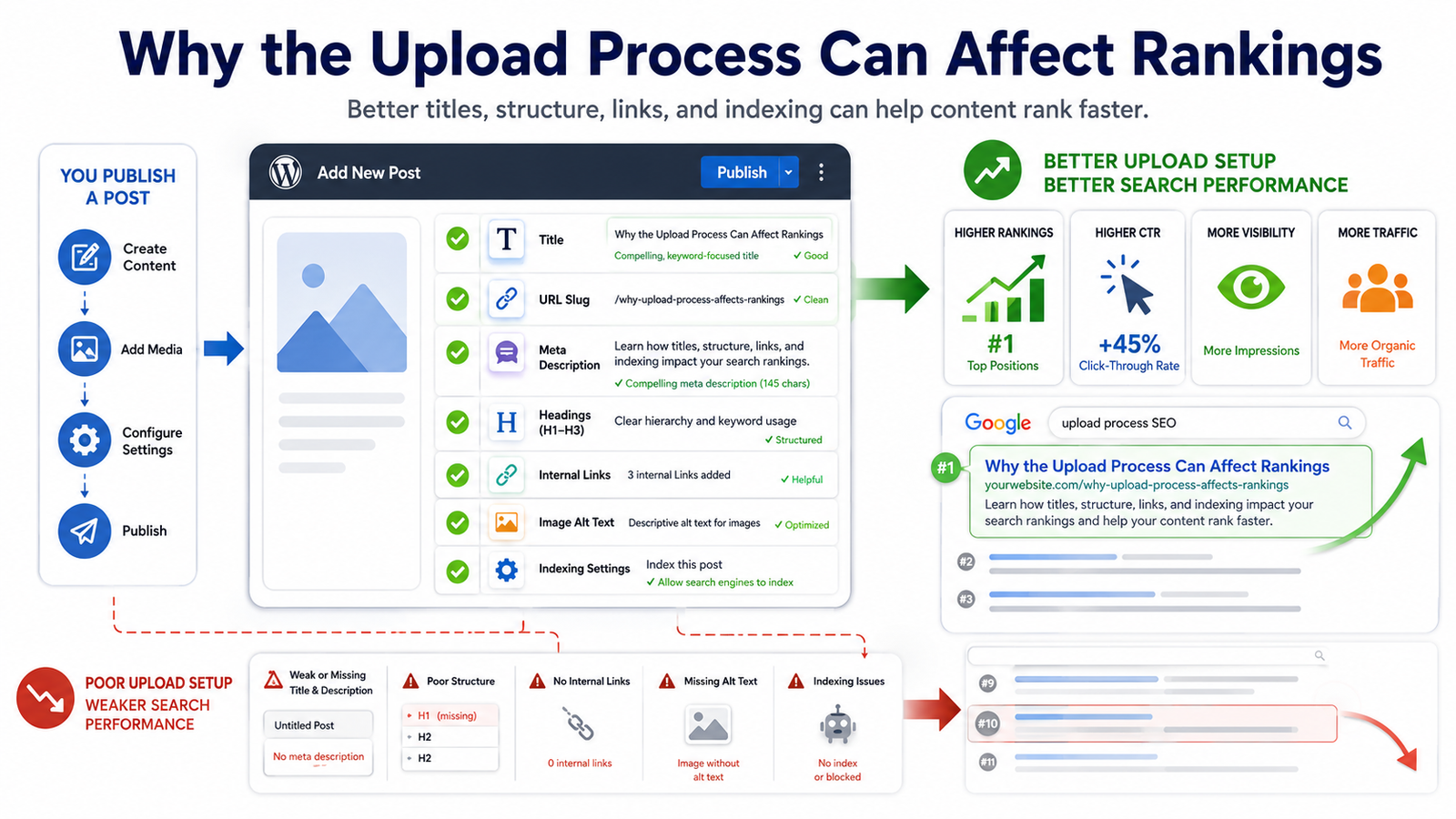
Why the Upload Process Can Affect Rankings
Why the Upload Process Can Affect Rankings

Many people think SEO starts after publishing.

They write the article first. Then they publish it. Then they wait. Then they check rankings.

That is the wrong order.

SEO should be part of the publishing process from the beginning. Google needs clear signals to understand what the page is about. Readers also need a clean structure so they can quickly find answers.

When you upload an article properly, it becomes easier for search engines to:

  • Crawl the page
  • Understand the main topic
  • Read the heading structure
  • Follow internal links
  • Identify the correct title
  • Understand image context
  • Index the page correctly
  • Match the page with relevant queries

It also helps users stay longer because the article feels easier to read.

That is why an SEO article upload checklist is important. It helps you avoid small mistakes that can quietly reduce performance.

Step-by-Step Guide to Publish SEO-Friendly Blog Posts

Follow these steps before publishing your next blog post.

1. Choose One Clear Main Keyword

Before uploading the article, decide the main keyword.

For this page, the main keyword is:

how to upload articles for SEO

But you should not repeat the same phrase unnaturally in every paragraph. Use natural variations too, such as:

  • publish SEO-friendly blog posts
  • upload SEO articles
  • SEO article upload checklist
  • optimize a blog post before publishing
  • blog post SEO settings
  • article publishing SEO guide

Your main keyword should appear naturally in:

  • SEO title
  • H1 heading
  • First 100 words
  • URL slug
  • Meta description
  • One H2 or H3 heading
  • Conclusion or CTA

Avoid keyword stuffing. The page should sound human, not robotic.

If you are still planning your article, our guide on best AI prompt generators can help you create better blog outlines, title ideas, and SEO content prompts.

2. Write a Strong SEO Title

Your SEO title is one of the biggest CTR factors. It is often the first thing people notice in Google.

A weak title gives no clear reason to click. A strong title tells users exactly what they will learn.

Bad title:
Upload Article SEO Tips

Better title:
How to Upload Articles for SEO and Rank Faster in 2026

The better version works because it includes the main keyword, adds a clear benefit, and feels current.

A good SEO title should:

  • Include the main keyword naturally
  • Match the article content
  • Be easy to understand
  • Create a reason to click
  • Avoid fake promises
  • Stay readable on mobile search results

Do not stuff too many keywords into the title. A title should attract people, not just search engines.

3. Use a Clean URL Slug

The URL slug should be short, readable, and keyword-focused.

Bad slug:
/UQBWRFuk-BJ_JA4XswSoaPFvd-uYwLHZtrXqiMLIyLeyl5Y_-google-2026/

Good slug:
/how-to-upload-article-seo/

A clean slug is easier for both users and Google to understand.

Best practices:

  • Keep it short
  • Use lowercase letters
  • Use hyphens between words
  • Remove unnecessary words
  • Avoid dates unless needed
  • Do not change the slug later without redirects

If your article is already indexed, be careful before changing the slug. Changing URLs without proper redirects can cause ranking and indexing issues.

4. Write a Meta Description That Encourages Clicks

The meta description is your short pitch in search results. It should explain the value of the page clearly.

Bad meta description:
This article is about SEO and uploading articles.

Better meta description:
Learn how to upload SEO-friendly articles with the right title, meta tags, headings, images, links, and indexing settings to rank faster in 2026.

The better version is more specific. It tells readers what they will learn before they click.

A strong meta description should:

  • Be around 140–160 characters
  • Include the main topic naturally
  • Mention the benefit
  • Sound useful and human
  • Avoid keyword stuffing
  • Match the article content

Google may rewrite your meta description sometimes, but writing a good one still gives your page a better chance of showing a strong snippet.

5. Format the Article With Clean Headings

Heading structure matters because it helps Google and readers understand the page.

Use one H1 only. Usually, the article title is the H1.

Then use H2 headings for major sections and H3 headings for steps or sub-points.

Example structure:

H1: How to Upload Articles for SEO and Rank Faster in 2026
H2: What Does Article Upload SEO Mean?
H2: Step-by-Step Guide to Publish SEO-Friendly Blog Posts
H3: 1. Choose One Clear Main Keyword
H3: 2. Write a Strong SEO Title
H3: 3. Use a Clean URL Slug
H2: WordPress, Rank Math, and Yoast SEO Upload Settings
H2: Common Mistakes to Avoid
H2: FAQs

Do not use headings just to make text bigger. Use them to organize the article properly.

6. Add Internal Links Before Publishing

Internal links help Google understand how your pages connect. They also help readers move to useful related content.

For this article, internal links can point to relevant TheArticleSpot guides such as:

Use natural anchor text like:

  • AI writing tools for SEO content
  • SEO audit guide
  • Google Search Console guide
  • prompt generators for blog outlines
  • Google Business Profile optimization

Avoid anchors like “click here” or “read more.” They do not give enough context.

7. Optimize Images Before Uploading

Images can improve user experience, but they can also slow down your website if they are not optimized.

Before uploading images:

  • Compress the image
  • Rename the file properly
  • Add descriptive alt text
  • Use WebP or JPG where possible
  • Avoid oversized dimensions
  • Preview the image on mobile

Bad image filename:
IMG_8847.jpg

Good image filename:
seo-article-upload-checklist.jpg

Bad alt text:
image

Good alt text:
SEO article upload checklist for publishing blog posts

Alt text should describe the image clearly. Do not stuff keywords into every image.

8. Add Useful External Links

External links are not needed in every paragraph, but they can help when you are supporting a fact or pointing readers to an official source.

Good external links may include:

  • Google Search Central documentation
  • WordPress plugin documentation
  • Official Rank Math or Yoast guides
  • Tool documentation for SEO software

Avoid linking to weak, unrelated, or spammy websites. Every external link should help the reader.

9. Add FAQ Section for Long-Tail Queries

FAQs are useful because they answer quick questions and can target long-tail searches.

For this article, useful FAQ questions include:

  • How do I upload an article for SEO?
  • How do I add meta tags to a blog post?
  • Should I use Rank Math or Yoast?
  • What is the best URL slug format?
  • How long does it take for a new article to rank?
  • Do internal links help blog posts rank?

Keep FAQ answers short, direct, and helpful.

10. Check Indexing Before and After Publishing

Before publishing, make sure the page is not set to noindex.

After publishing, inspect the URL in Google Search Console.

Go to:

Google Search Console → URL Inspection → Paste URL → Request Indexing

You can also read our Google Search Console login guide if you need help accessing GSC or checking indexed pages.

WordPress, Rank Math, and Yoast SEO Upload Settings

Many users searching for this topic are not just looking for theory. They want to know exactly what to check inside WordPress before publishing.

Here is a practical CMS checklist.

WordPress Upload Checklist

Before clicking publish in WordPress, check:

  • Post title is clear and keyword-focused
  • Permalink is short and clean
  • Article uses only one H1
  • H2 and H3 headings are structured properly
  • Paragraphs are short
  • Images are compressed
  • Image alt text is added
  • Category is selected
  • Tags are relevant but not excessive
  • Internal links are added
  • External links open correctly
  • Featured image is added
  • Mobile preview looks clean
  • Page is not set to noindex

WordPress gives you the structure, but you still need an SEO plugin to control metadata properly.

Rank Math Upload Settings

If you use Rank Math, check these before publishing:

  1. Add the focus keyword.
  2. Write the SEO title.
  3. Write the meta description.
  4. Check the permalink.
  5. Make sure the page is set to index.
  6. Add a canonical URL only if needed.
  7. Check schema type.
  8. Add FAQ schema if the article has FAQs.
  9. Add social title and social image.
  10. Check Rank Math suggestions, but do not follow them blindly.

Rank Math scores can be useful, but your goal is not just to turn the score green. Your goal is to make the article genuinely helpful and easy to understand.

Yoast SEO Upload Settings

If you use Yoast SEO, check these:

  1. Add the focus keyphrase.
  2. Edit the SEO title.
  3. Edit the meta description.
  4. Check the slug.
  5. Review readability suggestions.
  6. Confirm the page is indexable.
  7. Set the canonical URL if needed.
  8. Add schema settings where available.
  9. Add social preview details.
  10. Preview how the snippet may look in Google.

Yoast is helpful for basic SEO checks, but it cannot fully judge whether your article satisfies search intent. Always review the content manually.

Rank Math vs Yoast: Which One Is Better for Upload SEO?

Both Rank Math and Yoast can help you publish SEO-friendly blog posts.

Rank Math gives more built-in features in many setups, especially for schema and detailed SEO checks. Yoast is simpler and widely used, especially for beginners.

The plugin matters less than the process.

Whether you use Rank Math or Yoast, always check:

  • Title
  • Meta description
  • Slug
  • Indexing
  • Canonical URL
  • Schema
  • Social preview
  • Internal links
  • Readability
  • Mobile layout

Practical SEO Examples Before Publishing

Here are a few real examples that show how small changes can improve article quality.

Example 1: Bad Title vs Good Title

Bad title:
SEO Upload Tips

Good title:
How to Upload Articles for SEO and Rank Faster in 2026

Why it works:

The good title is specific, keyword-focused, and benefit-driven. It tells readers exactly what they will get.

Example 2: Bad Slug vs Good Slug

Bad slug:
/2026-best-seo–tips-uploading-articles-ranking-fast-in-google/

Good slug:
/how-to-upload-article-seo/

Why it works:

The good slug is short, clean, and easy to understand. It does not include unnecessary words.

Example 3: Bad Alt Text vs Good Alt Text

Bad alt text:
blog image

Good alt text:
WordPress SEO article upload checklist

Why it works:

The good alt text describes the image clearly and gives search engines useful context.

Example 4: Bad Meta Description vs Good Meta Description

Bad meta description:
Learn SEO tips for articles and blogs.

Good meta description:
Learn how to upload SEO-friendly articles with the right title, meta tags, headings, images, links, and indexing settings to rank faster in 2026.

Why it works:

The good version gives more detail and makes the result more clickable.

What to Do After Publishing

Publishing is not the final step. After your article goes live, you need to track its performance.

Check Google Search Console Queries

After a few days or weeks, open Google Search Console and check which queries are triggering the page.

Go to:

Performance → Search Results → Pages → Select the URL → Queries

Look for queries such as:

  • how to upload articles for SEO
  • publish SEO-friendly blog posts
  • how to add meta tags to blog post
  • WordPress SEO article settings
  • Rank Math blog post settings
  • Yoast SEO upload settings
  • SEO article checklist
  • how to index a new blog post

If the page gets impressions for a query but does not answer it well, add a new section.

This is one of the fastest ways to improve rankings because you are expanding the article based on real search data, not guesses.

Improve the Article Based on Search Intent

  • If people are finding the page through “Rank Math settings,” add more Rank Math steps.
  • If they are searching “Yoast SEO settings,” expand the Yoast section.
  • If they are searching “how to add meta tags,” add more practical examples.
  • This is how a page can move from page 3 to page 2, and eventually toward page 1.

Add More Internal Links

After publishing, add links from older relevant articles to this page.

Good source pages include:

  • AI writing tools guides
  • Prompt generator guides
  • Semrush guides
  • Screaming Frog guides
  • Google Search Console guides
  • Blogging and content optimization articles

For example, inside an AI writing article, you can add:

Once your draft is ready, follow this guide on how to upload articles for SEO so your title, meta description, headings, images, links, and indexing settings are properly optimized.

That type of internal link feels natural because readers using AI writing tools also need to publish the content correctly.

Common Mistakes to Avoid When Uploading SEO Articles

Even good articles can fail if they are uploaded badly. Avoid these mistakes.

1. Publishing Without Search Intent

Do not publish only because you have written 1,000 words. Ask what the user actually wants.

For this topic, users likely want a practical upload checklist, not a vague explanation of SEO.

2. Repeating the Same Keyword Too Often

Using the same phrase again and again makes the article sound unnatural.

Instead of repeating one keyword, use natural variations like:

  • publish SEO-friendly blog posts
  • optimize blog posts before publishing
  • SEO article checklist
  • article publishing guide
  • blog upload SEO settings

3. Forgetting Internal Links

A page with no internal links is harder for Google and users to discover.

Every important blog post should connect to related content on your site.

4. Uploading Large Images

Large images slow down the page and create a poor user experience.

Compress images before uploading them.

5. Ignoring Mobile Preview

Most users will read your content on mobile. Always preview the article before publishing.

Check:

  • Paragraph spacing
  • Table width
  • Font size
  • Image size
  • Buttons
  • Ads
  • Table of contents

6. Leaving the Page on Noindex

This is one of the most damaging mistakes.

If the page is set to noindex, Google will not show it in search results. Always check the indexing setting before publishing.

7. Copying From Google Docs Without Cleaning Formatting

Copying from Google Docs or Word can add messy formatting to WordPress.

After pasting, check the layout, headings, spacing, and HTML if needed.

Upload SEO vs Traditional SEO

Traditional SEO focuses on the whole website. It includes page speed, backlinks, content quality, technical SEO, site structure, and authority.

Article upload SEO focuses on how each blog post is published.

Both are important.

Traditional SEO builds the foundation. Upload SEO makes sure every new article is added properly.

If your website has strong technical SEO but your blog posts are uploaded with weak titles, missing meta descriptions, broken headings, and no internal links, your content will still struggle.

Helpful SEO Tools for Uploading Articles

SEO tools can make the publishing process easier.

Semrush can help with keyword research, competitor analysis, and rank tracking. You can check our Semrush login and SEO guide if you use Semrush for content planning.

Screaming Frog can help find missing titles, duplicate meta descriptions, broken links, and crawl problems. Our Screaming Frog SEO audit guide explains how technical audits work.

These tools are useful, but they do not replace human judgment. A tool can identify missing metadata, but it cannot always tell whether your article feels helpful, trustworthy, and easy to read.

Local SEO Note for Business Articles

If you are publishing blog posts for a local business, add local relevance carefully.

For example, you can include:

  • City or region
  • Local customer problems
  • Service area
  • Local examples
  • Google Business Profile connection

If local visibility matters, read our guide on Google Business Profile optimization.

Do not force city names into every paragraph. Add location details only where they make sense.

Final SEO Article Upload Checklist

Before publishing your next blog post, check this list:

SEO Item Status
Main keyword selected Done / Not Done
SEO title added Done / Not Done
URL slug cleaned Done / Not Done
Meta description written Done / Not Done
H1, H2, and H3 structure checked Done / Not Done
Internal links added Done / Not Done
External links checked Done / Not Done
Images compressed Done / Not Done
Image file names optimized Done / Not Done
Alt text added Done / Not Done
Rank Math or Yoast settings checked Done / Not Done
Schema added if needed Done / Not Done
Page set to index Done / Not Done
Mobile preview checked Done / Not Done
URL submitted in Google Search Console Done / Not Done

Publishing an article is easy. Publishing it properly takes a few extra minutes.

Those few minutes can make the difference between a page that sits quietly and a page that starts gaining impressions, clicks, and rankings.

Bookmark this SEO article upload checklist before publishing your next blog post.

For a documented method that connects search evidence, AI-assisted analysis, human review and WordPress QA, follow our AI-assisted SEO publishing workflow.

FAQs

How do I upload an article for SEO?

To upload an article for SEO, add a strong title, clean slug, meta description, proper headings, internal links, optimized images, alt text, schema where needed, and indexing settings before publishing.

How do I publish SEO-friendly blog posts in WordPress?

In WordPress, write a clear title, clean the permalink, use proper headings, add internal links, optimize images, check Rank Math or Yoast settings, preview the post on mobile, and make sure the page is indexable.

Should I use Rank Math or Yoast for blog SEO?

Both Rank Math and Yoast can help. Rank Math offers more built-in SEO features in many setups, while Yoast is simple and beginner-friendly. The most important thing is checking the title, meta description, slug, schema, indexing, and internal links before publishing.

What is the best URL slug for an SEO article?

The best URL slug is short, readable, and focused on the main topic. For example, /how-to-upload-article-seo/ is better than a long slug with unnecessary words.

How do I add meta tags to a blog post?

You can add meta tags through an SEO plugin like Rank Math or Yoast. Add the SEO title, meta description, canonical URL if needed, robots settings, and social sharing tags before publishing.

Do internal links help articles rank faster?

Internal links can help search engines discover your article, understand its topic, and connect it with related pages. They also help readers find more useful content on your website.

How long does it take for a new article to rank?

Some pages get indexed within a few days, but rankings usually improve over weeks or months. Query coverage, internal links, content quality, and site authority all affect how quickly a page grows.


 

Creative Writing Prompts: Spark Ideas And Beat Writer’s Block

Some days, I find writing so effortless. Words just come to me. Images pop into my head. Characters take over and start talking to me on their own.But, I have other days where nothing materializes. Just a blank screen and a cursor flashing at me. And in total silence.That’s when most of the times—creative writing prompts come for the rescue. Not as a strict code to follow. Nor as limitations. More as gentle pushes. Tiny sparks. Something to set the brain in motion again.

They don’t do the writing for you.
They simply unlock the door for you.

In the form of short ideas, images, questions, or scenarios, creative writing prompts serve as a tool to help a writer to get started on a story, poem, or personal write-up. The main goal of these prompts is to identify a path of writing rather than starting from scratch, which can be intimidating. Students, teachers, as well as professionals, can use prompts as a means to boost their imagination, creativity, experimentation, and thus gain confidence in writing.

What are writing prompts?
They are ideas or situations in short form, which help stimulate the writing process.

Are they helpful to experienced writers?
Yes, many seasoned writers incorporate writing prompts into their creative process to maintain a high level of creativity.

How do they function?
They provide an idea to start your thinking, instead of staring at a blank page.

The Way Writing Prompts Function

In essence, writing prompts work because they alleviate the tension involved in brainstorming. When you sit down to write and look at an empty page, your brain suddenly tries to decide on so many things at the same time—plot, voice, setting, mood, theme, etc.—that you get overwhelmed. Writing prompts help you focus on one idea at a time, much like how people try to make sense of major digital events such as the Optus data breach by breaking complex situations into smaller, understandable parts.

A writing prompt tells you, “Start here.” It may be a picture composition or a question. Whatever it is, it directs your attention to a single point, making it easier to create something instead of feeling stuck.After you get the ball rolling, momentum carries you along. Ideas keep flowing. Characters come to life. Scenes are set. The original prompt gradually fades into the background, silently fulfilling its purpose.

Bubble Writing and Visual Thinking

Bubble Writing and Visual Thinking


Bubble writing method is a brainstorming technique in which the points stem out indefinitely from one main word or theme. It’s quite straightforward, isn’t it? Circles joined by lines. Words are just spread in the air.Nevertheless, it succeeds in its purpose because it represents more or less how the mind works. Our thought process is non-linear, associative, and flexible.

Foremost, writers use bubble writing together with writing prompts to delve deeper into characters, settings, and emotions before composing a story. One single central point gets multiplied tenfold. Ten turn into fifty. Suddenly, the story has dimensions.It’s an excellent tool for visual thinkers and a great starter for young writers.

Pobble and Other Digital Prompt Platforms

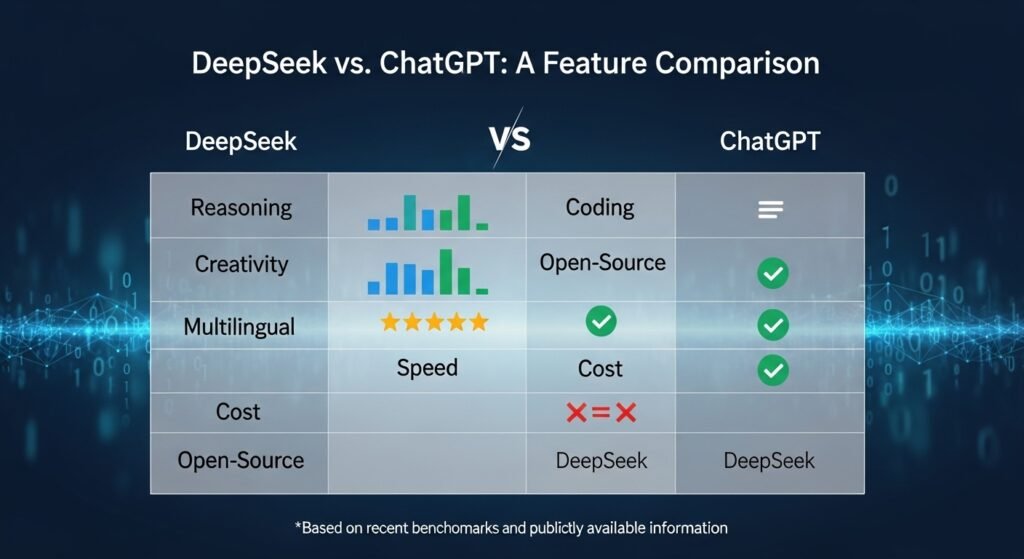
One of the most popular websites providing daily writing prompts, visuals, and storytelling starters for schools and independent learners is POBBLE. Teachers use it to motivate students to write regularly. What sets Pobble apart from random prompt generators is that it designs prompts with questions and vocabulary suggestions that guide students beyond shallow writing, much like how thoughtful tools compare in discussions such as DeepSeek vs ChatGPT when evaluating AI-powered writing platforms.

Other platforms feature Teach Starter login systems, similar avenues or aids. Thanks to these virtual environments, prompt-based writing is reachable 24/7.Technology is not a rival to creativity. It is a tool to promote it.

Writing From a Picture Prompt

One of the best ways to unleash your creativity is through writing from a picture prompt. A visual has many layers of stories embedded in it. Who is the person in the image? Why is he/she there? What happened before? What will happen next?Writing prompt visuals effectively overcome linguistic barriers. They work not only cross-culturally but also intergenerationally. Everyone interprets a visual in a slightly different way.

Writing prompt pictures are one of the favorite materials for teachers to use to stimulate their students’ descriptive language development. Colors, sounds, textures, movement—all these small details are noticed and described more carefully when one has to translate a visual into words.

Advantages of Writing Prompts

Advantages of Writing Prompts

The main advantage is persistence. A prompt leads to writing regularly, and it stops being an occasional activity. You just sit down, you pick one, and you write. What’s more, prompts make writing less scary. Most people shy away from creative writing because of the belief that they are not “good enough.” Using tools like Aelftech live chat support and guided prompts lowers the pressure. You are testing, You are playing. You are discovering.

Another thing that prompts bring to the table is their diversity. They serve fiction, nonfiction, journaling, poetry, and storytelling starters adequately. A single idea can be the source of a plethora of different outcomes.

Creative Writing in Education

Prompt-based learning is a major approach schools use to teach students how to narrate and communicate effectively. Such skills help students become great thinkers, empathize with others, and express themselves.Teachers can assess and track the student’s performance cleverly and easily justify difficulty levels with resources like Teach Starter login and Pobble.Prompting gives a hand to learners with different learning needs. When structure is present, it is easier to be free.Education and creativity can be friends.

Stories Prompted by Real-Life Examples

  • A student is given a photograph of a deserted lighthouse. Writes a paranormal story.
  • An adult was given a prompt about a forgotten letter. He develops a family drama.
  • A little girl receives a sentence: “The door opened by itself.” She writes a fantasy adventure.

Identical starting point. Worlds that are totally different.

That’s the wonder of it.

Major Writer’s Mistakes With Prompts

One of the biggest mistakes writers make is treating a prompt as a strict command rather than a flexible suggestion. A prompt is meant to inspire, not restrict creativity, yet many people follow it too literally and limit their own ideas. Another common problem is overthinking originality before even starting, which often kills motivation and momentum. Some writers also give up too quickly when a prompt feels uninteresting at first. Instead of abandoning it, they should allow the idea time to grow and develop naturally. Trusting the creative process is essential for meaningful writing to emerge.

Prompts vs. Free Writing

Free writing allows writers to express thoughts freely without any structure, while prompts provide gentle direction and focus. Both approaches have unique advantages, as free writing encourages raw and unfiltered creativity, while prompts help guide ideas toward a specific theme. Many writers switch between these methods depending on their mood and purpose. Prompts are often useful for getting started, while free writing helps explore ideas more deeply. Using both methods together creates balance and flexibility. Writers do not need to choose one over the other to be successful.

Creative Writing Ideas and Expanding Prompts

Strong writers know that the first idea is only the beginning of the creative process. A simple prompt can grow into a complex story when characters gain personality, settings develop history, and conflicts become more meaningful. Over time, these elements connect to form a rich narrative. What begins as a short exercise can evolve into something much larger. Writing prompts act like seeds that contain potential. It is the writer who decides how far that potential will grow.

Long-Term Writing Projects and Prompts

Writing prompts are not limited to short stories or quick exercises. Many novels and long-term projects begin with a single paragraph inspired by a prompt. Over time, small sections expand into chapters, and chapters become full books. Writers often save unused drafts and revisit them later with fresh perspective. This habit ensures that creative effort is never wasted. In this way, creativity becomes recyclable and continuously valuable.

Prompt Libraries and Digital Tools

Prompt Libraries and Digital Tools

Modern writers have access to an enormous variety of writing prompts through digital platforms. Websites, mobile apps, newsletters, and social media accounts share daily ideas and challenges. Many of these tools organize prompts by genre, such as fantasy, romance, mystery, or memoir. This makes it easier for writers to find material that fits their interests. However, the abundance of options can be overwhelming. The real challenge is choosing one prompt and beginning.

Developing a Daily Writing Habit

  • Talent matters less than persistence.
  • One prompt per day is common. Ten minutes. No pressure.
  • Skills grow naturally. Vocabulary expands. Confidence builds.
  • Incremental progress.

A Simple Prompt Planning Table

Purpose Prompt Type Example
Warm-up Sentence “It started raining inside.”
Story Image Stormy beach photo
Journal Question “What do you avoid?”
Poetry Word “Echo”
Classwork Scenario Lost backpack

It works as a skeleton for practice.

Creative Writing Prompts in Professional Work

Creative writing prompts are not only useful for beginners but are also widely used by experienced professionals. Screenwriters, journalists, and novelists rely on prompts to overcome creative blocks and refresh their thinking. Prompts help them explore side stories, experiment with different perspectives, and develop new writing voices. Even after years of experience, writers still face moments of stagnation and self-doubt. In such situations, prompts act as reliable starting points that reignite imagination. Experience does not eliminate the need for inspiration—it simply requires the right fuel to keep creativity alive.

 Full FAQ Section

How often should I use writing prompts?

You can use them daily or a few times a week, depending on your schedule. Even short, regular practice helps build confidence and consistency.

Do prompts limit originality?

No, prompts encourage creativity by giving you a starting point, not a finished idea. Your unique perspective makes each response original.

Can prompts help with writer’s block?

Yes, prompts remove the pressure of deciding where to begin and help you regain momentum. They are one of the most effective tools for breaking creative blocks.

Are picture prompts better than text?

It depends on your learning and thinking style. Visual thinkers prefer images, while idea-focused writers prefer text prompts.

Can I reuse old prompts?

Yes, you can reuse them as your skills and perspective change over time. The same prompt can lead to completely new ideas later.

Final Thoughts

On some days, what you produce will delight you.
On other days, it won’t. It’s all part of the game.

Prompts cannot guarantee perfection.

They help you move.

And movement is enough.

Write.
Adjust.
Improve.
And once again, write.

DeepSeek vs ChatGPT: Which AI Is Better in 2026?

0

Usually, people don’t start their day planning to learn about artificial intelligence. Opening their laptop may be the only thing they do with AI in mind. They look up something on the internet, write an email, ask a virtual assistant for help. And suddenly, AI is involved in their day.Data from search engines shows that DeepSeek vs ChatGPT discussion is rising.

The beginning of such debates is not in research labs or at tech conferences. Instead, it’s in moments so small and mundane that, when someone asks, “Which one should I actually use?” and realizes that the answer is not so straightforward, the question becomes real.

DeepSeek vs ChatGPT pits two advanced AI language models against each other, both of which are able to help with writing, research, coding, and other day-to-day activities. ChatGPT is more of a conversational intelligence model with high versatility, while DeepSeek was made to stress its technical reasoning and data-driven performance. As part of the broader shift toward AI and automation, the decision between the two often hinges on your work style, what you produce, and how much structure you want from an AI helper.

What is DeepSeek?
DeepSeek is an AI engine for reasoning, coding, and problem-solving in the technical field.

Is ChatGPT better than DeepSeek?
It depends on your needs. If you want a conversation, ChatGPT will help more. If you like to analyze, DeepSeek is better for you.

How do these tools work?
Both are large language models trained with vast datasets to produce human-like responses.

Understanding the Rise of AI Assistants

AI assistants have not come out of nowhere. They started as early-generation chatbots, then became search assistants, followed by writing aids, and finally evolved into collaborators.People use them for writing emails, homework, business planning, programming, creative writing, and even therapy-style conversations.Rapid adoption created rivalry. Numerous platforms emerged, each claiming better accuracy, faster response times, and smarter reasoning.Among them, DeepSeek and ChatGPT became the most popular.

How ChatGPT Works Behind the Scenes

How ChatGPT Works Behind the Scenes

ChatGPT leverages large-scale language models created by OpenAI. It gains knowledge from immense datasets that include books, articles, conversations, and code.It does not “know” facts. Instead, it predicts the next best word based on context.Alongside tone, emotion, logic, and structure, the system learns conversational patterns. Over time, this enables remarkably natural dialogue.ChatGPT prioritizes fluid conversation. It feels like talking to someone who listens.

How DeepSeek AI Works Differently

DeepSeek focuses heavily on logical reasoning, mathematical accuracy, and highly structured outputs designed for technical precision. Its architecture prioritizes problem-solving efficiency, making it especially valuable for users working in programming, engineering, and data analysis. Many users describe its responses as direct, concise, and practical, with little unnecessary conversation. Unlike more conversational AI models, DeepSeek minimizes expressive language in favor of clarity and logic. This approach makes it highly dependable for professional and analytical tasks. Its design philosophy consistently reflects a commitment to accuracy and performance.

ChatGPT vs DeepSeek: Core Philosophies

The biggest difference between ChatGPT and DeepSeek lies in their underlying mindset and purpose. ChatGPT is designed as a multifunctional assistant capable of writing, brainstorming, teaching, explaining, and even providing emotional support. It adapts its tone easily and aims to create a natural conversational experience. In contrast, DeepSeek emphasizes precision, optimization, and technical clarity above all else. It behaves more like a research assistant than a conversational partner. Both models are effective, but they serve different user expectations and working styles.

Writing and Content Creation Performance

When it comes to writing and creative content, ChatGPT generally performs more effectively than DeepSeek. It understands storytelling, emotional tone, character development, and narrative flow, making it popular among bloggers, students, and marketers. Users can instruct ChatGPT to sound more human, casual, or professional, and it adapts accordingly—especially when working alongside strong messaging security systems that help protect sensitive communications in digital workflows.

DeepSeek, on the other hand, produces structured and fact-focused content that works well for reports and technical documents. However, it lacks creativity and expressive depth. For most creative tasks, ChatGPT remains the preferred option.

Coding and Technical Use Cases

DeepSeek demonstrates strong performance in coding and technical problem-solving scenarios. Developers frequently rely on it for debugging, algorithm explanation, and code optimization. Its responses are typically logical, systematic, and focused on efficiency. While ChatGPT is also capable of assisting with programming tasks, it sometimes prioritizes readability and simplicity over performance. This can be helpful for beginners but less ideal for advanced developers. For professionals seeking precision and speed, DeepSeek functions like a specialized technical tool. It is especially useful in complex engineering environments.

Learning and Education Support

Both ChatGPT and DeepSeek support learning, but they do so in different ways. ChatGPT excels at adapting explanations to various learning levels, ranging from simple beginner concepts to advanced academic discussions. Students can request customized explanations and practice questions. DeepSeek provides thorough and accurate explanations but often uses more formal and technical language. This may be helpful for advanced learners but challenging for beginners. As a result, new learners tend to find ChatGPT more approachable. DeepSeek is better suited for structured academic or technical study.

Is DeepSeek Better Than ChatGPT?

Is DeepSeek Better Than ChatGPT

There is no single winner.

DeepSeek excels at:

  • Technical research

  • Programming

  • Mathematical reasoning

  • Structured outputs

ChatGPT shines at:

  • Writing

  • Conversation

  • Learning

  • Creativity

  • Business content

Your workflow decides.

DeepSeek vs ChatGPT Reddit Discussions

Discussions about DeepSeek and ChatGPT are widespread on Reddit and other online forums. Many DeepSeek users praise its productivity benefits and technical reliability. However, critics often describe it as cold, rigid, or lacking personality. ChatGPT users appreciate its conversational tone and versatility but sometimes question its technical depth. A growing number of users report using both platforms together. Typically, ChatGPT handles brainstorming and planning, while DeepSeek manages execution. This combined approach is becoming increasingly common among professionals.

DeepSeek ChatGPT in Professional Workflows

In professional environments, AI tools rarely replace human expertise and instead function as supportive assistants. Writers often use ChatGPT for drafting content, while editors refine and finalize it. Developers rely on DeepSeek for planning and technical guidance but still conduct testing manually. Managers use ChatGPT to prepare presentations and meetings, while DeepSeek assists with data analysis. This division of tasks increases efficiency and accuracy. When used together, both tools enhance productivity without reducing human oversight. Their complementary roles strengthen modern workflows.

User Interface and Accessibility

ChatGPT offers a clean, intuitive, and beginner-friendly interface that allows users to start quickly with minimal learning. Its conversational layout feels familiar and welcoming, even for first-time users. DeepSeek, in comparison, provides a more functional and minimal interface focused on utility rather than design. While it lacks visual polish, it delivers efficient access to technical features. Users who value aesthetics and ease of use generally prefer ChatGPT. Those who prioritize performance and simplicity often choose DeepSeek. Interface preference depends largely on personal workflow.

Pricing and Availability Models

Both ChatGPT and DeepSeek offer free and paid subscription models to meet different user needs. ChatGPT’s premium plans provide access to advanced models, faster responses, and additional features. These plans are popular among individuals and small businesses. DeepSeek, meanwhile, focuses more on enterprise-level pricing and API-based services. Its structure appeals to companies that require large-scale automation and analytics. Casual users typically favor ChatGPT’s flexible subscriptions. Organizations often prefer DeepSeek for long-term technical integration.

Data Privacy and Security Considerations

Data privacy and security are major concerns for users of both platforms. ChatGPT provides clear documentation regarding data usage, storage, and user controls. It emphasizes transparency and accessibility in its policies. DeepSeek places greater focus on enterprise compliance and regulatory standards. This makes it attractive to organizations handling sensitive information. Users dealing with confidential data should carefully review both platforms’ terms of service. AI systems process and store information, making responsible usage essential. Informed decision-making helps protect personal and professional data.

Common Mistakes Users Make

  • Expecting perfection

  • Copying without verification

  • Relying on only one tool

Smart users treat AI as support, not replacement.

Comparison Table: DeepSeek AI vs ChatGPT

Feature ChatGPT DeepSeek
Conversation Excellent Moderate
Coding Good Strong
Creativity High Low
Learning Strong Moderate
Interface Friendly Functional
Technical Focus Medium High

DeepSeek AI vs ChatGPT for Businesses

Key factors:

  • Reliability

  • Scalability

  • Cost

ChatGPT suits marketing, HR, support.
DeepSeek suits analytics and engineering.

Most companies use both.

Long-Term AI Development Trends

AI is evolving rapidly:

  • Larger context windows

  • Better memory

  • Multimodal features

Differences may narrow.

Competition benefits users.

Ethical and Social Considerations

Artificial intelligence has a growing influence on how people think, learn, and solve problems. While AI tools improve efficiency and access to information, excessive dependence can weaken critical thinking and independent reasoning skills. When users rely too heavily on automated responses, they may stop questioning accuracy or developing their own ideas. Both DeepSeek and ChatGPT raise important ethical questions related to authorship, originality, and accountability. Despite technological advancements, moral responsibility remains with human users. Ethical use requires awareness, balance, and continuous evaluation.

Choosing the Right Tool for Your Needs

Ask yourself:

  • Do I write more than code? → ChatGPT
    Do I analyze more than create? → DeepSeek
    Do I want flexibility? → ChatGPT
    Do I want precision? → DeepSeek

No tool is perfect.

Future Outlook: Collaboration Over Competition

Instead of “versus,” the future looks like “and.”

People will use multiple AI systems for different tasks.

Toolkits will expand.

Specialization will grow.

 Full FAQ Section

Is DeepSeek free to use?
Some features are free. Advanced options may require payment.

Can ChatGPT replace programmers?
No. It supports humans, not replaces them.

Which is better for students?
ChatGPT is generally easier.

Is DeepSeek more accurate?
Yes, in technical contexts.

Can I use both together?
Yes. Many professionals already do.

Final Thoughts

Most people will not commit exclusively to a single AI platform over time. Different tasks require different approaches, and user needs change from day to day. Some situations call for conversation, creativity, and emotional understanding, while others demand calculation and precision. AI is no longer about choosing sides between competing platforms. It is about selecting the right tools for specific purposes. With thoughtful use and ongoing learning, users can develop stronger skills and achieve better results through AI collaboration.

Gmail Passwords Data Breach and Email Security Risks 2026

0

The beginning is usually quite subtle. An unusual alert. Some unclear warning. Sometimes a mere idea that won’t leave you alone after hearing about yet another online leak. The thought that your email password — the key to virtually everything digital — might not be as secret as you had thought it to be.A gmail passwords data breach is not necessarily a large hack in one go. It can be gradual exposure over time. Old leaks. Use of the same credentials. Databases being passed around longer than anyone remembers. And Gmail in the center of it all.

A gmail passwords data breach describes instances where Gmail account login details appear on leaked databases, usually as a result of third-party breaches rather than Google itself. These events provoke serious issues related to email security, password reuse, and the ease of one compromised login leading to multiple account takeovers. It is not so much about panic but more about realizing where the risk really is.

What is a Gmail passwords data breach?

Generally, it means that Gmail login information is included in leaked datasets, often exposed through other breached services.

Is this something new?

No. Most of the cases are about old data breaches coming to light or being re-circulated.

How does this even happen?

Mainly through password reuse, phishing, or third-party platforms being compromised.

How Gmail Password Exposure Actually Happens

Contrary to the headlines, Google itself hasn’t been directly hacked to the extent of leaking users’ passwords in plain text to the public. This fact significantly matters. Gmail passwords are not saved in a form that is human-readable on Google’s systems, and incidents like the Optus data breach highlight how data exposure usually happens through third-party failures rather than direct compromise of major platforms.

So where does the danger come from?

The point of vulnerability is almost certainly somewhere else.

People continually reuse passwords. A common one for email, shopping, forums, and random apps on your phone. When any of these services get hacked, the leaking of these credentials leads to attackers testing them against each and every email account. The hack is called credential stuffing. It sounds dull but can be very effective.

After the email is compromised, it becomes easy to get to more stuff quickly.Your mailbox is not just a collection of messages. It’s also a place where password resets, verification codes, and other identity-related information are stored. That’s why scenarios related to email password leaks feel more severe than most other hacks.

The Role of “Have I Been Pwned” in Email Checks

Have I Been Pwned is often mentioned in discussions about this topic. It doesn’t create fear. It shows you a reflection of yourself.

By entering your email, you can check whether your email address has been found in any breaches. This doesn’t mean Gmail was hacked. It means the email address was caught in some breach, somewhere, at some time.For quite a few people, this is the first rather troubling realization. Their email address has been floating around longer than they themselves had thought.More often than not, it is linked to passwords they can’t even remember using.

Google Gmail Data Breach Warning: What Those Alerts Mean

Google Gmail Data Breach Warning


From time to time, Google may send google gmail data breach warning messages. Messages like these may disturb, but they are generally protective.Google constantly scans breach databases and tracks suspicious login behavior. If a credential set belonging to your email shows up in the list of leaked credentials, Google may ask you to change your password or freeze your account to prevent any unauthorized access.

It is not a blame game, rather, an early notice.

Just ignore it, and you are gambling with your digital identity.

Benefits? Not the Word, But There Are Outcomes

It is quite wrong to talk about “benefits” in relation to data breaches. However, certain outcomes have resulted in people taking security more seriously. Firstly, there is awareness. More and more people are discovering that Gmail isn’t the issue. The problem lies with the ecosystem—every signup, every “quick login,” each and every reused password.

Another result is the widespread use of password managers and two-factor authentication. Not because they have become fashionable, but because the risk of not using them became crystal clear, especially as more users started paying closer attention to account activity through tools like Google Search Console login and similar security dashboards that surface unusual access patterns.Last but not least, there is a change in behavior. A slightly more cautious attitude toward disclosing your email address. A slightly more care. These small differences spread over time.

Real Examples of Gmail-Related Password Leaks

Most of the time, real-life tales are just the opposite of the scenario where someone wakes up to find their bank account totally emptied. They tend to be more silent. One may detect unfamiliar “you have mail” notifications that they haven’t triggered. Password reset messages for services they don’t remember registering for. Receiving a security alert from Google after it has blocked a suspicious login attempt.

Many times, it turns out to be footprints of older breaches. Several years back. An app that you don’t remember installing. A forum where you participated once. This is exactly the kind of pattern a trained data analyst would recognize—how breaches linger quietly, resurfacing through forgotten accounts and long-abandoned platforms. That’s how data breaches can survive for a long time — not loudly, but persistently.

Common Mistakes That Make Email Breaches Worse

Among all possible mistakes, one that is most damaging is the repetition of the same password. It has still not disappeared anywhere.

Besides that, another one is equating time with the lack of importance. Just because a breach has taken place a long time ago does not mean that the data has vanished. It is constantly being sold, packed and mixed with other data, and resurfaced.Some people also misunderstand breach alerts. They panic instead of taking right action. Or even worse, they completely neglect the alerts.Then there is overconfidence. You think it’s “too big to fail” Gmail. Big platforms are secure. Users, less so.

Email Password Leak vs Direct Platform Breach

Email Password Leak vs Direct Platform Breach

Distinguishing between the terms is important. A gmail passwords exposed data leak mostly refers to situations where login credentials appear in breach datasets connected to other platforms, not Gmail itself. A direct Gmail breach would mean a Google system hack—which hasn’t happened in that way. Your reaction depends heavily on this distinction: in one case, you change personal habits; in the other, infrastructure would need to change. Most discussions around this topic, including broader data breach explanations and online security analysis, fall into the first category, as outlined by resources like The Article Spot.

Gmail Passwords Data Breach in the Bigger Breach Landscape

Among the risk pyramid, email is at the very top. Not because of its prevalence, but mainly due to the ramifications of its compromise.

When compared to breaches of social media, the fallout from an email breach is far more significant. Email breach is slow but steady if compared to retail leaks. Healthcare breaches expose sensitive records. Email breaches expose access.Therefore, it is quite normal that discussions on breaches eventually revert to email regardless of the starting point.

How Email Check Tools Fit Into Modern Security

  • A security check on your email isn’t a sign of paranoia but rather security maintenance.
  • By checking your email on a breach database, you can see if a warning is just a single incident or part of a pattern.
  • Using such tools shouldn’t be construed as a replacement for good habits but a strengthening of it.

Mistaking Noise for Risk

  • Your account is not compromised every time a breach is mentioned in your account. Breaches are common. The internet remembers everything.
  • The risk is in ignoring anomalies. Repeat alerts. Numerous login attempts. Unknown sessions.
  • Security is not reacting to every newsflash. It is about responding to signals.

Comparisons: Gmail vs Other Email Providers

Gmail vs Other Email Providers

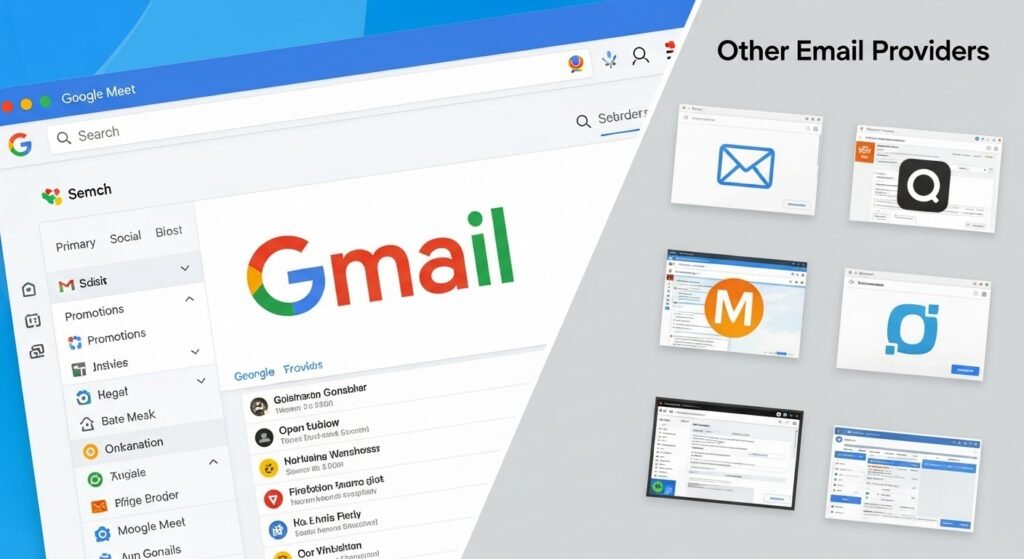
Gmail makes good use of its scale and detection systems, automated blocking, and behavioral analysis. Smaller providers may be missing some of those elements.On the other hand, big numbers can also be disadvantageous. Because of the number of accounts, Gmail ones are simply targeted more often.Security is a team effort. Platform and user. Neither alone is enough.

When to Actually Worry

Worry isn’t quite the right term.

Take action when you receive an alert on login that you didn’t perform and when you find out that your email has been linked to several breaches. Even take action if you have been reusing passwords over a long period of time.Not only does waiting not help, it even increases the danger because it delays your response.

Gmail Passwords Data Breach: The Human Side

What is often overlooked is emotional exhaustion. Security weariness. Overwhelming the victim with incessant security alerts. Constantly requested changes that make people tune out.That is a huge risk.The email is what keeps much of life functioning. Work. Finance. Identity. One doesn’t just lose the access, one is invaded. Silently.

Full FAQ Section

Has Google ever had a direct Gmail password breach?

To date, no evidence has surfaced that passwords for Gmail accounts have leaked directly from Google’s systems.

How can my Gmail be found in breach databases?

Mostly, your email address was part of a breach that occurred on another service not necessarily Gmail.

Does my Gmail being in a breach database mean my Gmail is hacked?

Not always. It simply means that the email address was exposed in a breach somewhere.

What if I get a Gmail security alert?

Change your password immediately and check your recent account activity to be sure.

Is a breach from the past still a risk?

Definitely. It’s common for attackers to reuse compromised accounts or codes to launch automated attacks.

How frequently should I change my email password?

Change it when you get a serious alert or there has been exposure, but not only because it is time to do it.

Is two-step verification enough?

No doubt, 2FA is the most powerful authorization step, but it is neither a substitute for a good password nor a cure for all ailments.

The truth is that the issue remains unresolved in its full extent. There isn’t a moment when you can say email security is “fixed.” It’s a continuous thing. Habits change. Tools get better. Threats keep on adapting.

Most people don’t radically change everything overnight. The change is gradual, along with the deletion one by one of the bad passwords and the taking of one alert more seriously than before.

And that is normally how it works.

Optus Data Breach Explained: Lawsuits, Risk, Impact

0

An Optus data breach shook far more people than many first expected.It wasn’t because the whole idea of a data breach was new, but due to the nature of the information leaked and the fact the whole thing was kept so quiet. Names, dates of birth, phone numbers, ID details. Things you don’t just change and forget. Even now, long after the first headlines faded, people are still dealing with the consequences in small, ongoing ways.

Optus data breach is a significant cybersecurity incident that was compromised personal data of millions of customers in Australia. The breach raised serious issues concerning data security, privacy laws, and the responsibility of corporations. Furthermore, besides the technical failure, the breach resulted in lawsuits, class actions, and the issue of trust that has not been completely resolved until now.

What is the Optus data breach?

It was a massive exposure of people’s personal data of customers when a compromised party accessed Optus systems without authorization in 2022.

Is the Optus data breach still relevant?

Legal cases, discussions about the compensation, and privacy reforms are still unfolding.

How did the Optus data breach happen?

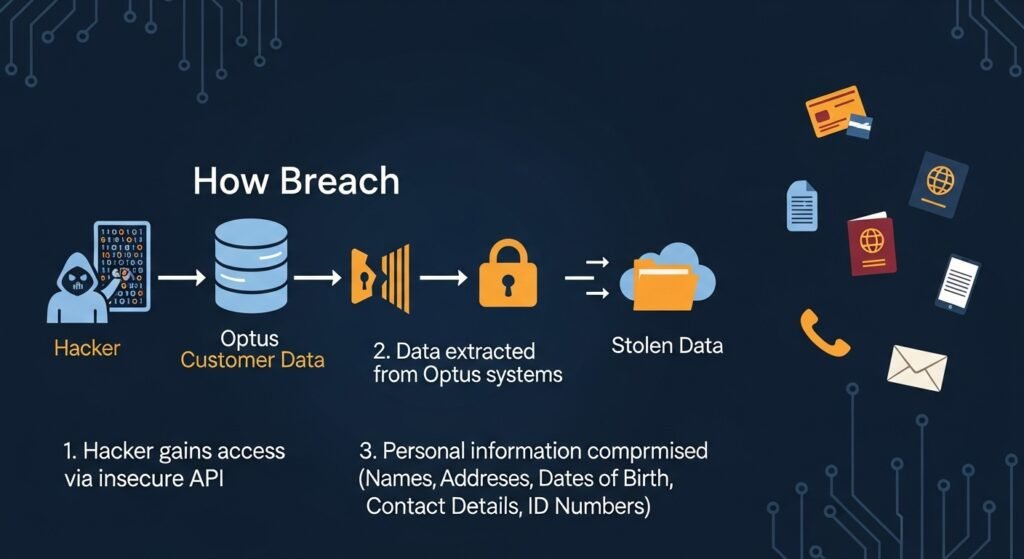
Optus said that the breach had taken place via an exposed API that gave access to the system without proper authentication.

How the Optus Data Breach Worked

How the Optus Data Breach Worked

From the technical standpoint, the breach didn’t occur due to viruses or accessing accounts through stolen passwords. This was one of the reasons it was so disturbing. According to the information provided by Optus, it was a single API endpoint that was accidentally left exposed. APIs are communication tools used to let systems exchange information. They are safe when secured properly. When they are not secured, they turn into unnoticed entry points.

Incidents like this are exactly why professionals working in cyber security jobs focus so heavily on access controls, endpoint monitoring, and continuous auditing. In the current case, the attacker is said to have gained access to customer records without the need to provide authentication credentials.What is important here is not only the method used by the attacker but also, and mainly, the data that has been stored behind that particular access point. Over the years, a huge pile of personal data was gathered. Some of the data belonged to former customers who had no contract with Optus anymore.

This piece of information later became a focal point of argument.

Benefits Section Adding Value

If we talk about “advantages” related to a data breach, it sounds weird. But if we consider it from an informational perspective, there were results that changed the way data privacy is handled. One such result was the awareness that certain data practices had been conducted and the data was held for a very long time, without telecom customers even knowing. After the breach, questions started arising. Why does a telecom company still hold the personal identity documents of a customer years after the contract has ended? Situations like this pushed organizations to rethink malware protection and data security practices as part of a broader responsibility toward customer privacy.

Another result was that regulatory agencies, legislators, and companies had to reevaluate the importance of data minimization. Data kept “just in case” suddenly appeared to be a liability rather than an asset.And, finally, there was also the increased openness. It’s not perfect, but still better. Silence is no longer an acceptable response when personal data is exposed.

Real-World Examples of Impact

Some individuals were affected almost immediately. They experienced scams using their personal data, strange activities in their accounts, and a need to get new documents changing their ID.

But for the slow-developing ones, this is always the case. Everything is anxiety at a very low level and credit checks have become a routine thing. Being cautious when receiving phone calls and emails is also important.The businesses were impacted too. Optus was dealing not only with customers but also partners, regulators, and investors who were putting forward their concerns. Trust doesn’t break loudly. It erodes.By the way, the data breach turned into a reference point for other companies. Internally they started to use it as a warning example.

Common Mistakes That Made Things Worse

Not all of the biggest mistakes were those of a technical nature. One of the biggest mistakes was a communicative one.

Initial communication mostly emphasized what was not stolen thus avoiding stating the pain of the victims. No passwords. No payment details. While these facts are correct, they do not represent any kind of loss to the victim. The identity information on the other hand is something with which the victims feel vulnerable. To lose it is to lose your very self.

Another mistake was the issue of doing more with data that was at hand. It was discovered that keeping personal information for a longer period than necessary had increased the extent of the impact. It became a point of contention during the legal debate later on.Eventually, there was confusion. Customers had a hard time figuring out if they were affected and what their next steps should be. During breach situations, just as much importance has to be given to clarity as to speed of response.

Optus Data Breach vs Other Major Breaches

Optus Data Breach vs Other Major Breaches

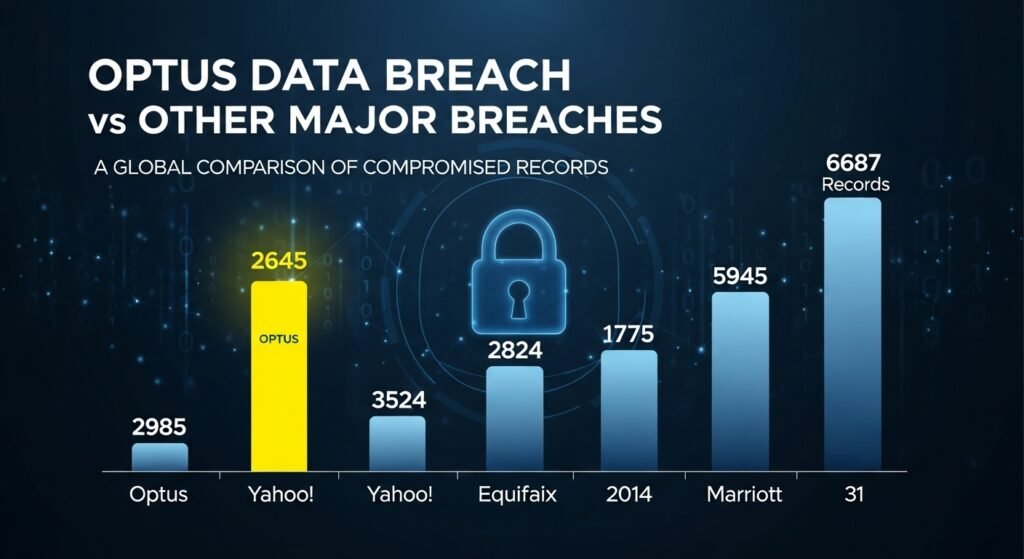
In comparison to some other breaches that led to the exposure of bank details, this one had a different touch. Credit card breaches cause problems, but cards can be canceled. Identity details can’t. When compared with breaches in the healthcare sector, the scale was almost the same, but the public reaction felt sharper, almost like a dagger. Now customers of telcos sit at the center of the digital world, where issues around digital identity and data security have become unavoidable, as explored in depth across broader technology and risk discussions on The Article Spot. Phones are no longer seen as simple communication devices; they’ve quietly become the primary proof of who we are.

This is the reason why the public reaction was quite strong. Disregarding the number of victims, it was almost totally about the victims’ dependence on the brand.

Optus Data Breach Privacy Lawsuit Explained

The optus data breach privacy lawsuit was initiated as a result of accusations that Optus did not adequately ensure the security of customer information (Privacy Act 1988). The plaintiffs further asserted that the company had excessively stored personal data and failed to protect it properly.Privacy laws don’t mandate companies to be flawless, rather they require companies to act reasonably. Reasonableness of the act is something that has become a key point in the debate. So, was it reasonable to keep the identity data of those who had left the company? Was it reasonable to leave the API exposed?

Those questions now sit at the heart of the case.

Optus Data Breach Class Action and Its Progress

In the class action Optus data breach, claims from millions of content customers have been aggregated. Class actions are inherently slow because they have to go through the entire discovery process, expert testimony, and have those slow procedural steps in place.Most people that take part see the case not as a dramatic compensation event, but more as an issue of recognition of their injuries, setting a certain standard, and making sure that the breach doesn’t occur again quietly and without anyone finding out.Whether that goal will be fully met remains to be seen.

Optus Data Breach Compensation: What’s Realistic

Optus Data Breach Compensation

When folks hear about “compensation” their imaginations can run wild. However, the discussion regarding Optus data breach compensation is actually focused on losses that can be proven, time, stress, and ongoing risk.Some types of redress may take the form of financial payments. Others may include service credits or non-monetary remedies. Class action settlements often involve a mix of different options.What matters is proportionality. Courts look at actual harm, not hypothetical fear.

Optus Data Breach Class Action Payout: Current Outlook

The speculation about an Optus data breach class action payout continues, but the final decision has not yet been reached. Cases such as these usually take time, especially when they raise new questions about the field of digital privacy.Some people will be satisfied. Others will not. Such a situation is typical indeed. The matter of precedent is just as important as the size of the payout.

Optus Data Breach Case Study: Lessons Going Forward

This particular breach as a case study clearly depicts three aspects in which it failed.

Firstly, it demonstrates that technical simplicity does not always mean a lower risk. An exposed API can be as harmful as a highly-developed hacking attack.Secondly, data minimization should be practiced at all times. By holding less data, the future risk of harm will be reduced.Thirdly, it is just as important how those who respond to a breach sound like. People look for not just the truth, but also for compassion.These lessons have already been introduced in conversations on security that take place all over the world and not just in Australia.

FAQS (PEOPLE ASK )

When did the Optus data breach occur?

The breach was disclosed in September 2022.

How many people were affected?

Approximately 10 million current and former customers.

Was Optus fined for the breach?

Regulatory investigations are ongoing, and legal outcomes are still developing.

Can former Optus customers be part of the class action?

Yes, former customers whose data was exposed may be eligible.

Is identity theft guaranteed after a breach like this?

No, but the risk increases, which is why monitoring is advised.

Did Optus change its security practices afterward?

Optus stated it implemented additional security measures following the breach.

Can similar breaches happen again?

No system is immune, but lessons from this incident are shaping better practices.

Should consumers be more cautious with telecom providers now?

Awareness and caution are reasonable responses, especially around data sharing.

The affair hasn’t sorted itself out in some perfect conclusion. Meanwhile, the legal machinery keeps turning, rules keep getting improved, and humans keep adjusting. For many of them, it’s already part and parcel of how they perceive data. Not a big deal anymore. Just there. Quietly influencing decisions, trust, and expectations as time goes on.

Cyber Security Jobs in Australia | Roles, Skills, Cities and Career Growth

0

Cyber security jobs sound dramatic when you only read the titles. Breaches. Threats. Midnight alerts. In reality, the work is usually quieter than people expect, but the responsibility is serious.

At its core, cyber security is not only about tools and systems. It is about trust. Organizations trust security teams to protect data, reduce risk, prevent disruption, and make calm decisions when something goes wrong. That is why cyber security careers continue to attract attention across Australia. The demand is real, and official Australian sources continue to describe cyber security and related ICT skills as important workforce needs.

Editorial note: This article was reviewed by TheArticleSpot’s editorial team for clarity, source accuracy, and relevance. Job-market figures, salary expectations, and role demand can change, so readers should verify current listings and official workforce data before making career or study decisions.

Why Cyber Security Jobs Matter

Every organization that stores or processes information carries some level of risk. That includes banks, hospitals, logistics providers, universities, startups, government agencies, and small businesses.

Cyber security work is not just about fighting attackers after an incident. Most of the job is prevention. It involves securing systems, reviewing controls, identifying weak points, and reducing the chance that an incident happens at all. Jobs and Skills Australia describes ICT Security Specialists as professionals who establish, manage, and administer security policies and procedures, including preventive and recovery strategies.

That makes cyber security a long-term business function, not just an emergency response role.

Cyber Security Jobs in Australia: Demand Is Still Strong

Australia continues to show strong demand for cyber security-related skills. Jobs and Skills Australia has highlighted cyber security skills as being in demand as the labour market evolves, and current SEEK listings still show a large national volume of cyber security jobs as well as hundreds of entry-level listings.

The challenge for employers is not only finding technical people. It is also finding people who can:

  • explain risk clearly
  • stay calm under pressure
  • work well with teams
  • make practical decisions
  • keep learning as threats change

That is one reason strong employability skills matter so much in cyber security roles.

What Different Cyber Security Roles Actually Involve

Cyber security is not one single job. It includes a mix of technical, operational, governance, and leadership roles. The ASD Cyber Skills Framework includes roles such as cyber threat analyst, incident responder, intrusion analyst, penetration tester, and vulnerability assessor.

Common role types

Security analyst

These professionals monitor alerts, investigate suspicious activity, and escalate real issues. This is often where people start.

Governance, risk and compliance

These roles focus on policies, controls, risk reviews, audits, and translating technical risk into business language.

Security engineering

This area focuses on tools, architecture, deployment, integrations, and technical improvements across systems.

Incident response

These teams investigate and contain security events when something goes wrong.

Threat and vulnerability work

This includes finding weaknesses, testing exposure, and improving resilience before attackers exploit gaps.

Related security topics such as malware protection, what is a DNS server, and managed IT services can help readers understand how cyber security fits into wider business protection.

Cyber Security Jobs by Australian City

Cyber security opportunities vary by city because the employer mix is different in each market.

Sydney

Sydney currently shows one of the highest visible job volumes on SEEK for cyber security roles in Australia, with roles ranging from analysts to enterprise leadership positions. The market tends to be shaped by finance, large enterprises, regulated environments, and critical business infrastructure.

This often means:

  • larger teams
  • more formal processes
  • more documentation
  • bigger enterprise impact

Melbourne

Melbourne also has a strong cyber security market, with current listings across enterprise, financial services, consulting, education, and SaaS-style environments. SEEK continues to show hundreds of cyber roles in Melbourne, including analyst and GRC-focused openings.

This can be a good city for people interested in:

  • governance and compliance
  • enterprise environments
  • fast-moving software businesses
  • blended business and technical work

Brisbane

Brisbane is often attractive for professionals who want opportunities across mid-sized companies, consulting, and cloud-focused environments. Brisbane can be a useful market for professionals with broad cyber security skills, especially those interested in generalist roles across consulting, cloud, and mid-sized business environments.

Perth

Perth has visible demand too, including roles linked to operational technology, infrastructure, and university or enterprise positions. SEEK also shows operational technology cyber roles nationally and active Perth-specific cyber listings.

That makes Perth especially relevant for people interested in:

  • critical infrastructure
  • mining and energy environments
  • OT security
  • risk tied to downtime and operations

This connects with broader infrastructure and operational technology topics, where cyber security helps reduce downtime, protect systems, and support resilience.

Adelaide

Cyber Security Jobs Adelaide

Adelaide is often associated with defence, research, and structured security environments. Official Australian cyber employers such as ASD also continue recruiting across cyber security, intelligence, and program management roles.

For many people, Adelaide can be appealing when they want:

  • process-heavy environments
  • long-term resilience work
  • regulated or defence-linked pathways
  • more structured operations

Entry-Level Cyber Security Jobs: What They Really Look Like

A lot of people imagine entry-level cyber security jobs as immediate action, high-stakes hacking, or dramatic breach response. Usually, the reality is simpler.

Most people begin with:

  • alerts
  • logs
  • ticket review
  • basic triage
  • repetitive checks
  • documenting findings

That is not a weakness in the role. It is the training ground. You learn what normal looks like so you can spot what is abnormal later.

SEEK currently shows hundreds of entry-level cyber listings in Australia, which supports the idea that beginner pathways do exist, even if competition is still real.

Junior vs entry-level roles

A junior role often expects some proof of effort already, such as:

  • home labs
  • internships
  • help desk experience
  • certifications
  • hands-on projects

An entry-level role may be more flexible, but it usually attracts more applicants.

What Employers Actually Look For

Cyber security employers do not only hire technical knowledge. They also look for behaviour and judgment.

The most useful qualities often include:

  • curiosity
  • discipline
  • communication
  • calm decision-making
  • attention to detail
  • willingness to learn
  • humility

Cyber security also overlaps with software engineering and AI and automation, because modern tech careers increasingly reward people who can adapt, explain risk, and improve systems over time.

Do You Need a Degree for Cyber Security?

Not always.

You can enter cyber security through different paths, including:

  • degrees
  • graduate certificates
  • online training
  • bootcamps
  • internal IT moves
  • help desk or systems roles

A degree can help with credibility, structure, and access to enterprise or policy-heavy opportunities. But it does not replace practical ability. Hands-on learning still matters.

Educational Pathways People Use

Cyber Security Courses

Cyber security courses are useful for learning the basics and testing your interest in the field.

Online Cyber Security Courses

Online cyber security courses are flexible, but they require strong self-discipline to finish and apply properly.

Degree in Cyber Security

A degree in cyber security is helpful for long-term structure, recognition, and broader career access.

Master of Cyber Security

A master of cyber security is often chosen by career switchers or people moving into strategy, governance, or leadership roles.

Graduate Certificate in Cyber Security

A graduate certificate in cyber security is a shorter option for people exploring the field before committing to a full degree.

Cyber security jobs and salary expectations

Salaries vary widely depending on:

  • city
  • sector
  • seniority
  • clearance requirements
  • technical specialization
  • level of responsibility

Cyber security salaries vary widely by city, sector, seniority, clearance requirements, specialization, and responsibility level. Readers should treat salary figures as market-specific and check current Australian salary sources or job listings before making career decisions.

Burnout and Long-Term Career Fit

Cyber security can be stressful because responsibility is high. Teams are protecting systems that businesses rely on every day.

But burnout is not unavoidable. Healthier teams usually:

  • rotate responsibilities
  • improve documentation
  • reduce panic culture
  • treat incidents as learnable events
  • support time off

People usually stay in cyber security when they feel trusted, supported, and able to grow.

How AI Is Changing Cyber Security Jobs

AI is becoming more visible in cyber security, especially for monitoring, triage, pattern detection, and signal prioritization. But human judgment still matters most when decisions affect risk, business continuity, and response. Official Australian guidance also shows growing attention to cyber roles and responsible AI use in workforce settings.

That means the future is not only about pushing buttons in tools. It is about combining:

  • technical awareness
  • strategic thinking
  • communication
  • decision-making

Final Thoughts

Cyber security jobs in Australia are growing because organizations need people they can trust to reduce risk and protect systems.

The field offers room for analysts, engineers, governance specialists, incident responders, consultants, and future leaders. Entry-level work may be repetitive at first, but that is often how real expertise begins.

If you stay curious, build practical experience, and improve both your technical and communication skills, cyber security can become a strong long-term career path.

FAQs

How hard is it to get a cyber security job?

It can be competitive at entry level, but demand remains strong across Australia, with large volumes of national and city-based listings still visible on SEEK.

Do I need a degree to work in cyber security?

Not always. Degrees can help, especially for enterprise or leadership pathways, but hands-on experience and consistent learning are also valuable.

What is the best entry-level cyber security role?

Security analyst or SOC-style analyst roles are common starting points because they help you build monitoring, triage, and investigation skills.

Is cyber security stressful?

It can be, because the work carries responsibility. Good teams reduce unnecessary panic and build healthier processes around risk.

Are cyber security jobs in demand in Australia?

Yes. Australian official workforce sources and live job boards both indicate continued demand for cyber security-related skills and roles.

Transportation Safety Technology and Quiet Progress-2026

0

The‍‌‍‍‌‍‌‍‍‌ future of transportation technology is a gradual progression rather than a sudden one. It introduces itself into our lives in small measures – a navigation update here, a ticketless bus ride there. When you look back, you find that your daily travel is very different from a decade ago. No announcement, no ceremony, just change, habit layered with change. Transportation has primarily been a means of moving people, but currently, it is evolving to be intelligent, adaptable, and in some cases, even predictive of our needs.

Speed and convenience used to be the main points of interest, but now it’s about visibility, efficiency, and sustainability. Also, it’s about how profoundly technology has started to influence the very planning of movement.

What Technology in Transportation Means?

When one asks what technology in transportation is, usually their first thought goes to vehicles—cars, trains, planes, etc. However, technology in transportation goes far beyond the vehicles themselves. It comprises the systems operating the vehicles. The software that plan routes. The sensors that control traffic flow. The communication platforms that facilitate passengers, planners, and operators to be connected in real-time.Transportation science and technology is currently as much a matter of data centers as it is of roads and rails. It is no longer about horsepower, but about the intelligence that is being quietly integrated into everyday movement.

The Impact of Technology on Transportation Through Time

The Impact of Technology on Transportation

To figure out the direction of where things are going, one needs to stop and look at the past first. How has technology influenced transportation thus far? Initially, mechanization was introduced that replaced human muscle with engines. Then digitization came on board, which enhanced logistics, safety, and coordination. The simple invention of GPS drastically changed the mobility of cities. Ownership was redefined with the advent of ride-sharing platforms. Changes brought about by each phase are still there, they have not been erased by the next one. The development of technology in transportation has always depended on human behavior—much like polytechnic artificial intelligence is reshaping how we train, innovate, and interact with machines today. That is a situation that has not been altered.

Transportation Future Technology Is About the Whole System, Not Just Vehicles

Transportation future technology is usually showcased by means of flashy concept cars. Self-driving cars. Flying taxis. Hyperloops. Well, the real revolution is happening behind the curtain. In the planning instruments. In the identification of prediction maintenance and In the platforms giving operators visibility at the level of entire networks simultaneously.

Transportation planning and technology have come to depend on systems thinking. In systems that use traffic signals communicating with each other.And in buses that change routes depending on demand. In cities that find ways to cut down on traffic without constructing new roads. This being an inconspicuous work, the level of impact is much greater.

Smart Transportation Technology and Daily Exercises

With smart transportation technology, people do not need to be taught a different way of moving. The technology reduces the resistance to movement instead. Two-way traffic lights lessen the time spent at the traffic lights without the drivers knowing the reason. Applications recommend routes that are based on the live situation of the traffic. Parking systems lead the cars directly to the available parking live. The intelligence is working in the background. That is why. Once technology has been integrated into user-friendliness, it gets adopted naturally—much like how behind-the-scenes optimization works in other areas of modern living, including what actually supports long-term performance and recovery, as explored in evidence-based supplementation approaches. Therefore, smart systems get patience quicker than stupendous inventions.

Digital Technology in Transportation Planning

Digital technology in transportation has turned planning from a gamble into a simulation. Now, cities have the capability of simulating traffic flow before they actually put down the asphalt. Agencies of public transport change the schedules in the virtual world. The decisions of an infrastructure are based on data rather than on the gut feeling.Transportation planning and technology are no longer two separate things. The two have now become one. Today, planning decisions depend on continuous feedback loops, and thus transportation systems become more responsive and less reactive.

Transportation Technology Solutions for Cities Under Pressure

City centers are confronted with population growth and the issue of lack of space. Solutions of transportation technology are here to remove the imbalance between the two factors without the need for physical infrastructure expansion. Dynamic pricing, demand-responsive transit, and shared mobility help to reduce traffic congestion without the necessity of widening roads.The cities embracing these tools are not necessarily more wealthy but are definitely better coordinated. Technology makes it possible for existing assets to be utilized more efficiently and effectively instead of just building more.

Future Public Transportation Technology and Trust

Future Public Transportation Technology

Efficiency is only one aspect of future public transportation technology. Trust is equally important. Passengers are most concerned with dependability, safety, and transparency. Real-time updates of arrival. Payments without touching the machine. Safe and predictable schedules even in the case of difficulties.The public transit systems that are perceived as meeting the needs of the users will be the ones to which they will continue to go. Technology becomes that link between the government institutions and the commuters on a daily basis, thus gradually restoring the trust of the public through each interaction.

Transportation Visibility Technology and Decision Making

Transportation visibility technology equips operators with a level of cognizance which they have never had before: awareness. Real-time locations of the fleet. Heatmaps of traffic congestion. Alerts of incidents before the arrival of complaints.Visibility turns decision-making into an anticipatory rather than a reactive one. When systems have a clear picture of themselves, they can make adjustments quickly. And when corrections are made at the beginning, minor issues almost never turn into major ones.

How Technology Has Helped Transportation Become Safer

Safety improvements seldom come with a bang. However, they accumulate. Examples are collision-avoidance systems, driver-assistance features, automated braking, and infrastructure sensors detecting hazards at an early stage. Transportation safety has been greatly enhanced by technology not through perfect elimination of risk but rather by quietly reducing the level of danger and the number of incidents—much like the difference between CT scan vs MRI, where progress comes from choosing the right tool for early detection rather than chasing absolute certainty. There will be fewer accidents, shorter delays, and less uncertainty for all the parties.

Non-Emergency Medical Transportation Technology

Innovations in non-emergency medical transportation technology are among those that receive the least notice. Scheduling software makes sure patients get to their appointments on time. Optimized routing cuts down on waiting time. Digital records facilitate the exchange of information between providers and drivers.These are not breakthrough systems, but they contribute to the quality of life on a daily basis. For instance, the use of technology in transportation in this case is very significant socially, especially when it is about the elderly.

Application of Technology in Transportation Logistics

Indeed, freight and logistics are like the vehicles that carry a passenger transport innovation at an accelerated pace. Tracking systems. Predictive maintenance. Automated warehousing. Optimized routing.The application of technology in transportation logistics helps to save on waste, fuel consumption, and delivery times. Customers may not get a direct view of these systems, but they definitely experience the effects in terms of a wide range of products and pricing.

Advantages of Transportation Technology Beyond Speed

Speed is the one that gets most of the attention, but it is not the main benefit. The other Advantages of transportation technology include the increased time duration of the service, the perception of predictability, efficiency, sustainability, and the feeling of being a part of the community especially, the systems that adapt, serve more people with fewer resources.Accessibility features. Emissions tracking. Energy optimization. These advantages take place over a lengthy period, and the way they are accumulating, they are changing the cities and do not require behavioral revolutions.

Transportation Advancements and Environmental Pressure

Environmental protection is the focus of the scrutiny on transportation advancements. Electrification. Alternative fuels. Modal transitions towards shared systems.An increasing number of technological solutions in transportation are geared to addressing the constraints imposed by the climate. Not perfectly. Not instantly. But directionally. Progress here is measured in trajectories, not milestones.

Is Transportation Technology or Infrastructure?

Many people wonder if transportation is considered technology? Or infrastructure? The answer to the question of whether transportation is technology or infrastructure is both. Infrastructure is the one that provides the physical backbone. Technology is the one that provides the intelligence and adaptability.Modern transportation lives at that intersection. Roads without data are static. Data without roads is theoretical. The future lies in their integration.

New Technology for Transportation and Public Acceptance

New Technology for Transportation

A new technology for transportation frequently fails not because of its poor functioning but due to the disregard for human comfort. The adoption of any technology is dependent upon trust, clarity, and gradual exposure.An innovation which is successful respects one’s habit. It enhances behavior rather than forcing an abrupt change. Thus, incremental upgrades do better than radical redesigns in actual environments.

Transportation Science & Technology as a Long Game

Transportation science & technology are never the things that offer instant gratification. Its success is gauged over years. Fewer delays. Cleaner air. More accessible cities.The work is cumulative. Invisible most days. But deeply influential over time.

Where the Future Quietly Points

The future of transportation technology doesn’t promise perfection. It promises coordination. Systems that listen. Networks that respond. Planning that evolves.Movement will feel smoother not because it’s faster, but because it’s smarter. And one day, without realizing when it happened, we’ll look back and notice just how much changed.

It tends to taper off that way.

FAQs — People Also Ask

How has technology changed transportation?
It has enhanced the overall safety and efficiency of transport systems as well as the planning accuracy and the real-time responsiveness of these systems.

What is smart transportation technology?
It is a term that broadly covers all systems that utilize data, sensors, and automation to optimize the movement of people and the flow of traffic while at the same time reducing the points of friction.

What is transportation planning and technology?
Transportation planning and technology refers to the utilization of digitally-enabled infrastructure planning tools and the use of technology for operational decision-making.

Is transportation considered technology?
The physical infrastructure and technological intelligence nature of modern transportation makes it a combination of both.

What is the future of public transportation technology?
Technologies that make public transit more responsive, data-driven, and accessible by adapting to the demand and building a higher level of ‍‌‍‍‌‍‌‍‍‌trust.

Google Search Console Login : How to Access GSC in 2026

Use the official Google Search Console login page above to access your website’s search performance, indexing reports, sitemap status, URL inspection tool, and technical SEO alerts.

Google Search Console is one of the most important free tools for website owners, bloggers, SEO professionals, and small businesses. It shows how Google sees your website in search results, which queries bring impressions, which pages get clicks, and whether your important URLs are indexed properly.

If you manage a website, this is one of the first tools you should set up and check regularly.

Table of Contents

How to Log In to Google Search Console

Follow these simple steps:

  1. Go to the official Google Search Console login page.
  2. Sign in with the Google account connected to your website.
  3. Choose your website property from the property list.
  4. Open the Performance, Pages, Sitemaps, or URL Inspection report.
  5. If your website is not listed, add your website and verify ownership.

If you are using Search Console for the first time, you may not see data immediately. Google needs time to collect search performance and indexing information after your website is verified.

Google Search Console Dashboard Example

Add screenshot here:
Upload a screenshot of your Google Search Console homepage or dashboard after the 5-step login section.

Recommended image file name:
google-search-console-dashboard-example.webp

Recommended alt text:
Google Search Console dashboard showing performance and indexing reports

A dashboard screenshot makes this page more useful because many users searching for “Google Search Console login” are beginners. They want to know what they should expect after signing in.

What Is Google Search Console?

Google Search Console is a free tool from Google that helps you understand how your website performs in Google Search.

It can show you:

  • Which search queries bring impressions
  • Which pages receive clicks
  • Your average ranking position
  • Your click-through rate
  • Which pages are indexed
  • Which pages are not indexed
  • Sitemap status
  • Mobile and page experience issues
  • Manual actions
  • Security alerts
  • URL inspection results

In simple words, Google Search Console shows what happens before someone visits your website from Google.

Google Analytics shows what users do after they land on your website. Google Search Console shows how people find your website in Google Search before they click.

Why Google Search Console Login Matters

Logging in to Google Search Console is not just about opening another SEO dashboard. It gives you direct access to real search data from Google.

This matters because third-party SEO tools usually estimate rankings, traffic, and keyword data. Google Search Console shows actual performance from your verified website.

For example, you can see:

  • A page getting impressions but no clicks
  • A keyword rising slowly in average position
  • A page that Google crawled but did not index
  • A sudden drop in impressions
  • A sitemap that Google cannot read
  • A title tag getting visibility but poor CTR

These details help you fix SEO problems before they become bigger traffic issues.

If you want to track SEO performance beyond Search Console, you can also compare your data with SEO reporting tools. Reporting tools help turn search data into clearer dashboards, audits, and performance reports.

New to Google Search Console? Start Here

If this is your first time using Google Search Console, you need to add and verify your website before you can see data.

Google usually gives you two main property options:

Property Type Best For
Domain property Tracking the whole domain, including all versions and subdomains
URL-prefix property Tracking one exact website version, such as https://example.com

For most serious websites, a domain property is better because it gives broader visibility. A URL-prefix property can still work well if you only want to track one specific version of your site.

After choosing your property type, Google will ask you to verify ownership. This is required because Search Console contains private website data.

Common verification methods include:

  • DNS record
  • HTML file upload
  • HTML tag
  • Google Analytics
  • Google Tag Manager

Once verification is complete, Google will start showing available data for your website.

Already Have a Website in Search Console?

If your website is already verified, logging in is simple.

Go to the official Google Search Console login page, sign in with the correct Google account, and choose your website property.

After logging in, check these reports first:

1. Performance

The Performance report shows clicks, impressions, CTR, average position, queries, pages, countries, and devices.

This is the report you use to understand which keywords and pages are gaining or losing visibility.

2. Pages

The Pages report shows which URLs are indexed and which are not indexed.

This is important because a page cannot rank properly if Google has not indexed it.

3. Sitemaps

The Sitemaps report shows whether Google has successfully read your sitemap.

If you publish articles regularly, sitemap monitoring is important. You can also read this guide on uploading articles for SEO to make sure new content is published with the right structure.

4. URL Inspection

The URL Inspection tool lets you check one specific URL.

You can use it to see whether Google can crawl and index a page. You can also request indexing after updating important content.

5. Manual Actions

Manual actions are rare, but serious. If Google applies a manual action, your search visibility can drop heavily.

Always check this section if your traffic drops suddenly.

Google Search Console Login Problems and Fixes

Google Search Console Login Problems and Fixes

Sometimes users can reach the login page but still cannot access their website data.

Here are the most common reasons.

You Are Using the Wrong Google Account

This is the most common issue. Search Console access is connected to the Google account that was verified or invited.

Try signing out and logging in with the account originally used for website verification.

Your Website Is Not Verified

If your website does not appear after login, it may not be verified yet.

Add your property and complete one of Google’s ownership verification methods.

Someone Removed Your Access

If another owner controls the property, they may have removed your permission.

Ask the verified owner to add your email again.

You Selected the Wrong Property

Some websites have multiple versions inside Search Console, such as:

Make sure you are checking the correct version.

Browser or Cookie Issues

If the login page keeps refreshing, try:

  • Clearing browser cache
  • Using incognito/private mode
  • Disabling browser extensions
  • Trying another browser
  • Checking if third-party cookies are blocked

Google Workspace Restrictions

Some company accounts restrict access to certain Google tools. If you use a work email, your administrator may need to allow Search Console access.

What to Check After Logging In

Once you log in to Google Search Console, do not get overwhelmed by every report.

Start with the basics.

Check Clicks

Clicks show how many people came to your website from Google Search.

If impressions are increasing but clicks are still zero, your title, meta description, or search intent may need improvement.

Check Impressions

Impressions show how often your website appeared in Google Search results.

A new page with rising impressions is a good early signal, even if it has not received clicks yet.

Check CTR

CTR means click-through rate.

If your page appears in search results but nobody clicks it, the title tag and meta description may not be strong enough.

Check Average Position

Average position shows where your page usually appears in search results.

Positions 1–10 are page one. Positions 11–20 are page two. Positions 21–40 usually mean the page has potential but still needs improvement.

Check Indexed Pages

A page must be indexed before it can rank properly.

If an important page is marked “Crawled — currently not indexed” or “Discovered — currently not indexed,” review the page quality, internal links, canonical tags, and sitemap status.

How Search Console Helps Improve SEO

Search Console does not improve rankings automatically. It gives you the data needed to make better SEO decisions.

For example:

  • Low CTR can mean your title needs rewriting.
  • High impressions with low clicks can mean your page is close to getting traffic.
  • Falling average position can show ranking weakness.
  • Indexing issues can reveal technical problems.
  • Query data can show new content opportunities.
  • Sitemap errors can show crawl problems.

This is why Search Console should be part of every SEO workflow.

If you want to go deeper into technical audits, a crawler like Screaming Frog can help you find broken links, duplicate titles, missing metadata, redirect chains, and crawl errors. This Screaming Frog tutorial explains how technical SEO audits work.

Google Search Console vs Semrush

Google Search Console and Semrush are different tools.

Google Search Console shows your real website data from Google Search.

Semrush helps with keyword research, competitor analysis, backlink analysis, rank tracking, and site audits.

You do not need to choose one instead of the other. Many SEO teams use both.

Use Search Console to understand your actual performance. Use Semrush to understand opportunities, competitors, and broader SEO strategy.

If you use Semrush, this Semrush login guide explains how to access your Semrush account and use it for SEO work.

Google Search Console for Local Businesses

Search Console is useful for all websites, but it is especially helpful for local businesses.

A local business can use Search Console to find:

  • Which service pages get impressions
  • Which suburb keywords are appearing
  • Which pages need better titles
  • Which local queries are growing
  • Which pages are indexed
  • Which blog posts bring local visitors

If you also rely on Google Maps or local search visibility, combine Search Console with Google Business Profile optimisation.

For businesses that need help improving local visibility, a Google My Business expert can also help manage listings, reviews, categories, and local search signals.

This is especially useful for businesses targeting local markets, such as the type of strategy explained in this SEO Perth guide.

Google Search Console for Content Websites

For blogs and content websites, Search Console is one of the best tools for finding content opportunities.

You can use query data to discover:

  • Questions people are already searching
  • Keywords where your page appears but does not get clicks
  • Pages that need better titles
  • Articles that are close to page one
  • Topics that deserve supporting articles
  • Internal linking opportunities

For example, if a blog post is ranking around position 20–35, it may only need a better title, stronger intro, clearer structure, more internal links, or updated sections to move higher.

This is why Search Console should be checked after publishing or updating important articles.

Common Mistakes Beginners Make in Search Console

Checking Too Many Reports at Once

Beginners often click every report and get confused.

Start with Performance, Pages, Sitemaps, and URL Inspection. These four reports cover most everyday SEO checks.

Looking Only at Clicks

Clicks matter, but impressions are also important.

A new page may get impressions before clicks. That means Google is testing the page in search results.

Ignoring CTR

If impressions are high but clicks are low, your title and meta description may need improvement.

Do not ignore low CTR pages. They are often quick-win opportunities.

Not Inspecting Updated URLs

When you update an important page, use URL Inspection and request indexing.

This helps Google discover the updated version faster.

Forgetting Internal Links

If an important page has no internal links, Google may treat it as less important.

Internal links help Google understand which pages matter most on your site.

Not Checking Indexing Status

Publishing a page does not guarantee that Google indexed it.

Always check important pages in Search Console after publishing.

Simple Weekly Search Console Checklist

Use this checklist once a week:

Task Why It Matters
Check total clicks Shows whether organic traffic is growing
Check total impressions Shows whether visibility is improving
Review top queries Reveals what people search before finding you
Review top pages Shows which content is performing
Check low CTR pages Finds title and meta description opportunities
Inspect important URLs Confirms crawl and index status
Check sitemap status Makes sure Google can read your sitemap
Review manual actions Helps catch serious problems early

You do not need to check everything every day. Weekly checks are usually enough for active sites.

When Should You Check Google Search Console?

You should check Search Console:

  • After publishing a new page
  • After updating important content
  • After changing title tags or meta descriptions
  • After fixing technical SEO issues
  • After submitting a sitemap
  • After a traffic drop
  • After a website migration
  • Before and after a major SEO campaign
  • At least once a month for stable websites

For active SEO projects, weekly checks are better.

Final Thoughts

Google Search Console login gives you direct access to the data every website owner should understand.

It shows how your site appears in Google Search, which pages are gaining visibility, which queries are bringing impressions, and which technical problems may be holding your site back.

The tool does not make SEO decisions for you. It gives you the evidence you need to make better decisions.

Start with the official login page. Check your property. Review Performance, Pages, Sitemaps, and URL Inspection. Then use the data to improve your titles, content, internal links, indexing, and overall SEO strategy.

If you use Search Console consistently, it becomes less confusing over time. You start to notice patterns, spot problems earlier, and understand how Google is responding to your website.

Once you can access the Performance report, this guide shows how to use Search Console data in an AI SEO workflow without inventing causes or promising ranking gains.

FAQs

What is the Google Search Console login URL?

The official Google Search Console login page is https://search.google.com/search-console. Sign in with the Google account connected to your website.

Is Google Search Console free?

Yes. Google Search Console is completely free to use.

Why can’t I see my website after logging in?

You may be using the wrong Google account, your website may not be verified, or another owner may have removed your access.

Do I need a Gmail account to use Google Search Console?

You need a Google account. It does not always have to be a Gmail address, but it must be connected to the Search Console property.

What can I check in Google Search Console?

You can check clicks, impressions, CTR, average position, indexed pages, sitemap status, URL inspection results, manual actions, and security issues.

Does Google Search Console improve rankings automatically?

No. Search Console does not improve rankings by itself. It gives you data that helps you make better SEO decisions.

How often should I check Search Console?

For active websites, check it weekly. For stable websites, checking once a month is usually enough.

What is the difference between Google Search Console and Google Analytics?

Google Search Console shows how your website performs in Google Search before users click. Google Analytics shows what users do after they visit your website.

Should beginners use Google Search Console?

Yes. Beginners should use Search Console because it gives clear information about search visibility, indexing, and website performance.

Can I use Search Console with SEO tools?

Yes. Search Console works well with tools like Semrush, Screaming Frog, and SEO reporting dashboards. Search Console gives official Google data, while other tools add competitor research, audits, and reporting features.

Data Analyst Guide 2026: Skills, Tools, Salary And How to Start

Most businesses today have more data than ever before. They have sales numbers, website traffic, customer records, dashboards, reports, and financial details. But having data does not always mean having clarity. Many companies can see numbers everywhere, but they still struggle to understand what those numbers actually mean.

That is where a data analyst becomes important.

A data analyst helps turn raw information into clear insights. Instead of guessing, businesses can use data to understand patterns, problems, risks, and opportunities. A good data analyst does not just look at numbers. They clean messy information, ask smart questions, find useful patterns, and explain results in a way that normal people can understand.

In simple words, a data analyst helps a business answer three main questions: what happened, why it happened, and what should be done next.

What Does a Data Analyst Do?

A data analyst collects, cleans, studies, and explains data so businesses can make better decisions. The role may sound technical, but the main purpose is simple: make confusing information easier to understand.

For example, a company may notice that sales dropped last month. A data analyst will not only say, “Sales are down.” They will check customer behavior, product performance, website traffic, marketing campaigns, pricing changes, and seasonal trends.

After reviewing the data, they may find that sales dropped because fewer people visited the website, one product page had technical issues, or a marketing campaign stopped bringing quality leads.

That is the real value of a data analyst. They do not only show numbers. They explain what those numbers mean.

Why Data Analyst Data Needs Context

Data analyst data is more than rows, columns, charts, and reports. Data only becomes useful when it has context.

A traffic spike may look positive at first. But after checking properly, the analyst may find that the traffic came from bots, spam visits, or a broken link. A revenue drop may look serious, but it may simply be caused by seasonal behavior. A high number of sign-ups may look impressive, but those users may not become paying customers.

This is why data analysts ask important questions:

Where Did the Data Come From?

If the source is unreliable, the final report can also become unreliable.

What Changed Recently?

A website update, pricing change, campaign launch, or technical issue can change the meaning of the numbers.

Can We Trust This Number?

Before using data for decisions, analysts need to check whether it is complete, clean, and accurate.

Without context, data can confuse people. With context, data can guide better decisions.

Data Systems Analysts and Data Infrastructure

A data analyst usually focuses on understanding and explaining data. A data systems analyst focuses more on how data moves across systems.

They may study how information travels from websites, apps, databases, APIs, cloud platforms, and reporting tools. Their work is important because if the data pipeline is broken, the final report may also be wrong.

For example, if customer data is not properly transferred from a website form to a CRM system, the sales team may make decisions based on incomplete information. If a database has duplicate records, the company may overestimate customer numbers.

This is why systems matter. Good data depends on strong infrastructure. Tools such as a server intelligence agent can help monitor technical systems and support better reliability in the background.

Common Data Analysis Tools

Data Analysis Tools Define the Workday

Data analysis tools shape how analysts work every day. Some tools are simple and fast. Others are more powerful but require deeper technical knowledge.

A good analyst does not use a tool just because it is popular. They use the right tool for the right problem.

Spreadsheets

Excel and Google Sheets are still widely used in data analysis. They are useful for cleaning small datasets, creating simple reports, and sharing information with teams.

SQL

SQL is one of the most important skills for data analyst jobs. It helps analysts search, filter, join, and manage data stored inside databases.

Python and R

Python and R are used for deeper analysis, automation, statistics, and larger datasets. Python is also useful for people who want to move toward machine learning later.

Power BI and Tableau

Power BI and Tableau help analysts create dashboards and visual reports. These tools turn complex data into charts and graphs that business teams can understand quickly.

AI Tools

Modern analysts may also use AI tools to speed up research, clean data, summarize information, or support repetitive tasks. However, AI tools should not replace human judgment.

Why Data Cleaning Takes Time

Many people think analysts spend most of their time making charts. In reality, a big part of data analysis happens before the final report is created.

Analysts often need to fix duplicate records, missing values, wrong date formats, inconsistent labels, and old fields with changed meanings. For example, one team may write “USA,” another may write “United States,” and another may write “US.” If these are not cleaned, the report may show incorrect results.

This work may not look exciting, but it is extremely important. Clean data is the foundation of good analysis. A beautiful dashboard built on bad data is still a bad dashboard.

Data Analyst Jobs and Market Demand

Data analyst jobs are important because many organisations are still learning how to use their data properly. Companies already collect large amounts of information, but they need people who can explain what that information means.

Employers do not only want someone who can create dashboards. They want someone who can answer business questions clearly.

Strong candidates usually have a mix of technical skills, communication skills, curiosity, and problem-solving ability. These are also part of strong employability skills that help people succeed in many career paths.

Data Analyst Jobs in Melbourne

Data analyst jobs in Melbourne can appear in finance, healthcare, education, technology, retail, government, and business services. Melbourne has many organisations that rely on reporting, forecasting, customer insights, and operational data.

For local candidates, technical knowledge is useful, but communication is just as important. Employers often want analysts who can explain results to non-technical teams.

Remote work and cloud platforms have also changed the market. Some analytics roles can be done from anywhere, but local knowledge can still help when the role involves Australian customers, local regulations, or regional business behavior.

Data Analyst Salary, Pay and Income

Data analyst salary depends on location, industry, company size, experience, tools, and responsibility level. Entry-level roles usually pay less because the person is still building practical experience and trust.

As analysts become more experienced, salary can improve. Mid-level and senior analysts often earn more because their work influences bigger business decisions.

Data analyst pay usually means total compensation, including salary, bonuses, benefits, training support, and flexible work options. Data analyst wage usually refers to hourly or contract-based payment.

A salaried role may offer stability and career growth. A contract role may offer flexibility and higher short-term income. The better option depends on the person’s goals and work style.

Data Analyst Courses and Certifications

Data analyst courses can be helpful, but not all courses are equal. Some only teach tools. Better courses teach how to think like an analyst.

A good data analyst course should cover data cleaning, SQL, spreadsheets, dashboards, basic statistics, business questions, and portfolio projects. The goal is not only to complete lessons. The goal is to solve real problems using data.

Certification data analyst programs can help beginners show commitment and basic knowledge. However, certification alone is not enough. Employers usually care more about whether you can solve problems.

The best approach is simple: learn the skill, apply it in a project, explain the result, and show your work in a portfolio.

How to Become a Data Analyst

Becoming a data analyst does not always require a perfect background. Many people enter the field from business, finance, marketing, IT, education, or administration.

Start with spreadsheets, then learn SQL. After that, learn a dashboard tool like Power BI or Tableau. Once you understand the basics, learn simple statistics and practice with real datasets.

Your portfolio should include projects that answer real questions. For example, you can create a sales dashboard, website traffic report, customer churn analysis, budget tracker, or marketing campaign report.

If you enjoy coding and systems, data analysis can also lead toward software engineering. If you like investigation and risk detection, it can connect with cyber security jobs.

Final Thoughts

A data analyst career is not only about numbers. It is about turning confusion into clarity.

Businesses have more data than ever, but many still need people who can explain what that data means. A strong data analyst cleans messy information, finds patterns, questions assumptions, and communicates insights in a way people can actually use.

For beginners, the best path is simple. Learn the core tools, practice with real projects, improve communication, and build a portfolio. Over time, those skills can open doors to better jobs, stronger income, and long-term career growth.

Data analysis is not about showing off complicated tools. It is about helping people make smarter decisions.

FAQs

What does a data analyst do every day?

A data analyst cleans data, checks accuracy, studies patterns, builds reports, creates dashboards, and explains insights to help businesses make better decisions.

Are data analyst jobs still in demand?

Yes, data analyst jobs remain important because companies need people who can understand data and explain what it means in simple business language.

What tools do data analysts use?

Common tools include Excel, Google Sheets, SQL, Python, R, Power BI, Tableau, and database platforms.

Is certification necessary to become a data analyst?

Certification is not always required, but it can help beginners show basic knowledge. Practical projects and problem-solving skills are usually more important.

How long does it take to become a data analyst?

Many beginners can build entry-level skills in 6 to 12 months if they study consistently, practice with projects, and learn SQL, spreadsheets, dashboards, and reporting.

Server Intelligence Agent Explained for Enterprises in 2026

0

A‍‌‍‍‌‍‌‍‍‌ server intelligence agent typically goes unnoticed when it is doing its job well. It stays silent, observes patterns, reports problems, and fills in the gaps that humans do not have time to monitor. However, as soon as it fails or disappears, everything becomes louder, messier, and a lot less predictable.

Why Infrastructure of the Present Time Needs More Than Monitoring

Conventional monitoring tools were intended for less complex systems – one application, one server, one predictable flow. The world of that kind no longer exists. Nowadays, systems span clouds, regions, and constantly-changing identity layers.What teams require is not just notifications but also explanations, background, and a way to know the reason behind a failure, not simply the fact of the failure. It is at this point that intelligence layers have turned to be the substitute for passive monitoring.

What Is Actually Done by a Server Intelligence Agent

Simply put, a server intelligence agent is a kind of observer of behavior rather than just an object of status. It looks at authentication attempts, process changes, access patterns, and timing anomalies. Not as separate elements, but as components of a bigger picture. It does not wait for the damage to be done and react to it but rather brings to the surface the first signs—much like how modern intelligent management platforms are designed to surface patterns early instead of responding after failure. The kind of subtle signs that are typically overlooked when a human is busy with tickets, meetings, and late-night alerts.

Administrator in Business: Why Oversight Has Shifted

There has been a silent revolution in the role of an administrator of a business. It has gone beyond merely ensuring the continuity of the systems to also include governance, compliance, and risk exposure within departments that at times use different languages.Admins have become more dependent on intelligence layers to convert raw system data to decisions. Without such a bridge, the job turns into a reactionary one. And reactionary environments cause exhaustion very quickly.

Messaging Co Environments and Invisible Risk

Modern messaging co platforms nowadays deliver messages very quickly. Messages are continuously passing back and forth between users, services, bots, and APIs. Without one single place allowing the sensitively data to be noticed as it is continually passing through, visibility becomes fragmented—this is where messaging security oversight quietly plays a role. Intelligence is the key here as it measures various changes over time of messaging behavior. What accesses who. From where. And whether today’s pattern looks suspiciously different from yesterday’s.

The Message When the Server Intelligence Agent Is Lost

One of the issues that commonly put IT teams in panic mode is when they find out that a server intelligence agent has gone missing. Initially, nothing seems to be wrong. Systems keep running. Users keep logging in. But then blind spots continue to grow.The logs no longer coordinate with each other. Alerts become irrelevant. The time used to conduct the investigation doubles because the existence of the historical thread had been lost. It is not a dramatic failure. It is slow confusion, which is often worse.

Server Intelligence Agent Not Starting: The Quiet Failure Mode

It is not always the case that a server intelligence agent not starting has the alarm sound. That is part of the problem. The services still boot up. The applications still respond. But the intelligence layer just doesn’t wake.

This will normally be identified in the later stage. During audits. During incidents. When the teams discover that they have no clue about the sequence of events. To prevent this, it is necessary to have visibility not only into the systems that the intelligence layer monitors but also into the intelligence layer itself.

Identity Software and Why Intelligence Lives There Now

Previously, identity software was quite a static thing. Users were created. Permissions assigned. Done. But today, identity is fluid. People change roles. Access is shifted. Temporary privilege escalation, and then the privileges are removed.Intelligence agents are found close to identity layers because that is the focal point of risk. Seeing through the changing identities over time gives a much deeper story than one single login event.

Saviynt and the Rise of Context-Driven Identity

Systems such as Saviynt have played a role in the transformation of organizational perceptions about the concept of access. Identity management has moved on from the realm of lists and approvals and become behavior and risk.Server-side intelligence supports the functionality of these platforms by providing real-time signals to identity decision-making. Forgetting who gets to continue their work; it’s about who should, right now.

AI Helpline: Support Without Waiting in Line

AI Helpline

Although AI helpline sounds like something out of science fiction, it is actually quite a down-to-earth concept. When a problem arises at 2 a.m., the teams do not want to be handed documentation but rather direction.Intelligence agents are the ones who provide the necessary background by supplying support systems with authentic information so that the responses are not generic. In fact, troubleshooting turns into a really supportive recovery journey-like experience.

Why Intelligence Outshines Automation Alone

Automation performs only the tasks given to it. Intelligence, however, is capable of asking if it is alright.

It is much more important to make this distinction when at the same time the environments become more complicated. In fact, reckless automation can double the problems that have already happened. On the contrary, systems that are guided by intelligence pause, issue alerts, or change tracks when the demonstrated patterns do not correspond to the expected ones.

Security Without Constant Lockdowns

It is a common situation of many organizations to debate between being open and closing down goes round and round. If they are too open, then the risks are uncontrollable, and if they become too strict, the productivity shrinks.Intelligence layers bring in great possibilities for the coexistence of openness and restriction. By making use of the behaviors rather than the fears, the access is allowed to evolve. The users are not getting a cutting, and security is not relying on blanket restrictions.

When Humans Still Matter Most

There is no agent that can replace the judgment of a person. What an agent can do, though, is to make room for good decisions. Instead of going through the logs, the admins now check the insights. Instead of taking a chance, they go with the odds.Such a change does really matter as it changes the way teams experience incidents – less chaos, more control, fewer emergencies where everyone has to be involved over things that could have been detected quietly.

Scaling Without Losing Visibility

It is the growing which results in breaking of systems that are not designed for that. More servers. More regions. New vendors. Visibility gets fragmented very quickly.An intelligence layer is capable of scalability going in all directions. It doesn’t mind at all if the workloads are located anywhere. It tracks the behavior. Thus, the continuity is what makes the large systems understandable rather than being opaque.

Why Small Signals Matter

Not many failures are preceded by a big one. Mostly they start with unusual timing, a bit of permission drift, the fact that an access request is allowed by the rules, but it does not sufficiently cause backing-off here.Intelligence agents are made to serve those moments. Before everything suddenly becomes urgent, they raise the first points. And in modern infrastructure, timing is everything.

When Compliance Needs More Than Reports

Being audited is now not only about showing the level of control but also the level of awareness. It is what the static reports shows to be the configuration of the system, but not the intelligence that depicts the real situation.More and more regulators are interested in knowing the difference. Being aware of the present is far more beneficial than having documents showing what was true last quarter.

The Human Cost of Missing Intelligence

The Human Cost of Missing Intelligence

When systems break down without having the right context, the humans are the ones who suffer. Great hours at night. Pointing fingers at each other. And endless post-mortems discussion with the data being incomplete.People who operate in teams that have strong intelligence layers will be able to bounce back quickly and argue less. Neither of these being a reflection of their moral superiority, but rather the system giving them clarity instead of noise.

What Lies Ahead

There is no getting around the fact that infrastructure will become more complex and so will threats. The intelligence layers will gradually move closer to decision points, to identity, and to behavior.

They will not be violent. They will be completely ordinary. That’s exactly the point.

FAQs — People Also Ask

What is a server intelligence agent?
It is a type of software that monitors the server’s and user’s behavior and provides insights that are contextual rather than merely status alerts.

Why would a server intelligence agent be missing?
Some of the reasons may be an unsuccessful installation, a disabled service, or changes made during a system update which lead to configuration issues.

What happens if the server intelligence agent is not starting?
The operations may seem normal on the surface, but the capability to see and refer to previous instances will be lost, thus increasing the difficulty of troubleshooting later.

How does identity software use intelligence agents?
Behavioral data are used as the input for decisions on access, thus allowing dynamically adjusted permissions on the basis of risk.

Is this only for large enterprises?
Not at all. Smaller groups, in fact, can give a higher priority to benefits since intelligence helps them reduce manual work and alert ‍‌‍‍‌‍‌‍‍‌fatigue.